Filter: Safe | Wed, Jul 8, 6:29 PM CDT

Renderosity Forums / Carrara


Welcome to the Carrara Forum

Forum Coordinators: Kalypso, Anim8dtoon

Carrara F.A.Q (Last Updated: 2026 Jun 30 12:55 pm)


Visit the Carrara Gallery here.

Carrara Free Stuff here.

 
Visit the Renderosity MarketPlace - Your source for digital art content!


Subject: It is nice to finally have C8Pro, but


UVDan ( ) posted Thu, 30 December 2010 at 1:24 AM ยท edited Mon, 02 February 2026 at 6:58 AM
Forum Moderator

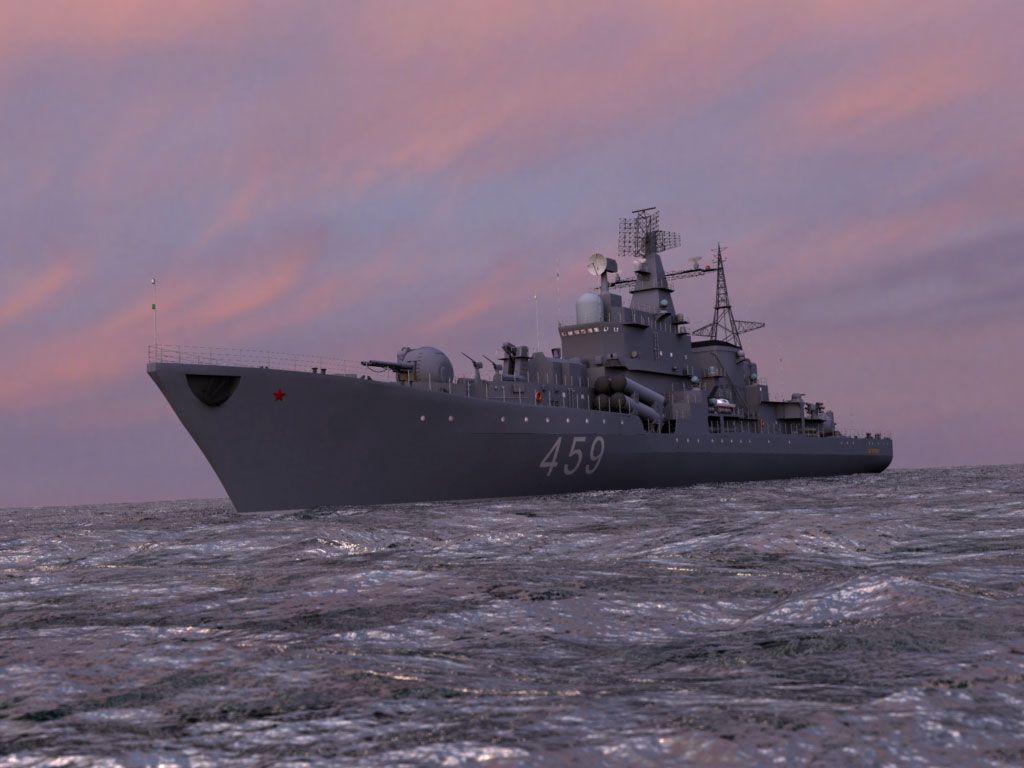
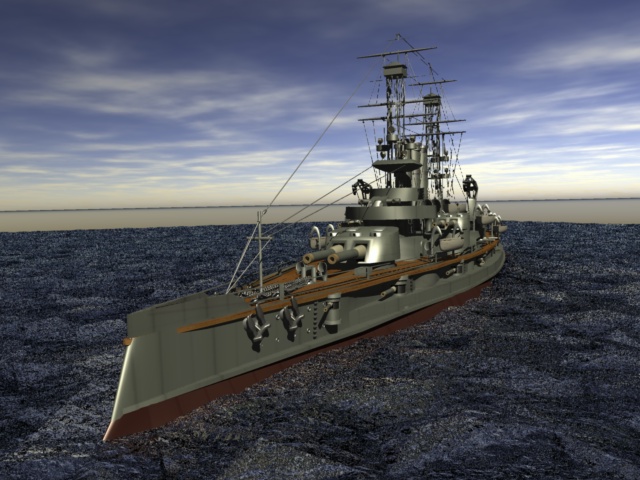
But I need to work on my shaders.  I tried making water with a cel component and it really looks like crap up close.

Free men do not ask permission to bear arms!!


Sueposer ( ) posted Thu, 30 December 2010 at 8:42 AM

Ha, ha. I did that to some skin once, using cell for the bump channel without fixing the size. My people looked so totally weird.  :)

Have fun exploring.


Kixum ( ) posted Thu, 30 December 2010 at 9:25 AM

1.)  Nice model!

2.)  Go and download my source files for the sky planet here.  It has an interesting shader for water in it (it's in the Carrara freestuff so you're good to go).

-Kix


UVDan ( ) posted Thu, 30 December 2010 at 10:18 AM
Forum Moderator

Thanks Sueposer and Kixum.

Free men do not ask permission to bear arms!!


tom271 ( ) posted Thu, 30 December 2010 at 11:54 AM

Great ocean and model ship scene...  


ย  ----------------------------------------------------------------------------------------------------------------------------


MarkBremmer ( ) posted Thu, 30 December 2010 at 12:35 PM

file_463482.jpg

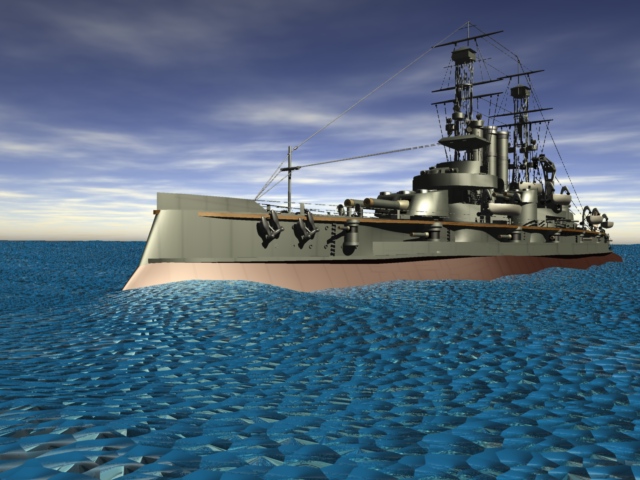
Here is a render I'd done sometime back. I created the shader for use on infinite planes. It only uses procedural noise shaders for the bump and displacement. 

I'll attach the shader in my next post.


MarkBremmer ( ) posted Thu, 30 December 2010 at 12:36 PM ยท edited Thu, 30 December 2010 at 12:41 PM

file_463483.txt

When you download the file, change the .txt to .cbr and it will work as a Carrara Shader. It does use displacement so you can turn that off to speed up your renders if you want. 

The scale is set for a medium size scene.

Mark


UVDan ( ) posted Thu, 30 December 2010 at 1:15 PM
Forum Moderator

Thanks a whole bunch Mark!  That will speed me along. WOOOHOO!  Thanks Tom the ship is a freebie.  This page at sharecg has some awesome models!

Free men do not ask permission to bear arms!!


UVDan ( ) posted Thu, 30 December 2010 at 2:00 PM
Forum Moderator

Hey Mark what kind of displacement do I use on that?

Free men do not ask permission to bear arms!!


MarkBremmer ( ) posted Thu, 30 December 2010 at 2:13 PM

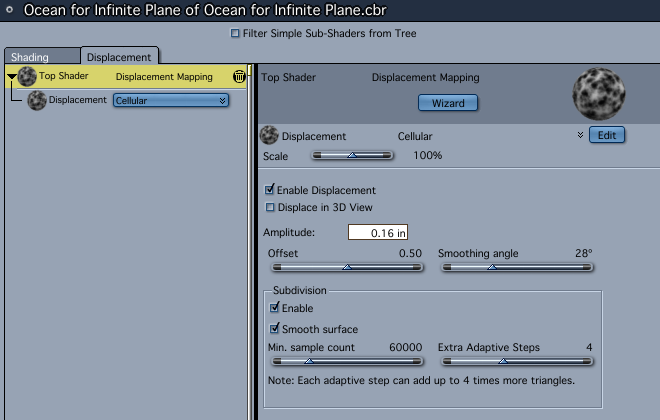
It's built into the shader already. Just look under the Displacement portion of the shader tree. 

Unless that's not what you're looking for...


50parsecs ( ) posted Thu, 30 December 2010 at 2:14 PM

Great looking ship and sea there Mark! Thanks for the ocean shader. Makes me want to attempt another ship model to use this with. BTW; can you use displacement shaders on an infinite plane with Carrara Pro8? I seem to remember that using displacement in a shader with previous ver. of Carrara would turn an infinite plane into a regular plane. I just ask because I haven't had a chance to try this one at home yet.
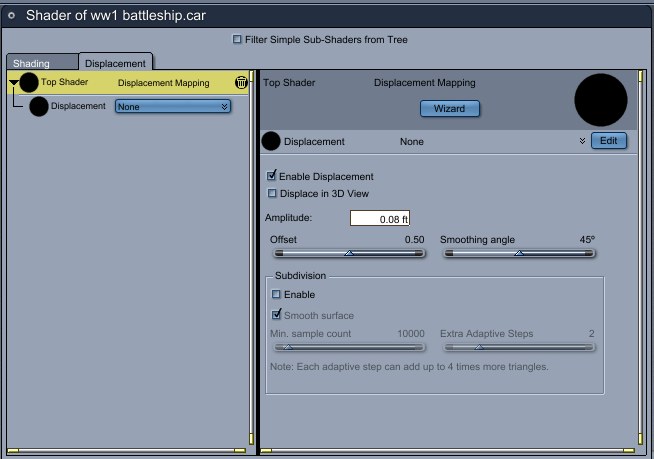

UVDan ( ) posted Thu, 30 December 2010 at 2:17 PM
Forum Moderator

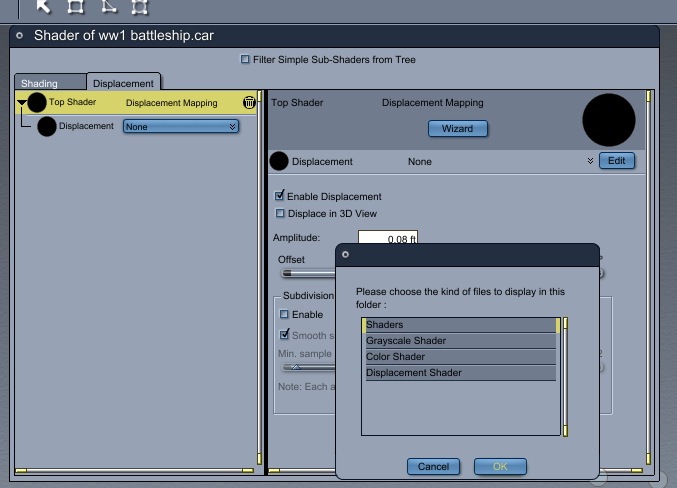
Here is what I see under the displacement tab.

Free men do not ask permission to bear arms!!


MarkBremmer ( ) posted Thu, 30 December 2010 at 2:27 PM ยท edited Thu, 30 December 2010 at 2:29 PM

file_463488.png

Hi UVD,

Are you sure you are using the correct shader? Your screen capture does not show the correct shader name. I just opened up the one I linked and the displacement info is in there. 

At any rate, here's the screen grab of the displacement info. 

@ 50parsecs: You are correct, displacement turns the infinite plane into a large standard plane. I just always lay down the infinite plane because it's larger than the standard and then I replicate it if I need to. For most water shots, I keep the angle of the camera low enough that I actually don't need an infinite plane at all. If the camera is higher, then I'll use an infinite plane because you don't really need displacement - all the shaping can be done with bump or Normal bumps. 
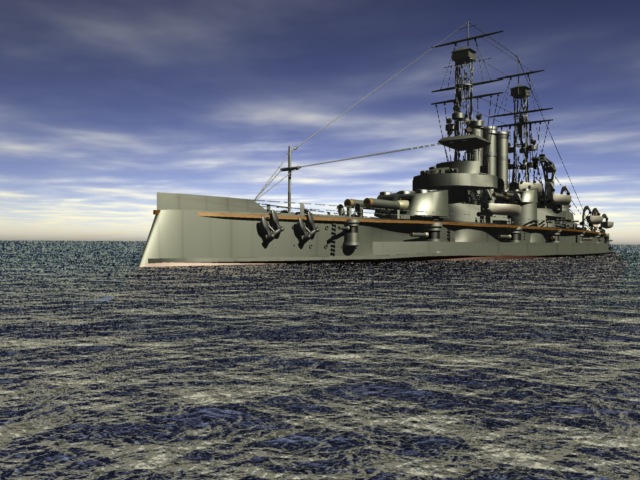


UVDan ( ) posted Thu, 30 December 2010 at 2:28 PM
Forum Moderator

My scene is improved dramatically with the shader, I just wondered how much better it might look with the added displacement.

Free men do not ask permission to bear arms!!


UVDan ( ) posted Thu, 30 December 2010 at 2:32 PM
Forum Moderator

Yes Mark. I do not know why Carrara 8 Pro is using my scene name as the shader name.  The shader is named ocean shader for infinite planes in my shader folder.

Free men do not ask permission to bear arms!!


MarkBremmer ( ) posted Thu, 30 December 2010 at 2:34 PM

It might be creating a new shader for the infinite plane when auto-deleting the displacement channel. You can see the settings I used in the screen grab posted earlier. 


UVDan ( ) posted Thu, 30 December 2010 at 2:37 PM
Forum Moderator

When I added the folder to my shader tab was I supposed to add it as a displacemt shader?  I did not and maybe that is why displacement is not there.

Free men do not ask permission to bear arms!!


MarkBremmer ( ) posted Thu, 30 December 2010 at 2:47 PM

Just had mine in a standard shader folder. 


UVDan ( ) posted Thu, 30 December 2010 at 3:04 PM
Forum Moderator

Thanks for the shader and the displacement info.  I will add the displacement manually.  It is a bad omen that C8Pro is not playing nicely from the get go.

Free men do not ask permission to bear arms!!


MarkBremmer ( ) posted Thu, 30 December 2010 at 3:09 PM

Make sure that you are using the v.134 beta version. It has fixed a host of bugs. 

Mark


UVDan ( ) posted Thu, 30 December 2010 at 3:18 PM ยท edited Thu, 30 December 2010 at 3:20 PM
Forum Moderator

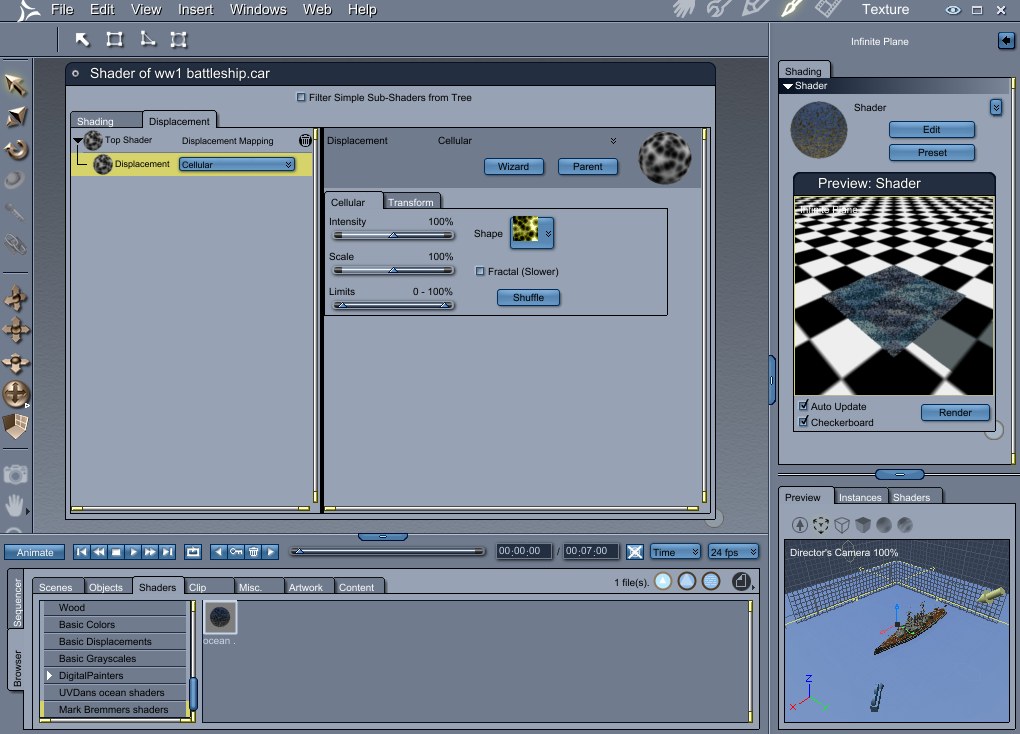
I am using 8.1 build 135.  When I add cellular displacement the window changes to something different than what your picture shows.


Ok I see I need to select the top shader.  When I do that it changes to the screen you have shown.  Sorry.

Free men do not ask permission to bear arms!!


UVDan ( ) posted Thu, 30 December 2010 at 3:38 PM
Forum Moderator

I definitely like it with displacement.  I see I will need to fool around with the camera angle to hide the horizon.  Thanks again.

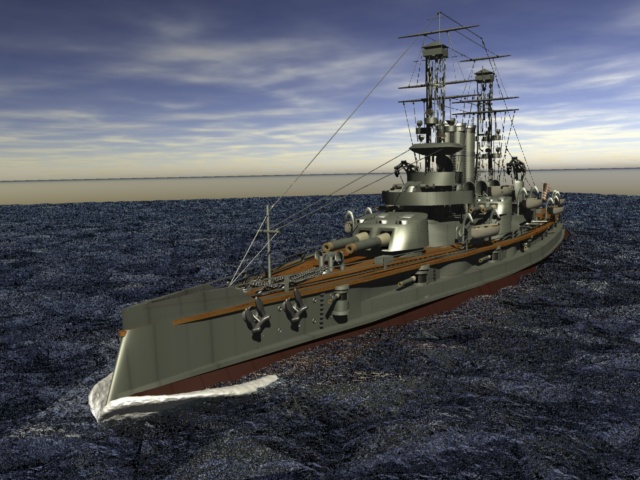
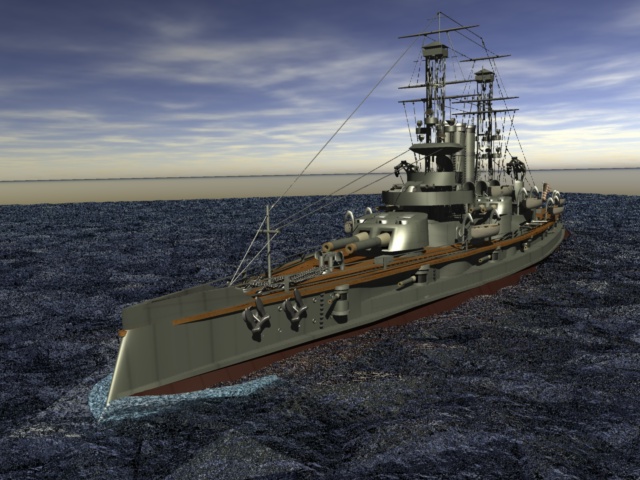
Now I need to find my bow wave obj model and affix it to the bow.

Free men do not ask permission to bear arms!!


UVDan ( ) posted Thu, 30 December 2010 at 4:12 PM
Forum Moderator

I tried to give my bow wave the same shader as the water, but it did not seem to take in the color dept.  I can see some bump on it though.

Free men do not ask permission to bear arms!!


UVDan ( ) posted Thu, 30 December 2010 at 4:56 PM
Forum Moderator

I did not notice that I had two material zones on my bow wave and that kind of threw me for a loop.  I have adjusted the shader for the bow wave some and it looks a little bit better.  I can see I have a real shader education ahead of me if I want to progress.

Free men do not ask permission to bear arms!!


UVDan ( ) posted Thu, 30 December 2010 at 5:44 PM
Forum Moderator

Hey Kixum I added your water shader to my library.  I hope that is what you intended when you made the file available.

Free men do not ask permission to bear arms!!


Kixum ( ) posted Thu, 30 December 2010 at 9:19 PM

When I put stuff up for people to download, I have no expectations about what will get done with it so please enjoy it to whatever ends it will be used for!

-Kix


UVDan ( ) posted Thu, 30 December 2010 at 10:37 PM
Forum Moderator

Thanks.

Free men do not ask permission to bear arms!!


Privacy Notice

This site uses cookies to deliver the best experience. Our own cookies make user accounts and other features possible. Third-party cookies are used to display relevant ads and to analyze how Renderosity is used. By using our site, you acknowledge that you have read and understood our Terms of Service, including our Cookie Policy and our Privacy Policy.