
Renderosity Forums / Carrara
Welcome to the Carrara Forum
Forum Coordinators: Kalypso, Anim8dtoon
Carrara F.A.Q (Last Updated: 2026 Sep 09 4:39 am)
Visit the Carrara Gallery here.

Subject: Editing a terrain as a vertex model?


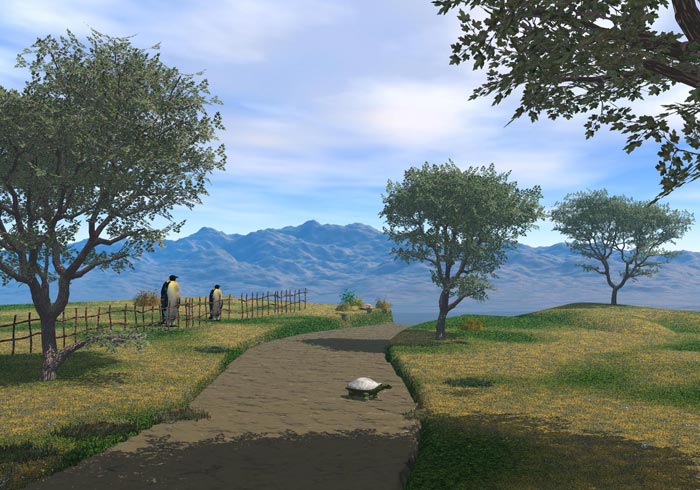
If you're going to convert this to a vertex object, you can add your own shader domains and make it easy on yourself. For something like this, I usually use a gray scale map made in Photoshop to drive the terrain height and then assign shading domains from the vertex modeler. Of course, you could do the whole map as a texture if you didn't want to use proceedural shaders. There is actually quite a few ways to do this type of thing...

Nice. I was just toying with those problems myself. Painting in the Terrain room was very slow and the feedback wasn't great. I've painted height maps in PhotoShop before and am okay with doing that. My thought has always been to create roads and paths by judicious painting of an existing generated terrain map. Also tried opening in VM, but even after several decimation steps the terrain was too large to work with. I'll have to explore convert options more closely. Actually, truth told, I just spend a frustrating evening working on landscapes in Carrara, when every few minutes I'd accidentally slide a slider too far to the right -- and have to force-quit Carrara as it went into hour-long calculations of erosion filter or some-such. Looking forward to 6 to see how that runs!
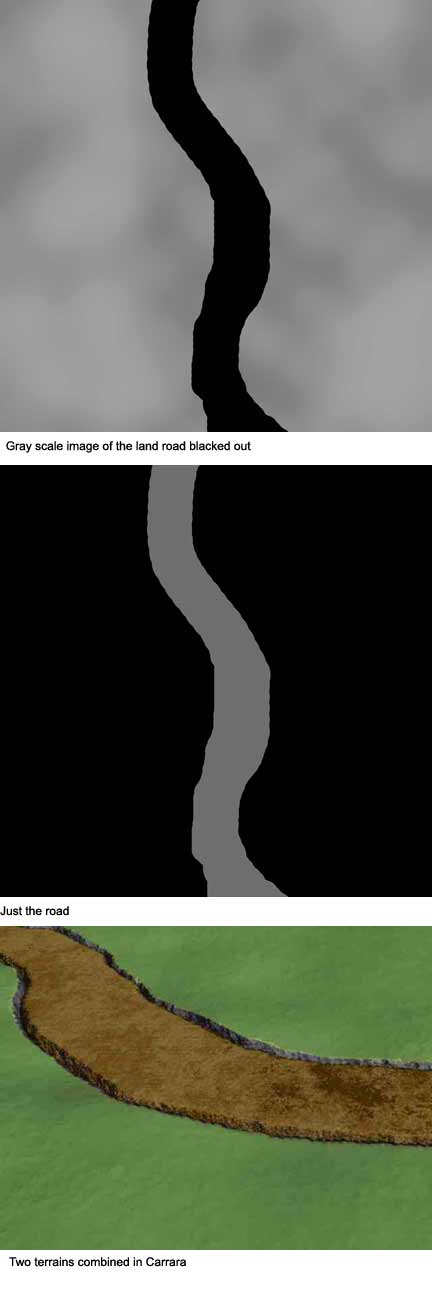
I just want a winding path across the land.
So what is the best way of combining two terrains?
I was just messing around with some fun stuff like texturing a terrain with rocks, duplicating it, weathering the duplicate and setting it to foliage. Sort of worked! (The edges were too distinct). My feeling on paths is that it really has to be smudged out and flattened and otherwise built specifically in the terrain. Then you could make a copy of the map, select the road, and use that as an alpha channel for the terrain's texture.

Quote - I was just messing around with some fun stuff like texturing a terrain with rocks, duplicating it, weathering the duplicate and setting it to foliage. Sort of worked! (The edges were too distinct). My feeling on paths is that it really has to be smudged out and flattened and otherwise built specifically in the terrain. Then you could make a copy of the map, select the road, and use that as an alpha channel for the terrain's texture.
Hi there. I am trying to do something just like that! Well almost, but I dont have a clue. Please see:
www.renderosity.com/mod/forumpro/showthread.php
What i want to do is add paths, and to the embedded keyboard on the terrain, make it blend in more, make the keys look weathered, add waterfalls to cliffs, and a lake where the basin is, have some ivy, etc. I am kinda new with Carrara (this is my first piece) but I know photoshop, and it seems it would be easier to pixel paint in later...but hoping for some Carrara tips that might save time? thanks for looking into this for me!!!



Privacy Notice
This site uses cookies to deliver the best experience. Our own cookies make user accounts and other features possible. Third-party cookies are used to display relevant ads and to analyze how Renderosity is used. By using our site, you acknowledge that you have read and understood our Terms of Service, including our Cookie Policy and our Privacy Policy.
Editing a terrain as a vertex model? Can it be done? I'm thinking that if I took a terrain I could add different shader domains. That seems like it would be and easy way of adding a path/road though a landscape.
When a terrain is clicked on it just goes to the terrain editor. I want to go to vertex world.