
Renderosity Forums / Carrara
Welcome to the Carrara Forum
Forum Coordinators: Kalypso, Anim8dtoon
Carrara F.A.Q (Last Updated: 2026 Sep 09 4:39 am)
Visit the Carrara Gallery here.

Subject: Question: landscapes and forground


I've had to scale terrain very big or scale figures very small so that scenes look right. Another trick people use is to render the terrain and then use that as a background image in another render of just a figure standing on a simple plain.
www.youtube.com/user/ShawnDriscollCG
Thanks much for your reply. What suggestions do you have for improving the quality of the shaders used in the foreground so that they render with finer detail and realistic appearance. The tiling of most things I've tried degrades a lot when used in foreground. Does one need higher res shaders or is there a setting in Carrara that improve what is there.

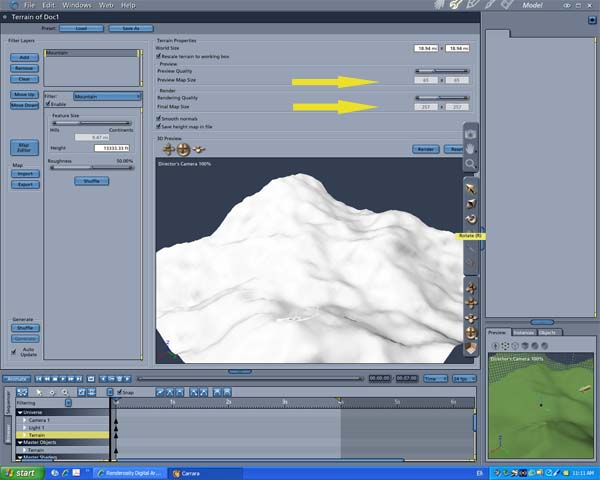
Have to say that as a former Bryce user I find the presets in Carrara range from disappointing to WTF? That said, it doesn't take too long in tinkering to make them nicer. Of course by the time you put in enough nodes to make it properly lively you've ramped up render times to Brycian levels! On the other, I've noticed particularly in the lighting and environmental effects that most of the options go very far out of "zero" position when clicked. Which is to say; hit global illumination and your entire scene is darkened to compensate. Hit skylight or caustics and it is not; those effects are added on top. And in practically all of them, a full render is the only way to see what is actually going to happen. Something like the light sphere preview is basically fiction -- the preview shot will have nothing to do with what renders (regardless of what preview options you use.) Not complaining -- although consistency would be nice -- but basically means the advice is to turn on all the stuff you are going to be using for the final render and start doing test renders early on. It is counter-productive to tweak results with any of the settings turned down or off. Oh, back to the top of the page; typical landscape trick is to use several terrains; some number for background elements, and a completely different one for the foreground elements. And then to really get depth effects, add some more stuff between the camera and the subject. Carrara is a scaled universe and effects like mist and fog look best with real distances in there. That said, you can use a lot of forced perspective.
The Mipmap plugin is great for landscapes and reducing render times.
Presets/lighting/rendertimes. I find some of the settings on the presets in excess of real need so I make adjustments beforehand. I tend to consider Bryce lighting/render quality and rendertimes very poor compared to Carrara--strange how we all have differing interpretations.
bwtr

Privacy Notice
This site uses cookies to deliver the best experience. Our own cookies make user accounts and other features possible. Third-party cookies are used to display relevant ads and to analyze how Renderosity is used. By using our site, you acknowledge that you have read and understood our Terms of Service, including our Cookie Policy and our Privacy Policy.
I want a landscape that includes a close-up view in the foreground. In exploring the existing landscapes in Carrara 5 Pro, they seem to be only for viewing at a distance. If you try to zoom in so that the ground plane is close to the camera the ground plane shader still makes the forground look relatively distant. If you place a character in this forground the character looks as if its floating over a distant landscape rather than standing in the foreground with a distant landscape behind.