
Renderosity Forums / Carrara
Welcome to the Carrara Forum
Forum Coordinators: Kalypso, Anim8dtoon
Carrara F.A.Q (Last Updated: 2026 Sep 09 4:39 am)
Visit the Carrara Gallery here.

Subject: C5 beta image using New VM and curve tools.


Yes, that is correct. I inserted a circle with 5 vertices then I used the Align function in the vm to place the circle at the beginning of the sweep path. Select a vertex of the circle then select the vertex at the beginning of the sweep path then make this point the control point by ctrl+alt click this point. Then press ctrl+k to align the circle to the beginning of our sweep path. I then performed the sweep or extrude . I hope this helps out.

Privacy Notice
This site uses cookies to deliver the best experience. Our own cookies make user accounts and other features possible. Third-party cookies are used to display relevant ads and to analyze how Renderosity is used. By using our site, you acknowledge that you have read and understood our Terms of Service, including our Cookie Policy and our Privacy Policy.
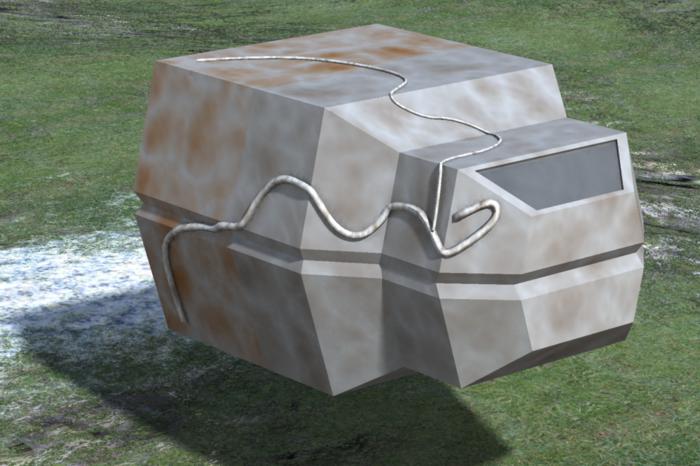
Here is an image done with the C5 beta, I like that you can use the new polyline,curve tools and draw directly on a polymesh. When drawing your curve on the mesh you just have to place a point before,on and just after the edge that the tube is going around . You will get a tube that hugs the polymesh. This is a lame example but I was just playing around,I think the new vm is going to make greebling alot more interesting.