
Renderosity Forums / Poser 14

Subject: Clothroom progress

So far, I’ve been working in user mode. Now, I switch to creator mode.
While looking at the weights, I scrub through the timeline, I see that the constraint for the stool is dragging a bit.
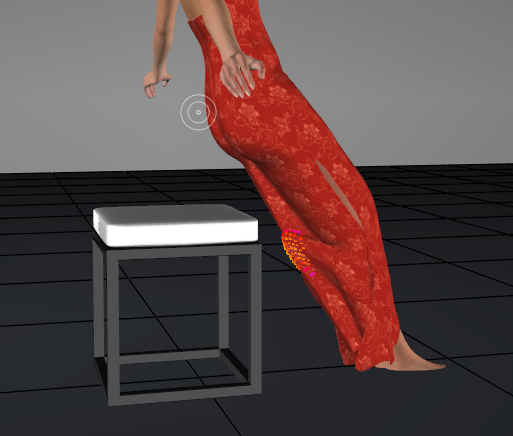
I reduced the weight on the that section to .005 and it stopped dragging
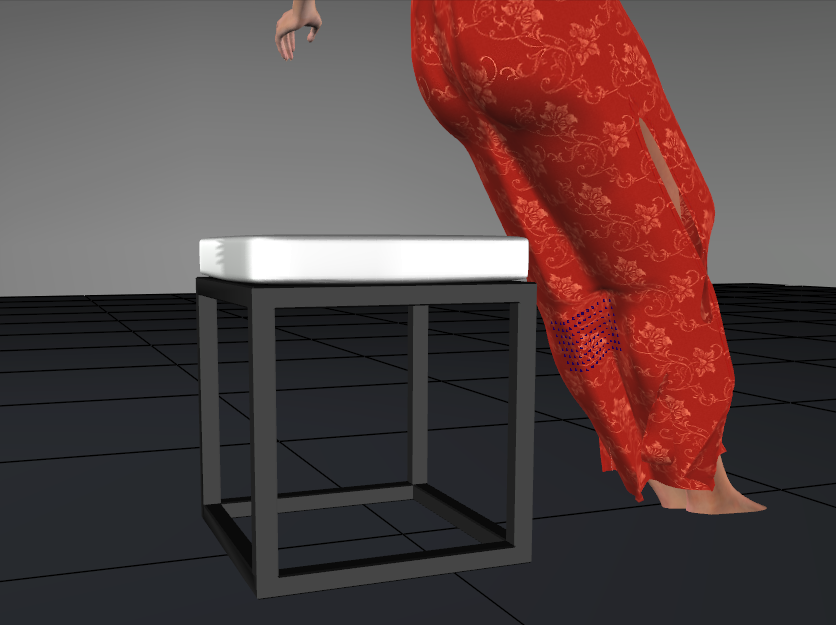
I had to use trial and error with the weight value, but I think as I get used to this, I’ll learn better starting values.
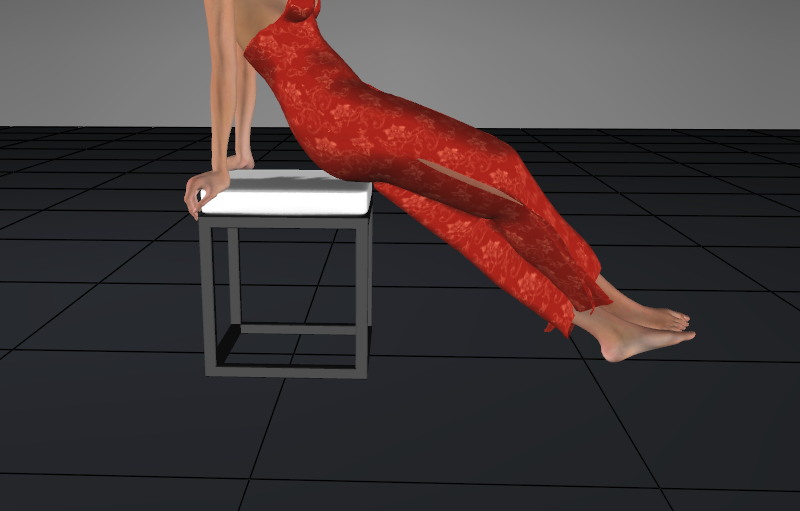
But the back still isn’t hanging.
Available on Amazon for the Kindle E-Reader Monster of the North and The Shimmering Mage
Today I break my own personal record for the number of days for being alive.
Check out my store here or my free stuff here
I use Poser 14 and Windows 11
I reduced the weights on the shins in the back down to .0005 and added some weights to the front, and proceeded to forget to take a screenshot. The back was starting to swing back down to the floor. I added extra frames, moving it up to 120. It swung down nicely by frame 99. I hit the smooth frame button a few times and got this.
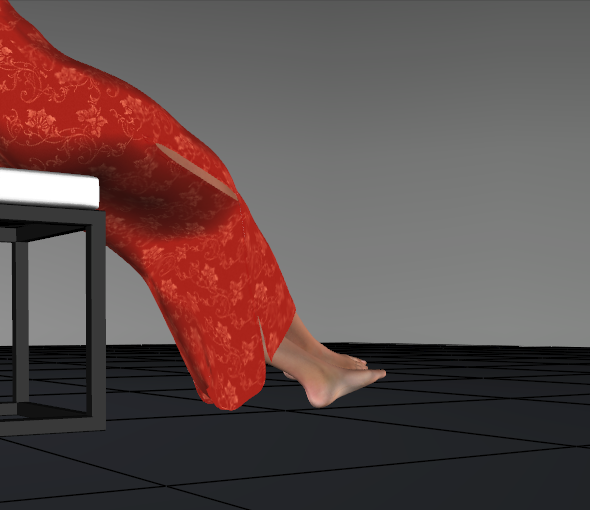
Here's the front
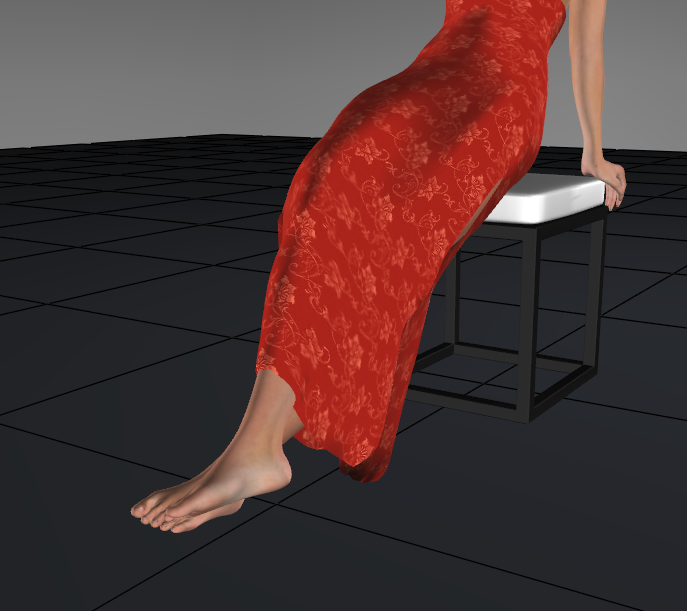
I'll post more after dinner.
Available on Amazon for the Kindle E-Reader Monster of the North and The Shimmering Mage
Today I break my own personal record for the number of days for being alive.
Check out my store here or my free stuff here
I use Poser 14 and Windows 11
I adjusted the shin’s map and lowered the weight to .0001. I got this. I figure it's the best I'm going to get.
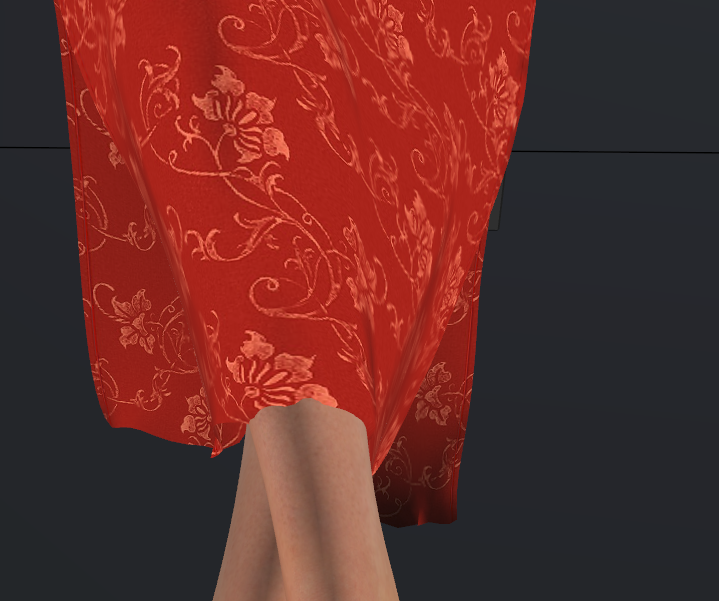
It's pretty close
This was about 2 hours' work, including documentation and a few breaks. I set the final draping to 99 frames, and it took 30 seconds to run.
Lafemme, the pose, and the stool all come with Poser. I thought the dress did too, but I'm not sure where that came from. I redownloaded the included content, and it's not there.
Available on Amazon for the Kindle E-Reader Monster of the North and The Shimmering Mage
Today I break my own personal record for the number of days for being alive.
Check out my store here or my free stuff here
I use Poser 14 and Windows 11
This is my second test. This is a redo of a scene I did in Poser 11. Here is how it looked originally. Both the dress and the curtain were draped. I’m focusing on the dress first, but I’ll try the curtain too.
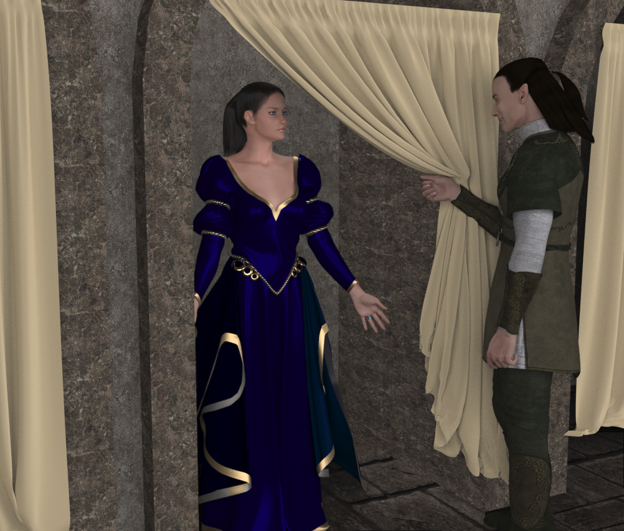
Here is the first draping.
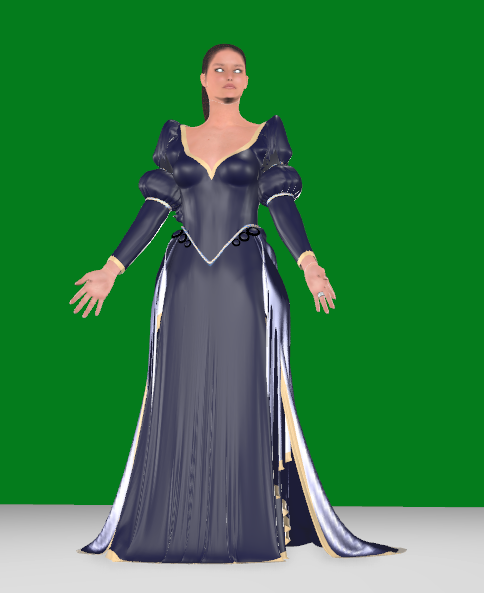
It’s very flat. I’m surprised that the arms kept their puffiness around the elbows. I’ll work on the shoulders too, but I’m going to focus on the skirt.
First, I created 2 polygon groups, 1 for the front and one for the back of the skirt. I created an animated constraint and constrained it to the hip. I added all the polys from both groups at a weight of .0005. I made 2 groups in case I decide that I need different weights for the front and back.
Here is the drape. I changed the shader because it kept changing to white, and I was having trouble seeing the details
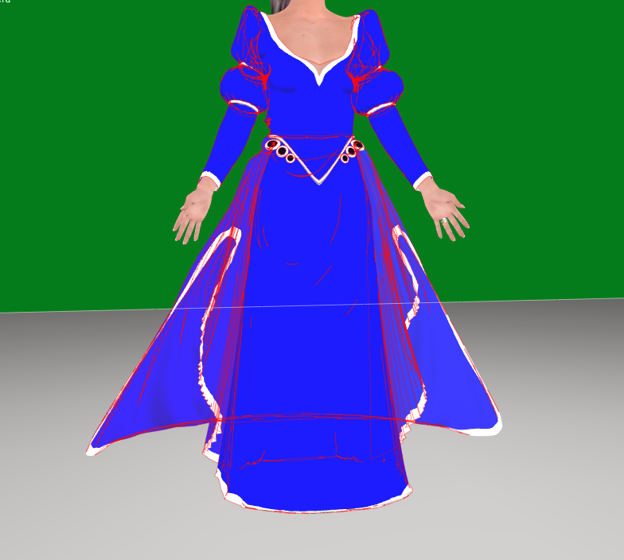
Comparing it to the original, it’s pretty close
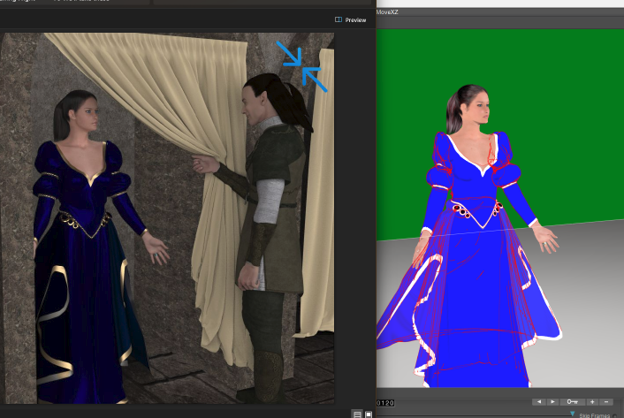
I’m going to try to make it closer. I experimented with different settings. I set the back to .0002 and the front to .001. This is what I get.
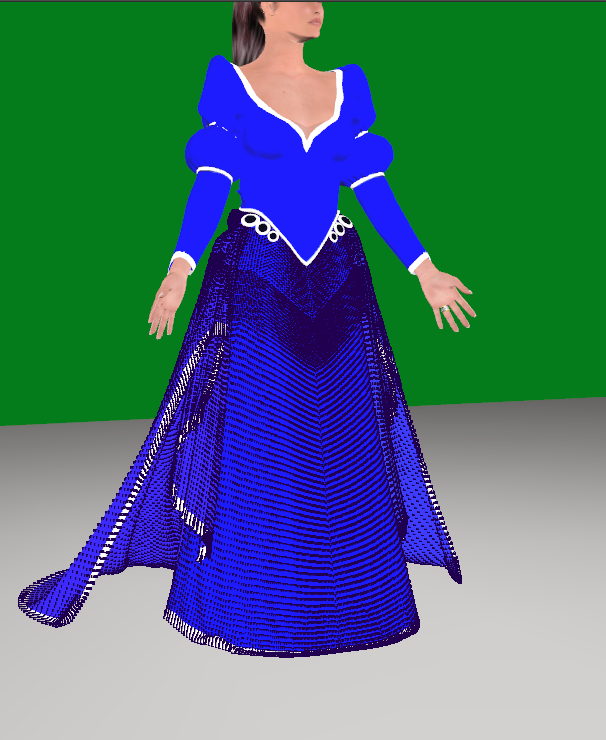
I think that's probably as close as I'm going to get. I'll switch to the sleeves soon, but today I have RL responsibilities. This dress the simulations are taking longer because the dress is so high poly. There are 211154 faces. When I draped this back in Poser 11, I started the drape and went to bed. That was on my older, slower computer, but I'm sure it would still take a few hours in the clothroom.
Available on Amazon for the Kindle E-Reader Monster of the North and The Shimmering Mage
Today I break my own personal record for the number of days for being alive.
Check out my store here or my free stuff here
I use Poser 14 and Windows 11

I forget about that. I was thinking about trying it today. With those, I would still need to recalculate the draping, right? I won't see instant results, like with dials for morphs or magnets.
Available on Amazon for the Kindle E-Reader Monster of the North and The Shimmering Mage
Today I break my own personal record for the number of days for being alive.
Check out my store here or my free stuff here
I use Poser 14 and Windows 11
Thanks. I didn't think about it changing through out the simulation. I'll have to do more tests.
Available on Amazon for the Kindle E-Reader Monster of the North and The Shimmering Mage
Today I break my own personal record for the number of days for being alive.
Check out my store here or my free stuff here
I use Poser 14 and Windows 11

It's taking time to learn, and I'm struggling with it. At this point, I'll think twice before using dynamic clothing. I'm not saying I won't use it, but I'm less likely than I would the cloth room. Once I get the hang of it and can get my clothing set up and saved to use it, I'll may be more likely to use it than conforming. The first dress I did was quite easy and simmed faster than the clothroom, usually. I'm having some issues with the puffy sleeves on the dress, and some of what I was trying dragged out. I'm taking a break and rendering an image I thought of.
Available on Amazon for the Kindle E-Reader Monster of the North and The Shimmering Mage
Today I break my own personal record for the number of days for being alive.
Check out my store here or my free stuff here
I use Poser 14 and Windows 11
I took a few days away from the scene to get a fresh perspective. I had been trying to get the shoulders to stay puffy like the elbows do. I tried different weights and adding a rigidity constraint. Nothing gave me the look I was after. Then I looked at the original and saw the shoulders weren't puffy there either. In the clothroom, there have been times when I used balls parented to the forearms to get the look. I may do that again in the future.
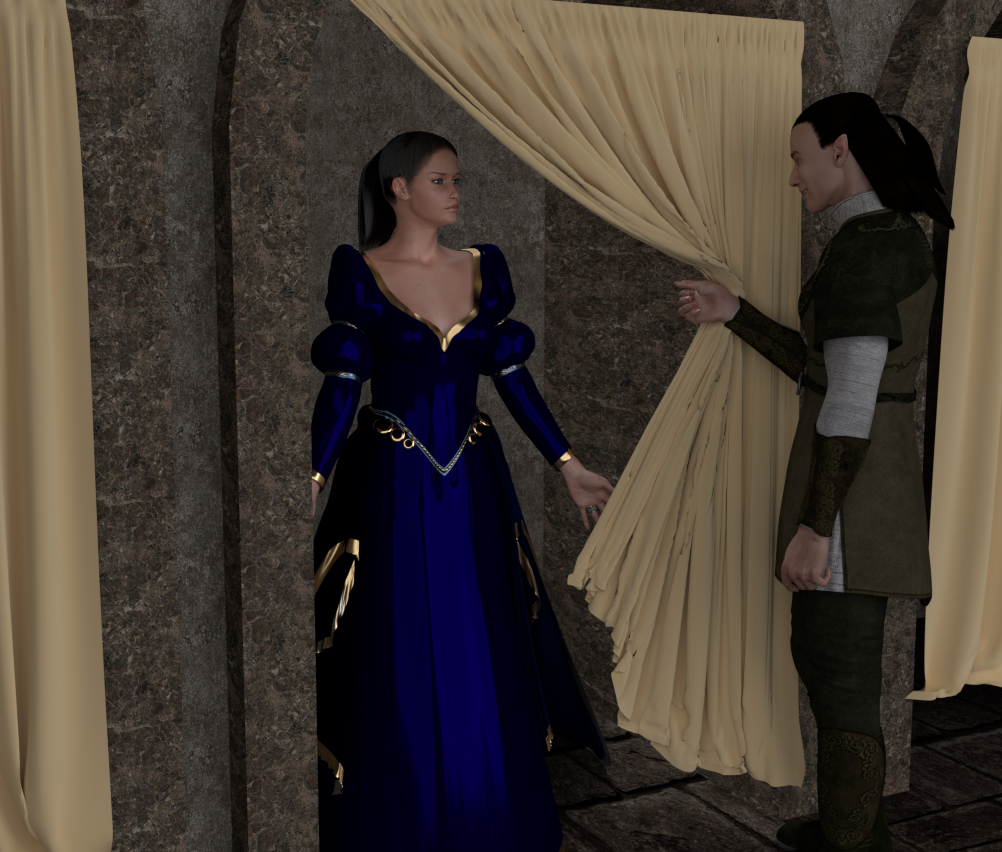
Then I moved on to the curtain. Rather than making it cloth dynamic, I made it soft dynamic. I gave it a self constraint of one row of vertices. The rest I set the weight at .0001. I used a cylinder rather than the actual arm to push it back. It's the same thing I did in the original.
Here is the final result
Available on Amazon for the Kindle E-Reader Monster of the North and The Shimmering Mage
Today I break my own personal record for the number of days for being alive.
Check out my store here or my free stuff here
I use Poser 14 and Windows 11
Something I seem to do a lot of is drape a blanket over a sleeping person, so I decided to try that next. I loaded a bed, Lafemme, and some clothes. I added a high-res square to use as the blanket. I set up the simulation like I’ve been doing and set up the blanket as soft dynamics.
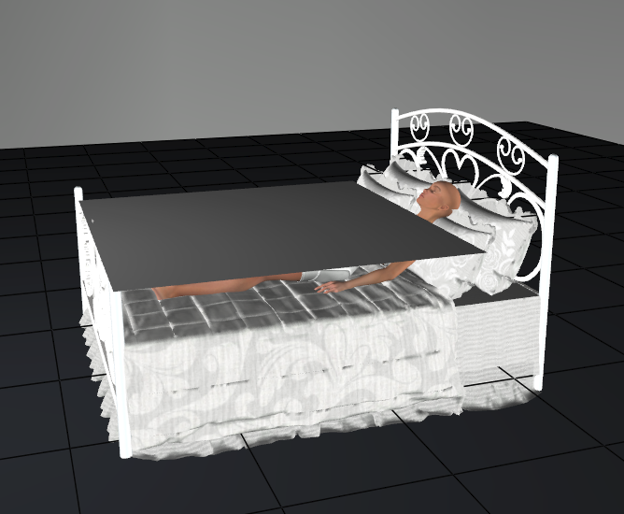
And this was my first drape
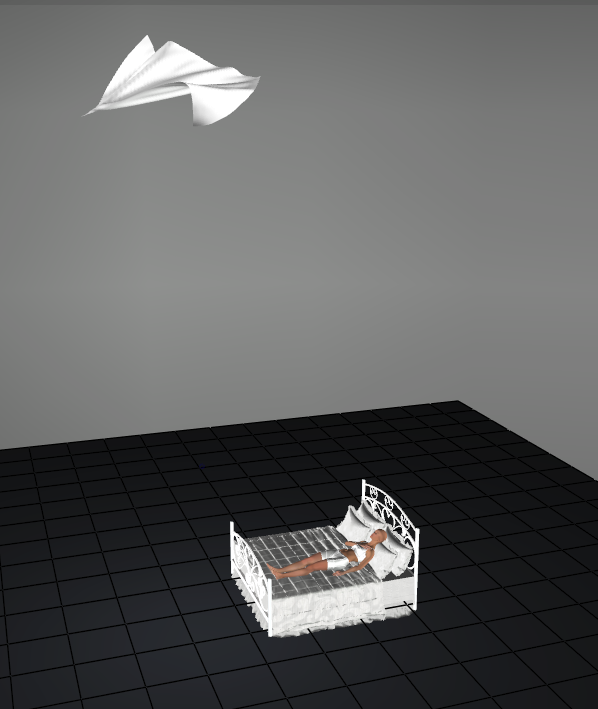
Seems a little drafty.
I added a self constraint. That didn’t work. To get it to stop flying away, it made the blanket too stiff
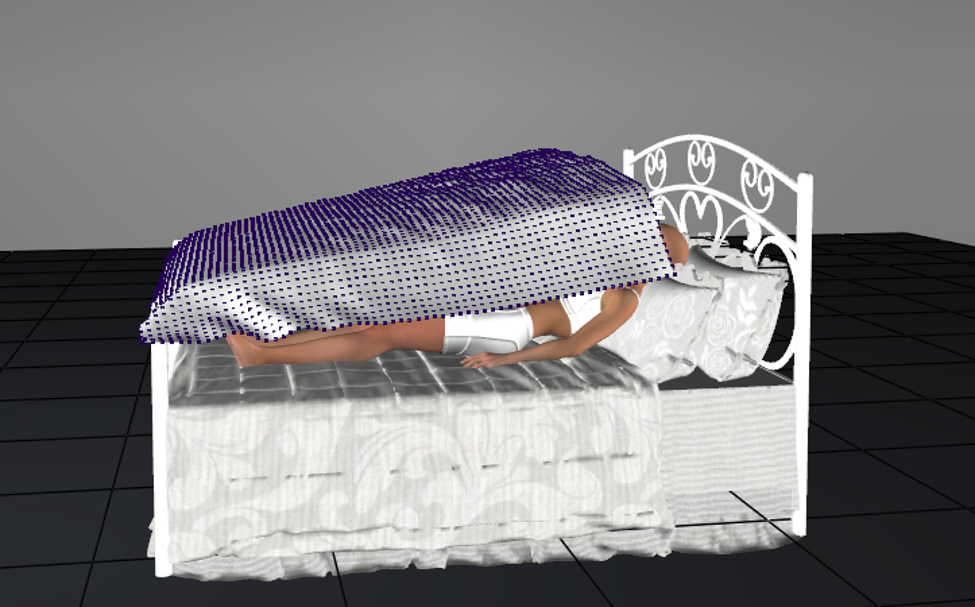
I swapped it for an animated constraint, but I’m seeing similar results. This is a lower weight, but the blanket is flying around.
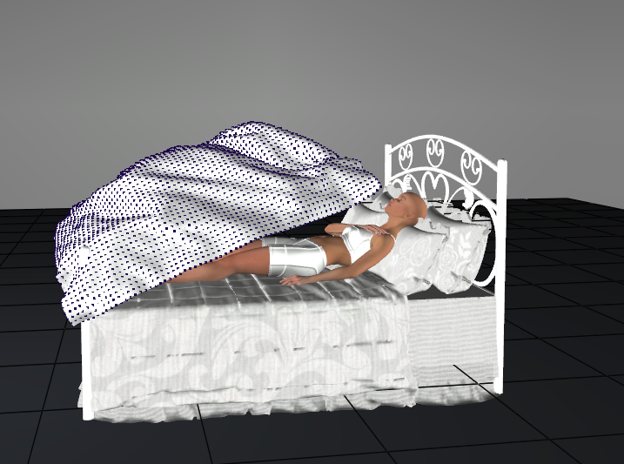
I added more frames, just in case I was being impatient.
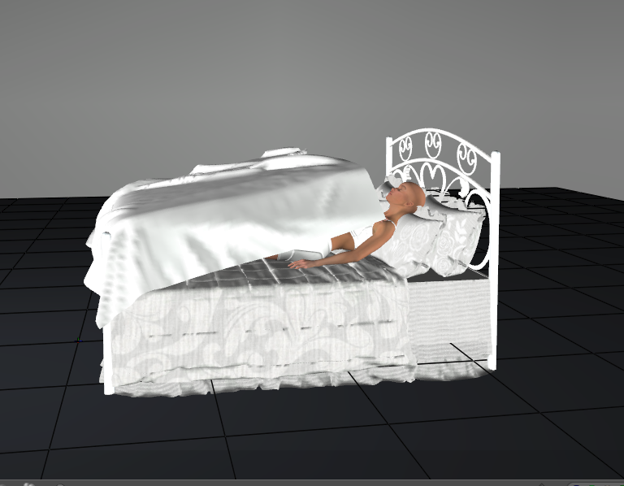
It dawned on me. The bed doesn’t work as a convex hull. I switched it to triangle mesh and got it to drape.
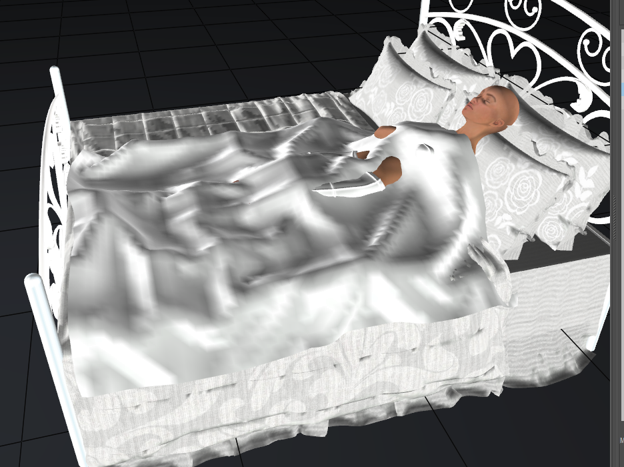
Better. Not great
I added a self-constraint to help it lie on the bed better, and an animated constraint to help it collide with Lafemme. The animated constraint I painted weights just around where she was.
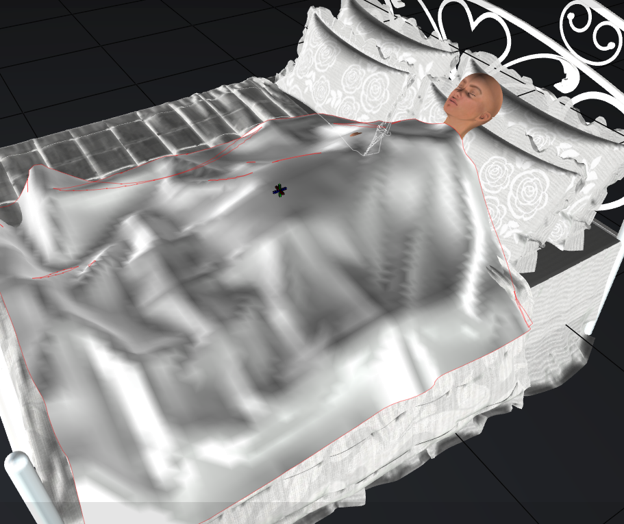
The arm is still poking through a little. If this were for an image, I’d use the morph brush to fix that, but that would be the case with the clothroom, too, if I have that problem. The blanket is wrinkled, but it looks more natural than the clothroom. That has it fall flat.
Available on Amazon for the Kindle E-Reader Monster of the North and The Shimmering Mage
Today I break my own personal record for the number of days for being alive.
Check out my store here or my free stuff here
I use Poser 14 and Windows 11
I decided to try my Knight for Ryan freebie. This outfit I don't use too often because it's very high-poly and takes forever to drape. This is the first drape.
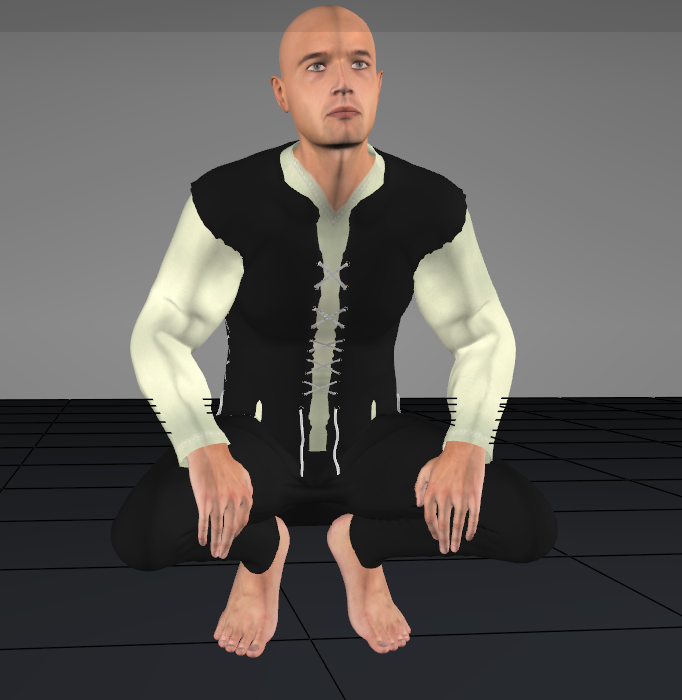
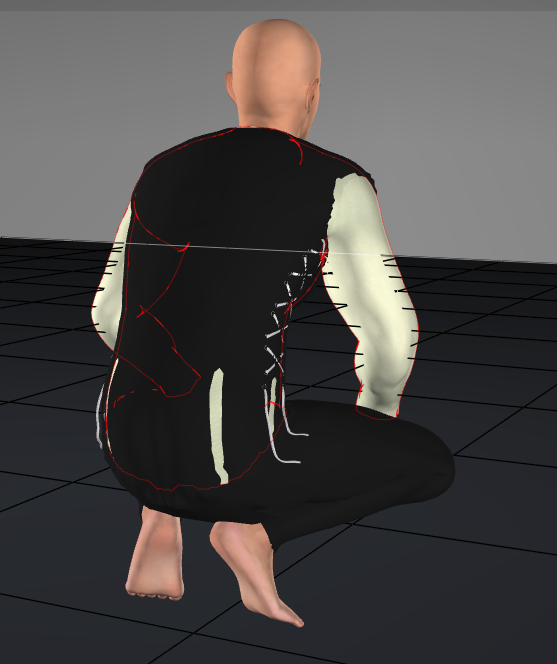
If anyone is interested in an updated version, I can upload it.
Available on Amazon for the Kindle E-Reader Monster of the North and The Shimmering Mage
Today I break my own personal record for the number of days for being alive.
Check out my store here or my free stuff here
I use Poser 14 and Windows 11
This is the next outfit
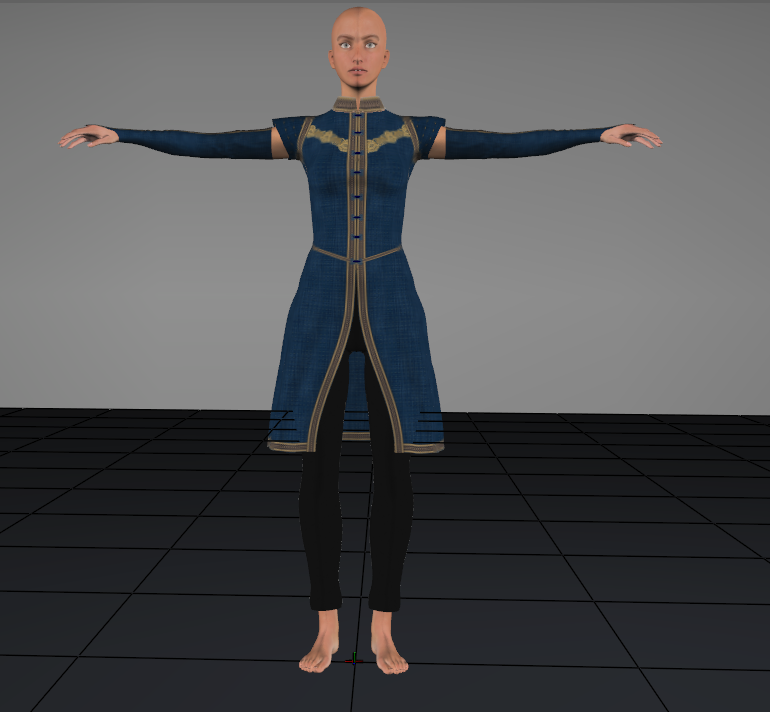
The gloves and pants worked beautifully. The tunic mostly worked. The only issue was the buttons. A slight animated constraint worked to fix that.
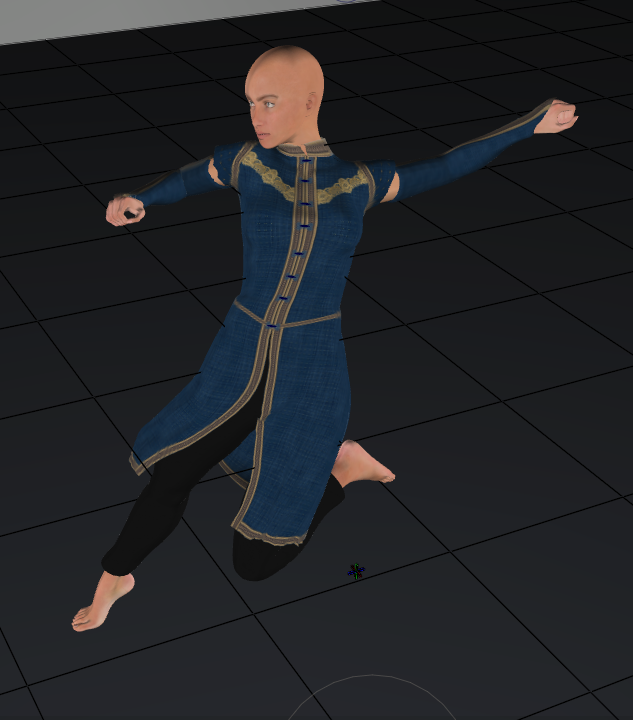
One problem I have with most of the clothing is jagged edges. Hitting the smooth frame button helps with some things, but not the edges.
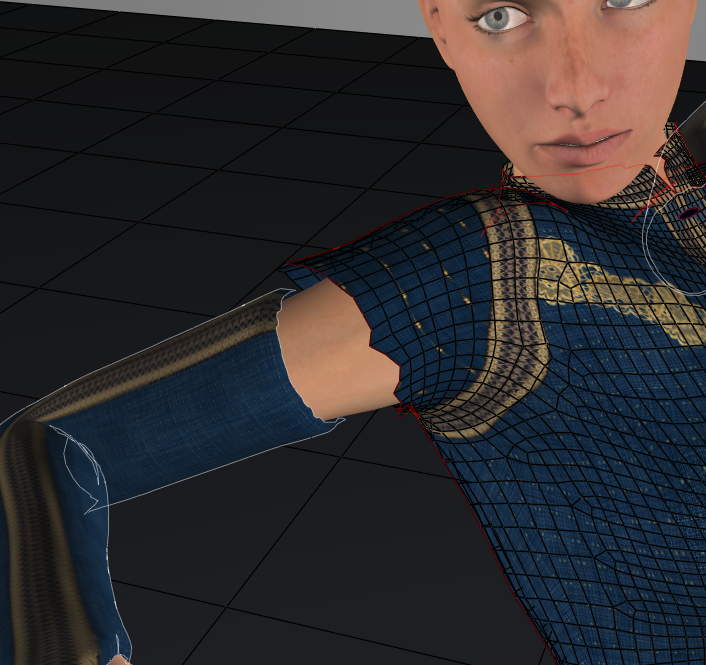
Running the morphing tool's smooth brush helps, but I'd rather not need to.
Available on Amazon for the Kindle E-Reader Monster of the North and The Shimmering Mage
Today I break my own personal record for the number of days for being alive.
Check out my store here or my free stuff here
I use Poser 14 and Windows 11
This next one, I converted the dress and the tunic from conforming to dynamic. Originally, I was going to drape the shirt, but it wasn't sitting well.
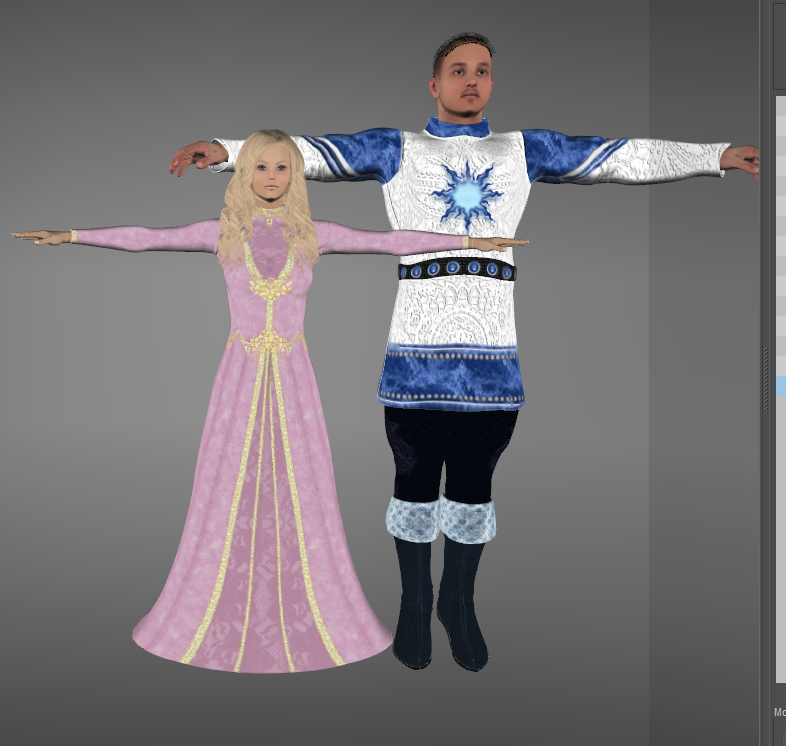
The shirt is M3's Tunic M3 from Daz. It was converted to M4, but I didn't do a great job, and the handles didn't work well. In addition, the lower part of the skirt was split. I exported it as an obj and imported that into Blender. There, I deleted the handles and welded the splits. This step usually isn't necessary. The handles probably would have had problems because they were in the thighs. Poser can delete polygons, but I wanted the split vertices welded. Once I had the modified shirt brought back into Poser, I set up the sim and it worked well.
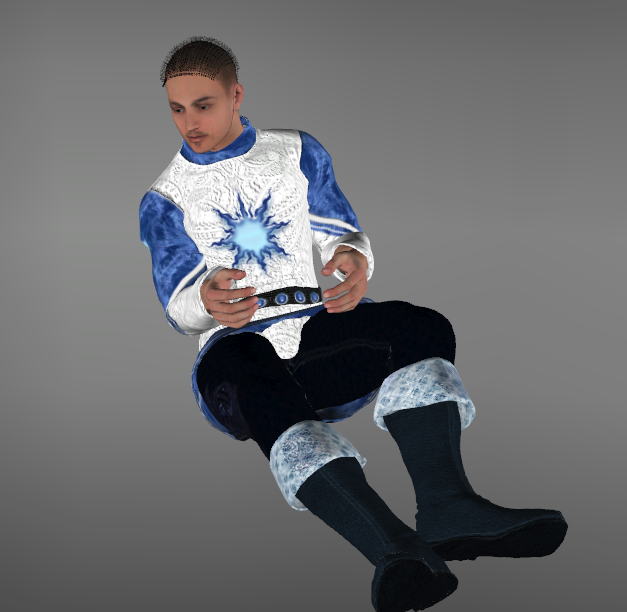
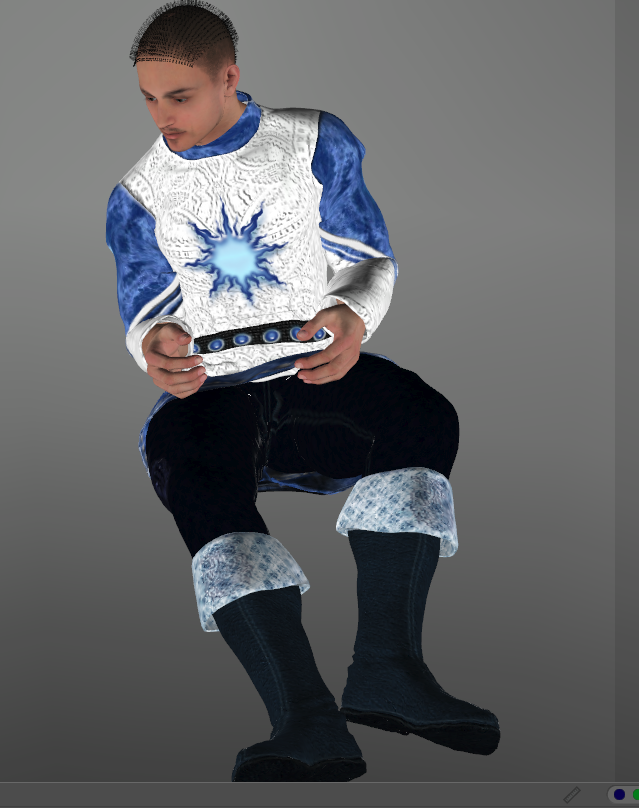
I wasn't crazy about the drooping in the shirt between the legs, so I used the morph brush to smooth it out. Had the camera angle been different, I wouldn't have cared.
Available on Amazon for the Kindle E-Reader Monster of the North and The Shimmering Mage
Today I break my own personal record for the number of days for being alive.
Check out my store here or my free stuff here
I use Poser 14 and Windows 11
I forgot to add that I also added one level of subdivisions to the tunic. It drapes much better with higher polys, and it doesn't slow things much.
The dress is V3's morphing fantasy dress. I used the fitting room to convert that. If you haven't tried it, all you have to do is create a fitting room session using whatever clothing and any figure. You aren't doing any fitting, so it doesn't matter who you use. I hid the skirt handle so it wouldn't transfer. Then hit the spawn prop button and give it a name when asked. There are other ways you can convert conforming clothing, including scripts, or exporting an OBJ and reimporting it. This method keeps shaders and doesn't add extra files to your hard drive.
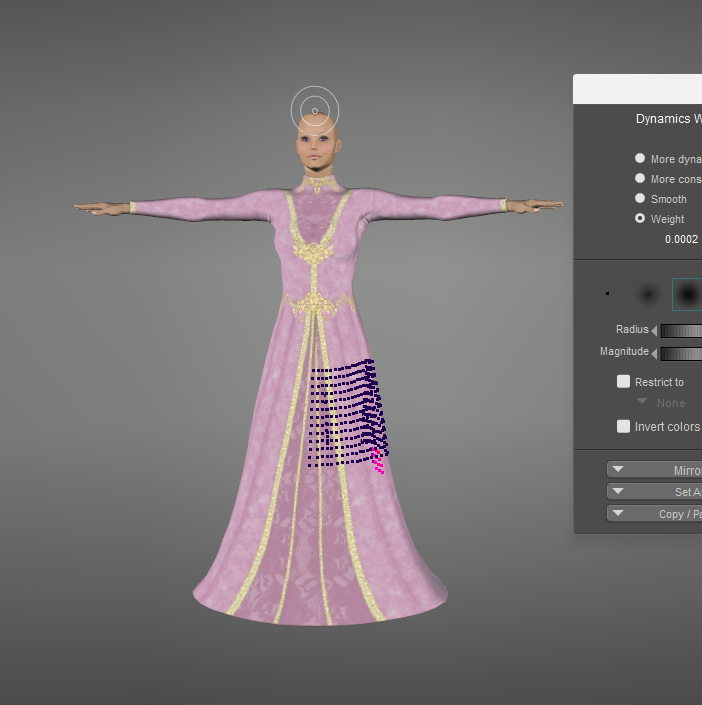
I knew the dress wouldn't auto-generate the leg constraints well. I added thigh and shin poly groups to the skirt. Here's the left thigh. The thighs were set to a weight of .0005 and the shins were set to .0002. The right thigh and shins were similar, but in the appropriate locations.
The first several attempts looked terrible. I forgot to take screenshots. First, I realized I had forgotten to turn off the glue, so that was overriding my constraints. Then I realized that she was floating in the starter pose. I dropped her to the ground, and I also added more frames for her to sit. Usually, I use frames 1-30 as a drape with no movement. Then I use frames 30 to 60 to get into position. I added an extra 30 frames.
It still wasn't draping well. 1 problem was that the feet were dropping below the floor as she sat, and it was causing the dress to collide with the floor at the wrong time. I turned on the IKs for her feet, and that solved the problem. It kept the feet above the floor. The legs did some odd things in between key frames, but it didn't affect draping, and the final pose was good.
I also had to set her feet, and the shoe feet and toes to a triangle mesh rather than a convex hull.
I still got a bit of poke through around the knees, but I found that if I raised the constraint weight higher, the skirt was getting too stiff, and the front was floating.
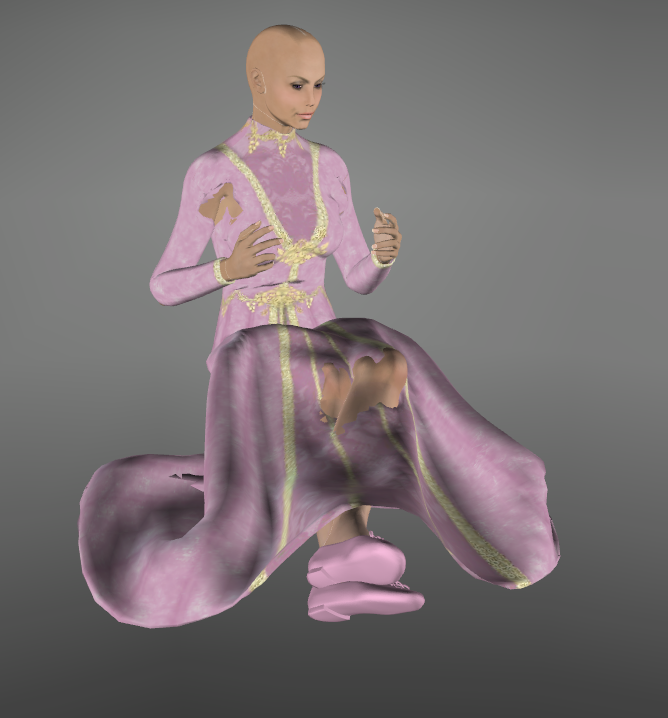
I hit the smooth frame button several times, and that helped.
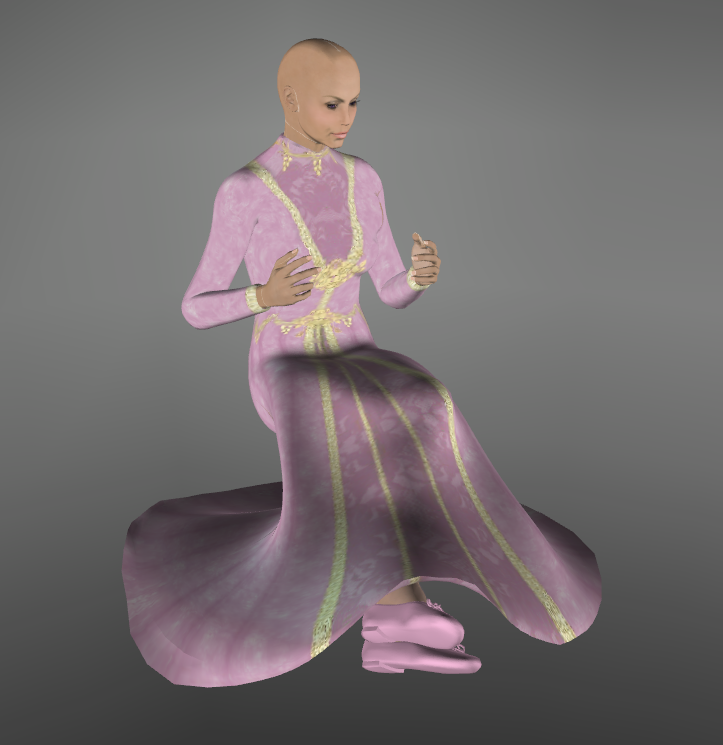
Here's the final draping
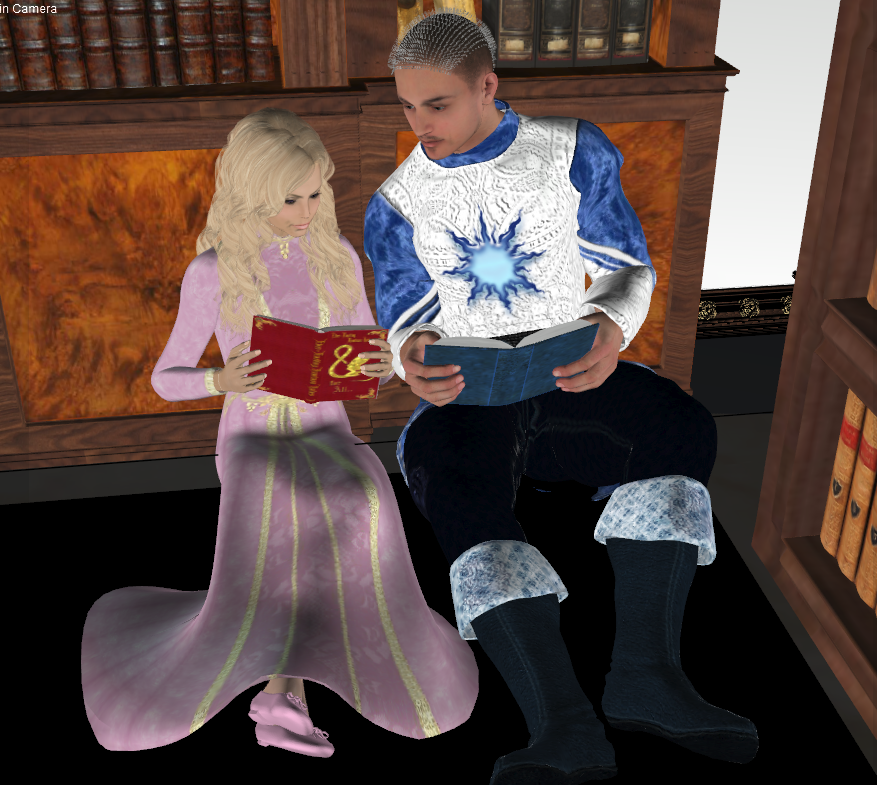
This scene was set up in a few hours last night.
Available on Amazon for the Kindle E-Reader Monster of the North and The Shimmering Mage
Today I break my own personal record for the number of days for being alive.
Check out my store here or my free stuff here
I use Poser 14 and Windows 11

Most of them haven't been too bad. Once you've done it a few times, it's mostly the same. Yeah, there are some that are complicated, but that was the case in the cloth room, too. It depends on what the clothing is and the pose you're using.
Available on Amazon for the Kindle E-Reader Monster of the North and The Shimmering Mage
Today I break my own personal record for the number of days for being alive.
Check out my store here or my free stuff here
I use Poser 14 and Windows 11
Content Advisory! This message contains nudity
Something I’ve liked about dynamic clothing is that often times, you can use it on other figures without any converting. Resize your figure’s body parts to fit inside the clothing and go from there. I decided to try to do it with Jessi’s red dress and Lafemme.
I started out with resizing Lafemme. To fit in the dress
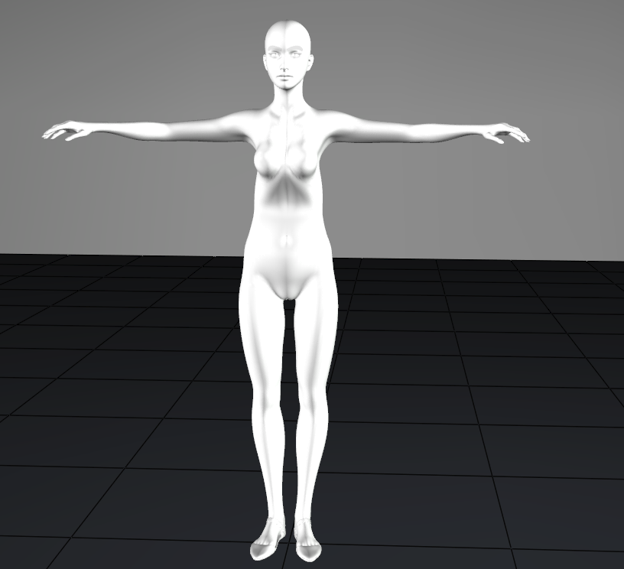
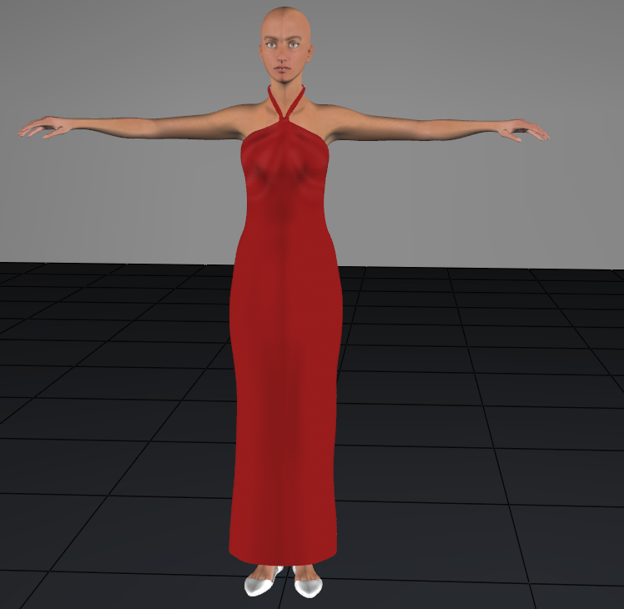
At frame 30, I set Lafemme to her usual size with no pose
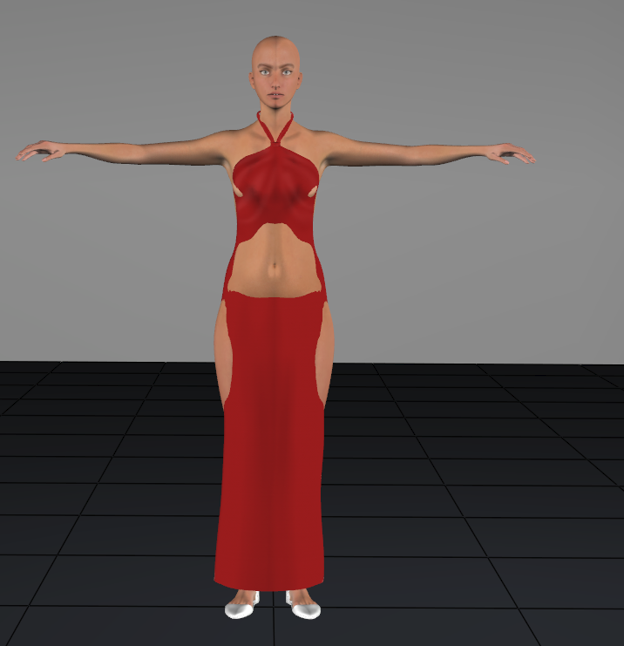
And frame 60, I added the pose and made sure there were no body intersections.
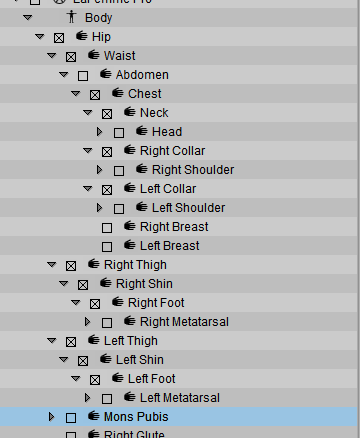
I set up the simulation as I have been doing. Setting the choreographed objects as La femme’s hips through neck, collars, thighs, shins, and feet. I didn’t worry about the shoes because I figured there would be little to no collision with them due to the length of the dress. I set the dress as cloth dynamic.
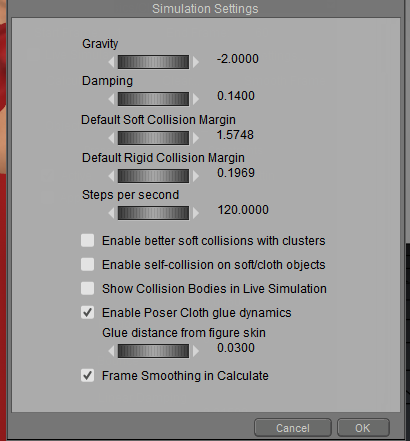
These are the settings I usually use. I don’t know if increasing the glue distance from the default .02 to .03 makes much difference, but I usually do it.
Then I hit calculate
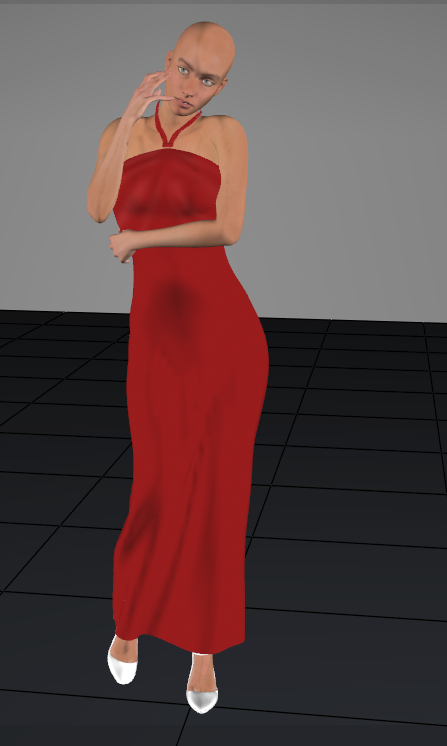
Here’s my first sim
Available on Amazon for the Kindle E-Reader Monster of the North and The Shimmering Mage
Today I break my own personal record for the number of days for being alive.
Check out my store here or my free stuff here
I use Poser 14 and Windows 11
I could be happy with that, although there were some minor issues in the back.
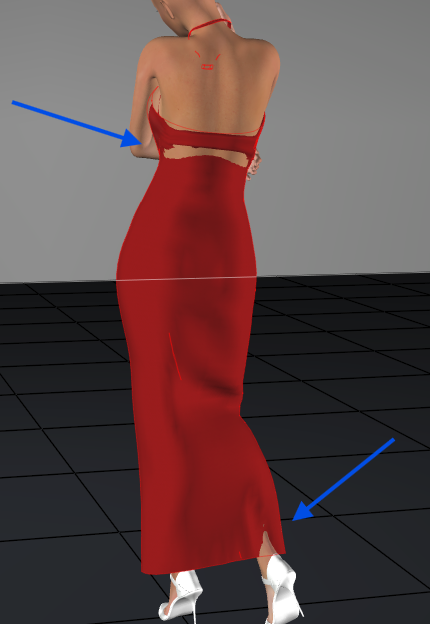
Normally, I’d probably just morph brush these to fix them, but since this isn’t a test of the morph brush, I decided to try to fix them.
I rescaled the abdomen a bit, but it didn’t help. I also noticed this issue, which was hidden by her arms.
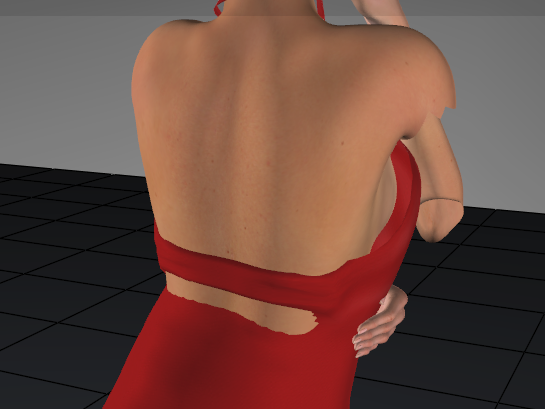
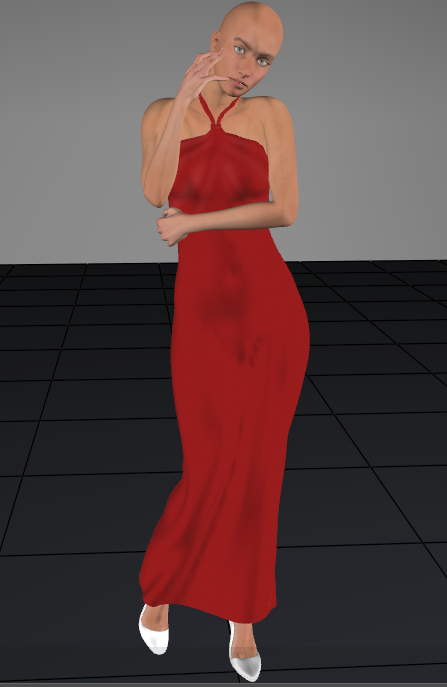
The enlarged dress was visible even in frame 1 so I removed the scaling of Lafemme and draped it again.
The front looks good
Available on Amazon for the Kindle E-Reader Monster of the North and The Shimmering Mage
Today I break my own personal record for the number of days for being alive.
Check out my store here or my free stuff here
I use Poser 14 and Windows 11
The back has the same poke-through issues on the ankle and lower back.
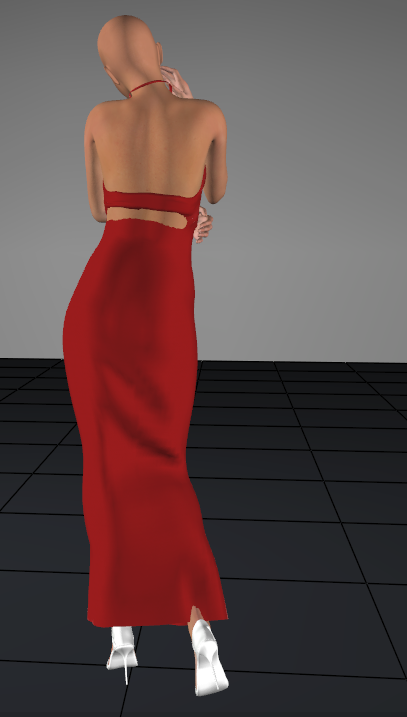
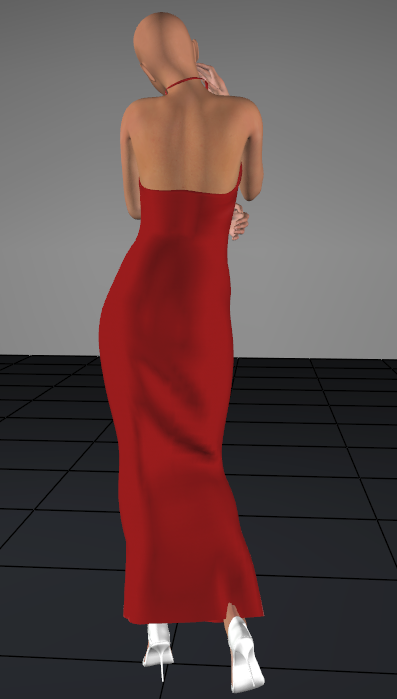
When I went to adjust the constraint for the abdomen, I saw I had missed adding it as a choreographed object. I added it, and now that works.
Available on Amazon for the Kindle E-Reader Monster of the North and The Shimmering Mage
Today I break my own personal record for the number of days for being alive.
Check out my store here or my free stuff here
I use Poser 14 and Windows 11
To fix the ankle, I turned on live simulation and painted the shin constraint in that spot, gradually increasing the strength until the dress collided with the ankle. Live simulation didn't enlarge the dress so once I was happy with the ankle, I turned off live sim and calculated the drape.
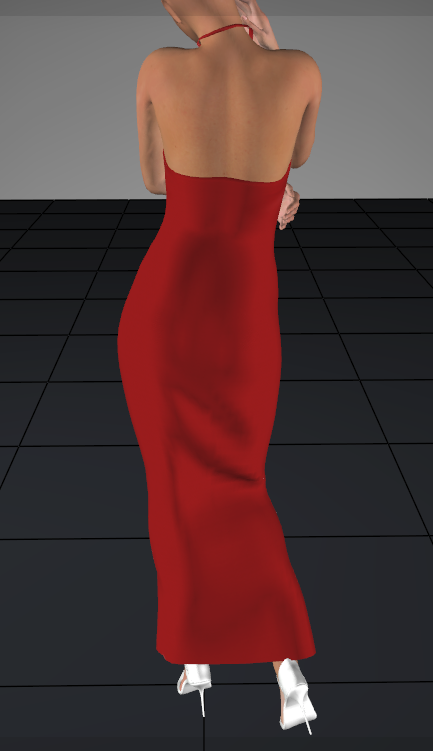
Here’s the front.
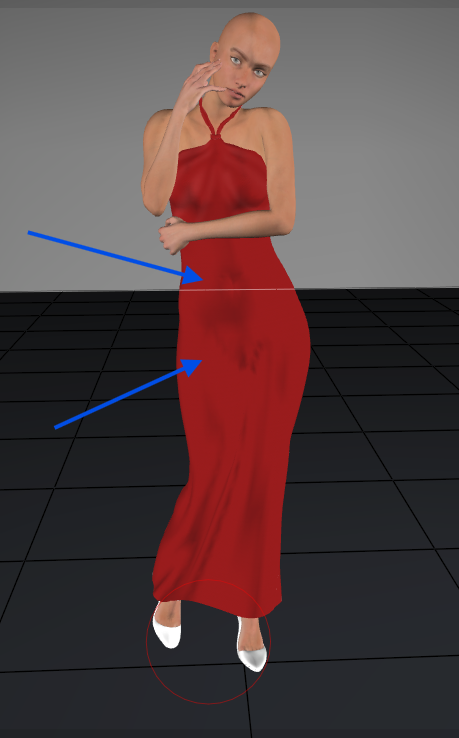
I’m not crazy about the belly button dimple or the rough creasing in the groin. That’s an easy fix with the smooth button
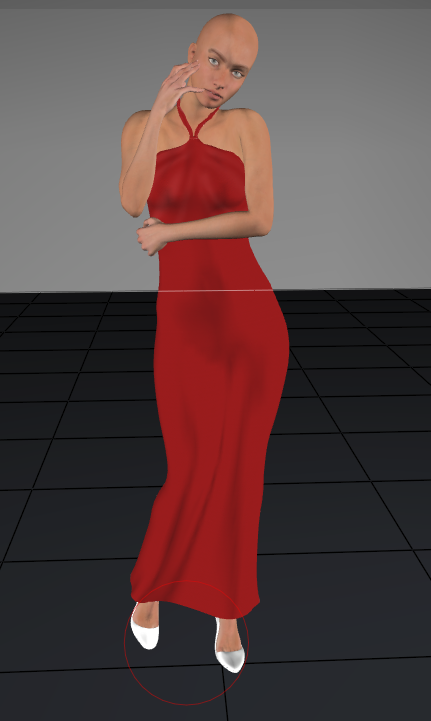
This took me just over an hour to figure out, and that includes the unneeded resizing and the missing abdomen. The draping only took 8 seconds.
Available on Amazon for the Kindle E-Reader Monster of the North and The Shimmering Mage
Today I break my own personal record for the number of days for being alive.
Check out my store here or my free stuff here
I use Poser 14 and Windows 11

I didn't include the shoulders because the dress doesn't have arms. Even the collars seem like they're unnecessary. The breasts are just bones and don't collide with the dress when I set them to. The dress pays attention to the chest instead.
Available on Amazon for the Kindle E-Reader Monster of the North and The Shimmering Mage
Today I break my own personal record for the number of days for being alive.
Check out my store here or my free stuff here
I use Poser 14 and Windows 11
It's likely that the navel dimple is because the dress starts so small on her, and her stomach sticks out. If I use her halter dress that fits her, I don't get that problem.
Available on Amazon for the Kindle E-Reader Monster of the North and The Shimmering Mage
Today I break my own personal record for the number of days for being alive.
Check out my store here or my free stuff here
I use Poser 14 and Windows 11
One other Trick to try is to start the figure at default and increase the X and Z scales up to about 105% (a 5% increase) and the arms Y and Z scale the same. Basically, the Vertical parts are X and Z and horizontal parts are Y and Z. And run the simulation. After it is done rescale the parts to normal and a lot of the poke throughs will be minimized. I used this trick in the early Beta testing before they came out with Poser Glue. This is similar to the old cloth room of growing the figure into the cloth, except we grow the cloth and shrink the figure to fit inside. And when I am doing animations either I will hide the body part that pokes out or use the scaling to make it fit. This works because the simulation creates the cloth shape for each frame and the cloth will remain the way it is until another simulation is run. You can delete the figure and the cloth will still be there, just like the old cloth room.
Poser 5, 6, 7, 8, Poser Pro 9 (2012), 10 (2014), 11, 12, 13, 14
I know there are tricks and shortcuts I could probably use. I figured I would learn to use it properly before I learn the shortcuts. Although starting with a smaller figure and growing her into the dress is what I started with, it caused the dress to expand too much.
Available on Amazon for the Kindle E-Reader Monster of the North and The Shimmering Mage
Today I break my own personal record for the number of days for being alive.
Check out my store here or my free stuff here
I use Poser 14 and Windows 11
I wanted a challenge, so I decided to redo my gossiping sisters. I often have long dresses and robes in my images, and most don’t have good sitting morphs, so I would drape the skirts in the clothroom. I wanted to see what I could do with cloth draping.
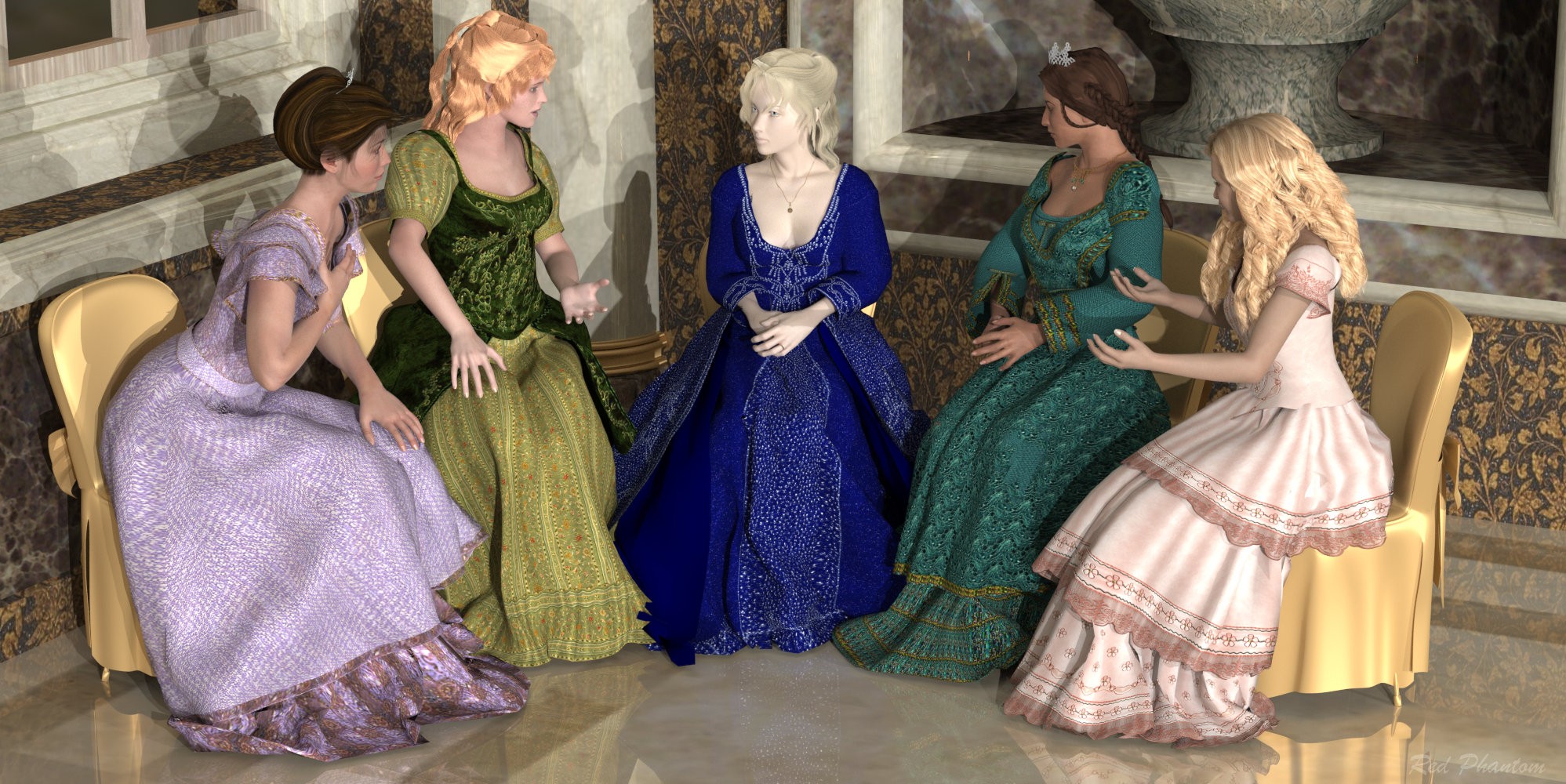
The cloth draping doesn’t drape figures, so first I converted the dress to a prop in the fitting room. Added more frames to work with, and I set up the usual simulation with it colliding with the figure and the chair. I set the chair as a triangle mesh. As expected, the top draped fine, but the skirt didn’t do so great.
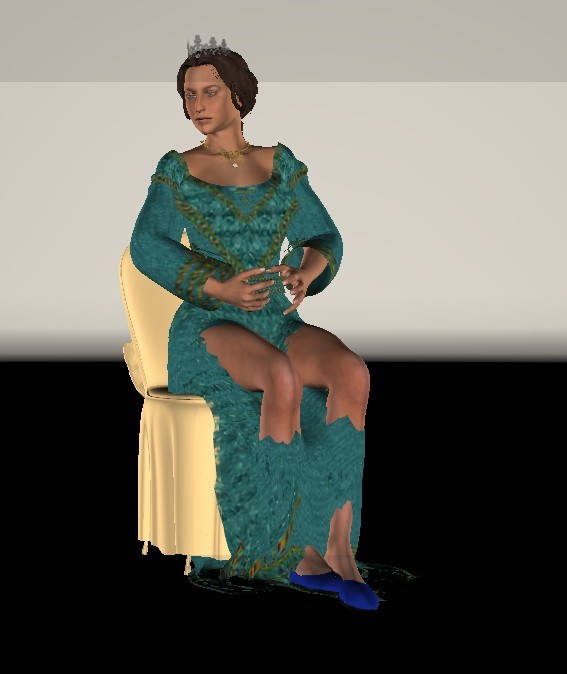
I added some poly groups for the thighs and the shins, which was a pain because the skirt had an outer layer. But I managed it. I started working with the thighs constraints and started with .0001. That didn’t do it, so I tried .0002, .0003, .0005, and .001. .001 seemed to work the best, so I switched to the shins. I had to create the constraints for them because they didn’t auto-gen. I started with .001 because that was what worked with the thighs. That was a little stiff, so I dropped them to .0005. 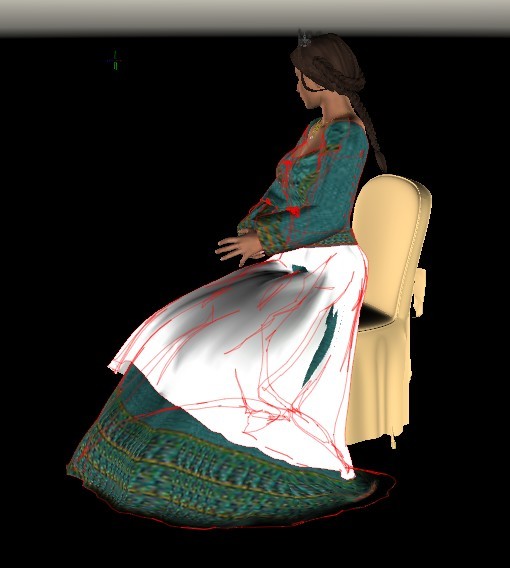
I removed the texture from the outer layer so I could see if it was staying above the under layer. As you can see, mostly, it does. I hit the smooth a few times and got this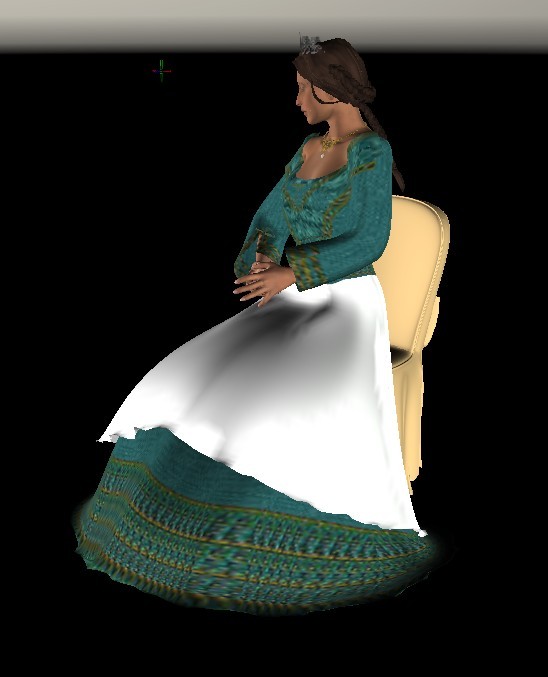
In the clothroom, I had more poke through of the under layer.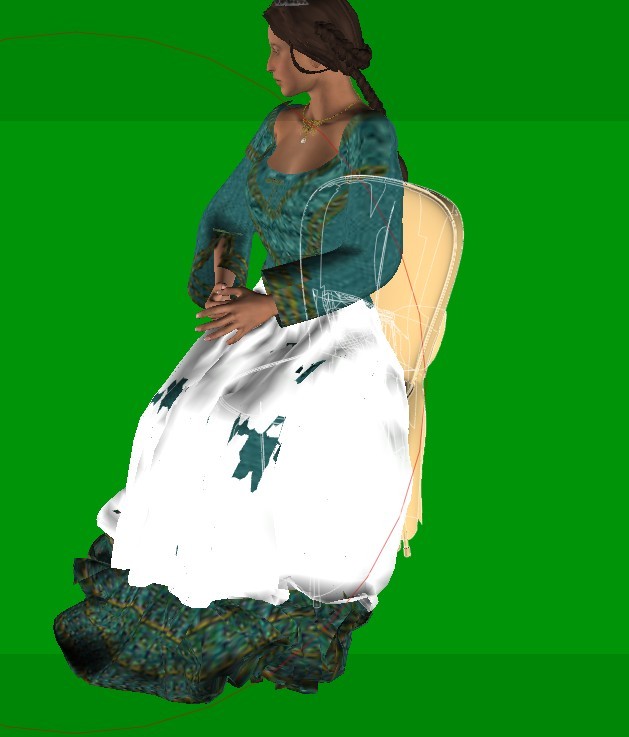
I used the smooth morph brush to help, but I wasn’t able to get it all
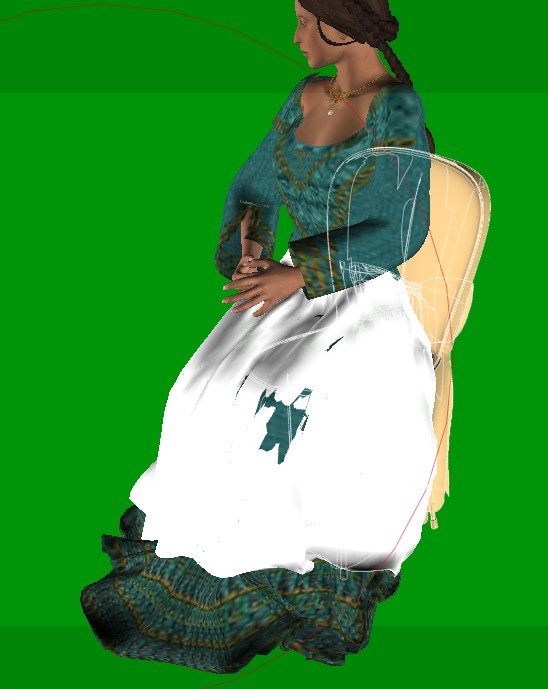
This was about 3 hours' work with breaks. Calculating the draping was only 41 seconds.
When I added the texture back to the overlayer, it had a transparency, and I found that the underlayer was not on the knees.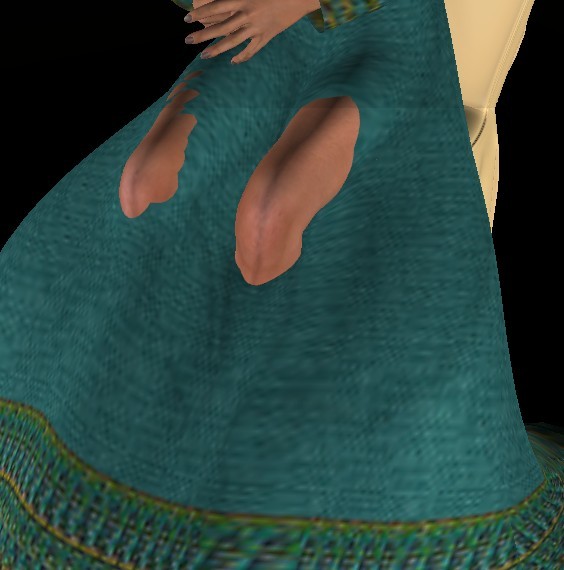
I raised the weight of the left thigh to .0015.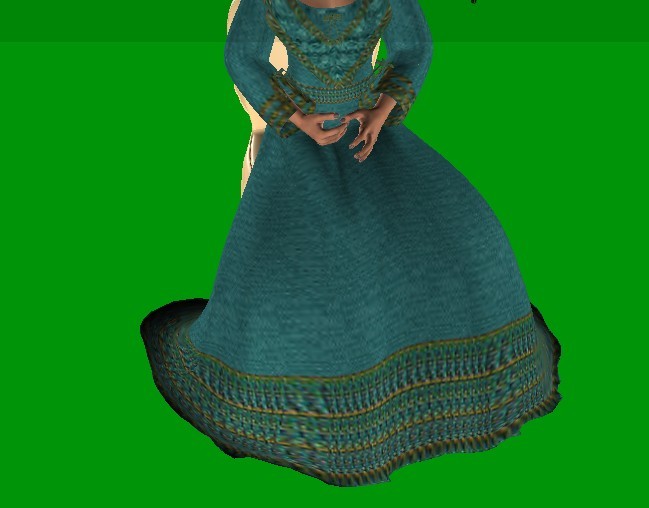
And the outer layer is on top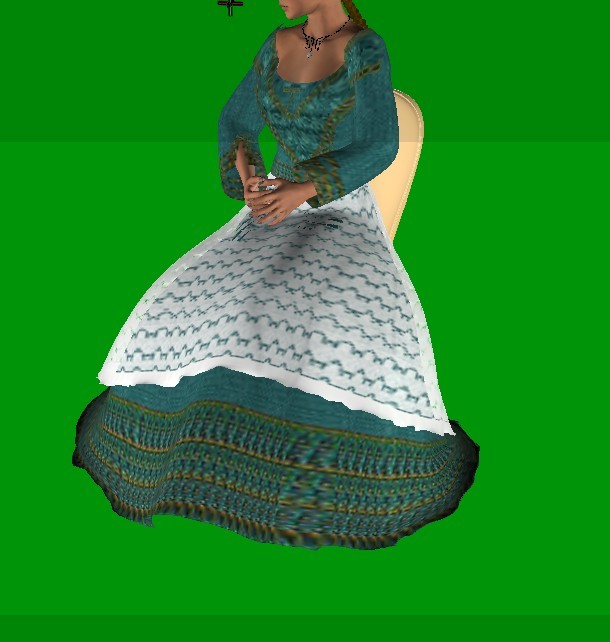
Available on Amazon for the Kindle E-Reader Monster of the North and The Shimmering Mage
Today I break my own personal record for the number of days for being alive.
Check out my store here or my free stuff here
I use Poser 14 and Windows 11
The next dress I tried was a short-sleeved version of the last dress converted to Dawn. To make creating the groups easier, I exported the dress as an obj and set up the poly groups there. I ran a simulation to set up the auto-generated constraints and then added the thighs and shins using the same weights as the last dress. Here’s the simulation. It took about half an hour, including adding the poly groups.
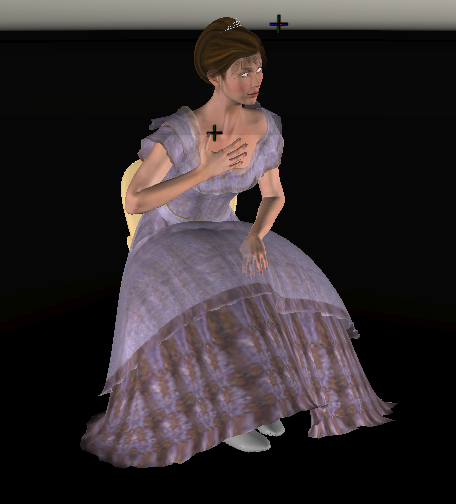
I used the morph brush to fix where the hand collides. I hadn’t included the hands in the collisions.
Available on Amazon for the Kindle E-Reader Monster of the North and The Shimmering Mage
Today I break my own personal record for the number of days for being alive.
Check out my store here or my free stuff here
I use Poser 14 and Windows 11
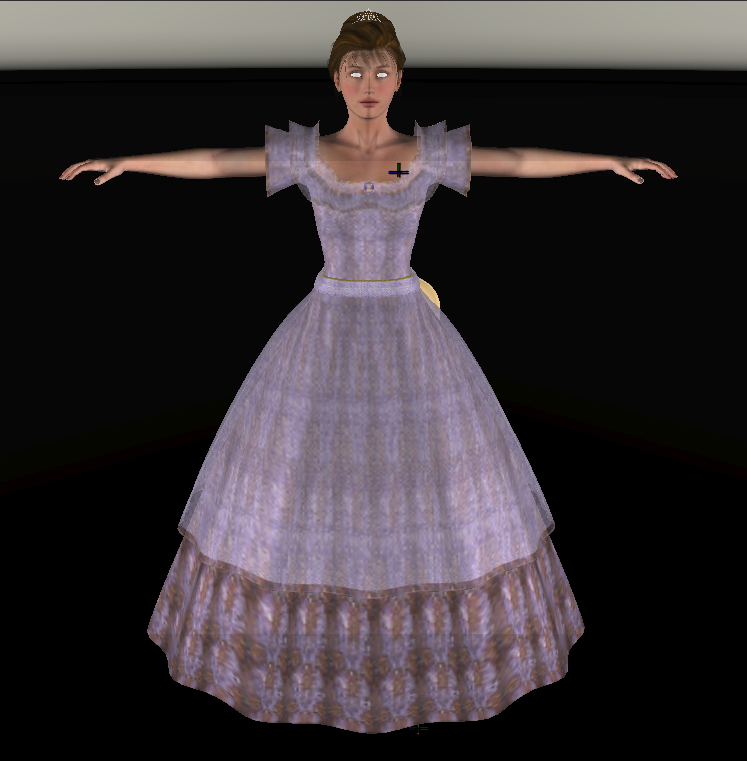
And if anyone is noticing that the dresses are fuller than the original, they should be. They were too flat. These are the type of dresses that have a crinoline under them.
Available on Amazon for the Kindle E-Reader Monster of the North and The Shimmering Mage
Today I break my own personal record for the number of days for being alive.
Check out my store here or my free stuff here
I use Poser 14 and Windows 11

If I group in Poser, I use the grouping tool that's been in Poser forever. Sometimes I use Blender because I can hide layers to work underneath them. You don't have to make groups. It's just faster to say set all these to a certain weight than to try to paint them on.
The weights are done in Poser cloth. Here's one of the thighs I did for the last dress I posted with the group showing, and where the weight mapping is. I also included where the group tool is shown by the arrow.
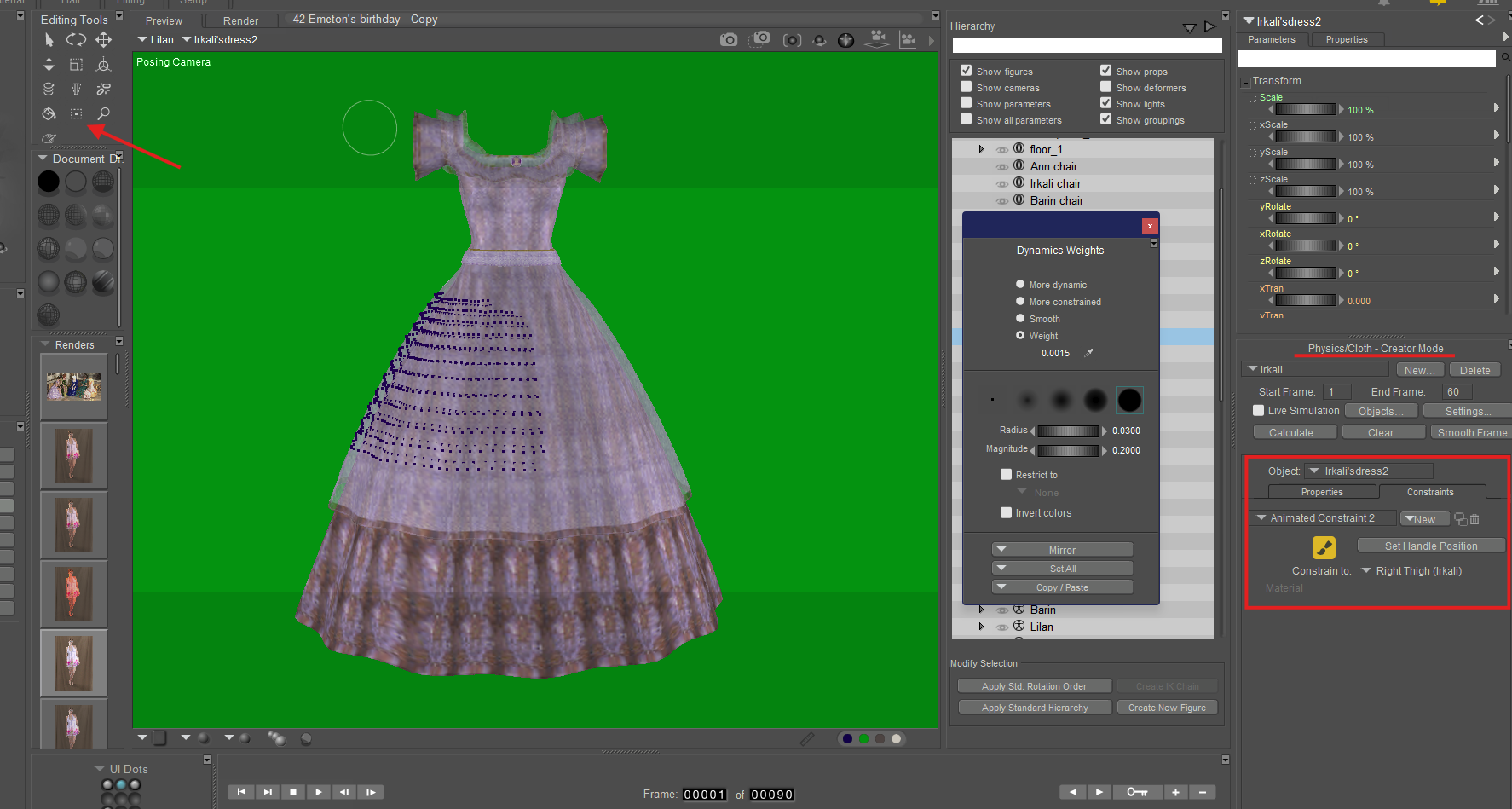
Richard60 was kind enough to post these instructions in another thread https://live.cdn.renderosity.com/media_library/How-to-setup-a-Poser-Cloth-and-draw-the-weight-maps.pdf. They've helped me a lot.
Available on Amazon for the Kindle E-Reader Monster of the North and The Shimmering Mage
Today I break my own personal record for the number of days for being alive.
Check out my store here or my free stuff here
I use Poser 14 and Windows 11
After I added poly groups, I set up a render using the same weights as the last 2 dresses. They didn’t work so well.
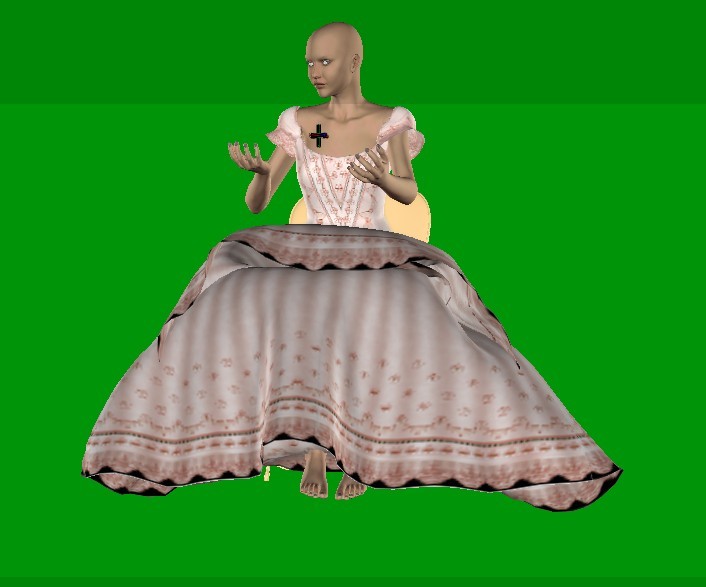
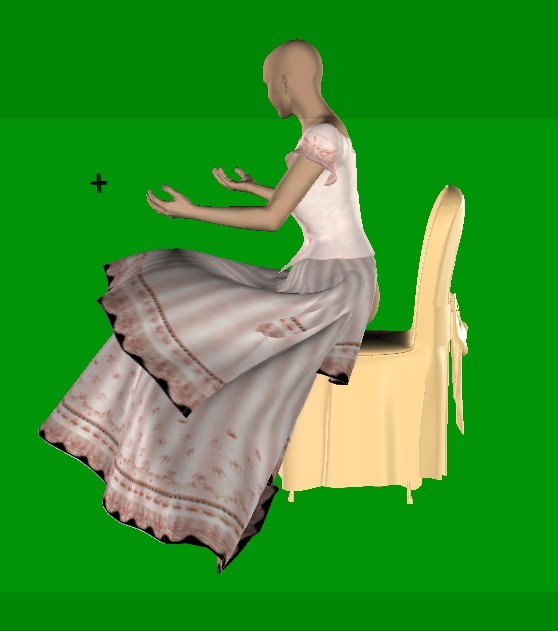
I lowered the constraints for the thighs and raised the ones for the shins. I had something that was almost passable with several clicks on the smooth frame. Except for the top tier of the skirt.
I raised the constraint of just the top tier and got this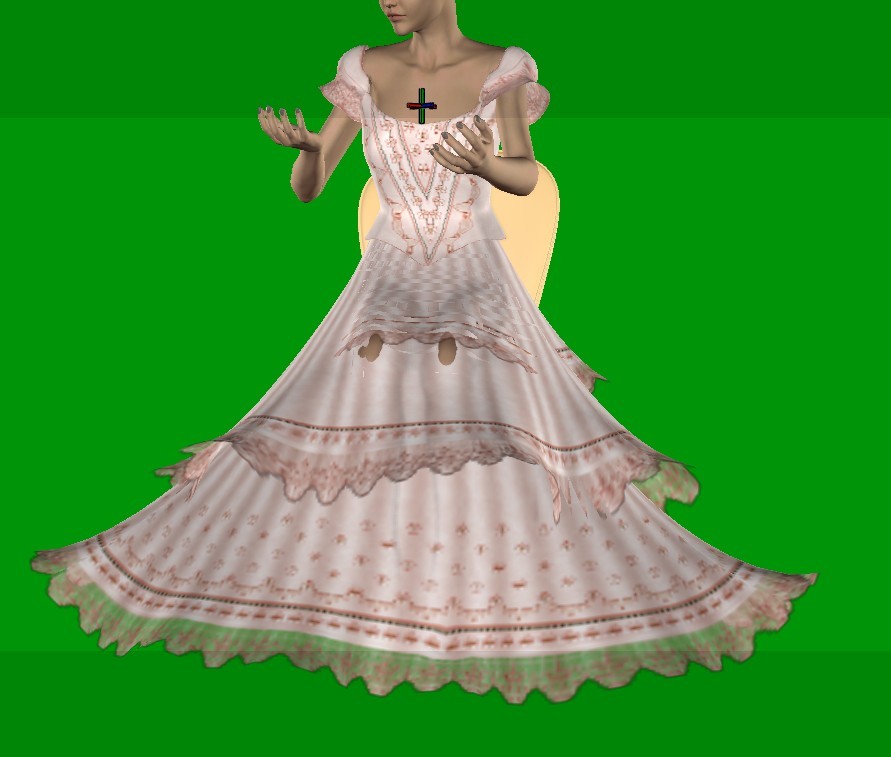
I tried a few different weights, but I couldn’t get all three tiers of the skirt not to intersect. I took a break from it for the weekend. When I came back, I decided to use a trick that I used to use in the cloth room.
One of the problems was that the dress was falling too wide. To fix that, I put a box on either side of the dress to help shape it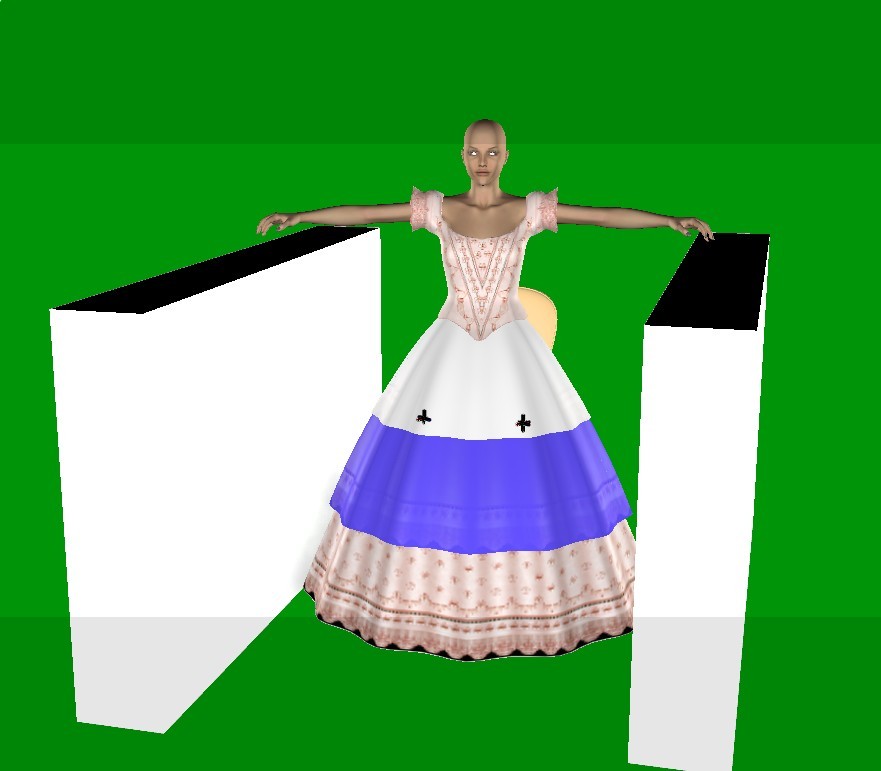
That helped, but it caused more problems with the intersection of the tiers. So I added some more animated constraints and put the handles near the front and back sides of the dress, and put some strong weights on the top tier. 
Then, in the last key frame, I placed the handles where I wanted the tier's edge. That helped a bit. 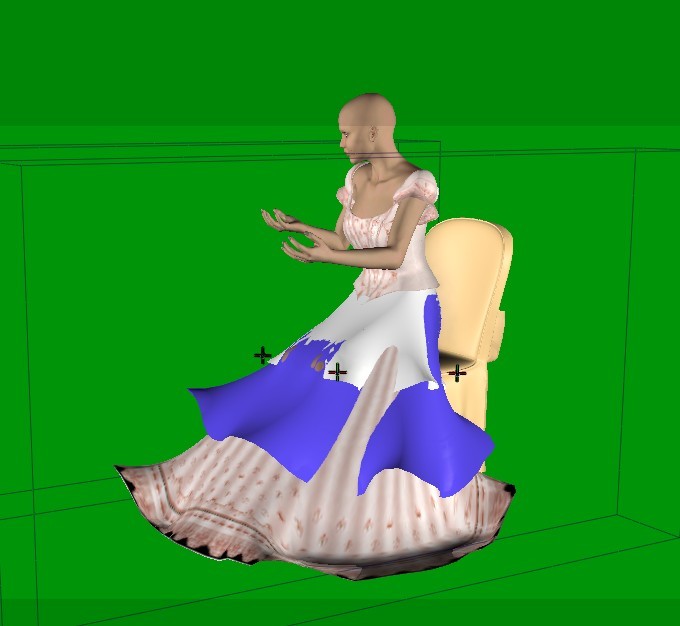
I then used the morphing brush to tuck the lower tiers into place.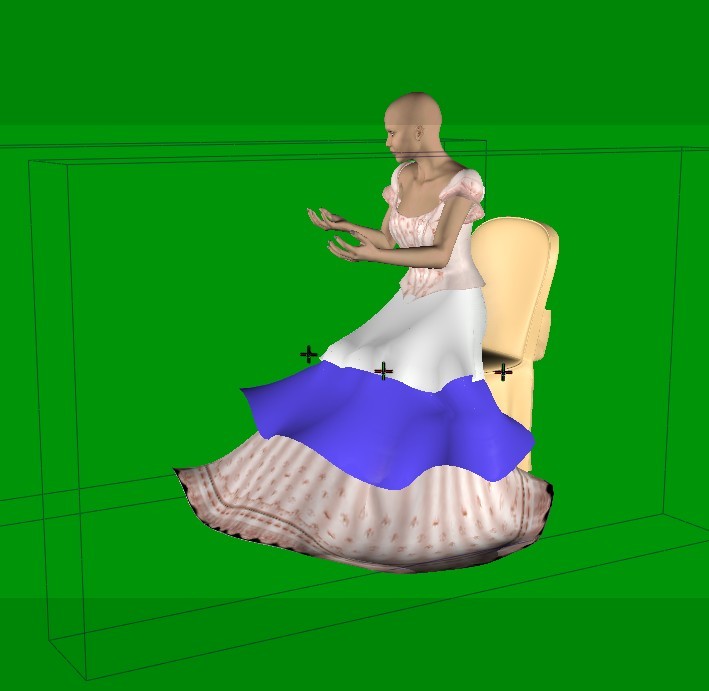
It’s acceptable now. It’s not great. I think a few handles on the lower tiers might help with the curled edges. I may come back to this one once I’ve worked on the other two.
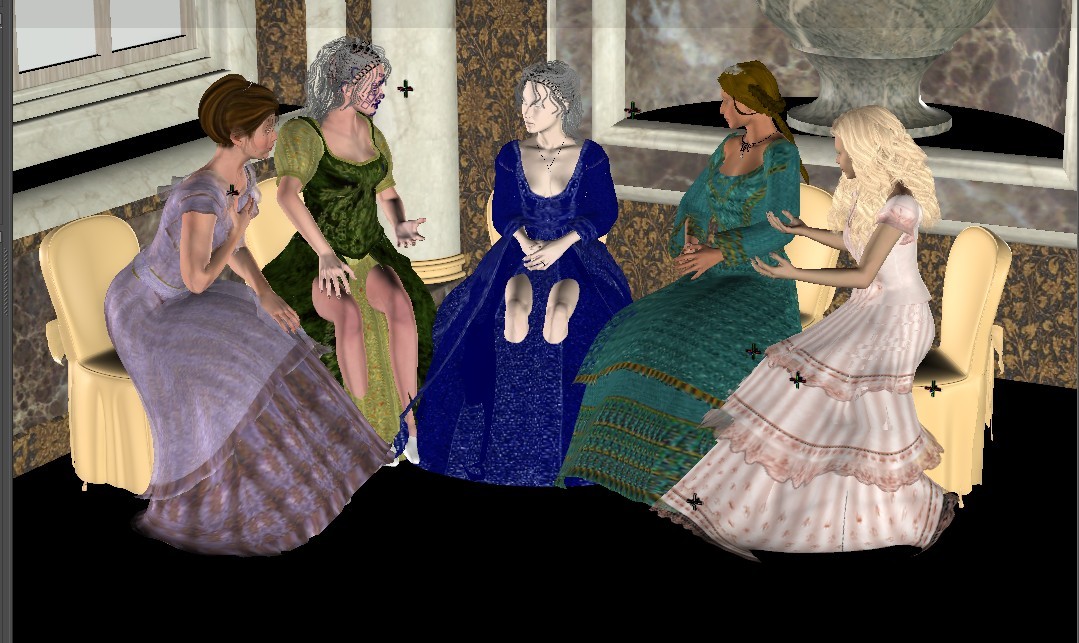
Here's the scene so far.
Available on Amazon for the Kindle E-Reader Monster of the North and The Shimmering Mage
Today I break my own personal record for the number of days for being alive.
Check out my store here or my free stuff here
I use Poser 14 and Windows 11
Due to the complicated layers of the last two figures, I decided to take a break and try a different experiment. Many times, I find that conforming clothing doesn't lay well, especially if it's for older figures. I decided to do a test. Since the cloth draping is quite fast once the clothing is set up, I wanted to compare how it would look if I used all draped clothing instead of conforming. I'm still in the conversion stage. I found an interesting problem with The Woodsman for M4. I put him in a sitting position to test how it takes poses, and saw this with the pants
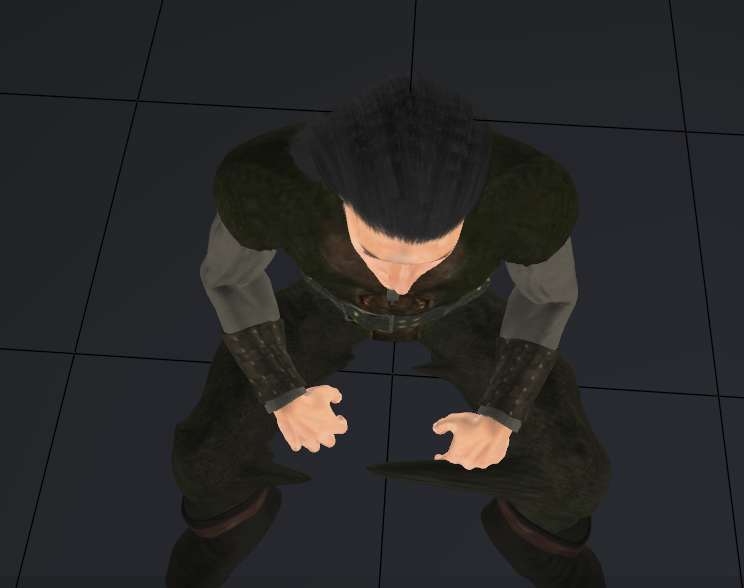
At first, I could only see the large spike and thought the hand was somehow messing things up, even though I didn't have it as part of the collisions. When I changed the camera angle, I saw the other spikes. Because of folds modeled into the pants, they were so close together that when Poser set the glue, it included parts of the opposite leg.
Removing them was easy and a new drape shows it working.
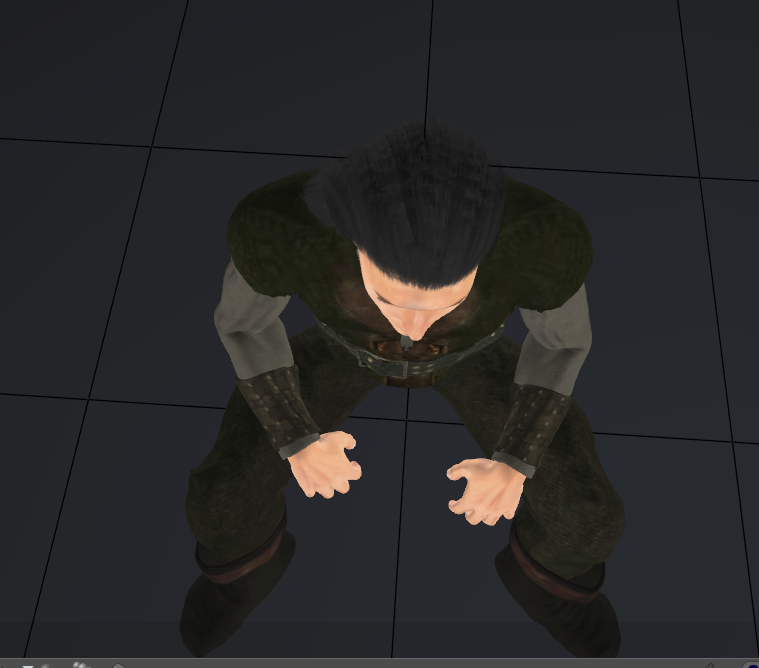
Something to note: When I converted this clothing to props, I used Mike 4's default size and shape. This character is smaller than Mike's default size. The clothing followed his morphs and scaling well.
Available on Amazon for the Kindle E-Reader Monster of the North and The Shimmering Mage
Today I break my own personal record for the number of days for being alive.
Check out my store here or my free stuff here
I use Poser 14 and Windows 11

I converted the clothing for the various characters I'll be using for the comparison. Here's a render of the clothing draped and of them conformed. Note, all the boots and the leg brace are conforming still.
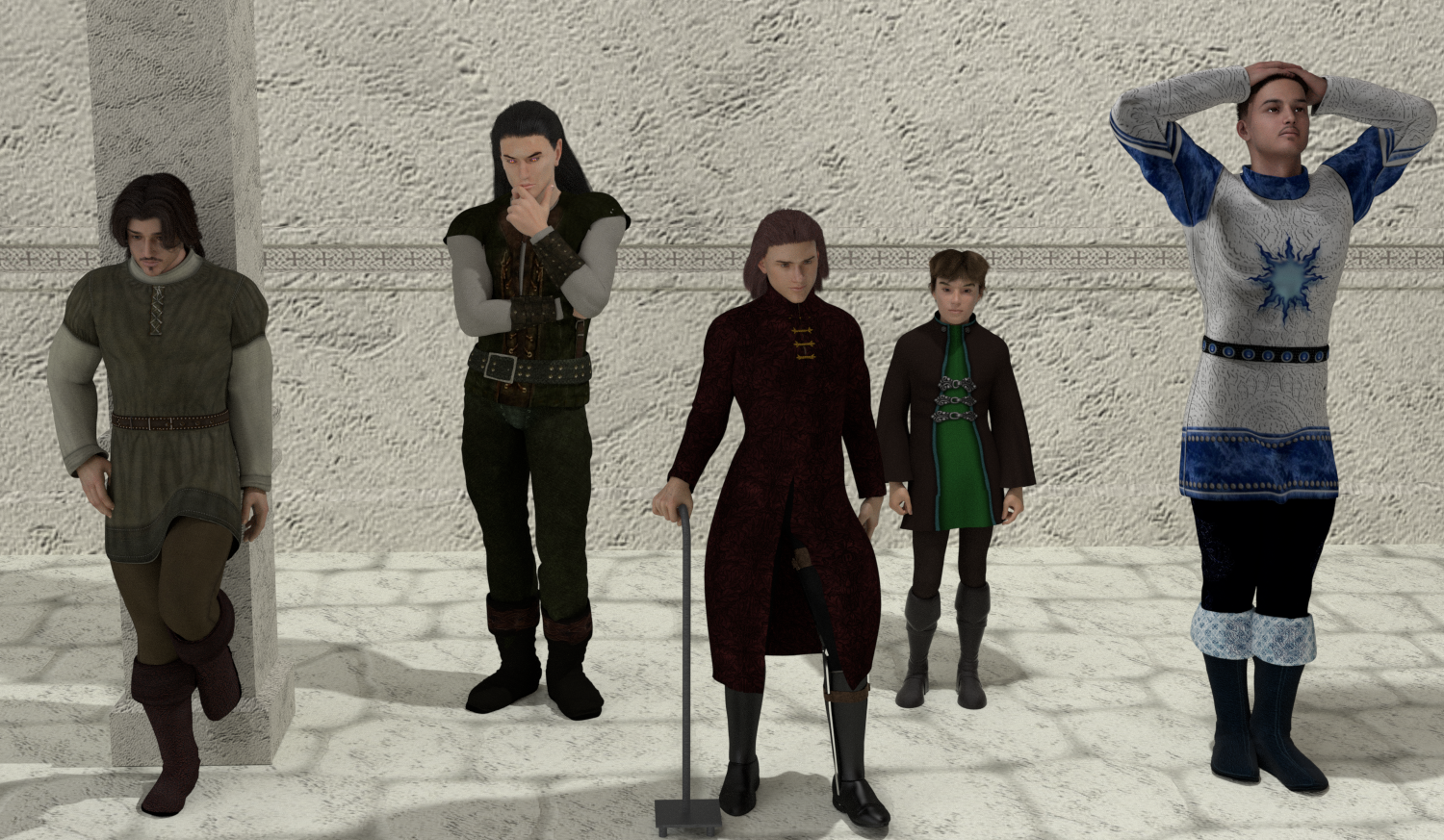
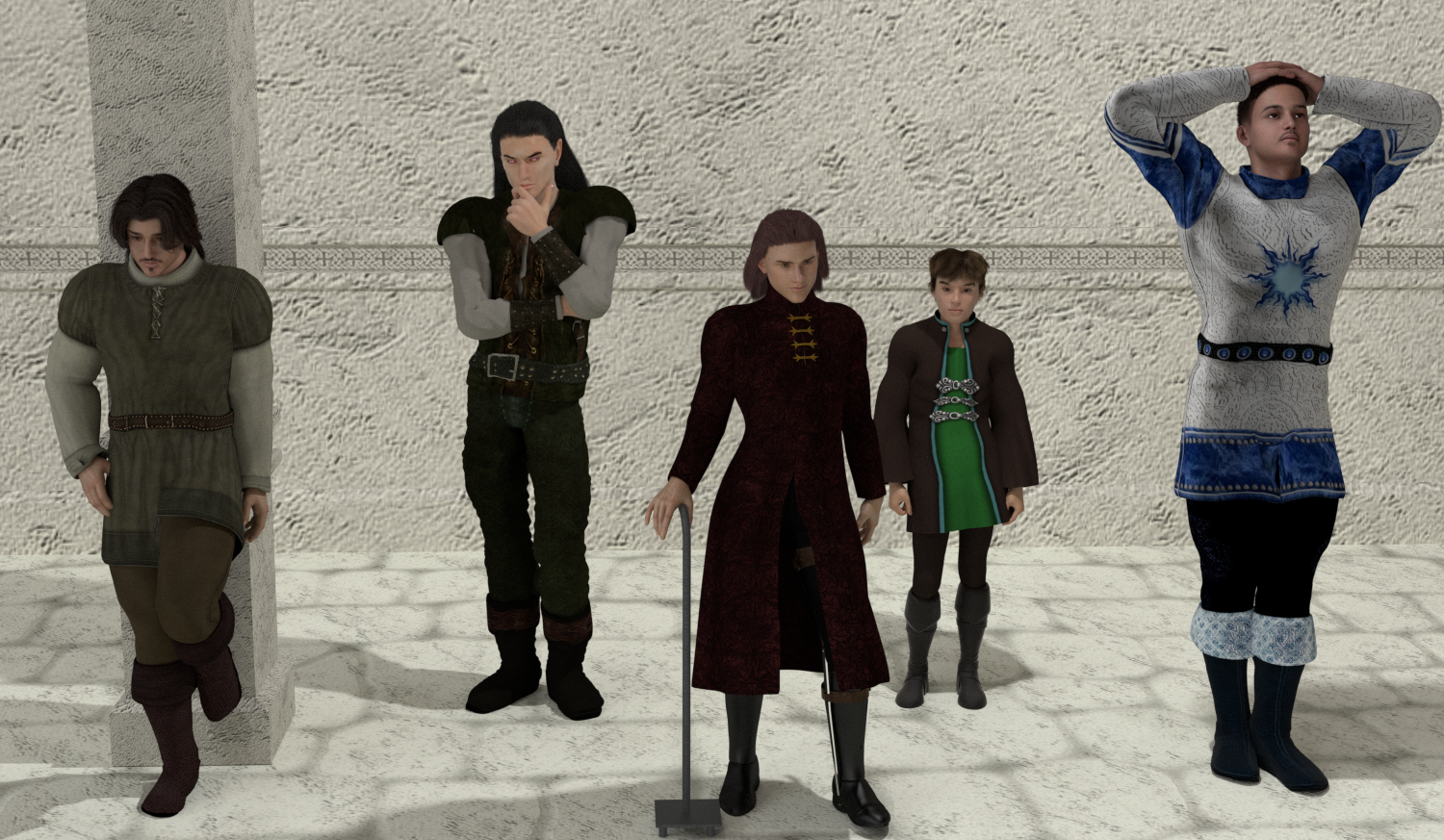
Most of the conversions were straightforward. I used the fitting room to turn the clothing into props and ran them through the cloth draping. The only one that needed adjustment was the Evilson tunic that's front and center. The weights for the leg brace were only in a thin line in the back. I added some to the side. And the gold clasps needed a rigidity constraint.
Available on Amazon for the Kindle E-Reader Monster of the North and The Shimmering Mage
Today I break my own personal record for the number of days for being alive.
Check out my store here or my free stuff here
I use Poser 14 and Windows 11
Here are a few more comparisons. Since I have the clothing already set up to drape, it's only taking about 5 minutes to drape everything. It takes me longer to try to get the morphs for the long tunic.
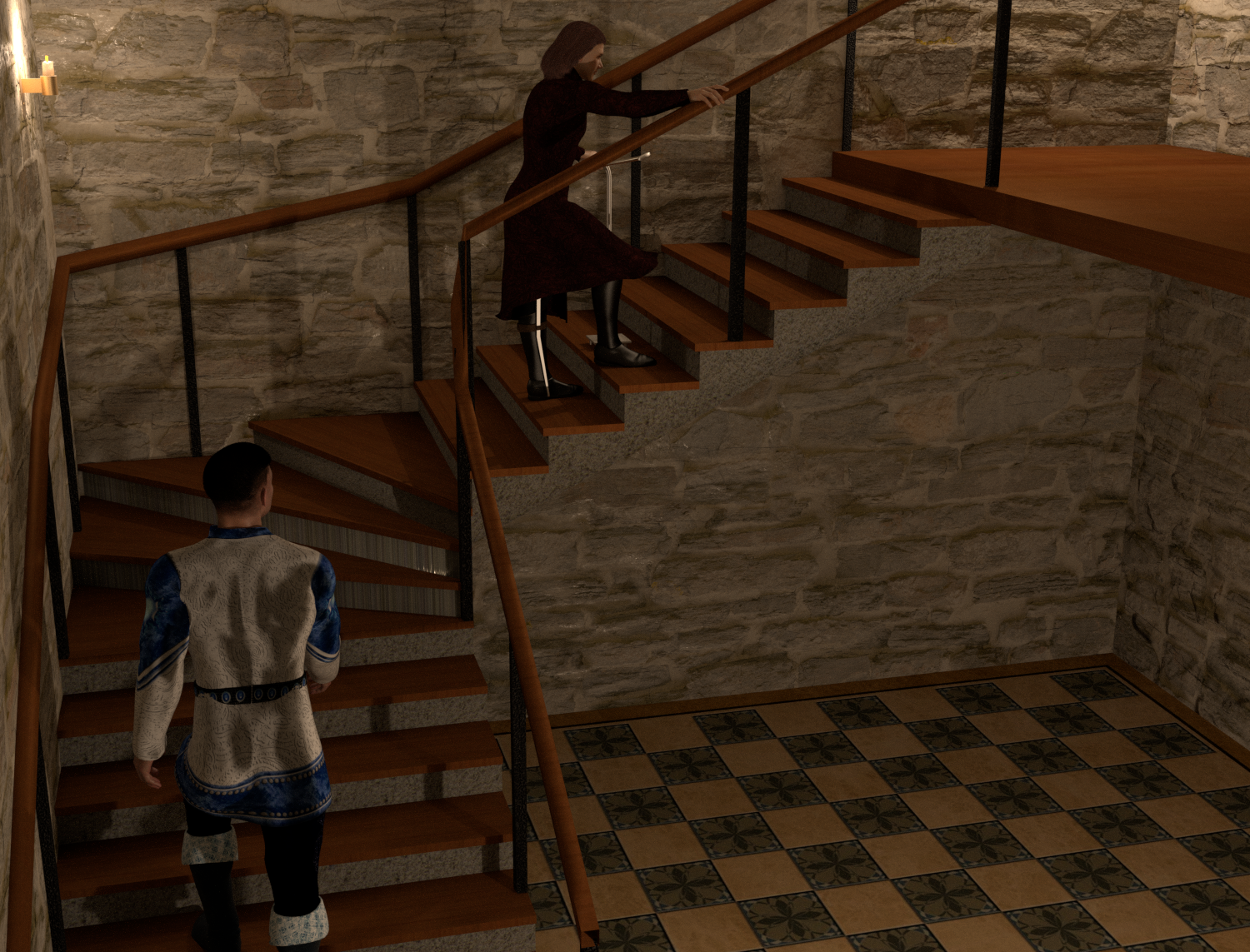
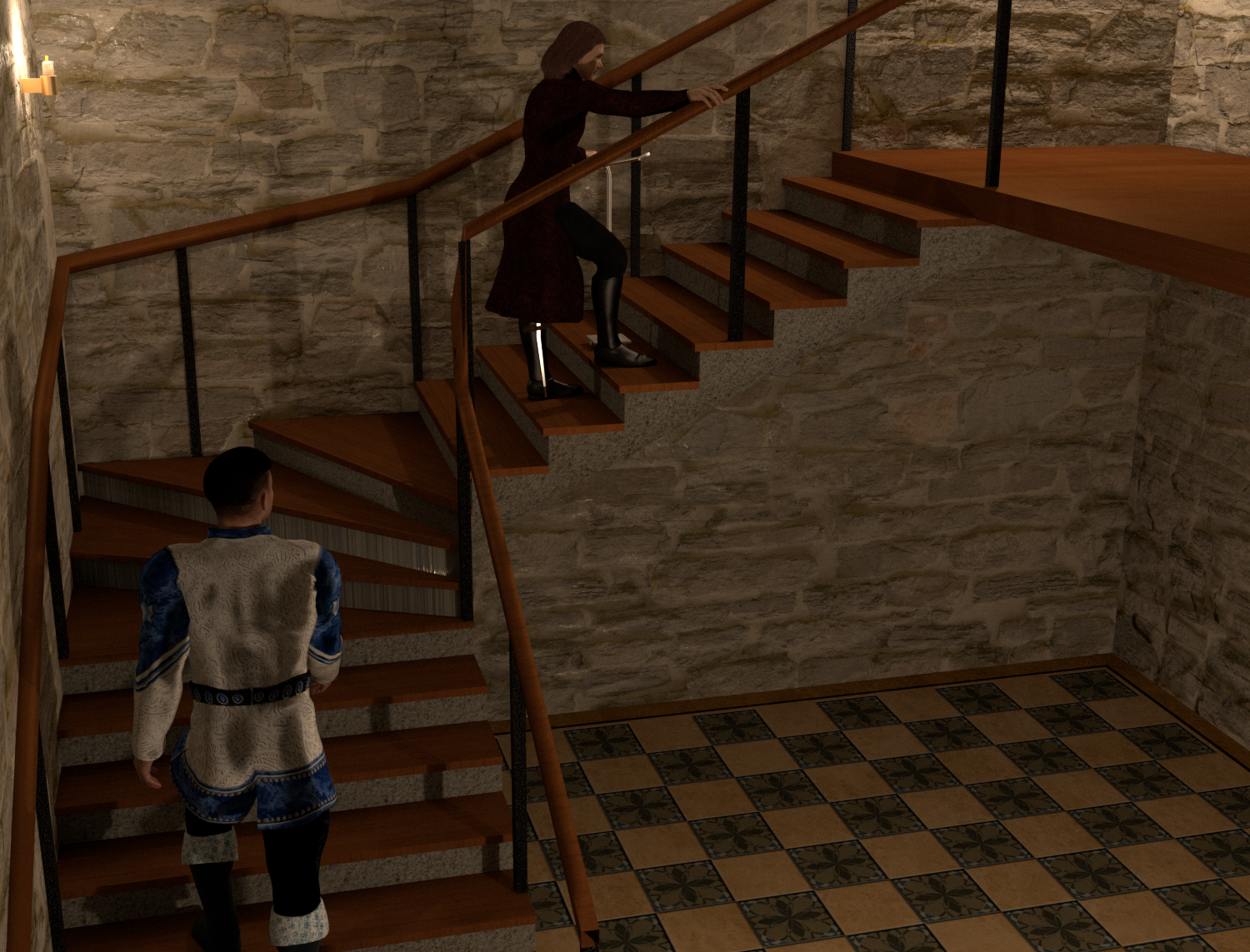
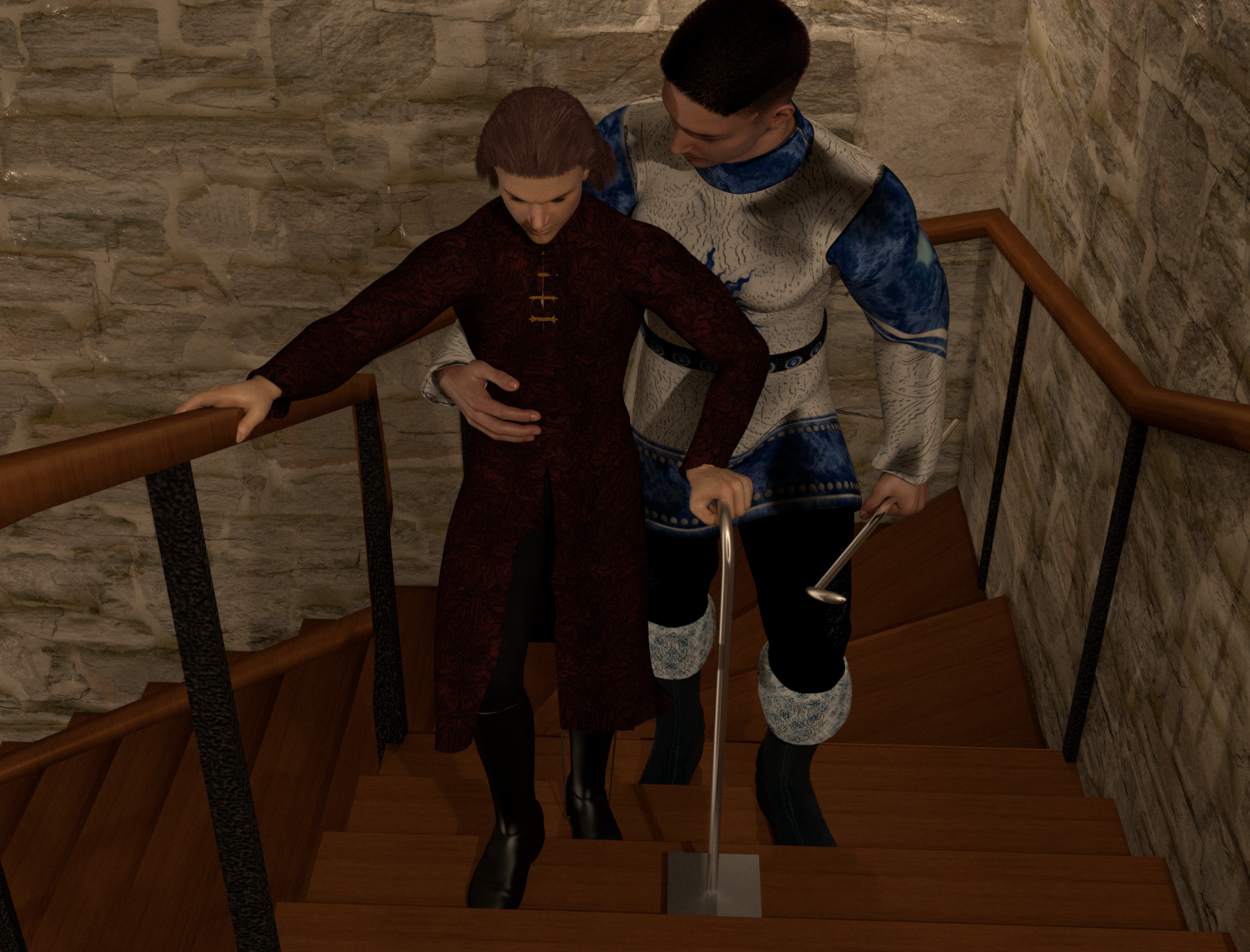
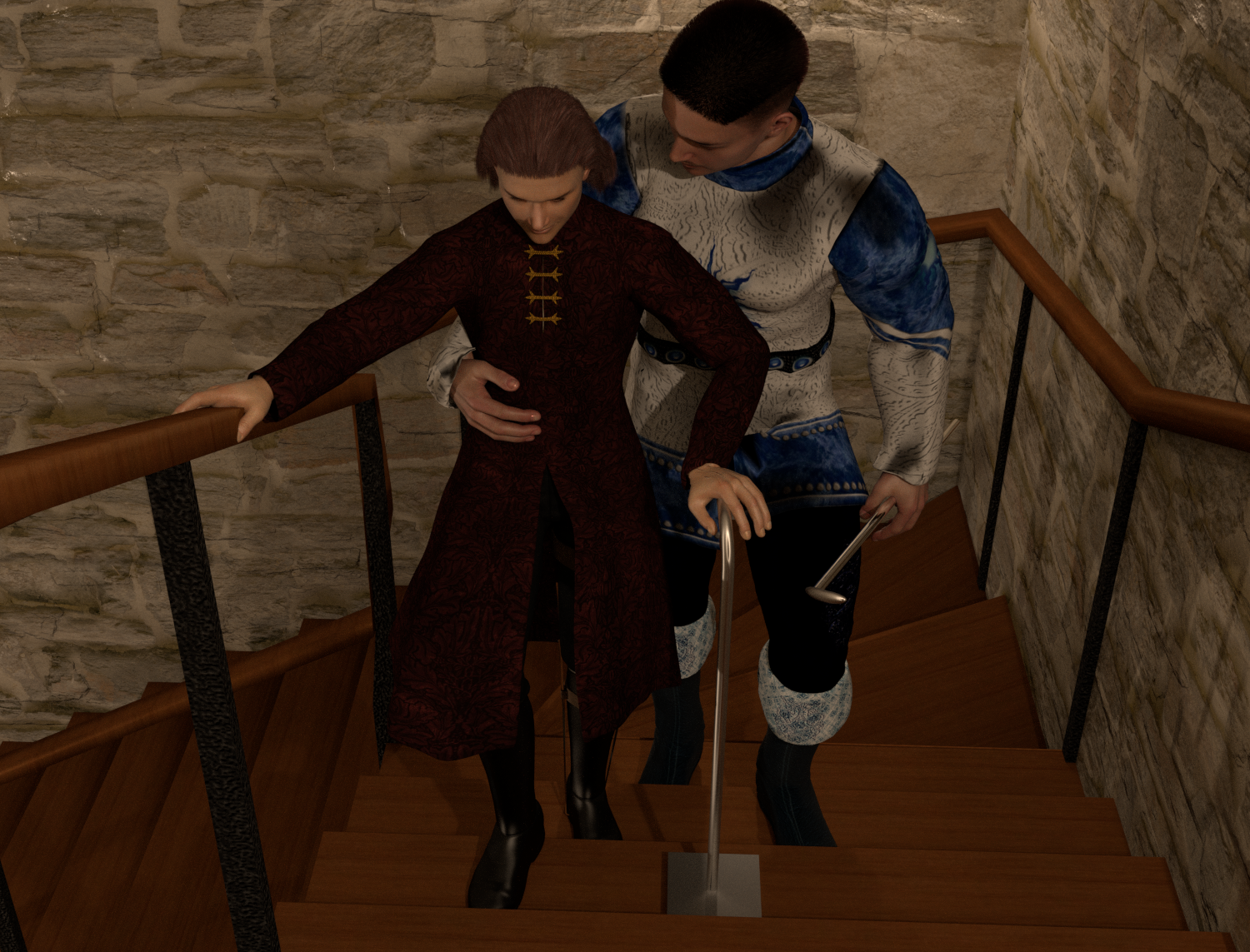
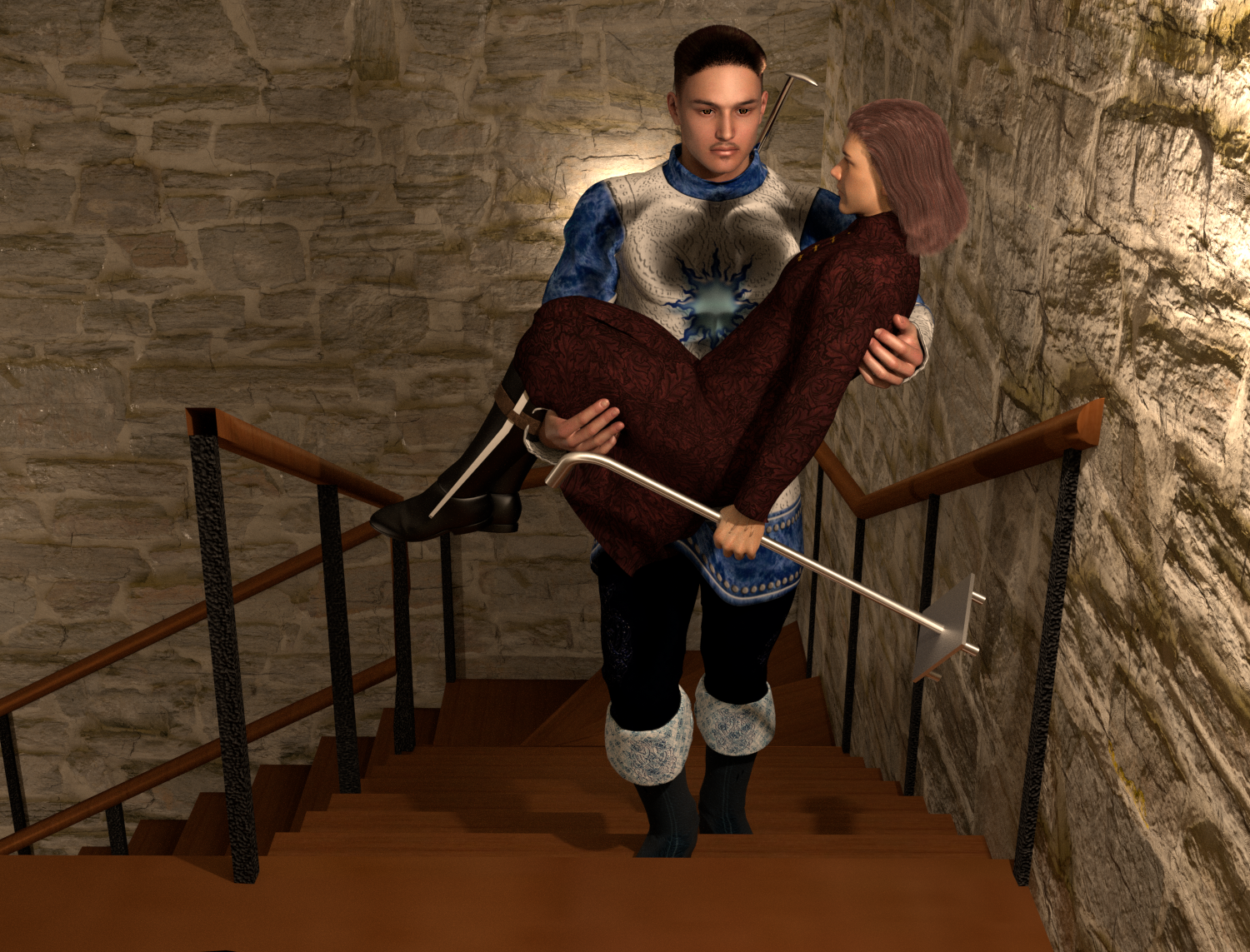
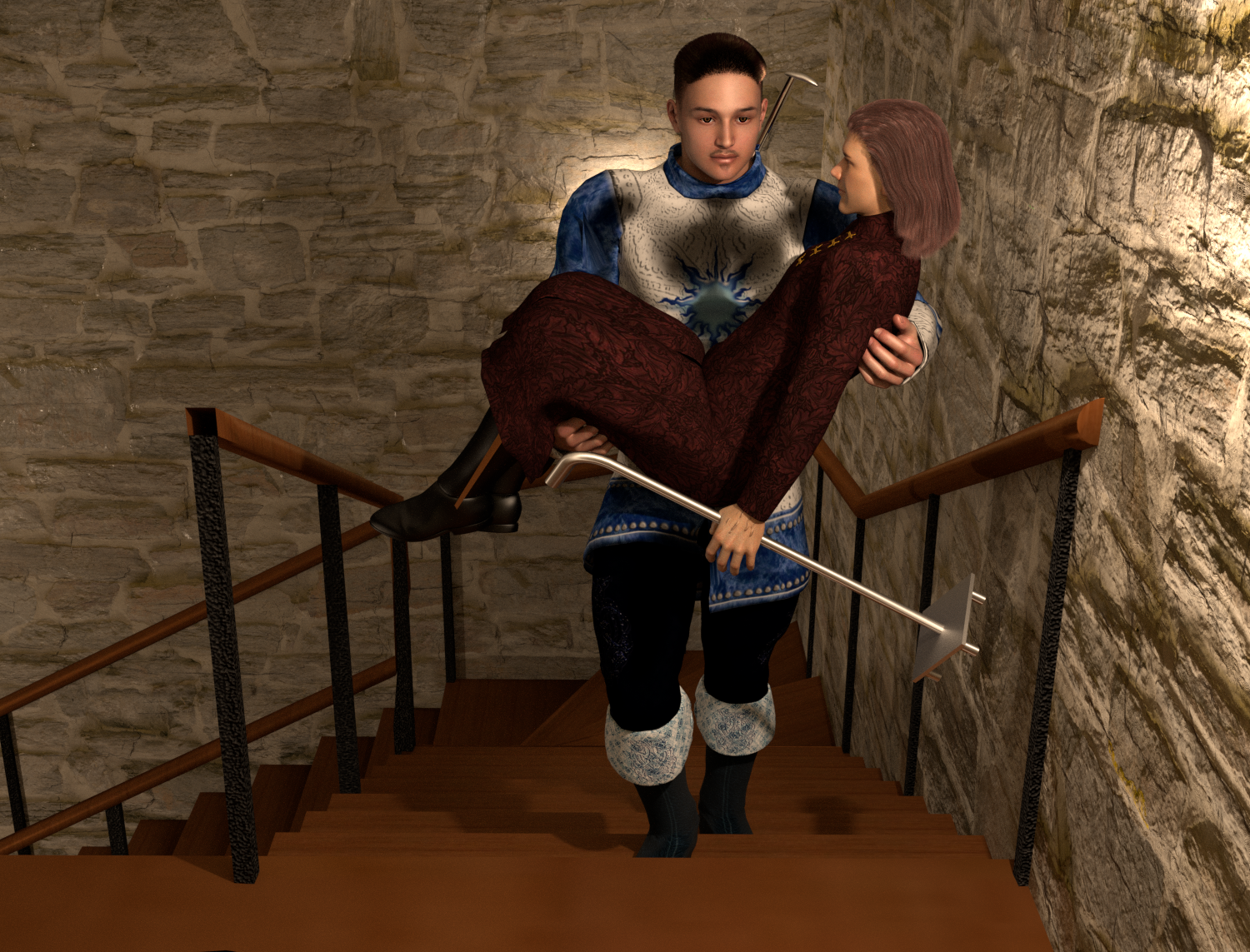
The images were reduced to 50%. If you want to see them full-sized for a better comparison, right-click on them to open them in a new tab.
Available on Amazon for the Kindle E-Reader Monster of the North and The Shimmering Mage
Today I break my own personal record for the number of days for being alive.
Check out my store here or my free stuff here
I use Poser 14 and Windows 11

The shoulder pads were the conforming ones. The dynamic ones are first.
Available on Amazon for the Kindle E-Reader Monster of the North and The Shimmering Mage
Today I break my own personal record for the number of days for being alive.
Check out my store here or my free stuff here
I use Poser 14 and Windows 11
Here are the final 2 I'll post for this one. The first is the draped version.
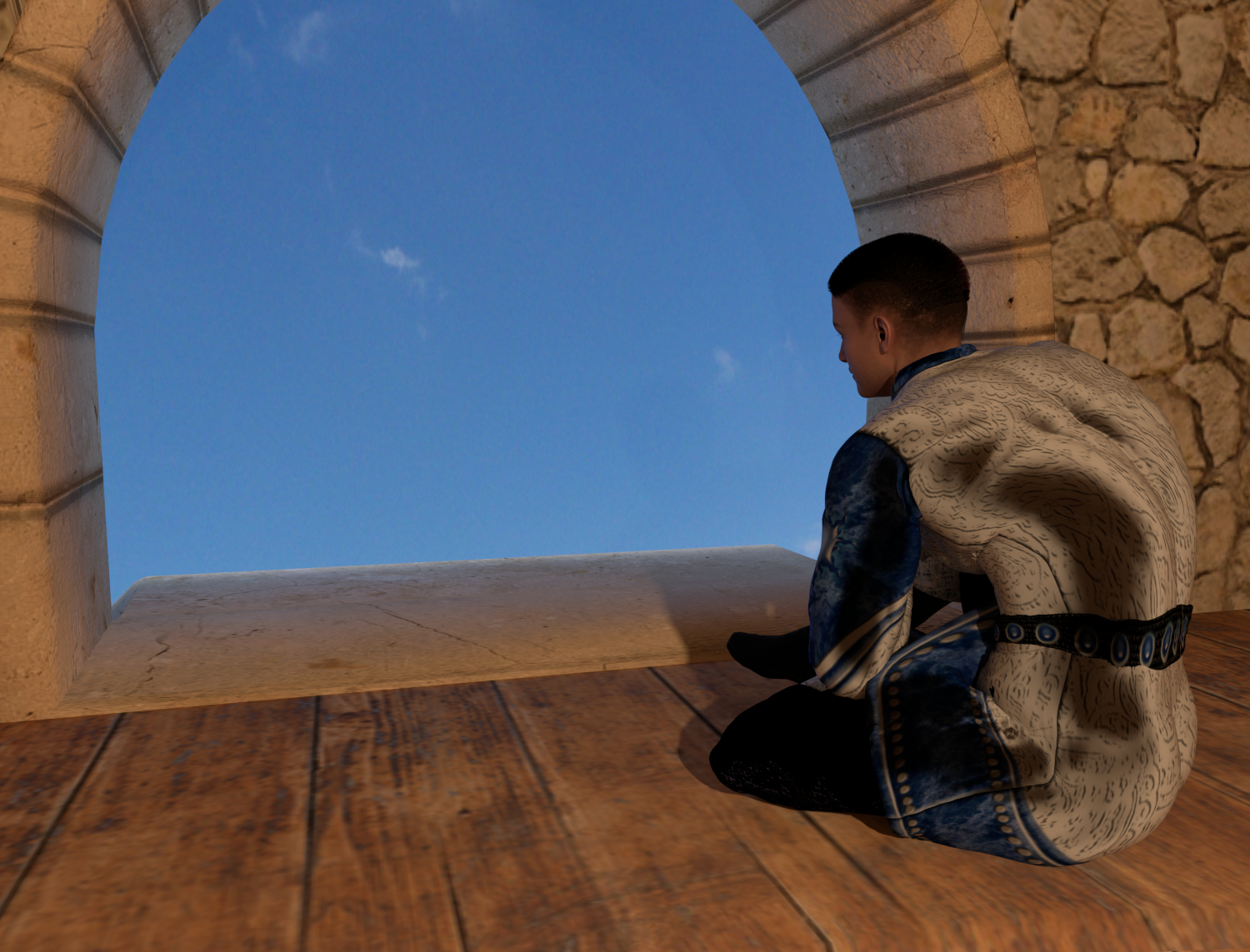
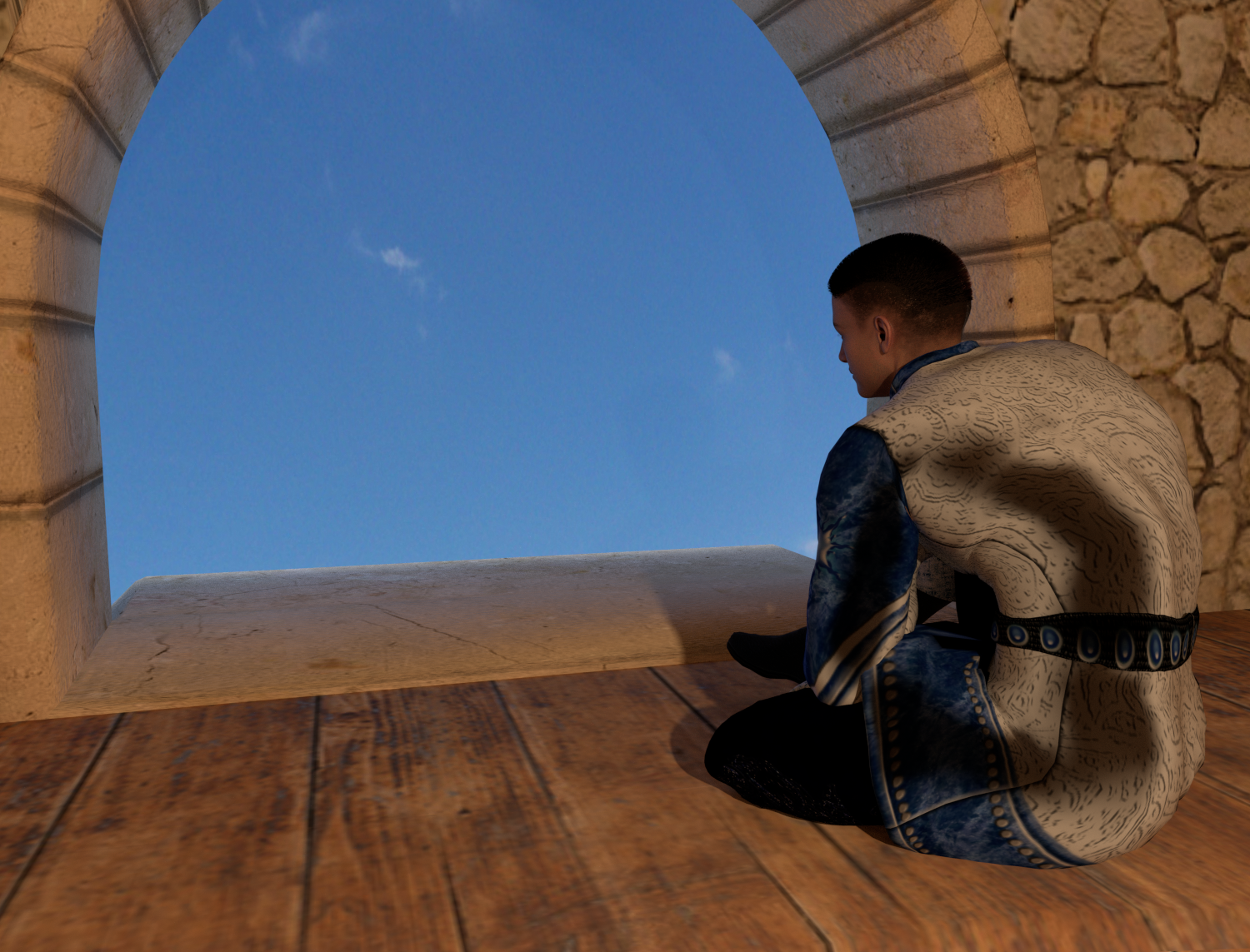
After running this test, once the clothing is converted, it's not much more work to drape it than to use conforming, and the draping runs quickly. I don't know that I'll convert all my conforming clothing into dynamic. But some pieces, like this tunic, that don't lay well. I'll probably end up converting them.
Available on Amazon for the Kindle E-Reader Monster of the North and The Shimmering Mage
Today I break my own personal record for the number of days for being alive.
Check out my store here or my free stuff here
I use Poser 14 and Windows 11
I went back to the gossiping sisters image. The last two have skirts with overskirts. I haven’t had good luck with draping layers of multiple garments yet, and the overskirt didn’t go all the way around. I figured I could combine the 2 if needed, but I would try them separately first.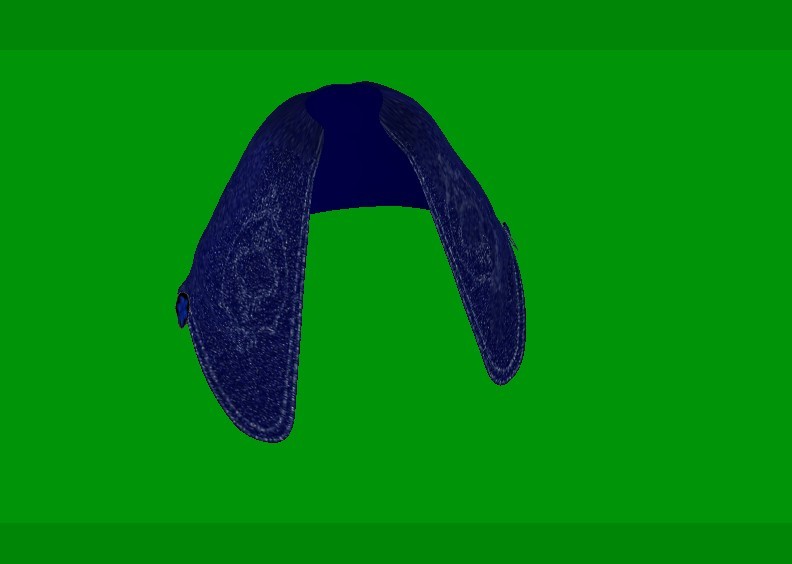
I decided to try it as separate pieces. I removed the body handles and added subdivisions and groupings when I converted both sections into props.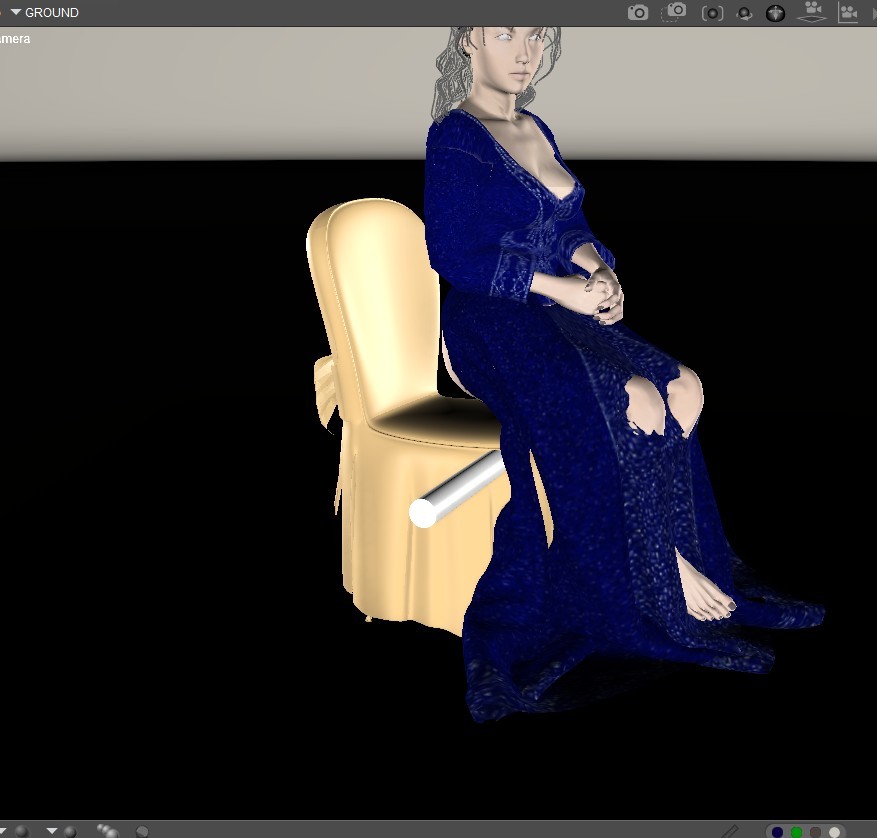
When I ran the first drape, the skirt didn’t collide well with the chair. I added a cylinder behind the dress that followed the fabric and helped it shape the skirt to the chair. It’s a common trick I used with the clothroom, and I was surprised I didn’t have any cylinders already in the scene.
I added 2 animated constraints. One for the thighs. The upper portion was .0005 and the lower was .0007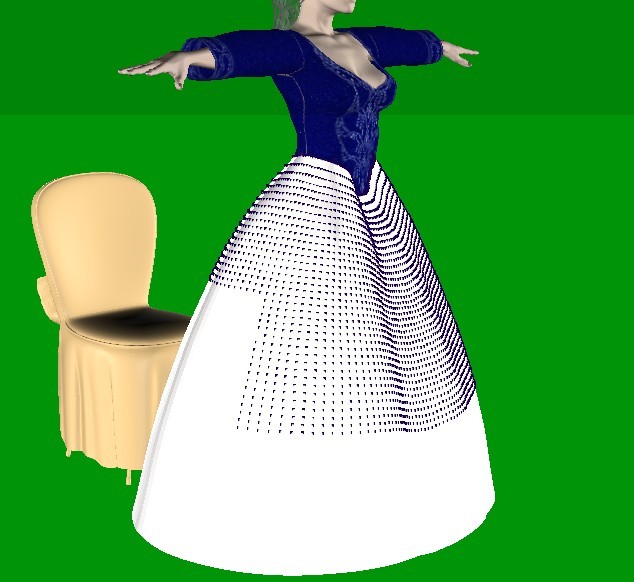
The other was for the feet. That was at .0002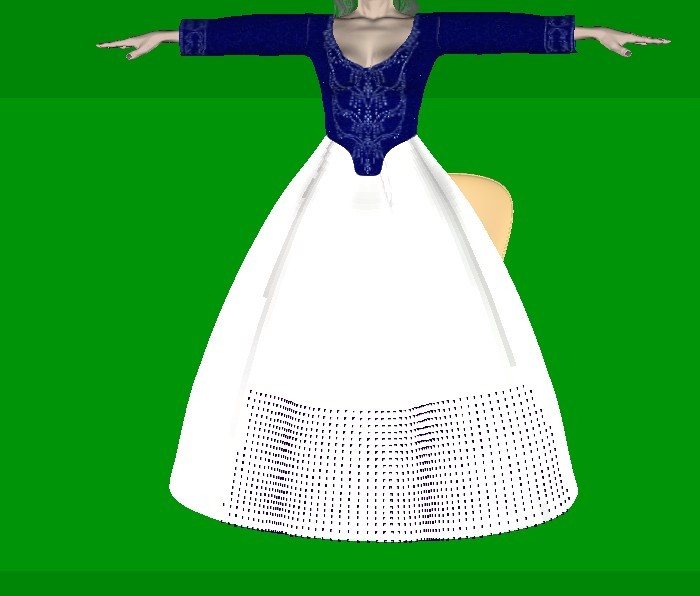
It took a little experimenting to get the values right. But in the end, I got this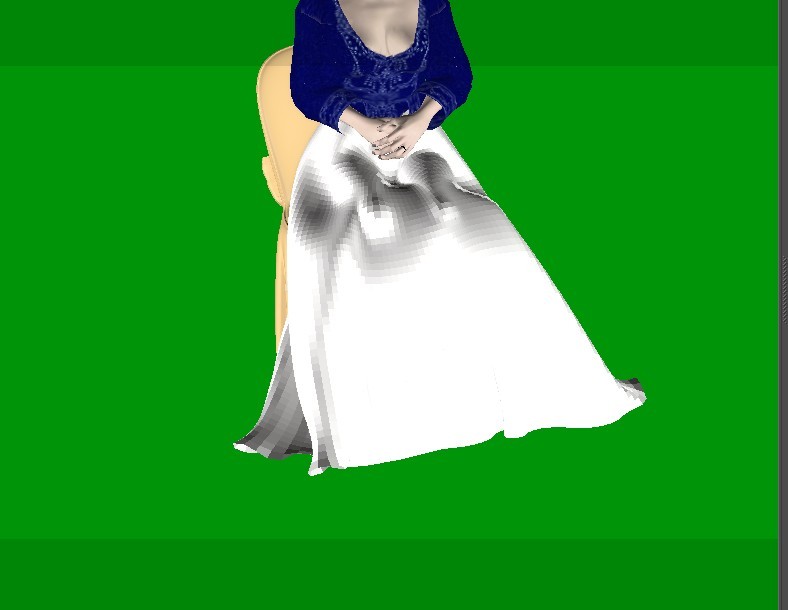
Then I went to the overskirt
I set it up to collide with the figure, the skirt, and the chair. I set the chair and the skirt to triangle mesh and checked use animated mesh. I increased the glue to .04 hoping the distance would help with collisions.
I ran the simulation once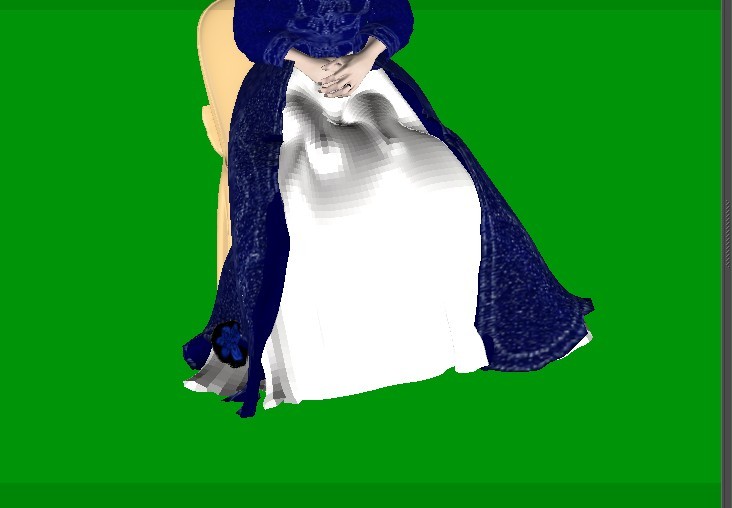
That turned out pretty good.
There was a little issue with the inner layer if the overskirt poking through the outer layer.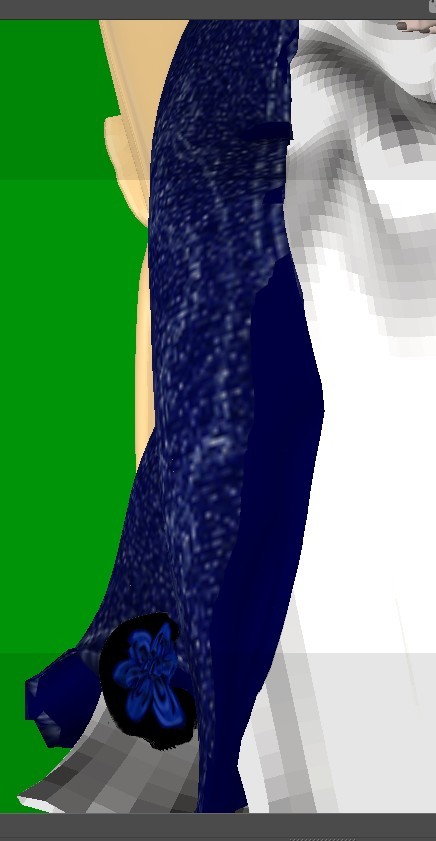
This was a problem with the clothroom too. The easiest fix for this scene is to make the inner layer transparent.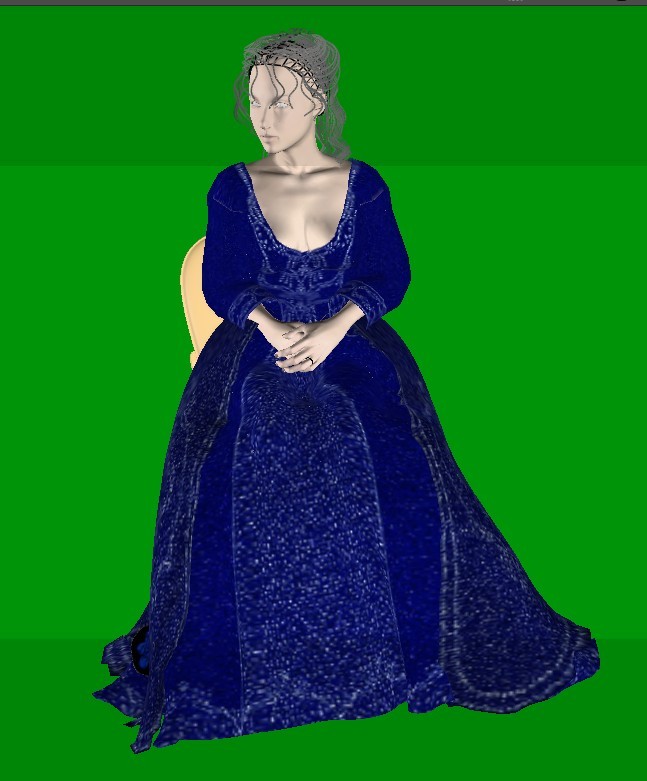
Available on Amazon for the Kindle E-Reader Monster of the North and The Shimmering Mage
Today I break my own personal record for the number of days for being alive.
Check out my store here or my free stuff here
I use Poser 14 and Windows 11
Content Advisory! This message contains nudity
The final and probably the most complicated dress. This one had 3 parts to it. 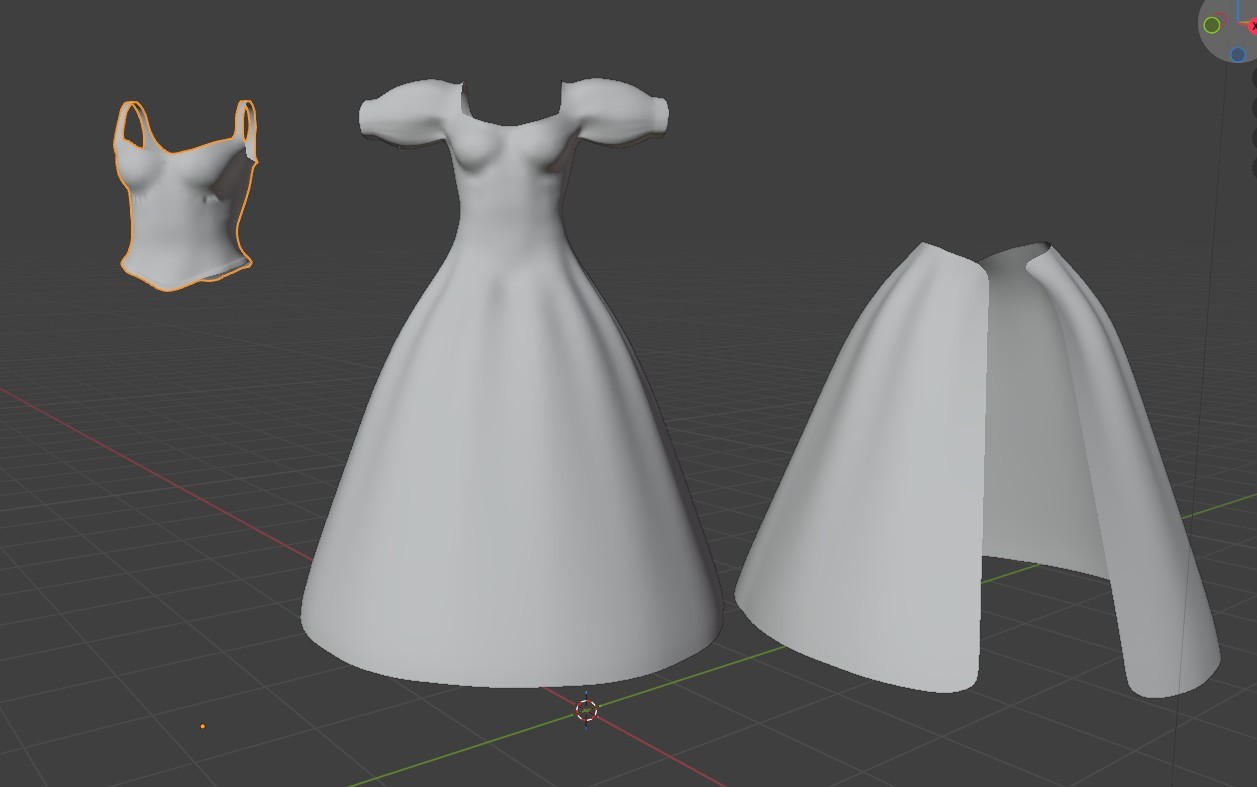
I added poly groups to the dress and the overskirt and subdivided the skirt. The dress was already higher poly. I scaled a couple of balls to fit in the sleeves of the dress to support it, to help keep the shape, and parented them to her arms. And I moved the cylinder I was using on the last dress to do something similar here.
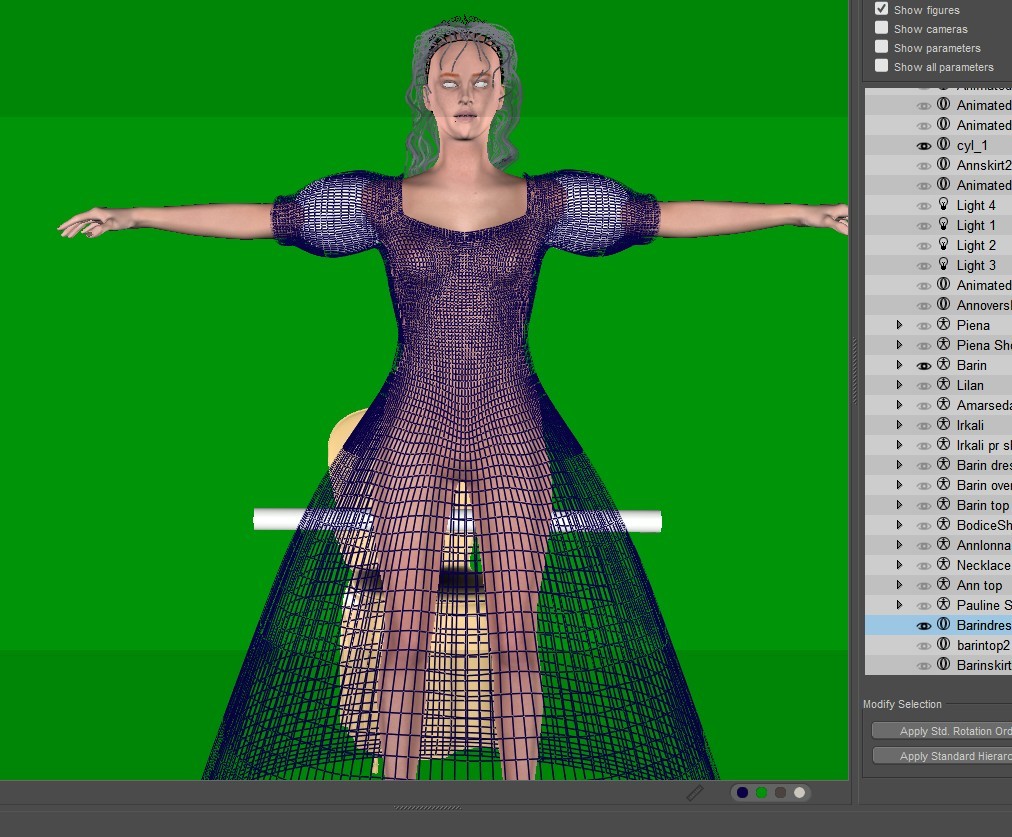
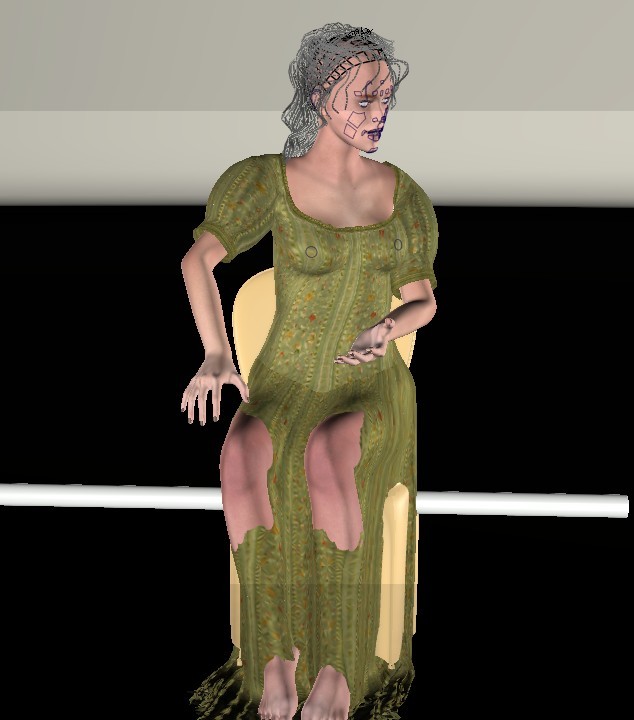
It worked well with the sleeves. Now to fix the bottom
The bottom took longer than it should have because I forgot to set the chair to triangle mesh, and it was causing the skirt to lay weird. I used similar settings to the last skirt.
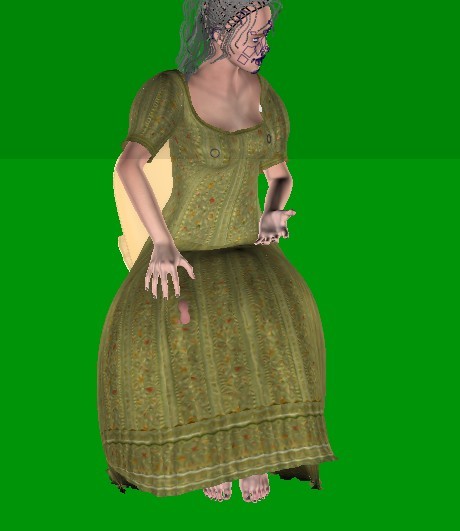
The top and overskirt went well. I remembered to set the dress and the chair to triangle mesh. I also set the glue to .04 to help it to stand out
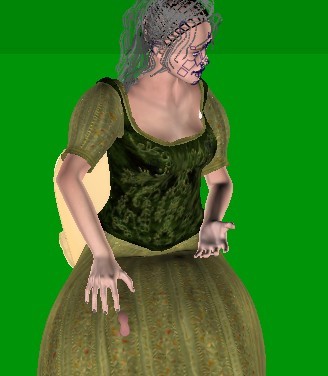
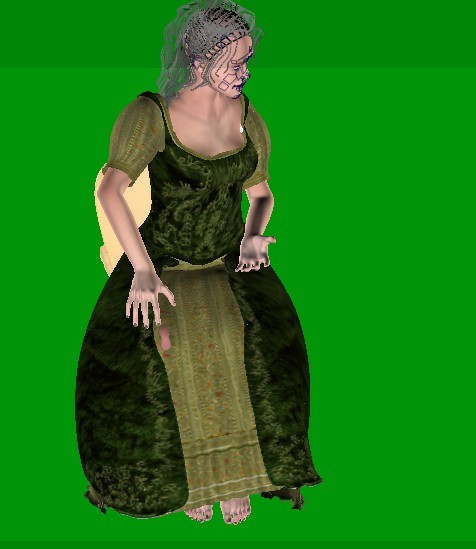
A little time with the morph brush and things look good.
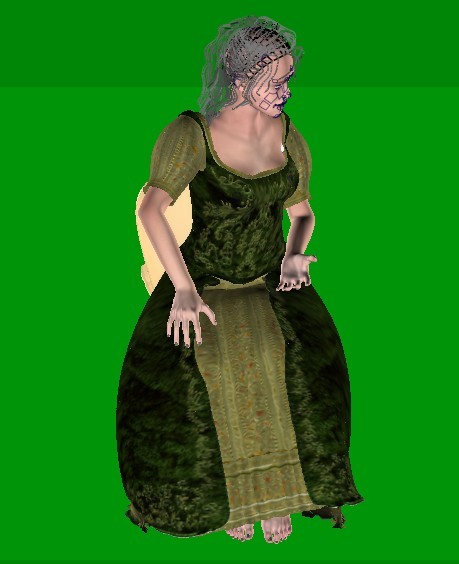
And the final render.
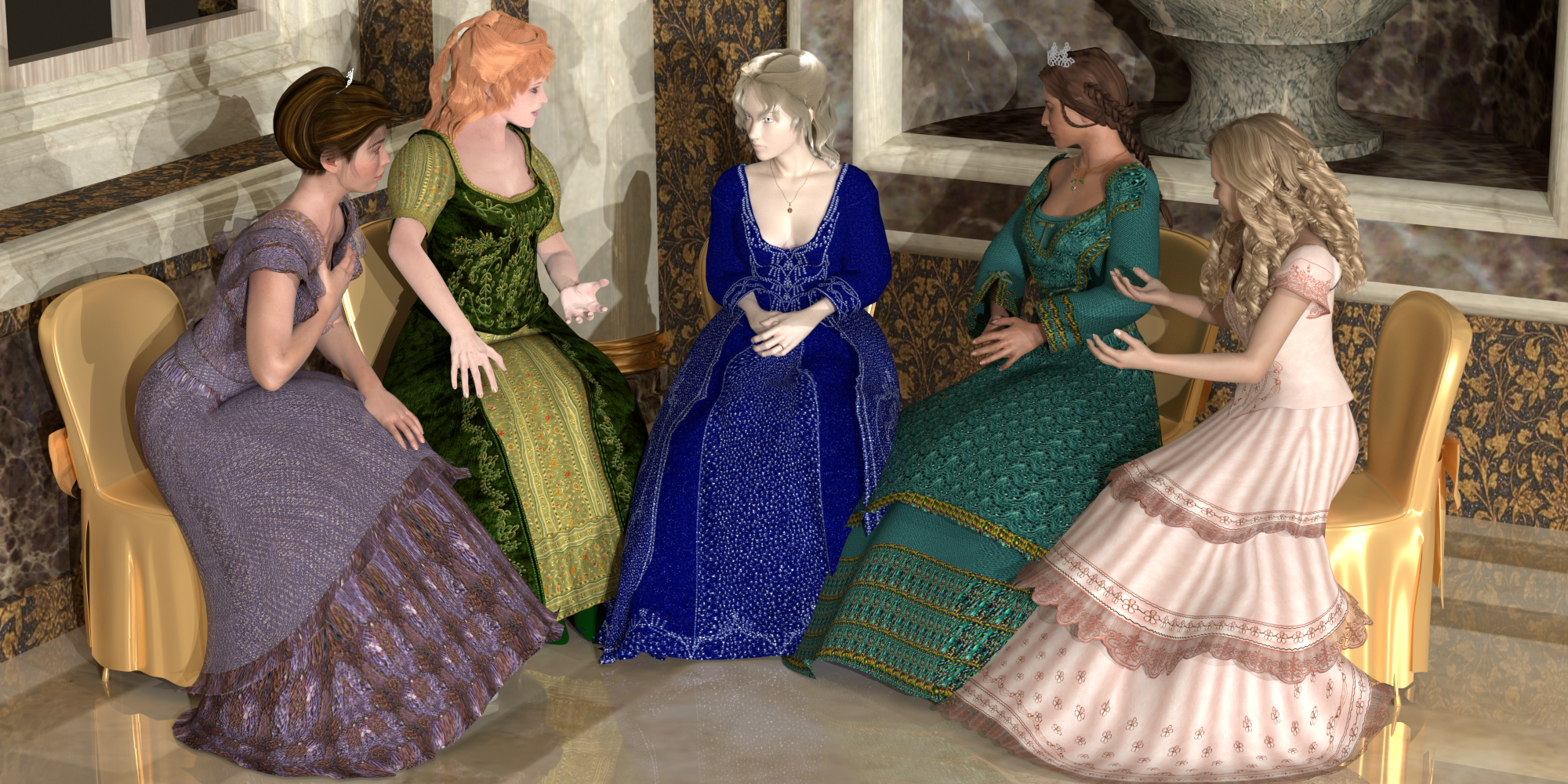
It's not exact, but it works.
If there's anything anyone wants me to try, let me know.
Available on Amazon for the Kindle E-Reader Monster of the North and The Shimmering Mage
Today I break my own personal record for the number of days for being alive.
Check out my store here or my free stuff here
I use Poser 14 and Windows 11
yes, it does.
Available on Amazon for the Kindle E-Reader Monster of the North and The Shimmering Mage
Today I break my own personal record for the number of days for being alive.
Check out my store here or my free stuff here
I use Poser 14 and Windows 11
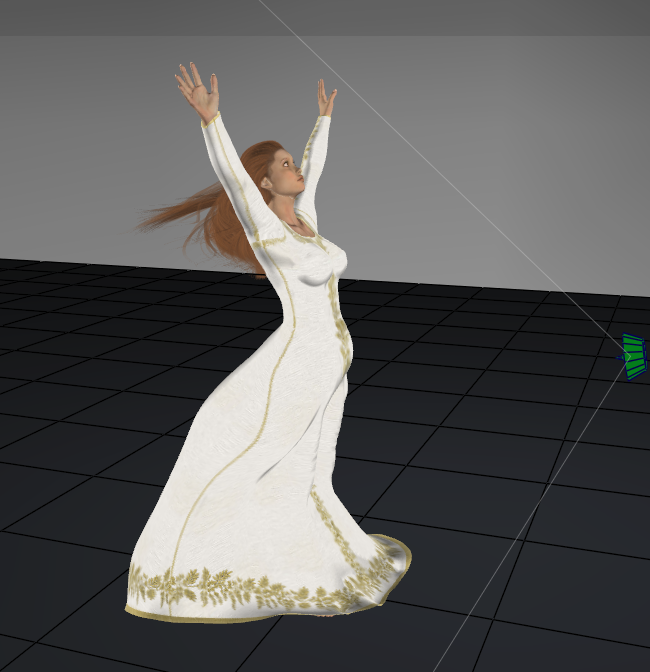
Here's an example of wind force. I also draped the hair, but it needs a lot of refining.
Available on Amazon for the Kindle E-Reader Monster of the North and The Shimmering Mage
Today I break my own personal record for the number of days for being alive.
Check out my store here or my free stuff here
I use Poser 14 and Windows 11
I hadn't planned on posting this one. I was just messing around in Poser. But it turned out well without any weight painting or use of the morph brush.
The start
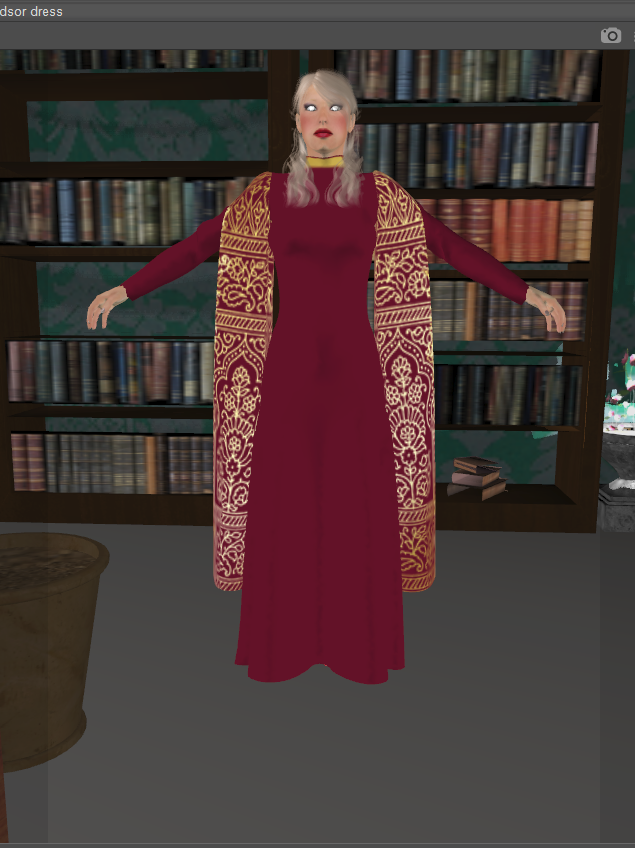
How it turned out.
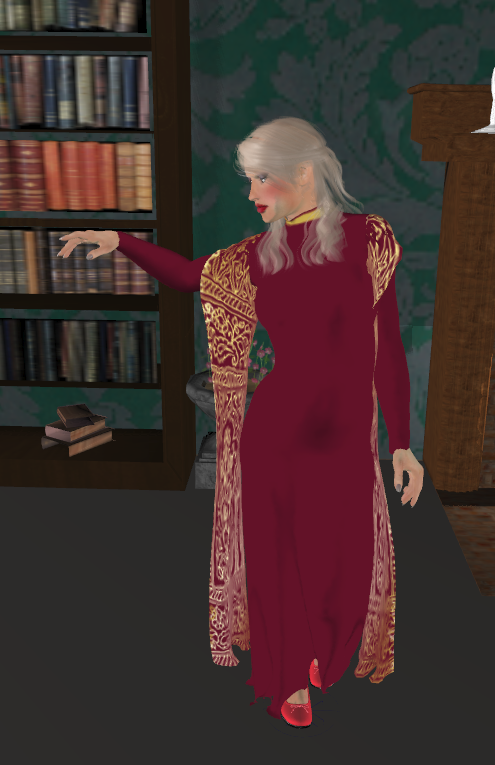
I'm coming o the conclusion that perhaps only things that further away will have issues and need weight painting.
Available on Amazon for the Kindle E-Reader Monster of the North and The Shimmering Mage
Today I break my own personal record for the number of days for being alive.
Check out my store here or my free stuff here
I use Poser 14 and Windows 11
I've found that you can now use parented clothing with cloth draping.
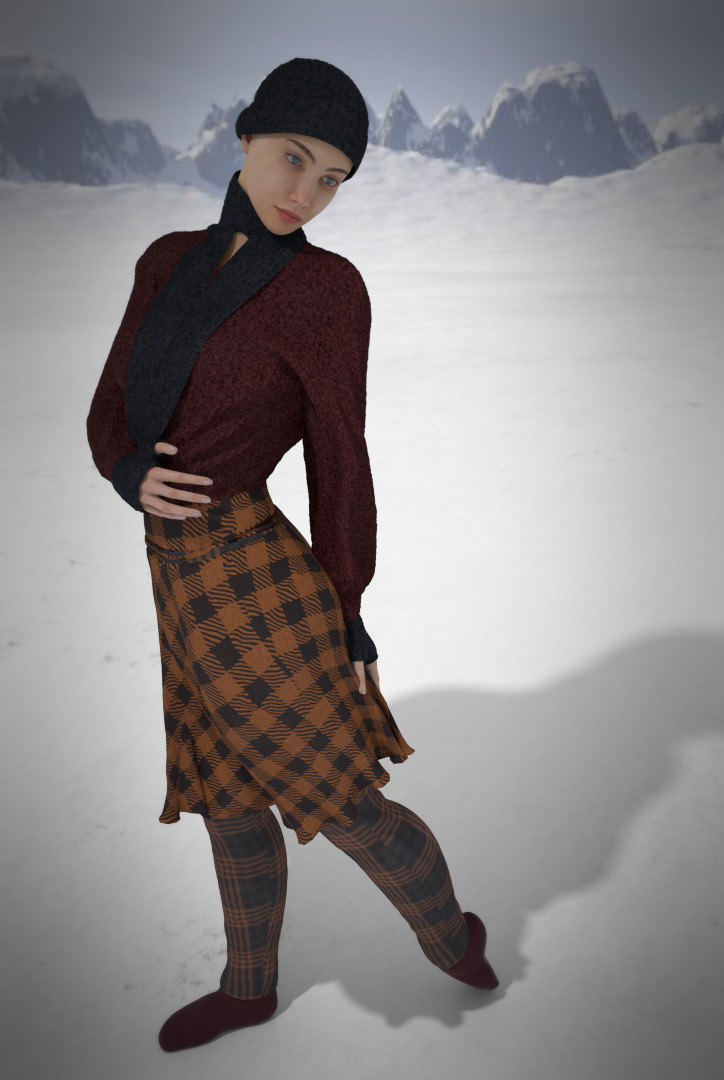
If anyone wants to see a video of my recreating the draping of this, let me know and I'll see about making one.
Available on Amazon for the Kindle E-Reader Monster of the North and The Shimmering Mage
Today I break my own personal record for the number of days for being alive.
Check out my store here or my free stuff here
I use Poser 14 and Windows 11
thanks
Available on Amazon for the Kindle E-Reader Monster of the North and The Shimmering Mage
Today I break my own personal record for the number of days for being alive.
Check out my store here or my free stuff here
I use Poser 14 and Windows 11

Privacy Notice
This site uses cookies to deliver the best experience. Our own cookies make user accounts and other features possible. Third-party cookies are used to display relevant ads and to analyze how Renderosity is used. By using our site, you acknowledge that you have read and understood our Terms of Service, including our Cookie Policy and our Privacy Policy.
Content Advisory! This message contains nudity
First test
If you’ve looked at any of my posts, you’ll see this isn’t really the first test of me using the cloth draping. This is the first I’ve documented. I’m using Lafemme, a halter dress, croquette pose, and stool. I chose to work on a sitting position because that is often what I used the clothroom for.
Load Lafemme and dress. I posed Lafemme and then set the starting pose to match the location and rotation of the pose, so there isn’t as much movement. I typically do this with the clothroom too. Usually, if there’s extreme movement, you need more frames, sometimes a lot more. I set up 30 frames for draping at zero pose and then another 30 for her to go from standing to sitting.
This dress already has the draping set up. I only needed to add the stool as a choreographed object.
Here is the first simulation
It’s not bad, but there is a little issue with the ankle, and I’d expect the back part of the skirt to fall away rather than follow the legs.
I noticed that there was a little movement between frames 1 and 30 due to the spline. I set that section to linear in the animation palette. But there was no difference when I draped again.
Available on Amazon for the Kindle E-Reader Monster of the North and The Shimmering Mage
Today I break my own personal record for the number of days for being alive.
Check out my store here or my free stuff here
I use Poser 14 and Windows 11