
Renderosity Forums / Poser 14

Subject: Clothroom progress


I've used Bullet a great deal with conforming figures, to clean up the joint-effects on the cloth or add some cloth-like handling. It sort of looks like they've been steering these features in a direction that would work well for that kind of thing. Has anyone tried poseable or conforming garments with this new system? Maybe the joints could do the heavy lifting, allowing the new process the chance to really shine.
It also looks like they're going to need some fundamental changes, to make this handle at all like Poser's former cloth system. They're not going to tweak this into that level of effectiveness, because they need qualitative changes and not quantitative ones. Like that.
===========================sigline======================================================
Cage can be an opinionated jerk who posts without thinking. He apologizes for this. He's honestly not trying to be a turkeyhead.
Cage had some freebies, compatible with Poser 11 and below. His Python scripts were saved at archive.org, along with the rest of the Morphography site, where they were hosted.
At this point, I haven't been able to drape any figures or body parts. I have converted conforming clothing to props and draped them.
https://www.renderosity.com/forums/comments/4508152/permalink is a sample of that. The top image is the draped clothing.
Available on Amazon for the Kindle E-Reader Monster of the North and The Shimmering Mage
Today I break my own personal record for the number of days for being alive.
Check out my store here or my free stuff here
I use Poser 14 and Windows 11
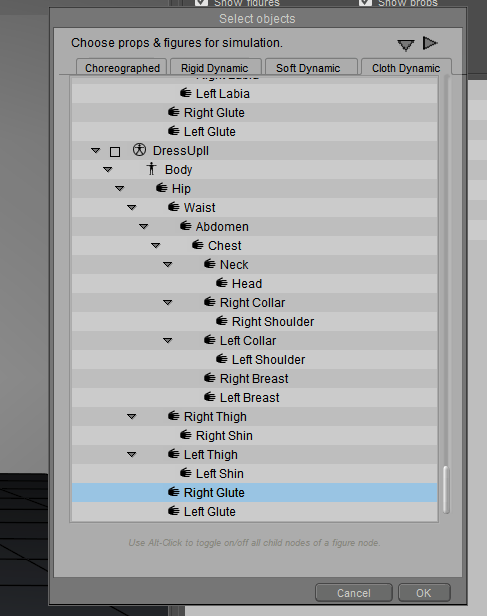
Unfortunately, you can't select body parts for draping.
Available on Amazon for the Kindle E-Reader Monster of the North and The Shimmering Mage
Today I break my own personal record for the number of days for being alive.
Check out my store here or my free stuff here
I use Poser 14 and Windows 11
I've got the video made, but I ran into a snag with uploading it. The developer is going to need to look at it so hopefully it will be available next week.
Available on Amazon for the Kindle E-Reader Monster of the North and The Shimmering Mage
Today I break my own personal record for the number of days for being alive.
Check out my store here or my free stuff here
I use Poser 14 and Windows 11

It does need to be a prop.
Available on Amazon for the Kindle E-Reader Monster of the North and The Shimmering Mage
Today I break my own personal record for the number of days for being alive.
Check out my store here or my free stuff here
I use Poser 14 and Windows 11
The video is now available https://www.renderosity.com/freestuff/items/100375/cloth-draping-demo
Available on Amazon for the Kindle E-Reader Monster of the North and The Shimmering Mage
Today I break my own personal record for the number of days for being alive.
Check out my store here or my free stuff here
I use Poser 14 and Windows 11

happy to help.
Available on Amazon for the Kindle E-Reader Monster of the North and The Shimmering Mage
Today I break my own personal record for the number of days for being alive.
Check out my store here or my free stuff here
I use Poser 14 and Windows 11

thanks for making this--it makes the process much more understandable.
still lost in the wilderness
Poser 13 Superfly pretty much only these days
Here's something I tried last night as a shortcut. I'm doing a dance scene and the woman is wearing a long skirt. It wasn't draping well with the default glue so rather than mess around with weight painting, I moved her legs close to the skirt for the starting pose so the auto glue would see them.
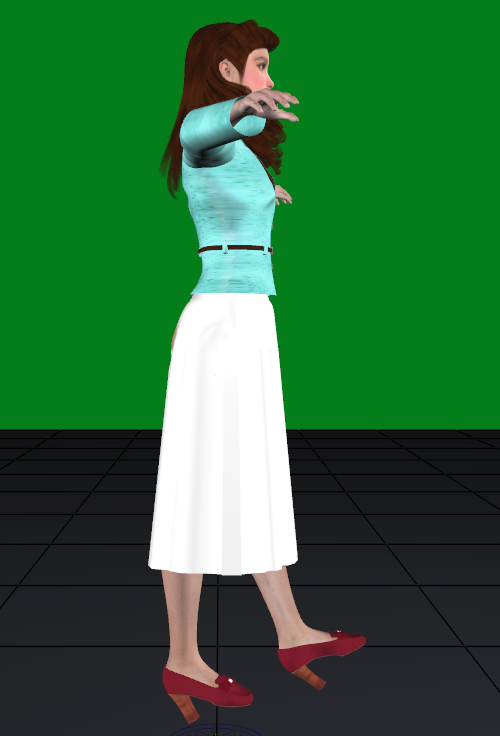
Here's the result, no weight painting needed.
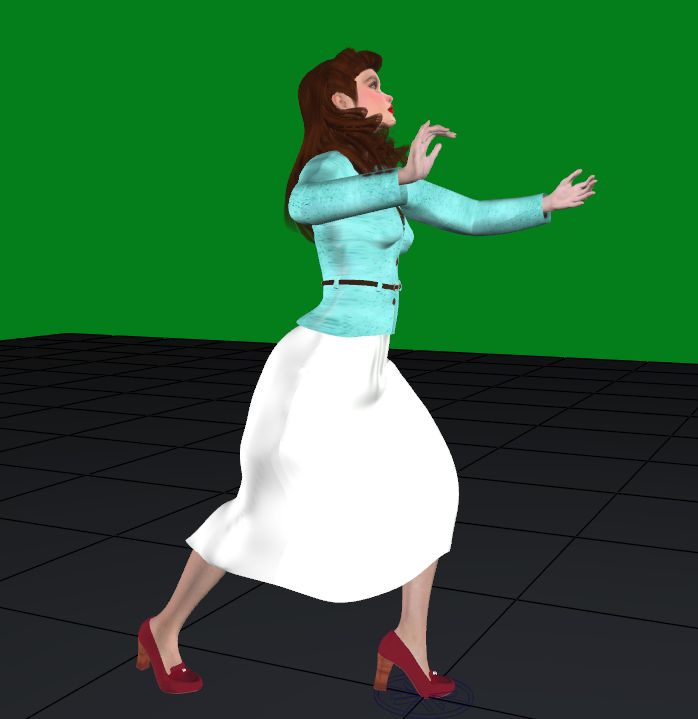
This might not work with all poses and clothes, but for some it will.
Available on Amazon for the Kindle E-Reader Monster of the North and The Shimmering Mage
Today I break my own personal record for the number of days for being alive.
Check out my store here or my free stuff here
I use Poser 14 and Windows 11

RedPhantom posted at 3:12 PM Sat, 22 August 2026 - #4509715
Thanks for making this video. I couldn't seem to get the scarf working properly, but everything else worked ok. Very useful. Hopefully they'll continue tweaking and improving it. For example, you kept having to change the gravity to from -10 to -2. Is that only for these items or do you use -2 accross the board generally?The video is now available https://www.renderosity.com/freestuff/items/100375/cloth-draping-demo
I use -2 for most things. -10 seems too heavy.
Available on Amazon for the Kindle E-Reader Monster of the North and The Shimmering Mage
Today I break my own personal record for the number of days for being alive.
Check out my store here or my free stuff here
I use Poser 14 and Windows 11
OK, thanks. Hopefully a future update will set -2 as the default, or have an option for us to set our own defaults. Or both.I use -2 for most things. -10 seems too heavy.

Just wanted to shear some experiment I am doing with the new Cloth room. I was modelling a Skirt for LaFemme2 to test the new cloth room settings as well as the needed geometry for it. Here are some pictures I generated with different poses applied. All of them are having the same settings.
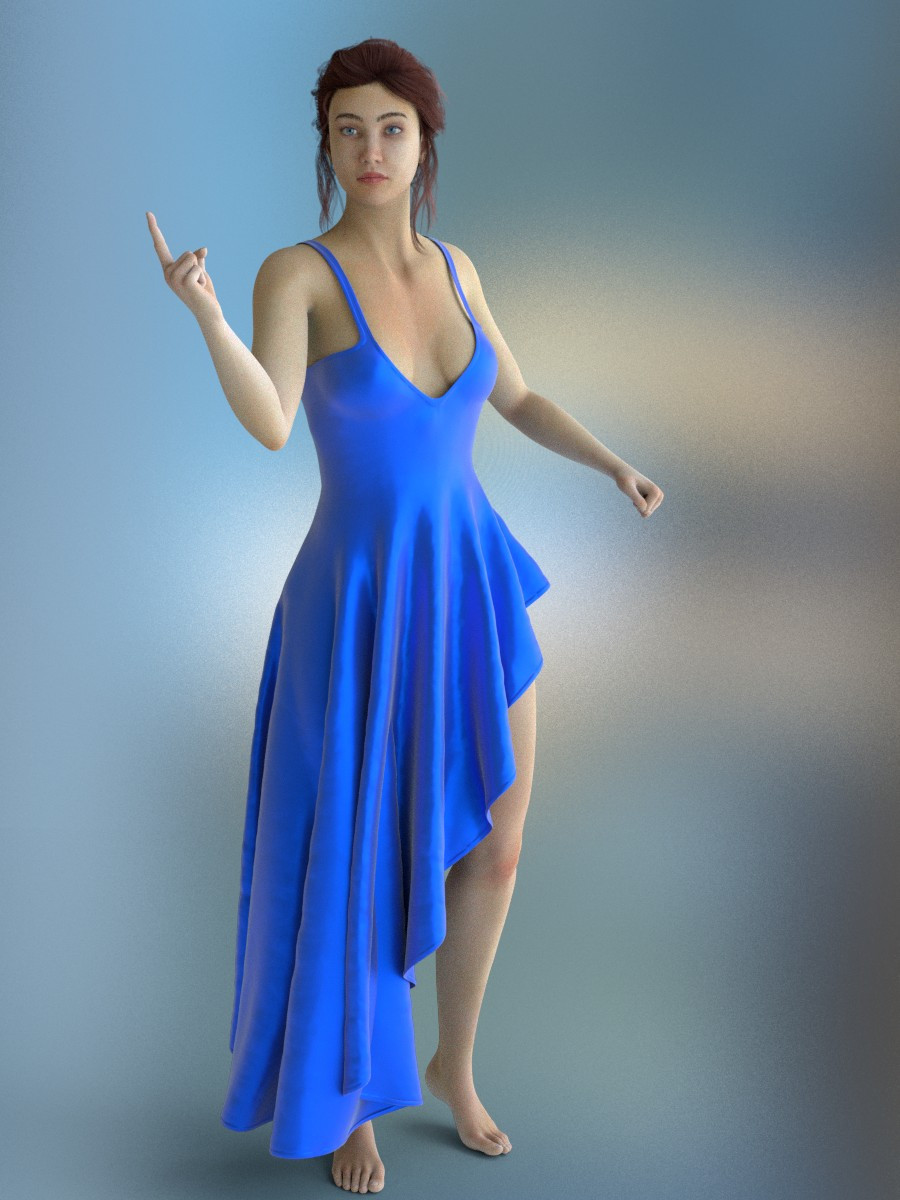
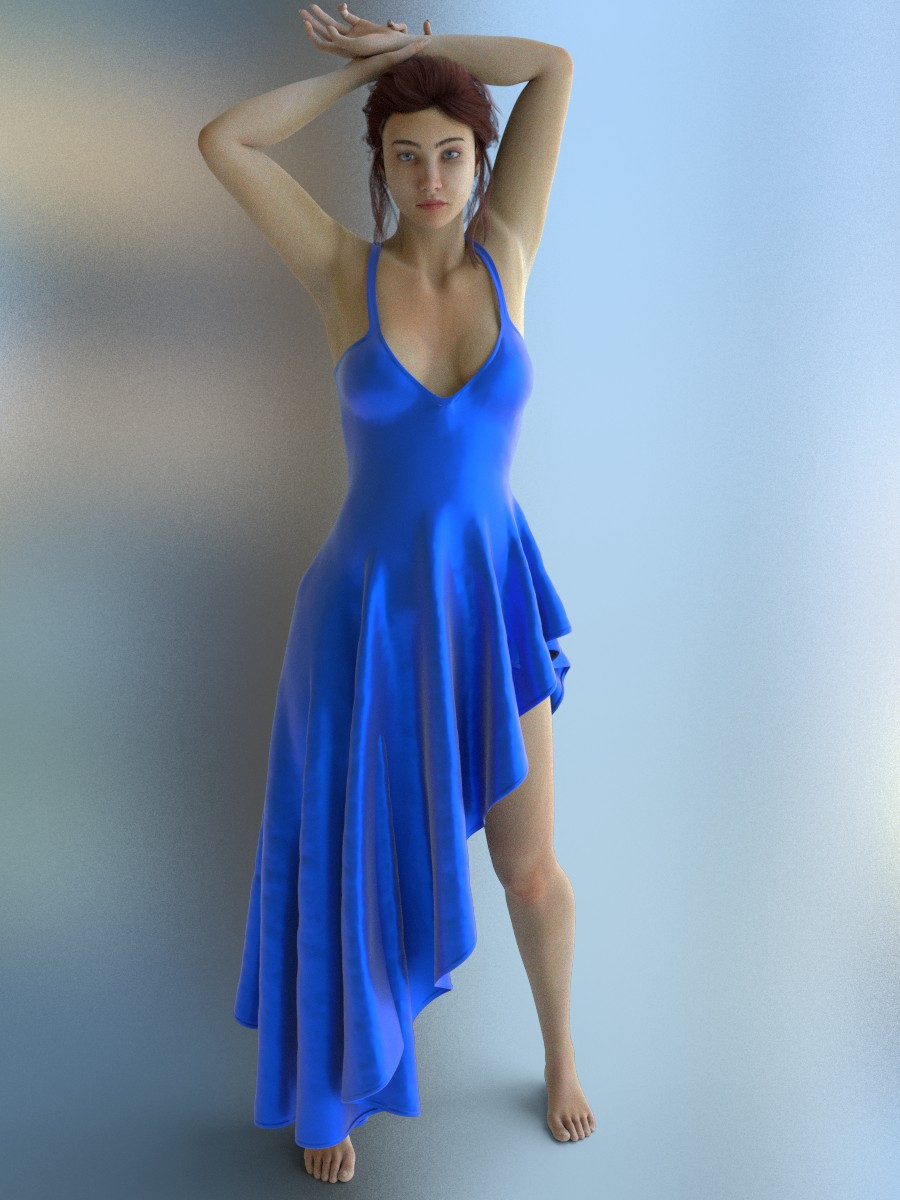
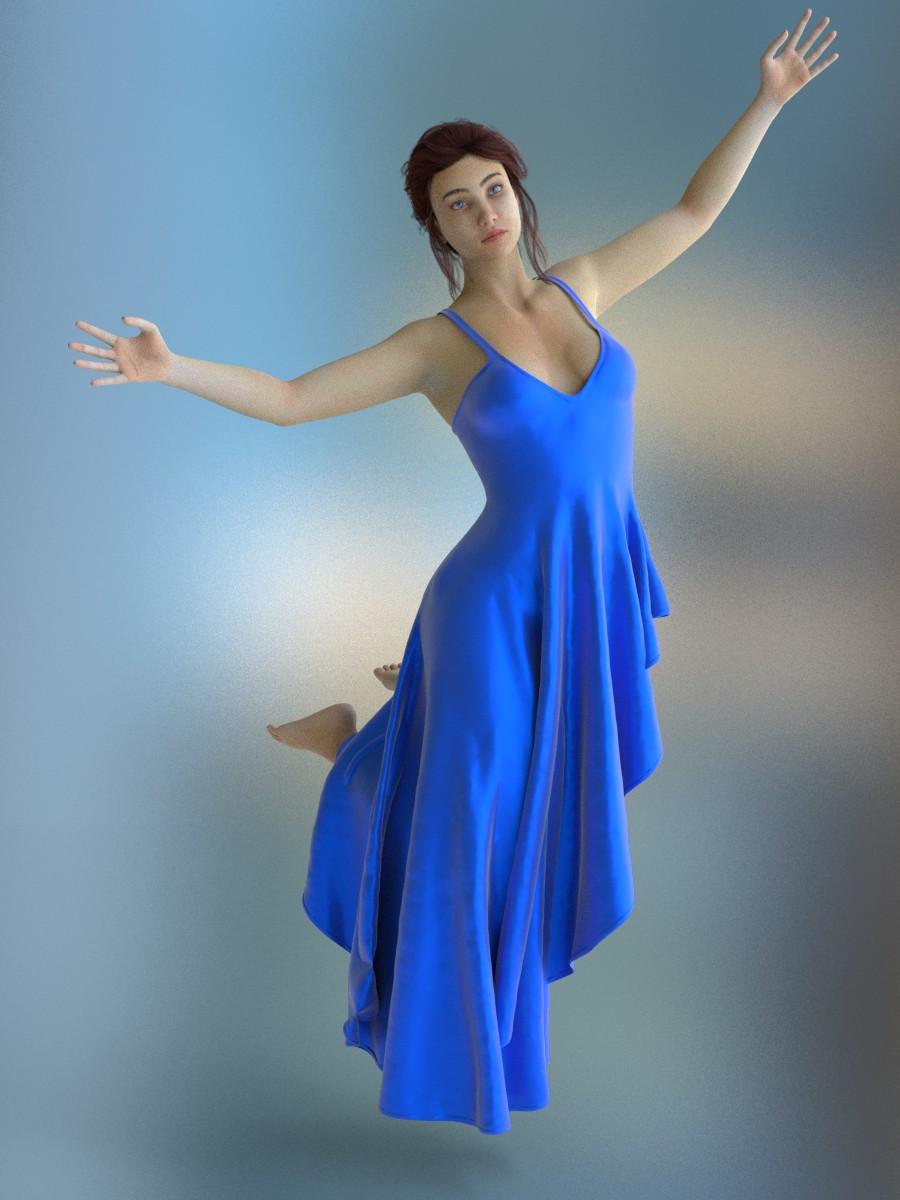
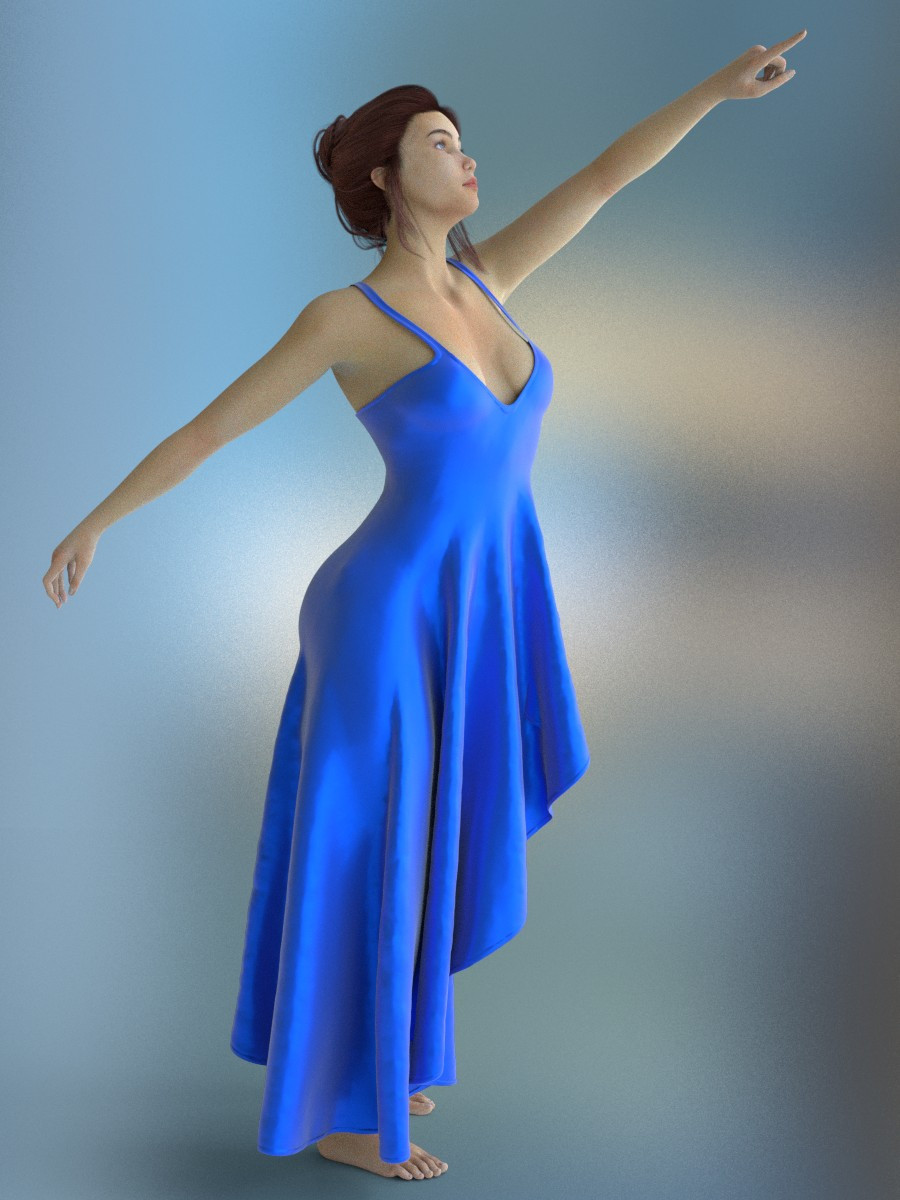
Looks great (although the right strap on the bottom picture doesn't look quite right to me, looks like it should drop down vertically a bit more). But overall, really good. Looks like PoserCloth might have legs going forward. Maybe they could even build it in and create a new Cloth Room tab with the PoserCloth controls, that would be nice.
While I can see the benefit of that, you could use the UI dots to do something similar. That's what I did. I have a dot that is set to my default UI and another for the cloth draping.
Available on Amazon for the Kindle E-Reader Monster of the North and The Shimmering Mage
Today I break my own personal record for the number of days for being alive.
Check out my store here or my free stuff here
I use Poser 14 and Windows 11
Looks great (although the right strap on the bottom picture doesn't look quite right to me, looks like it should drop down vertically a bit more). But overall, really good. Looks like PoserCloth might have legs going forward. Maybe they could even build it in and create a new Cloth Room tab with the PoserCloth controls, that would be nice.
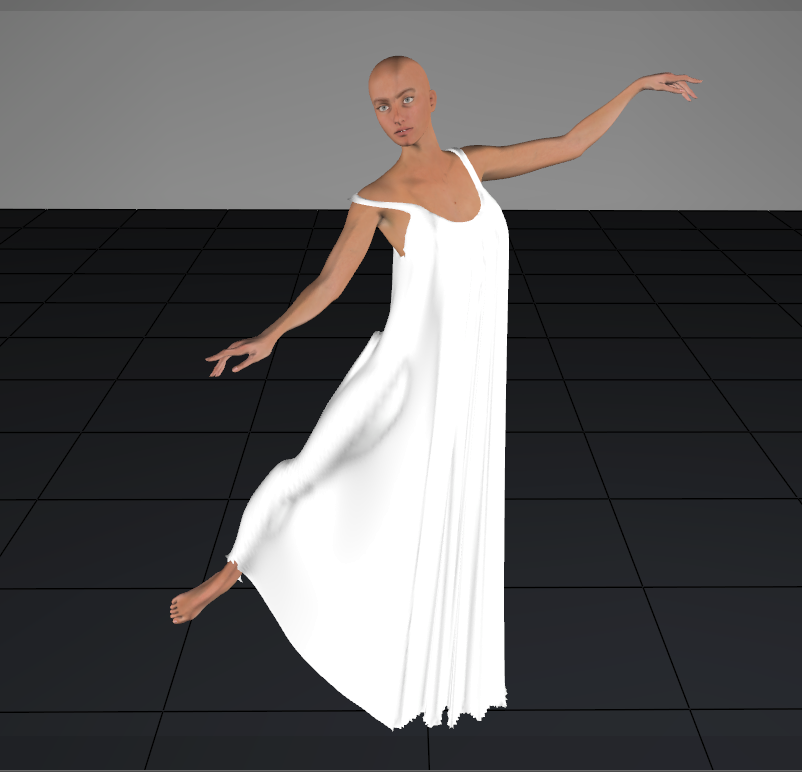
Straps seem to stay put.
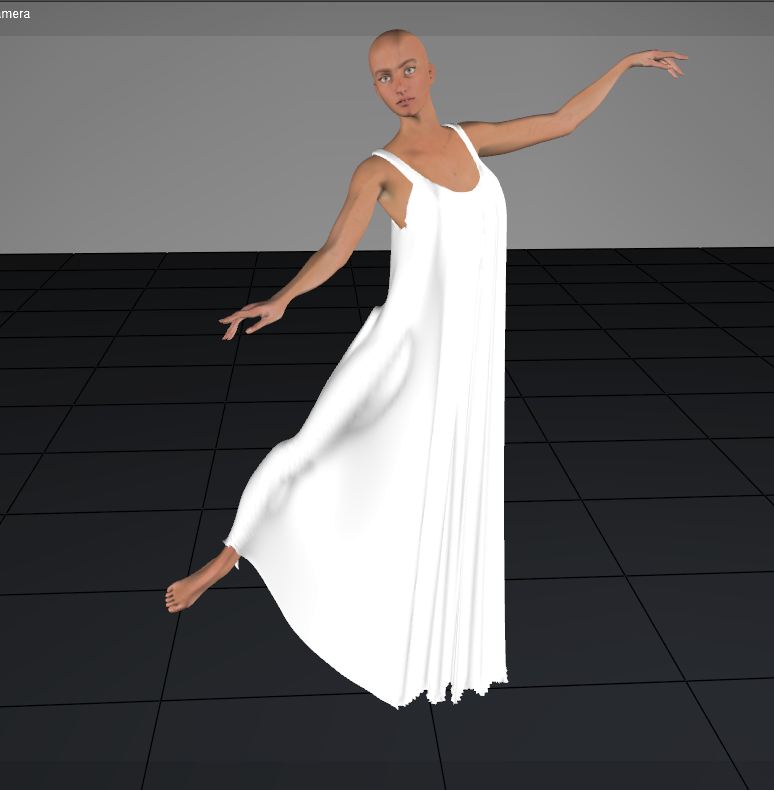
But you can use an animated constraint to pull it off the shoulder.
Available on Amazon for the Kindle E-Reader Monster of the North and The Shimmering Mage
Today I break my own personal record for the number of days for being alive.
Check out my store here or my free stuff here
I use Poser 14 and Windows 11
If you're not familiar with using an animated constraint this way, here's what you do.
Add a new animated constraint.
In frame 1 (or the beginning of the animation)
Move the constraint handle to the shoulder area and press the set handle position
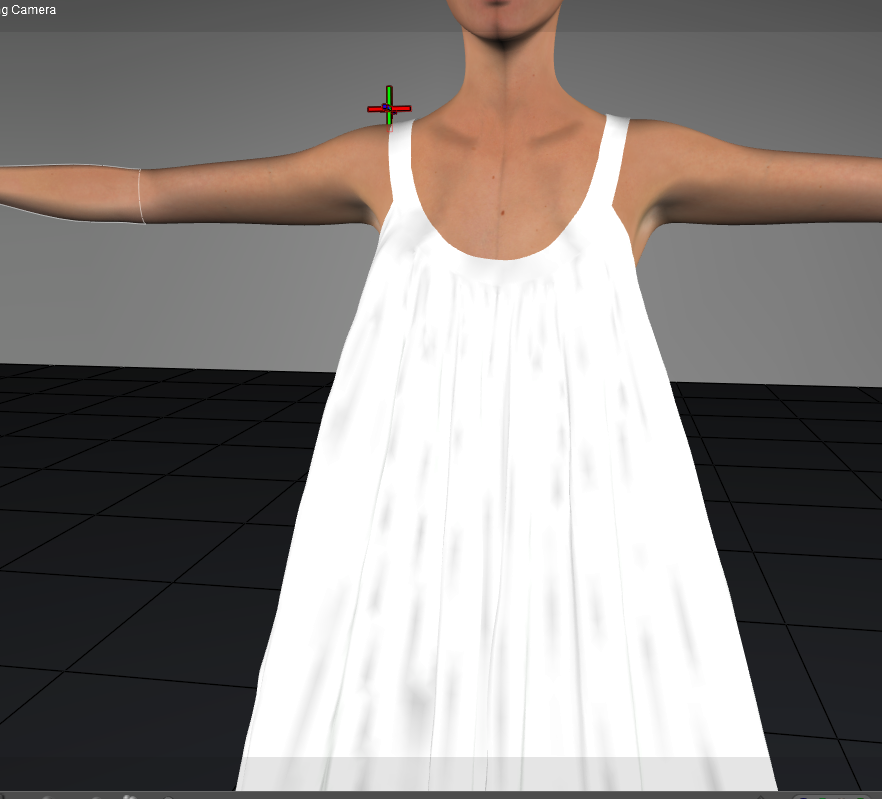
Then paint the weight constraint. You'll want the section near the handle at 1.
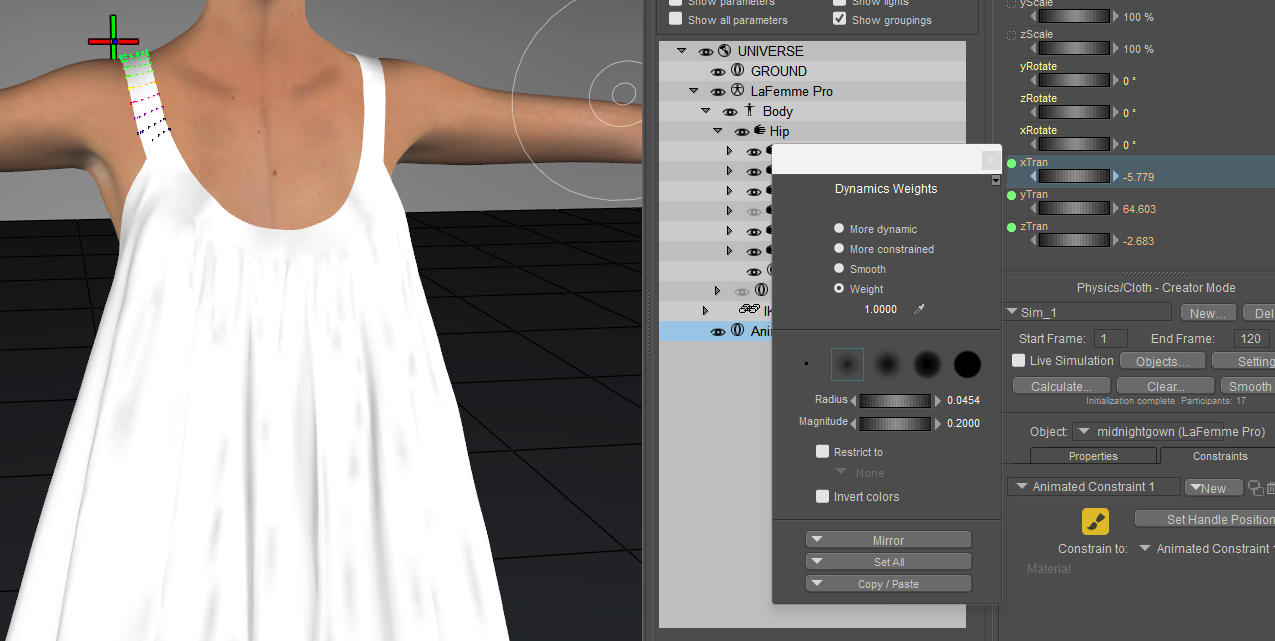
Move to the end frame and set the handle where you want the strap to be.
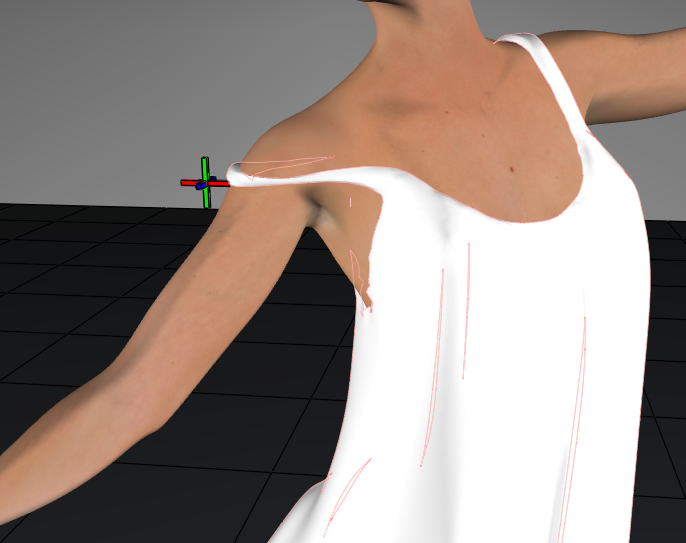
Run the simulation. You might need to adjust the location of the handle to get it how you want it. If you move the handle at the first frame, hit the set handle position button again.
Available on Amazon for the Kindle E-Reader Monster of the North and The Shimmering Mage
Today I break my own personal record for the number of days for being alive.
Check out my store here or my free stuff here
I use Poser 14 and Windows 11
Thanks for the explanation RedPhantom but my goal with this is to make a cloth that can be loaded by the user and then simply run by hitting the simulation button without doing any adjustments so that it is easy to use. If later one the user wants to adjust the clothing to the pose of the Figure no problem, he will be able to do it. If possible, I will also include a starting script like the one I was using in the old cloth room. This is simply to allow users that are not familiar with the cloth room to use clothing I am making and already have decent results. One of the points I discovered when modelling the skirt is that low poly count clothing are working much better with the new cloth room than high poly count.
I understand that. I was just showing how it could be done if someone wanted to add it.
Available on Amazon for the Kindle E-Reader Monster of the North and The Shimmering Mage
Today I break my own personal record for the number of days for being alive.
Check out my store here or my free stuff here
I use Poser 14 and Windows 11
No trouble RedPhantom I see it as very positive. I simply wanted to tell that I am looking at the new cloth room with the perspective of a cloth creator. Yes, the new cloth room is different and we need to find the new ways to use it. Yes, you still cannot do perfect clothing that fits every pose without pokes and are looking natural but this was also the case with the old cloth room in Poser 13. I simply want to see if I can make good quality clothing that are working well on most of the poses I am testing. If so, I will invest some time to do new stuff for Poser14.
I also did a short video to see how the skirt was behaving with a simple walking animation. I am not an animator so the movie is not the best you can see but it gives me an idea how the skirt is working.
I've got a couple of outfits waiting to be made into freebies, but there's an issue with the distribution of clothing with custom constraints, so until that's fixed, I can't upload them.
Available on Amazon for the Kindle E-Reader Monster of the North and The Shimmering Mage
Today I break my own personal record for the number of days for being alive.
Check out my store here or my free stuff here
I use Poser 14 and Windows 11
That animation of the dress looks pretty good.
Available on Amazon for the Kindle E-Reader Monster of the North and The Shimmering Mage
Today I break my own personal record for the number of days for being alive.
Check out my store here or my free stuff here
I use Poser 14 and Windows 11
Yes I known that one too and I am waiting it to be fixed.I've got a couple of outfits waiting to be made into freebies, but there's an issue with the distribution of clothing with custom constraints, so until that's fixed, I can't upload them.
Content Advisory! This message contains nudity
Some other testing, this time with a wind force applied. All the render are with the same settings as previous images.
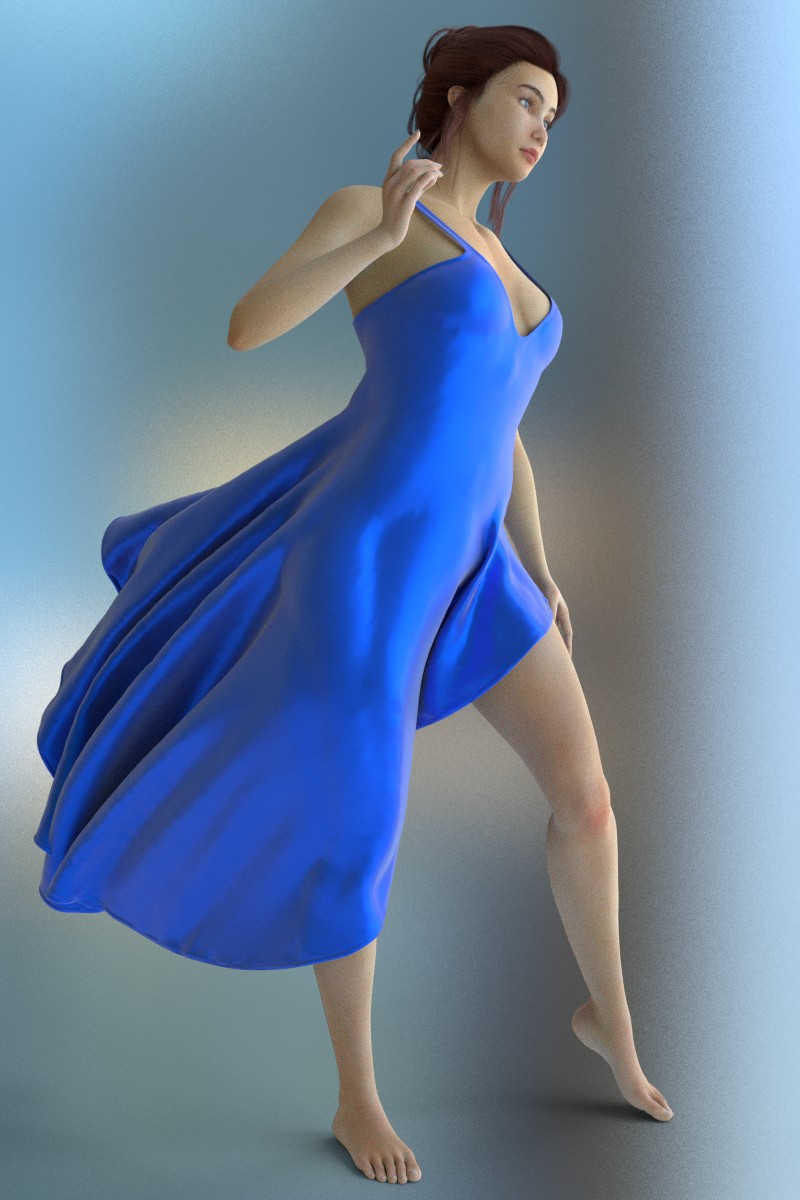
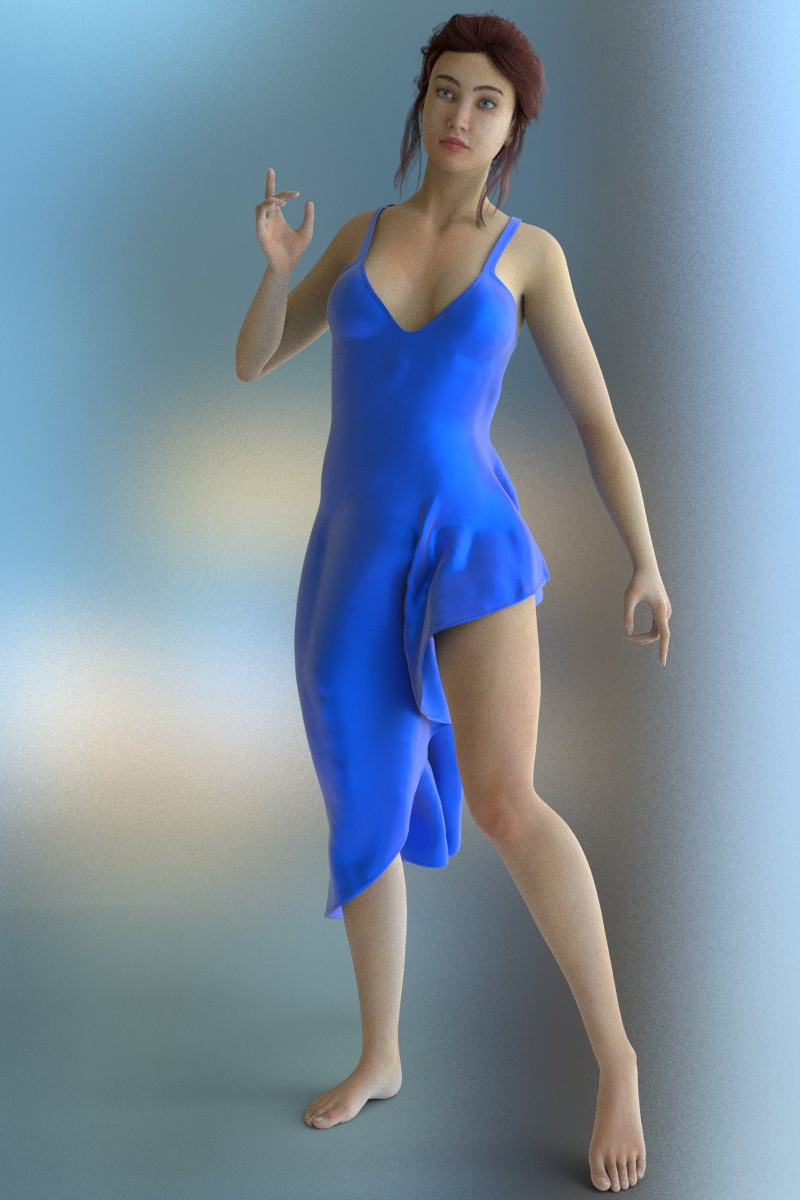
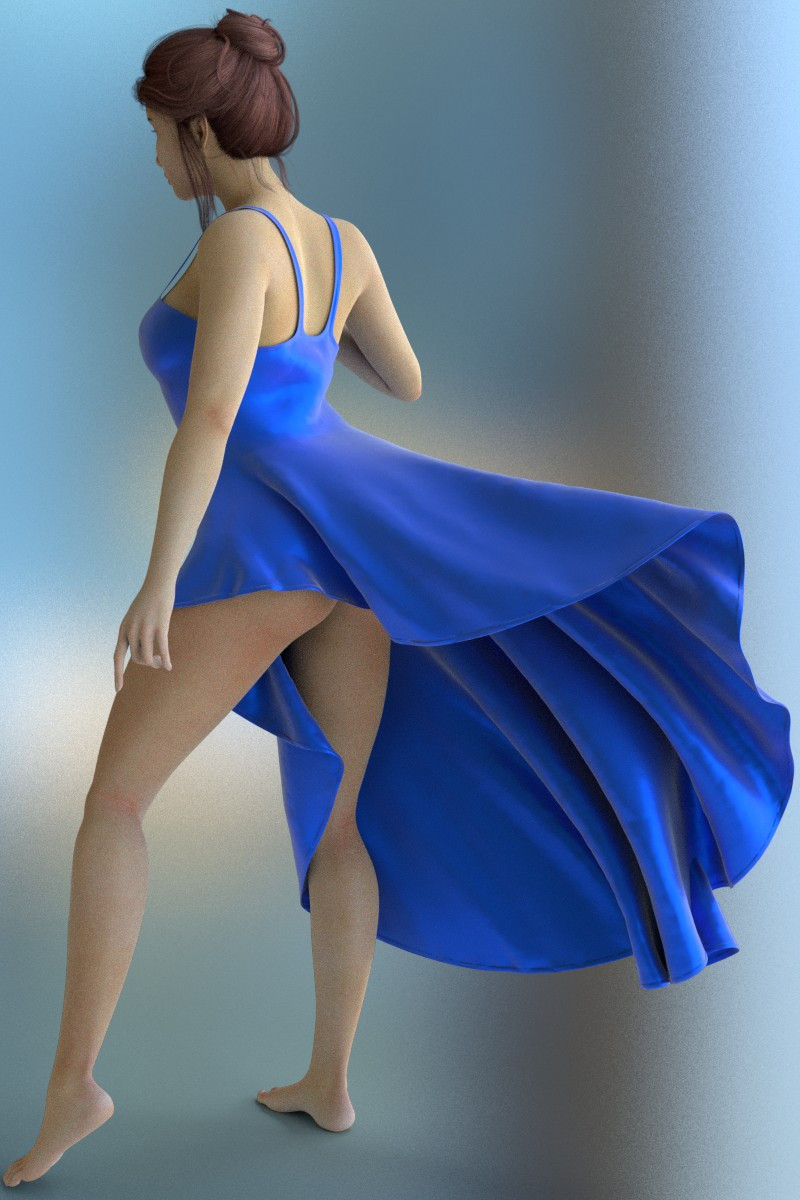

The result is magnificent. Personally, I still can't get my dynamic products to work in Poser 14. No matter what I try, the results are always very strange, and the fabric never behaves the way I designed it to in the Poser 13 Cloth Room. I had hoped for an improvement after installing the latest version—given the announcements—but I am extremely disappointed. What exactly has changed? There is mention of a Python script; what does it do, and do I need to trigger it? I watched RedPhantom's video—and I thank him for his work—but it doesn't seem to help (admittedly, the English audio is lost on me, though the visuals are clear). Does anyone own any of my dynamic products and manage to get them working just as they did in the older Poser Cloth Rooms? I’m also happy to provide a few products to people who are comfortable with the new Cloth Room so they can run some tests and let me know the outcome.
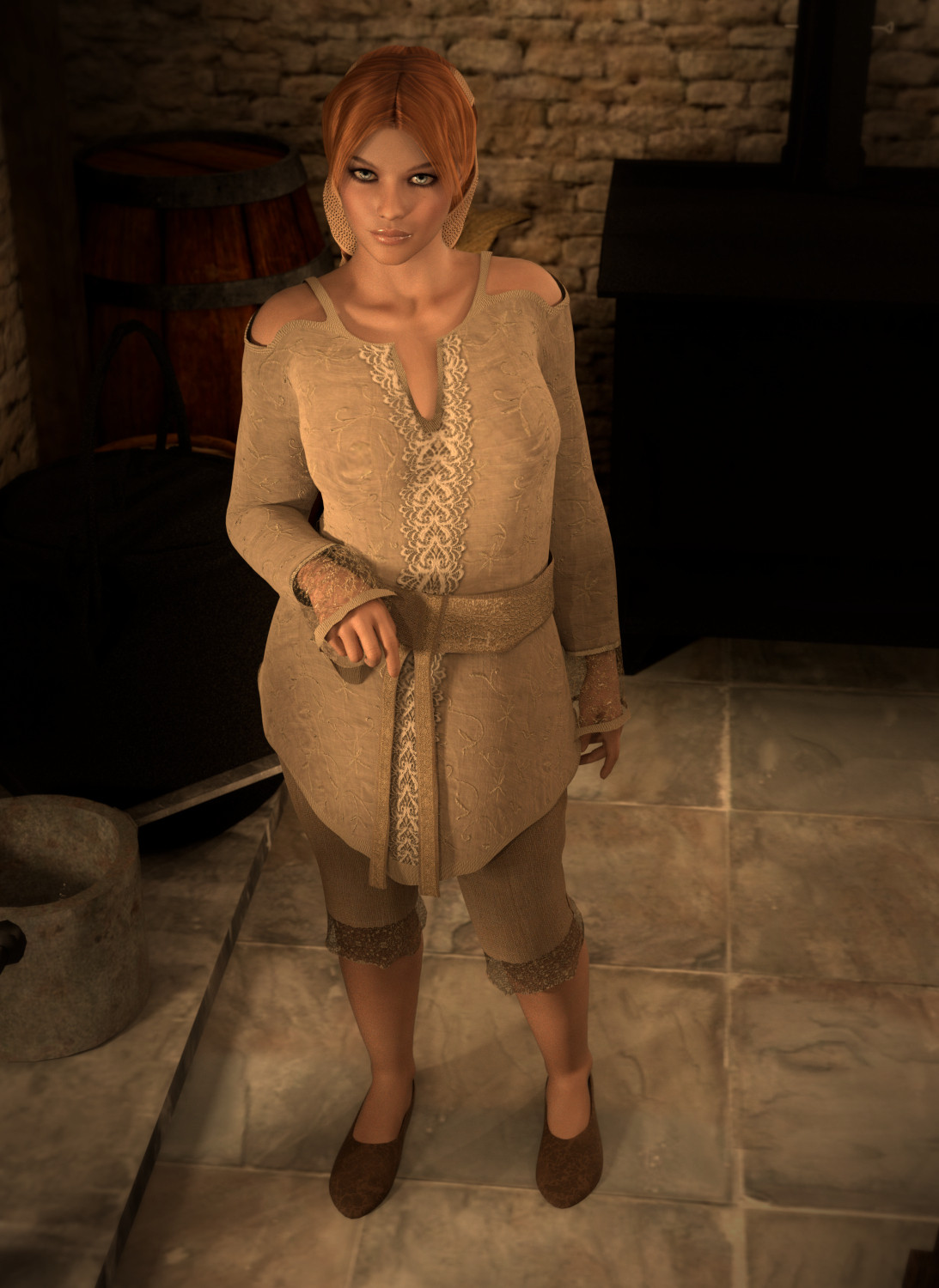
I got this one to work pretty decently.
And this one I think is close. The lower tier isn't real great. But too be fair. I've never used this dress in the clothroom, so I can't say what it looked like there. I'm just basing it on the thumbnail.
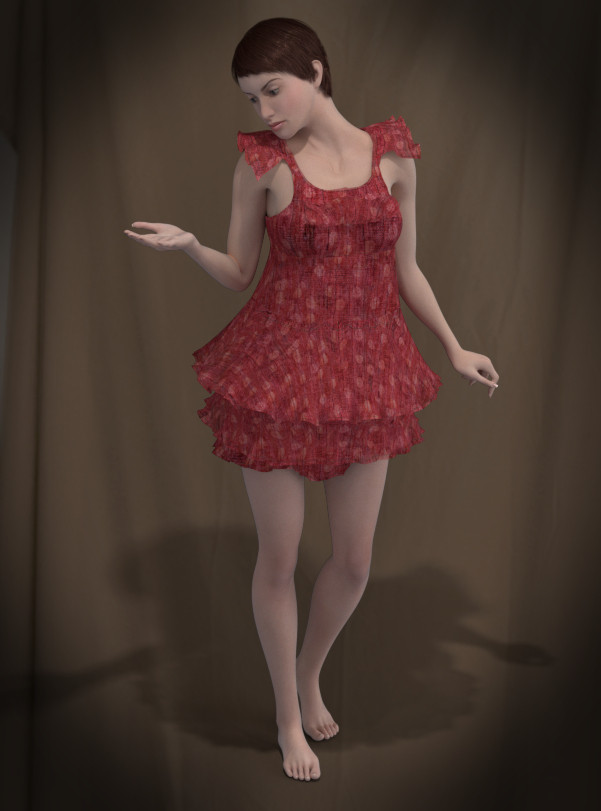
I'm struggling with the dresses that extend out and get their shapes from falling. I have more trouble with them. Like your snow white dress.
If I have time, I'll try to test more of your stuff later today
Available on Amazon for the Kindle E-Reader Monster of the North and The Shimmering Mage
Today I break my own personal record for the number of days for being alive.
Check out my store here or my free stuff here
I use Poser 14 and Windows 11

Try this one https://www.renderosity.com/freestuff/items/100476/poser14-lf2-dynamic-skirt it was made for Poser 14.
Some of us have been waiting for this update to be able to offer some clothing. I have a couple I need to finish up.
Available on Amazon for the Kindle E-Reader Monster of the North and The Shimmering Mage
Today I break my own personal record for the number of days for being alive.
Check out my store here or my free stuff here
I use Poser 14 and Windows 11
Try this one https://www.renderosity.com/freestuff/items/100476/poser14-lf2-dynamic-skirt it was made for Poser 14.
Some of us have been waiting for this update to be able to offer some clothing. I have a couple I need to finish up.
Thanks for the link RedPhantom. There is also an easy sim script coming with the clothing. Simply load LaFemme2, pose the figure in frame one, add the Skirt and click on the LF2Skirt sim that you can find in the Sim folder. The script will set-up the animation with the pose at frame 60 and allow the Skirt to fall down up to frame 120 and also run the simulation automatically. The important point is that the script will only work if you have the last Poser 14 update that was released yesterday.
For those that are interested I will try to find some time to shear in this tread what I have learned when creating the Skirt. One important point I already mentioned here is that low polys clothing is working much better than high polys. I also try to model clothing so that there is some geometry in areas like the chest and the right and left collar so that the constrained part of the clothing is easy to do with the cloth glue dynamic in automatic mode so that those are generated. Again, I plane to make another cloth in some time and I will shear how exactly I do it here with some screen shots and explanation on what I did to make it step by step. I also hope that if someone is having another work flow that we can discus here the pro and contra of it so that we will have a better understanding on what to do or to avoid when creating clothing for Poser 14.
Thanks for the reply, RedPhantom.The problem I’m facing is that all my dynamic clothing creations were designed using the previous Cloth Room, requiring extensive tweaking and back-and-forth between modeling and simulation to set up constraints—or areas of varying stiffness and flexibility—to achieve the exact look I wanted. In the new Cloth Room, they behave completely differently, making it difficult to create a garment that looks the same in both cloth rooms.
In the images, you can see that the "Romantic Dress" appears to be made of a lighter, airier fabric in the old Cloth Room—I had actually added a degree of transparency to enhance that effect. That is the main flaw of the new Cloth Room: it pulls the fabric downward too much, as if it were heavy; even when setting the fabric parameters to "silk" and trying to lower the gravity, the fabric still seems heavier than in the original version.
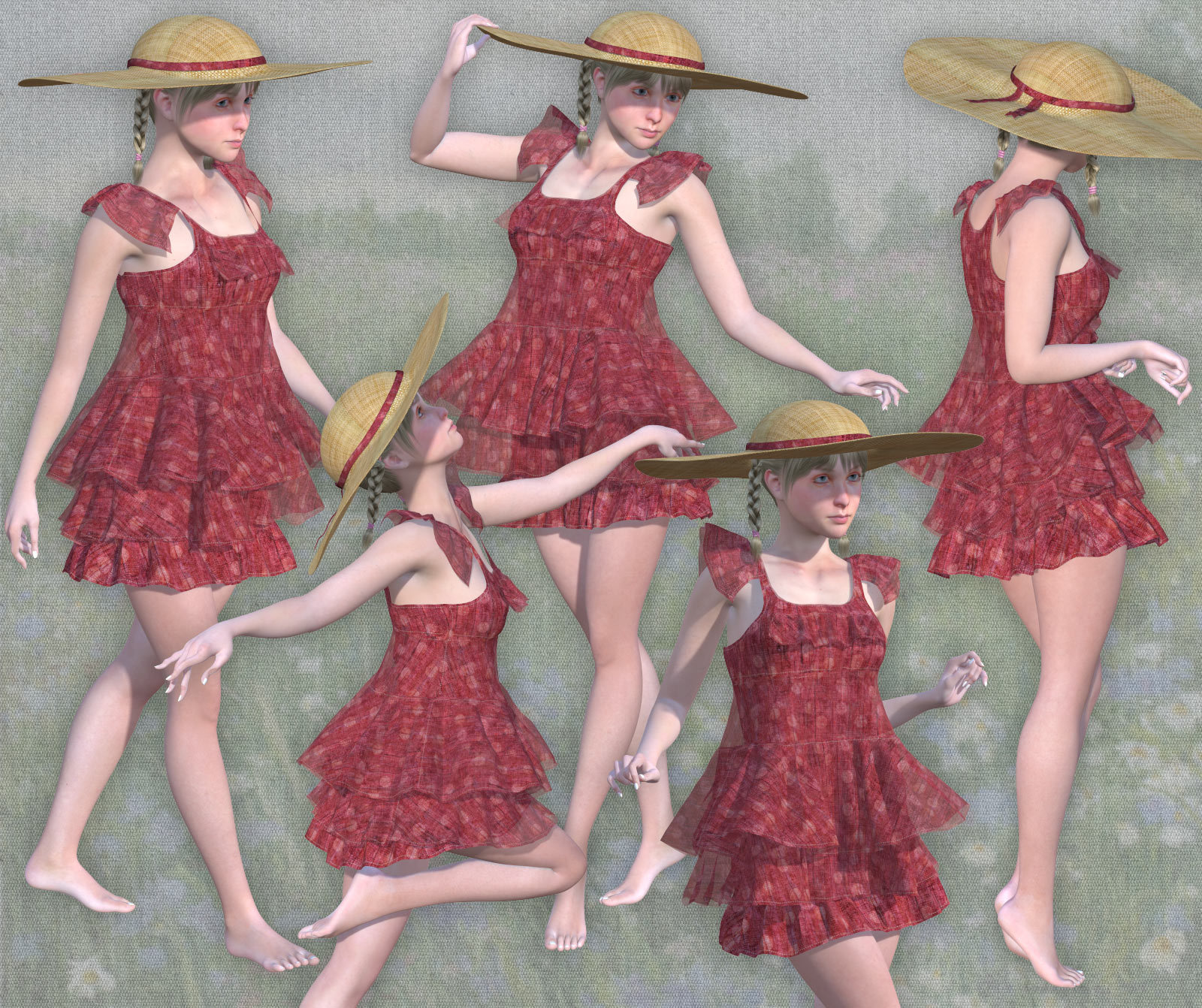
Content Advisory! This message contains nudity
There are going to be some adjustments needed for older clothing. To get it to not fall as much, so it looks lighter, you'll need to add stronger constraints.
This is what I get in Poser 13 with the same scene
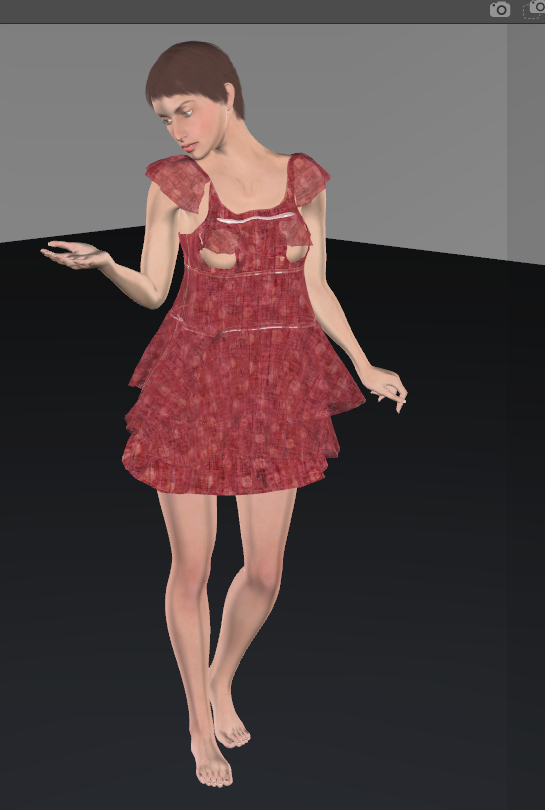
and this is what I got with a few adjustments this morning in Poser 14
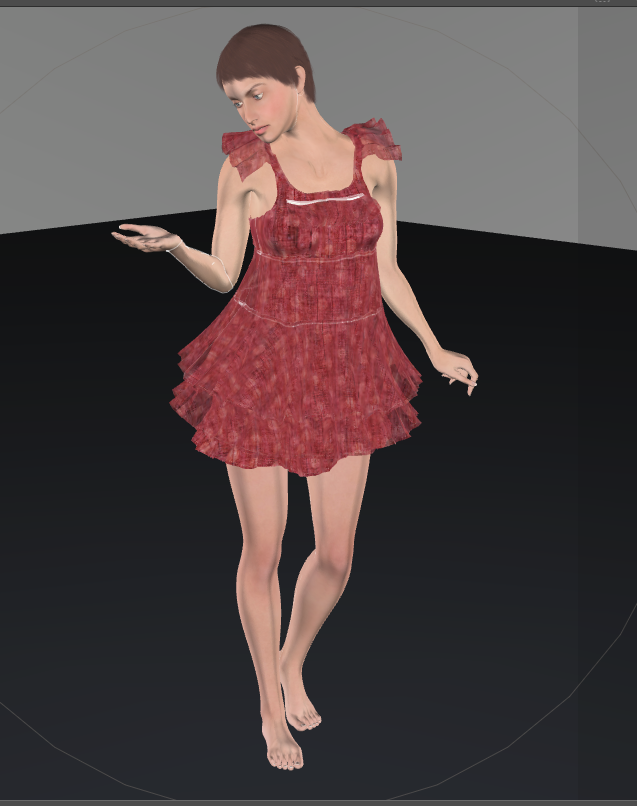
I'll post the settings I used later.
Available on Amazon for the Kindle E-Reader Monster of the North and The Shimmering Mage
Today I break my own personal record for the number of days for being alive.
Check out my store here or my free stuff here
I use Poser 14 and Windows 11
Hi Tipol, yes, the two cloth Room are definitely behaving different. One of the points you are mentioning is that the clothing are showing to be heavy and this is directly related to the poly count of the geometry. This is why I started to model a new cloth that I wanted to be compatible with Poser 14. In the older cloth room, we were used to have higher polys on our geometry as the poly count was not affecting how much the clothing is weighing. To see if this was effectively the case, I was decimating the cocktail dress from Sunfire. I reduced the poly count around 10 times lower and at that level the results were not too bad. To compensate the geometry lose I simply used the Subbdivision levels for rendering adjusted to two and the big benefit is also a much faster calculation of the frames.
and this is what I got with a few adjustments this morning in Poser 14
I'll post the settings I used later.
thank you :)
It is obvious that fewer polygons increase simulation speed—which is a good thing—but doesn't that affect the natural look of the clothing, making it less fluid and resulting in sharper, more jagged edges?Hi Tipol, yes, the two cloth Room are definitely behaving different. One of the points you are mentioning is that the clothing are showing to be heavy and this is directly related to the poly count of the geometry. This is why I started to model a new cloth that I wanted to be compatible with Poser 14. In the older cloth room, we were used to have higher polys on our geometry as the poly count was not affecting how much the clothing is weighing. To see if this was effectively the case, I was decimating the cocktail dress from Sunfire. I reduced the poly count around 10 times lower and at that level the results were not too bad. To compensate the geometry lose I simply used the Subbdivision levels for rendering adjusted to two and the big benefit is also a much faster calculation of the frames.
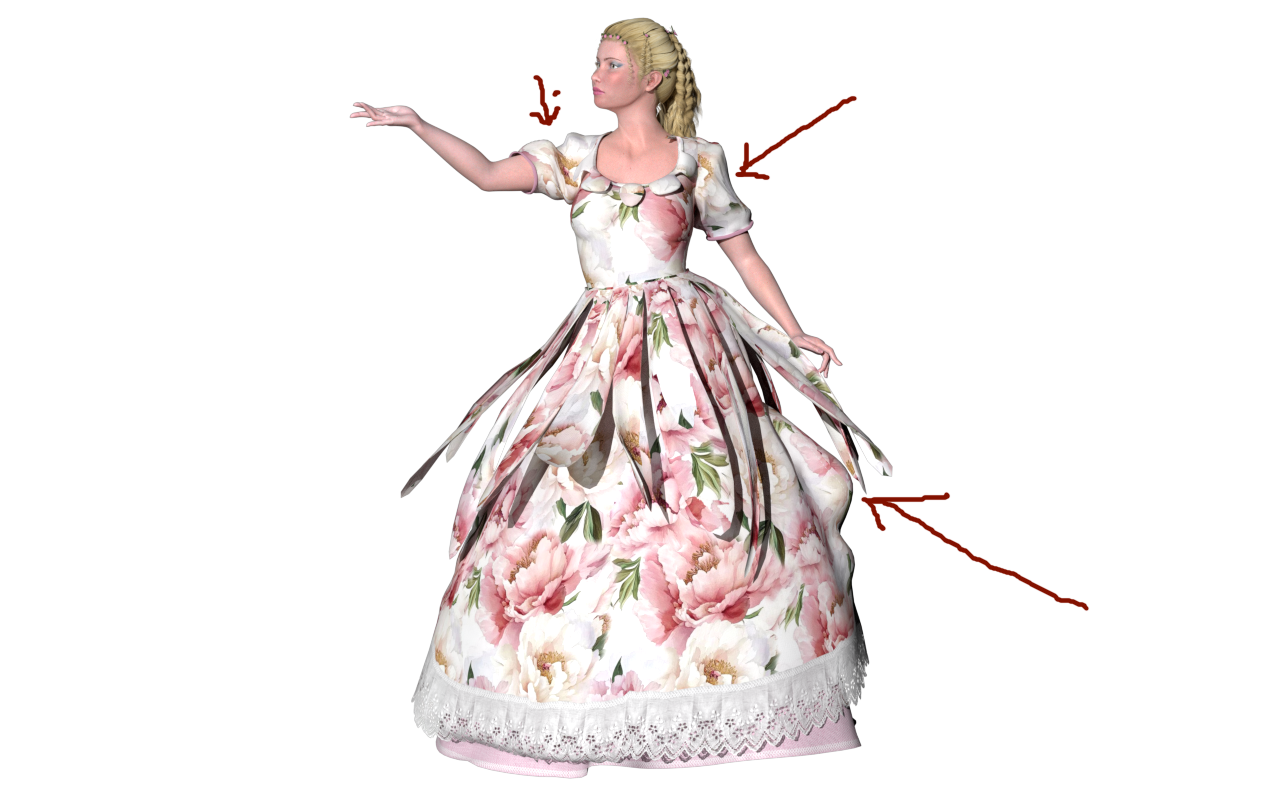
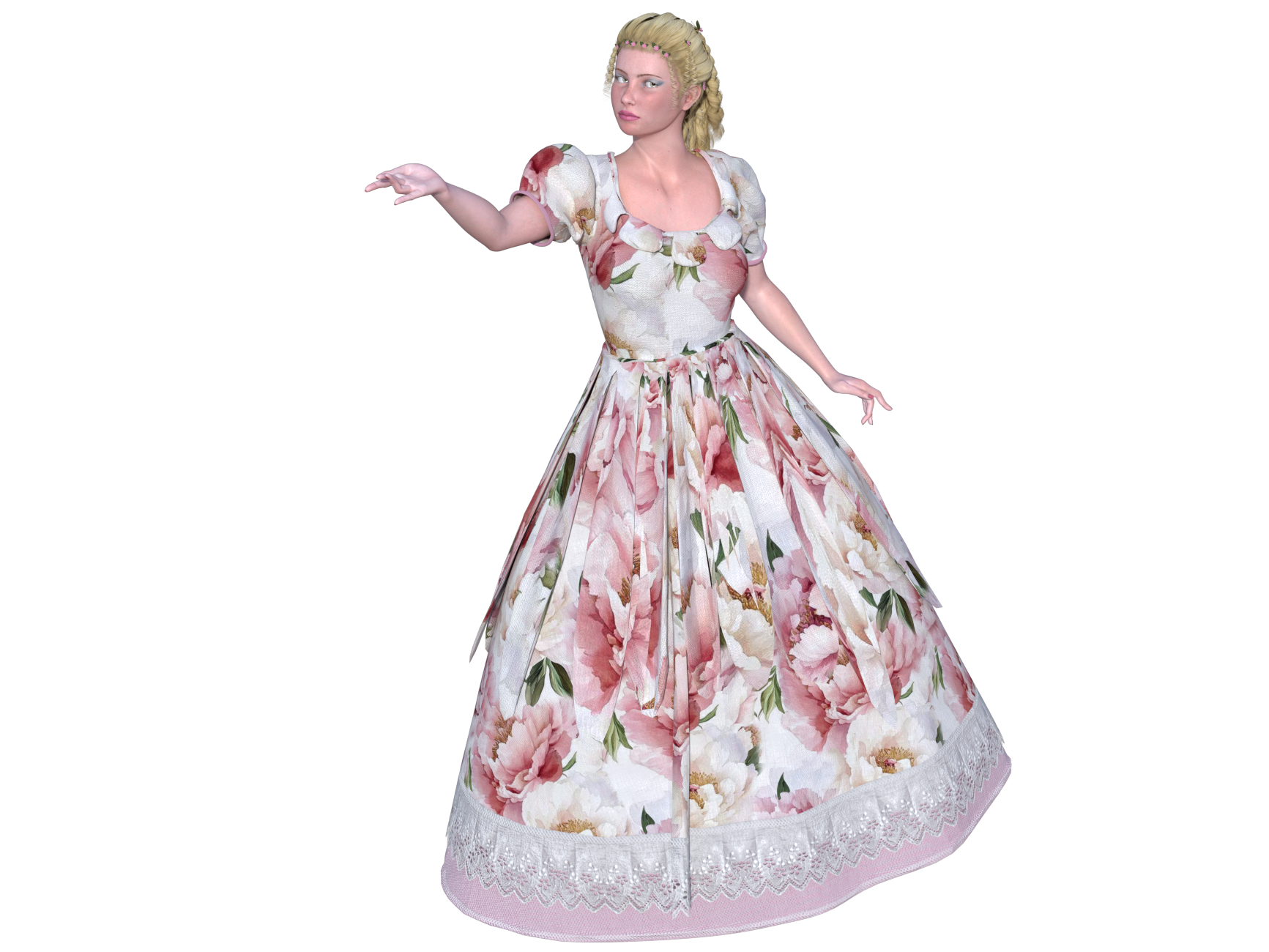
Here are two simulations of the "Princesse" dress: https://www.renderosity.com/marketplace/products/172874/princesse The first was done in Poser 14 using the new Cloth Room, and the second in Poser 13 using the old Cloth Room. I have to admit, I quite like the simulation of the petals (which are an add-on to the dress) in the second version. However, I don't understand the bulge appearing on the skirt, given that nothing seems to be pulling or pushing against it. Also, the puff sleeves don't stay inflated and flatten out, which isn't how the dress is supposed to look.
Hm, it seems to me that this is a high poly Skirt. High polys are having a tendency of making a lot of folds everywhere even at some places they should not. One other point I did not mentioned is that before I was computing in a 60 frame where the Figure was posed in frame 30. Now in the new cloth room I am posing in frame 60 and computing up to frame 120. That said again my goal here is not to show how to port over dynamic clothing from the old cloth room to the new one. The geometry of those is given and are most of the time looking less fine in the new cloth room. Maybe I will try later one to decimate some of my stuff to make them able to be ported but again this is not my goal for now. I simply try to see if I can make descent cloths for Poser 14 and continue to create for the new updates in the future.
jroulin posted at 6:13 PM Sun, 11 October 2026 - #4510817
Modeling in Hexagon and converting to OBJ—I'm smoothing at level 2; that might be too much.Hm, it seems to me that this is a high poly Skirt. High polys are having a tendency of making a lot of folds everywhere even at some places they should not. One other point I did not mentioned is that before I was computing in a 60 frame where the Figure was posed in frame 30. Now in the new cloth room I am posing in frame 60 and computing up to frame 120. That said again my goal here is not to show how to port over dynamic clothing from the old cloth room to the new one. The geometry of those is given and are most of the time looking less fine in the new cloth room. Maybe I will try later one to decimate some of my stuff to make them able to be ported but again this is not my goal for now. I simply try to see if I can make descent cloths for Poser 14 and continue to create for the new updates in the future.
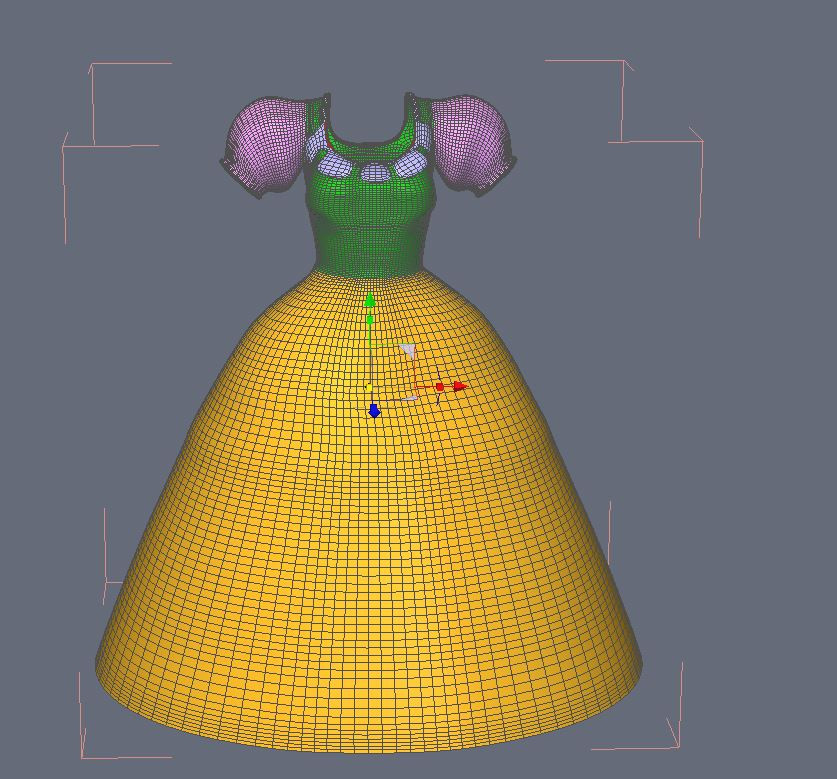
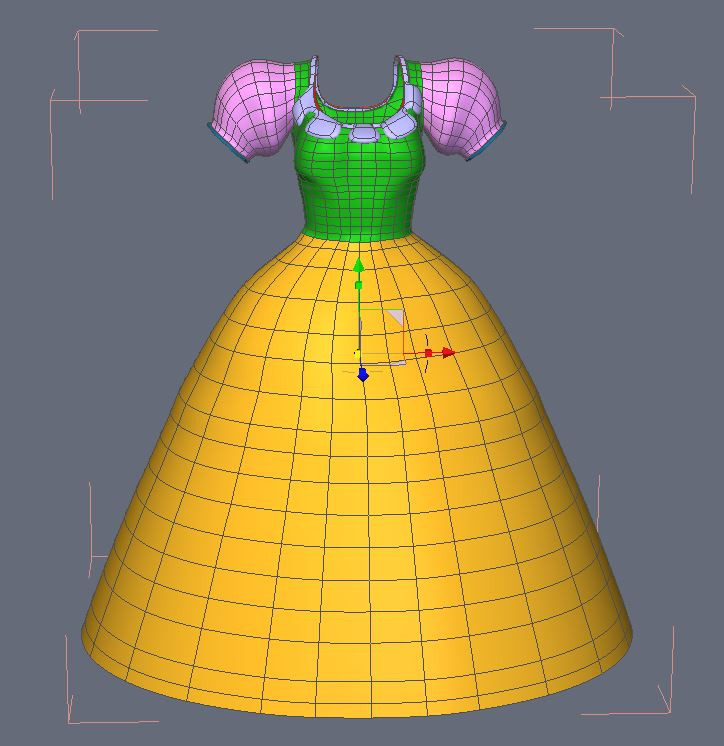
There are two options for smoothing. One is for the view port and one is for the render. If you use the one for the view port it will increase the poly count for the dynamic calculation so keep it to 0 or maybe 1 but this needs to be tested. The one for rendering can be used as you want it is only used for rendering the images.
Here are the settings I used for the romantic dress
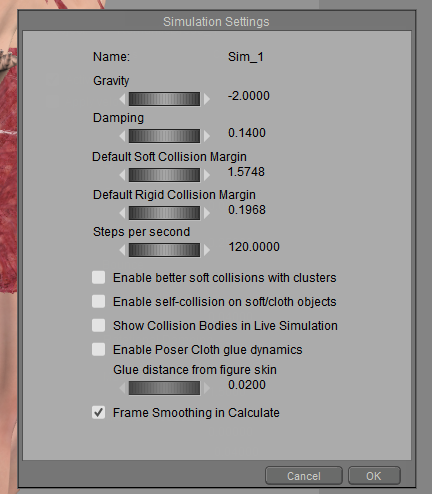
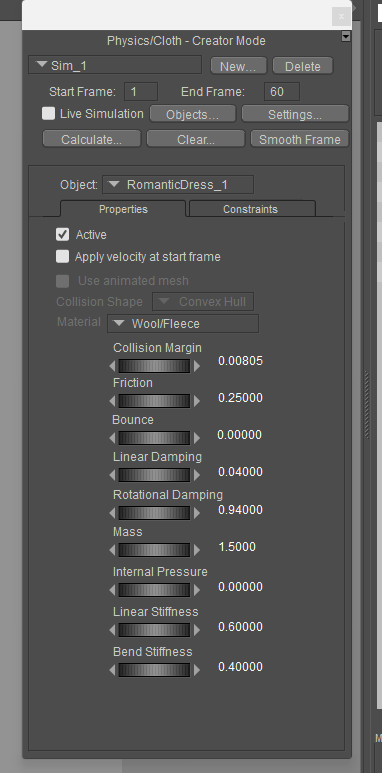
And then I adjusted the hip constraint
I made a group for the lowest tier. That portion is set to .0040
The middle tier is also set to .0040
The top tier and the section right above it are at .001
The shoulder ruffles are set to .006
The rest is whatever auto glue decided.
Available on Amazon for the Kindle E-Reader Monster of the North and The Shimmering Mage
Today I break my own personal record for the number of days for being alive.
Check out my store here or my free stuff here
I use Poser 14 and Windows 11
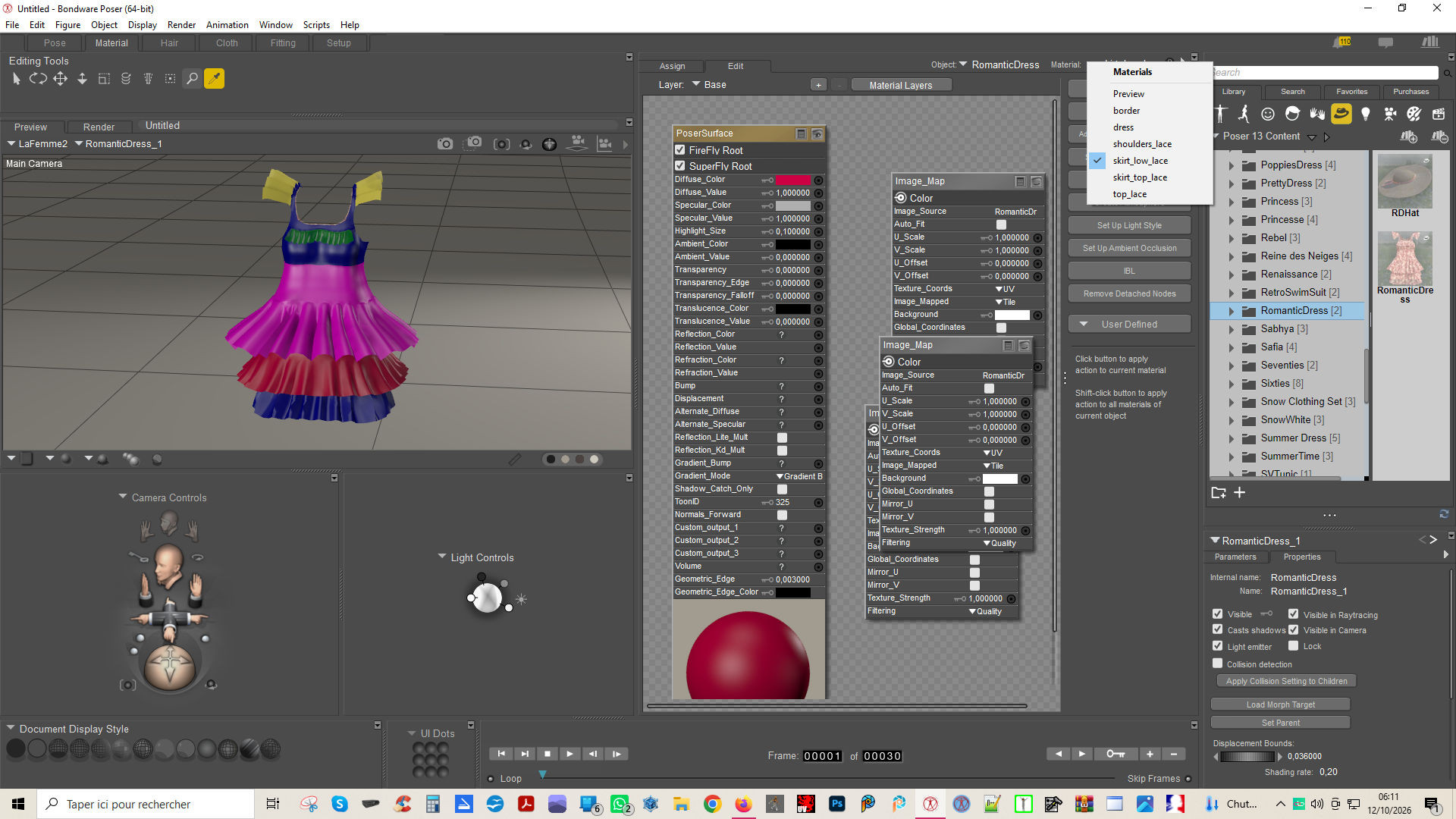
In case people aren't familiar with making groups, here's how I made one for the lowest tier.
Open the grouping tool and make a new group
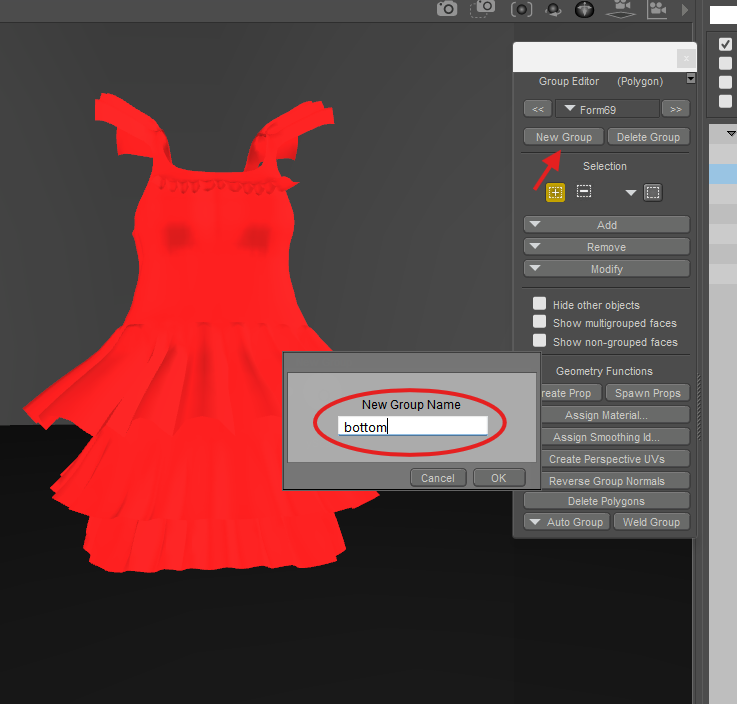
In that new group, select 1 face at the bottom of the dress then press the 0 key to continue selecting all the way around the dress
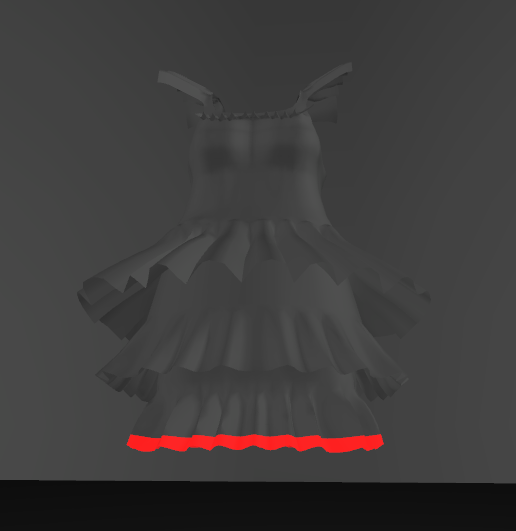
Now press the = button to expand the section to more rows until you have all you want included in that group
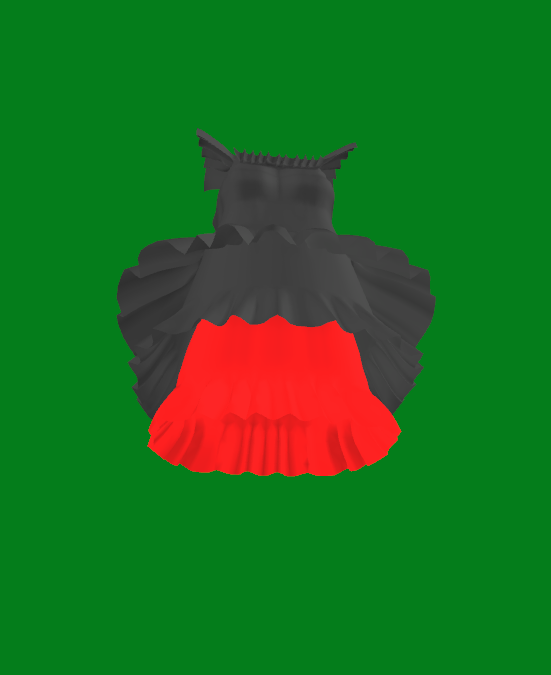
Now the question is why do I do this? Because I'm impatient.
When I want to adjust the weight of the constraints, I can paint it on, but that takes time. And I struggle to see the difference in colors between the lower numbers.
But I can also use the restrict option and set it to a group or a material and use the set all button to do it quickly. I only needed to make a group for the lowest tier because the other 2 tiers had separate material groups, so I used those instead.
Available on Amazon for the Kindle E-Reader Monster of the North and The Shimmering Mage
Today I break my own personal record for the number of days for being alive.
Check out my store here or my free stuff here
I use Poser 14 and Windows 11
I find this interesting because I've found I got better results with higher polys. But those were for close-fitting things, like leggings and skin-tight sleeves. I haven't compared loose dresses that way. I may have to try that on some of the things I'm having trouble withHm, it seems to me that this is a high poly Skirt. High polys are having a tendency of making a lot of folds everywhere even at some places they should not. One other point I did not mentioned is that before I was computing in a 60 frame where the Figure was posed in frame 30. Now in the new cloth room I am posing in frame 60 and computing up to frame 120. That said again my goal here is not to show how to port over dynamic clothing from the old cloth room to the new one. The geometry of those is given and are most of the time looking less fine in the new cloth room. Maybe I will try later one to decimate some of my stuff to make them able to be ported but again this is not my goal for now. I simply try to see if I can make descent cloths for Poser 14 and continue to create for the new updates in the future.
Available on Amazon for the Kindle E-Reader Monster of the North and The Shimmering Mage
Today I break my own personal record for the number of days for being alive.
Check out my store here or my free stuff here
I use Poser 14 and Windows 11
RedPhantom posted at 5:39 AM Mon, 12 October 2026 - #4510823
The Romantic Dress, like all my products, already features material areas designed for use with groups.In case people aren't familiar with making groups, here's how I made one for the lowest tier.
Open the grouping tool and make a new group
In that new group, select 1 face at the bottom of the dress then press the 0 key to continue selecting all the way around the dress
Now press the = button to expand the section to more rows until you have all you want included in that group
Now the question is why do I do this? Because I'm impatient.
When I want to adjust the weight of the constraints, I can paint it on, but that takes time. And I struggle to see the difference in colors between the lower numbers.
But I can also use the restrict option and set it to a group or a material and use the set all button to do it quickly. I only needed to make a group for the lowest tier because the other 2 tiers had separate material groups, so I used those instead.
jroulin posted at 11:13 AM Sun, 11 October 2026 - #4510817I find this interesting because I've found I got better results with higher polys. But those were for close-fitting things, like leggings and skin-tight sleeves. I haven't compared loose dresses that way. I may have to try that on some of the things I'm having trouble withHm, it seems to me that this is a high poly Skirt. High polys are having a tendency of making a lot of folds everywhere even at some places they should not. One other point I did not mentioned is that before I was computing in a 60 frame where the Figure was posed in frame 30. Now in the new cloth room I am posing in frame 60 and computing up to frame 120. That said again my goal here is not to show how to port over dynamic clothing from the old cloth room to the new one. The geometry of those is given and are most of the time looking less fine in the new cloth room. Maybe I will try later one to decimate some of my stuff to make them able to be ported but again this is not my goal for now. I simply try to see if I can make descent cloths for Poser 14 and continue to create for the new updates in the future.
Yes, I am telling this for the dynamic part of the clothing. the part that is constrained can effectively having more polys so that it bends better to follow the Figure but constrained parts are not dynamic and more like conforming clothing so I try to minimize the use here.

Privacy Notice
This site uses cookies to deliver the best experience. Our own cookies make user accounts and other features possible. Third-party cookies are used to display relevant ads and to analyze how Renderosity is used. By using our site, you acknowledge that you have read and understood our Terms of Service, including our Cookie Policy and our Privacy Policy.
I wouldn't mind seeing a video if you're willing!