
Renderosity Forums / Poser - OFFICIAL
Welcome to the Poser - OFFICIAL Forum
Forum Moderators: RedPhantom Forum Coordinators: Anim8dtoon
Poser - OFFICIAL F.A.Q (Last Updated: 2026 Oct 03 7:44 am)

Subject: Working on a thing...

Anything you can tell me about that sort of thing can help me improve the out-of-the-box utility of the script's morphs. This is useful input. Thank you.
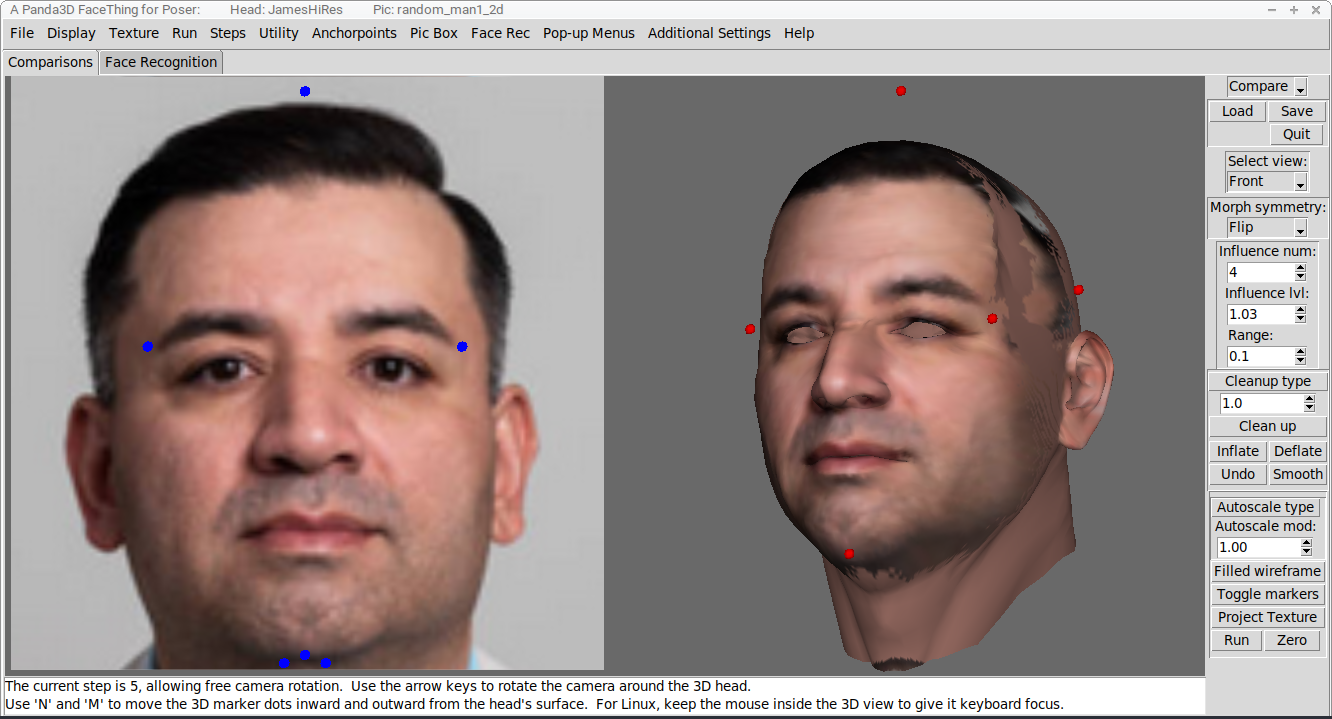
This is JamesHiRes as Random Man 1. The choppiness of the display textures is something that has prolonged development. I've extended the potential size of projected textures up to 2048, which has given me vague ideas of making the script's texturing potentially useful as the basis for further texture work. So I keep sidetracking, as I seek better ways of transferring a texture to a model, but I keep trying and failing. Currently the process is pretty basic, just morphing the head and flat-projecting the texture on Z, which leaves that ugliness where the projection didn't find the model. I have vague ideas of working somehow through the UVs instead of morphing the model, but I haven't worked it out yet.
I've used only Antonia-1.2 for so long that I had sort of lost sight of the range and quality of figures with which the rest of you have been working. Quality varies widely. I know I keep having temper tantrums and panic attacks as I confront unexpected complications with the figures, and that's not a good look. Ahem. But you guys have been dealing with all of the strangeness these figures throw at you for years! How do you do it! Man.
I have actually kind of liked the results with the L'Poser figures and James and Jessi. Miki2 crashed my system, so she and I aren't on speaking terms. And I'm going to have to set up the files for the Daz second and third generation figures on some device more powerful than a repurposed Chromebook.
===========================sigline======================================================
Cage can be an opinionated jerk who posts without thinking. He apologizes for this. He's honestly not trying to be a turkeyhead.
Cage had some freebies, compatible with Poser 11 and below. His Python scripts were saved at archive.org, along with the rest of the Morphography site, where they were hosted.

dunno if you know there's a Toni 1.3 in freestuff (better mapping, better bending)
https://www.renderosity.com/freestuff/items/93140/antonia-polygon-13-standalone-figure
& the saint fox textures are here
still lost in the wilderness
Poser 13 Superfly pretty much only these days
Yes, thank you. I've kept using 1.2, but 1.3 seems good. The shaping of the head did not change, with 1.3, although the brow geometry was removed. That means a 1.2 head-marker ini for the script is completely compatible with 1.3, requiring only a change of the object geometry the file references. So the script will handle both of them.
===========================sigline======================================================
Cage can be an opinionated jerk who posts without thinking. He apologizes for this. He's honestly not trying to be a turkeyhead.
Cage had some freebies, compatible with Poser 11 and below. His Python scripts were saved at archive.org, along with the rest of the Morphography site, where they were hosted.
Just to show that there's more to this project than just me ranting about Poser figurebuild practices, here's another little presentation featuring faces with nice noses.
A problem I've seen with other software that shapes a head based on some input images is that the resulting morph is badly lopsided and requires a lot of reshaping and modification to make even little bits of it useful. Given some lovely face with a nice nose, it would hand me the Elephant Man every time, and I, determined to get my forty dollars worth, spent endless wasted hours trying to get something useful out of that mess. A few posts ago, it was pointed out that the script's morphs required some adjustments to the figure to make the morph useful. The script is doing many useful things to make a morph more Poser-friendly, but it is not doing absolutely everything you might want. Here. I hope to clarify what it will and won't do.
Here, I'm going to show you the same face we used above.
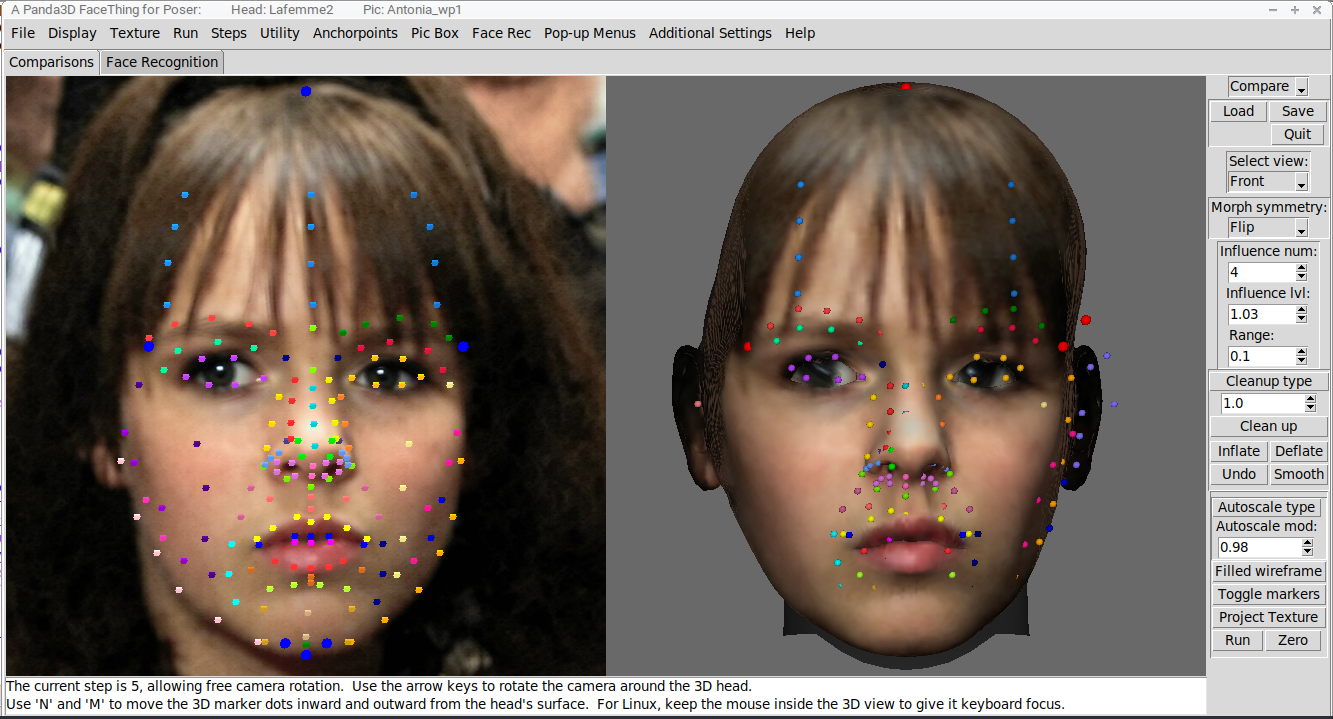
This is a raw shape transfer with no symmetry-handling but one pass of cleanup applied. This is the shaping the script uses for the texture projection, with everything aligned as well as possible with the front source image. This shaping has baked-in lopsidedness due to Y-rotation of the head in the source pic. You can see it there, all sort of weird and wonky. This is where this script started, with this sort of result, and this is not too far from the best results I ever got out of the Elephant Man software.
This morph would not be useful in Poser without a lot of cleanup and modification. I spent enough time fighting with the results from other software to know that what this morph needs is some symmetry handling.
===========================sigline======================================================
Cage can be an opinionated jerk who posts without thinking. He apologizes for this. He's honestly not trying to be a turkeyhead.
Cage had some freebies, compatible with Poser 11 and below. His Python scripts were saved at archive.org, along with the rest of the Morphography site, where they were hosted.
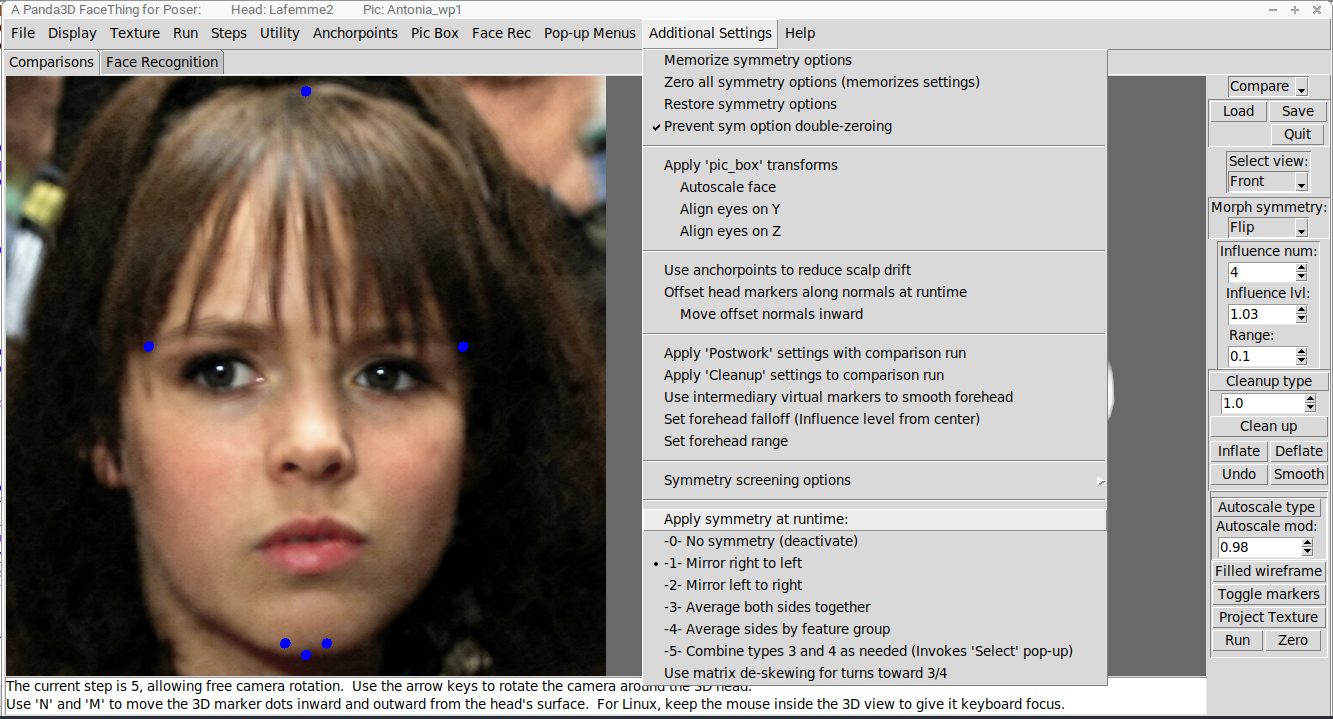
This script offers a bunch of tweaks that can be applied to a morph at comparison runtime. Right now, we're looking at the symmetry options, which I've highlighted, down at the bottom of the pictured menu. With these options, the script can apply for you some of the tricks I learned for coaxing a useful morph out of the kind of results I showed you in the previous post.
===========================sigline======================================================
Cage can be an opinionated jerk who posts without thinking. He apologizes for this. He's honestly not trying to be a turkeyhead.
Cage had some freebies, compatible with Poser 11 and below. His Python scripts were saved at archive.org, along with the rest of the Morphography site, where they were hosted.
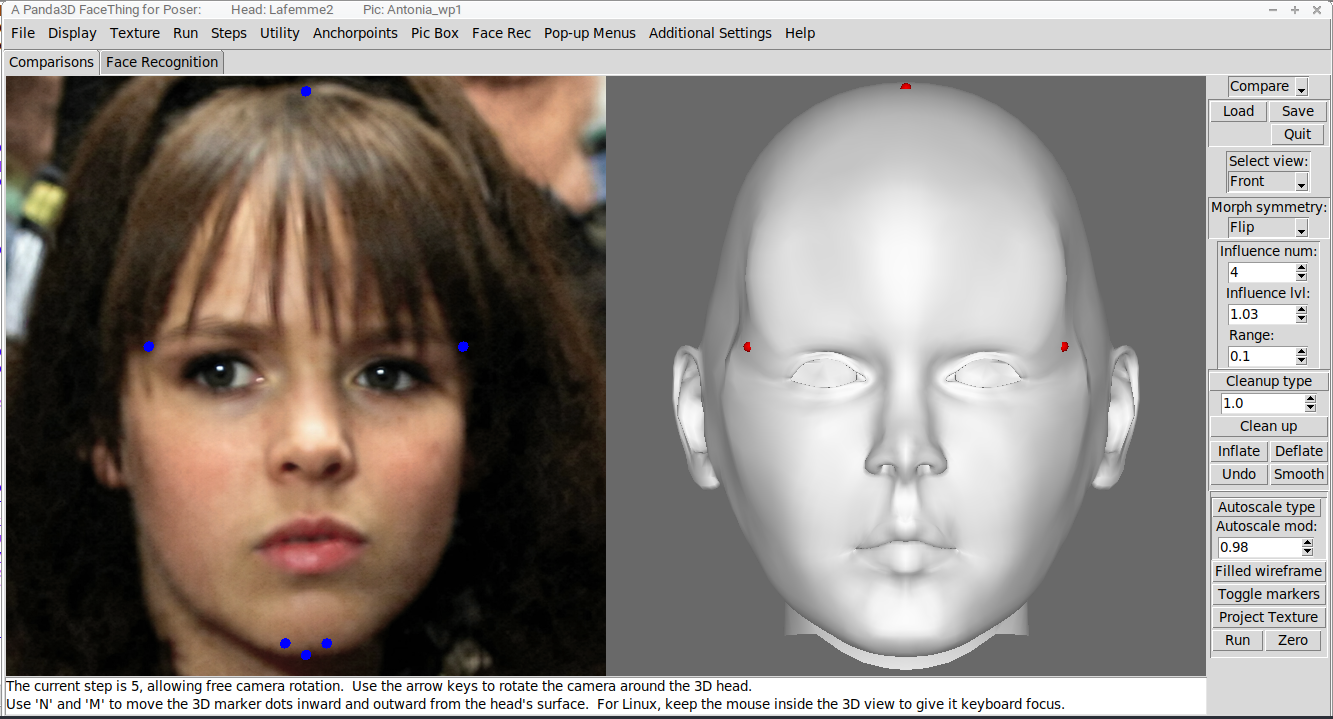
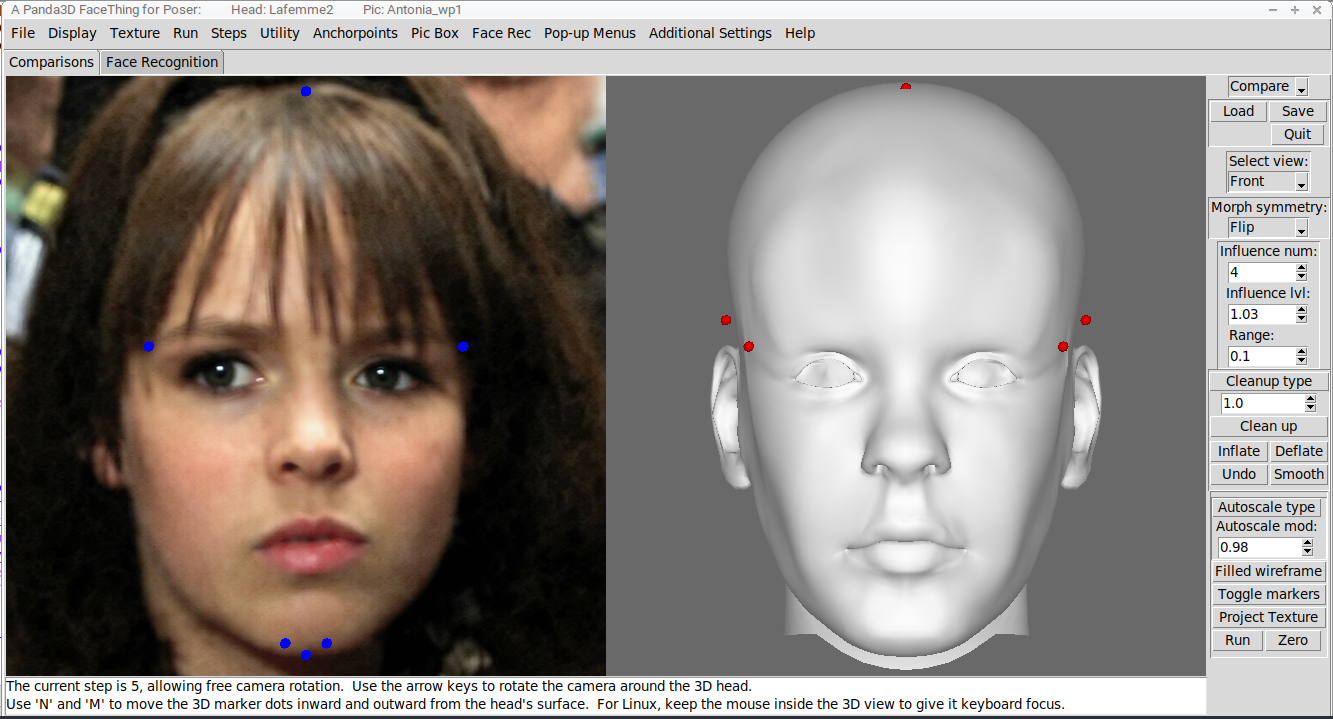
The simplest types of symmetry are right-to-left and vice versa. This is what I was working with in Poser, to make those E.M. morphs workable, just very basic symmetry tools. Looking at these, right here, it should be clear that no one would want these as Poser morphs. Well, maybe you would, you weirdo, I don't know. But I'd bet most users would scoff. These would still require a lot of work before most of us might want to use them in Poser.
===========================sigline======================================================
Cage can be an opinionated jerk who posts without thinking. He apologizes for this. He's honestly not trying to be a turkeyhead.
Cage had some freebies, compatible with Poser 11 and below. His Python scripts were saved at archive.org, along with the rest of the Morphography site, where they were hosted.
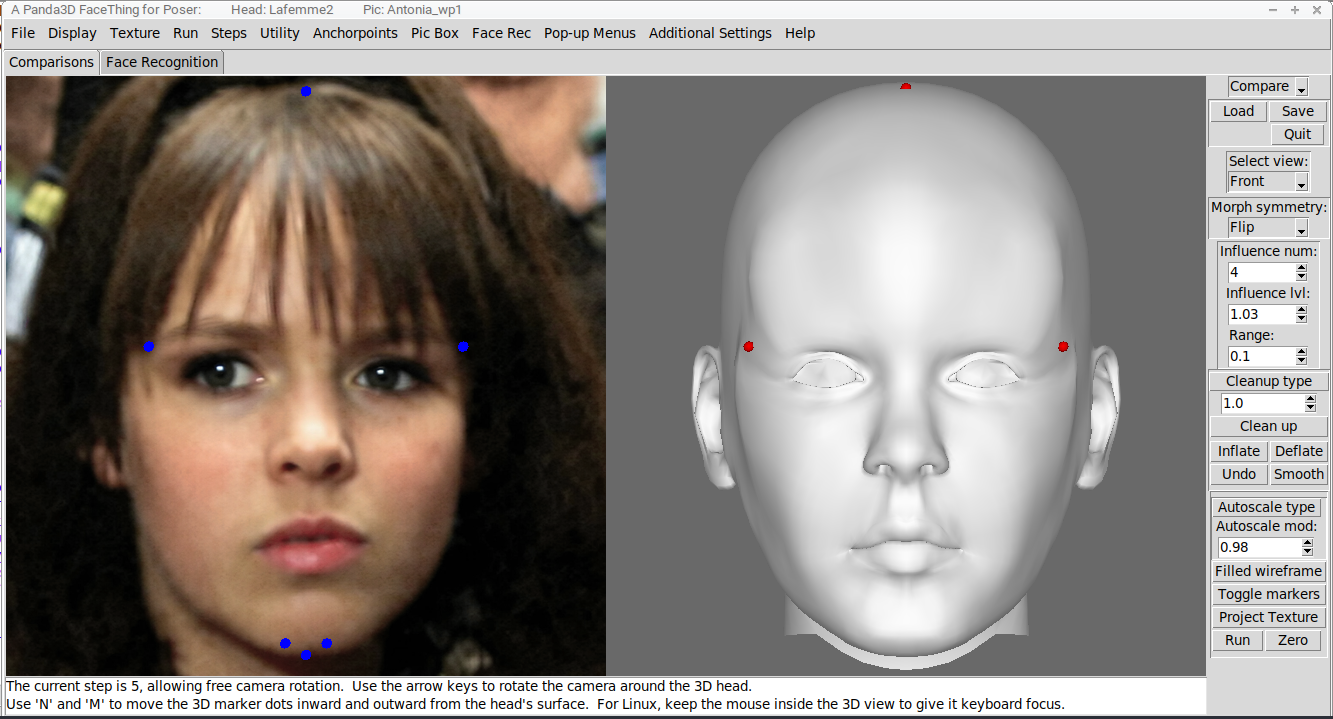
The next obvious symmetry trick that can be applied is averaging the two sides together to create perfect X-symmetry. This is now a morph people might be able to use without excessive modification. But there's an unnatural, mannequin-like quality to a perfectly-symmetrical morph. I've tended to prefer them, as a Poser user, but most of you seem to like some asymmetries in there, along with your symmetries, and fair enough. The script does its best to offer that option.
===========================sigline======================================================
Cage can be an opinionated jerk who posts without thinking. He apologizes for this. He's honestly not trying to be a turkeyhead.
Cage had some freebies, compatible with Poser 11 and below. His Python scripts were saved at archive.org, along with the rest of the Morphography site, where they were hosted.
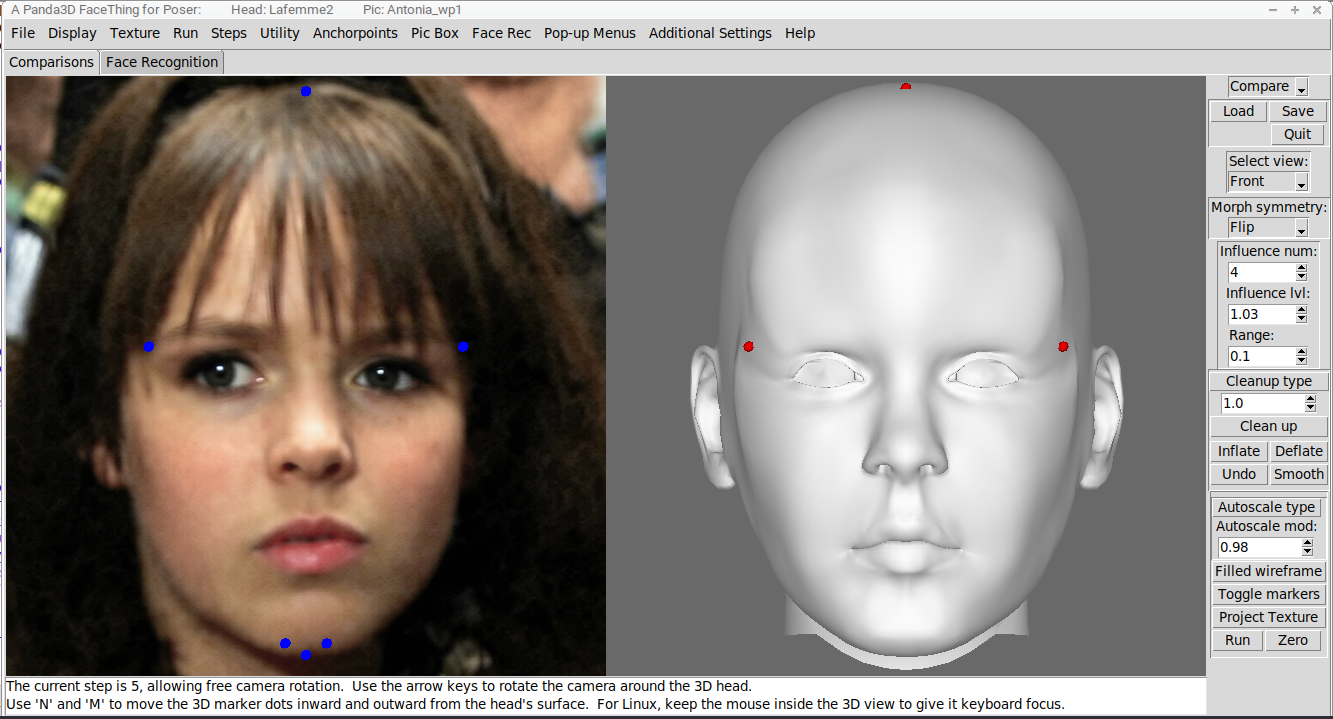
Here, we're seeing symmetry type 4, as listed on the above menu. This one creates X-symmetry using the marker dots' groupings. You can see those groupings above, in the color-coding of all those dots. The different colors reflect different groups, and all the groups either fall along the centerline of the face or lie on the left and right and have a symmetrical partner-group on the opposite side of the face. Whereas type 3 symmetry was averaging each marker's X position with that of its bizarro-side partner, this one is working through the groups. The X-scale of each group is here averaged with that of its partner-group, while the X-placement of the markers within each group is proportionally maintained. This gives the face overall X-symmetry while retaining some smaller asymmetries that might help give a face character and duck out of the Uncanny Valley.
; "Hi there! I'm Cage's semicolon that he keeps not using in his posts! He once heard Kurt Vonnegut, on 'Michael Feldman's Whad'ya Know', decrying the use of the semicolon as ambiguous and unhelpful. He called it a 'Transvestite Hermaphrodite', and while that got a nice laugh in 1999, them's fightin' words, in 2026. Plus, I'm a nudist, and if I have a sex or gender, it's none of your business. But Cage, he stopped using semicolons regularly and maybe he didn't use them too well, anyway. And he just never started again, alas. That's my tale. Does my talking to you like this make you look over your shoulder, to see if Dr. Geep is lurking about? If so, you may be suffering from the same joint pain and hair thinning that besets Cage."
===========================sigline======================================================
Cage can be an opinionated jerk who posts without thinking. He apologizes for this. He's honestly not trying to be a turkeyhead.
Cage had some freebies, compatible with Poser 11 and below. His Python scripts were saved at archive.org, along with the rest of the Morphography site, where they were hosted.
Symmetry type 5 combines aspects of types 3 and 4, which is helpful in cases where a front images features more drastic Y-rotation. Ideally, one should seek input pictures that offer nice, clean front and profile views, without too much lens distortion or head rotation. But the script is trying to provide tools to help you work with images that may be less than ideal. And when I say 'help you', I mean 'help me'. Because I'm making this thing for me, to satisfy my own desire for such a tool. And I, myself, am just such a tool that I will point out that you get to use it and have it to modify as you like, for free, yet its purpose as I build it is not to make you happy. Is that dickish of me? Ah, well. This is free stuff, or will be, and you get to have it for your own, if you like, but it is being created out of nothing by me, for me. You can later add whatever you like to it, or remove bits, or revise everything to make PEP8 happy, or change how it handles UDIM, I know not what.
One thing the script offers is Postwork tools, because some source images can use even more tweaks and corrections.
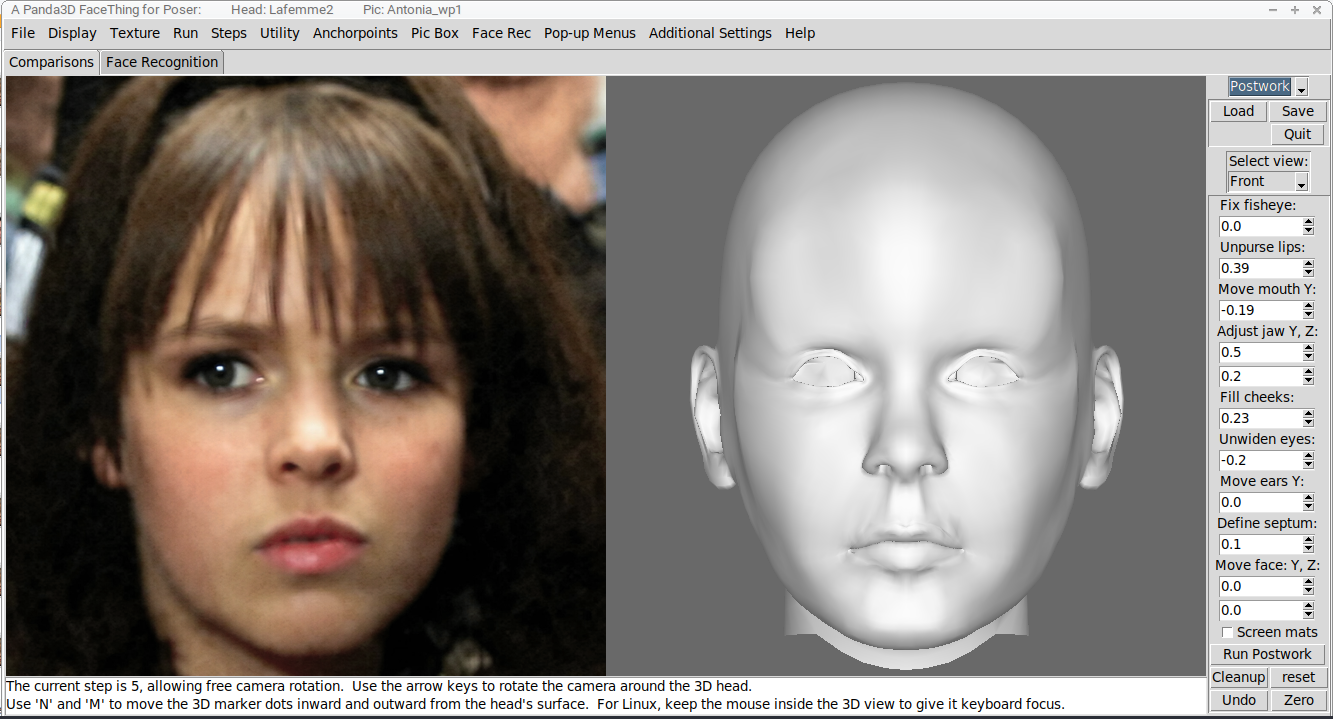
Here, we're showing the Postwork toolset. The displayed settings have already been applied to the type 4 morph we saw above. In this case, we're compensating a bit for the way the actress is extending her jaw and pursing her lips. In this case, the front picture is a still from a performance, and the expression she's wearing is her character being in the moment. In many other cases, though, one will find performers with a sort of 'moue' expression, with that extended jaw (the teeth separated and the jaw opened and pulled downward and perhaps forward) and hollowed-out cheeks and the pursed-up lips. For some performers, it can be hard to find source images without that pouty expression, the social media descendant of which seems to be the 'duck face'. In other cases, like the pictured actress in this role, extending the jaw to lengthen the face seems to be part of the character portrayal. This character almost invariably appears with the elongated face, unless that perception is just me and my confirmation bias, and then in interviews from later years she closes her teeth and her face collapses into a round Charlie Brown shape. There seem to be a lot of performers who do that sort of thing. Some 'Rosity banners are showing us character morphs based on performers with extended jaws whose faces probably look much wider and shorter in real life.
So we are doing postwork, here, to correct for that sort of thing. You can do this if you like, but the script won't force it on you, and you never need to open up any of these extra toolset at all, if they don't interest you. But they are present to give you options, as we try to develop useful Poser morphs from your selected input images.
===========================sigline======================================================
Cage can be an opinionated jerk who posts without thinking. He apologizes for this. He's honestly not trying to be a turkeyhead.
Cage had some freebies, compatible with Poser 11 and below. His Python scripts were saved at archive.org, along with the rest of the Morphography site, where they were hosted.
I don't have any more pictures, but I will finish making my point. The script offers many tools -- some of them maybe pretty obscure, and not all of them shown today -- to help wrest a useful Poser morph from whatever source material you hand it. You can use these tools however you like, and do plenty with them. But the script is not guaranteeing you a morphing experience that will be perfect and immediately useful each and every time. The eyesockets of most morphs will move away form their default positions. Most faces do not have eyes spaced exactly as your Poser head has them, and this script is not parsing an entire cr2 for eye-placement cues. It is working with the head mesh that you give it, and that's all. It offers scaling and anchoring tools that can help keep the eyes in the right general area, but you probably are going to need to move your figure's eyeballs around, to apply the morphs the script produces.
I am not ranting at you, jancory, so my apologies if it seems that way. This has come up previously, in testing, and I have an axe to grind. Or maybe its an ax? Whatever.
This script will give you a face morph. How you ultimately apply it to your figure is up to you. This is not ZBrush or whatever, where the morphs were made using the full figure source geometry and the eyeballs have been morphed to fit the face or the face-shaping has been adjusted for the eyes. These are not morphs being sold to you in the marketplace, where someone has carefully crafted them for you to ensure that everything fits together perfectly, out of the box. This is free software that helps you craft a face morph using an input image, and that software knows nothing about your figure except whatever it can learn from the head. If your figure has separate inner mouth actors, those may need to be moved, and the ways they need to be moved may vary from morph to morph. The same with the eyeballs. And while the script tries to protect the head's weldline with the neck, to avoid ugly artifacts, it is generally just handling the face. Areas outside the face are not its concern. It is assumed that users will know how to make necessary adjustments themselves.
One thing I will be doing is providing some Poser Python scripts to try to correct for the way some later Poser figures' eyeballs no longer have usable translation dials. And maybe they don't have scaling dials, either, I'm not sure. You will need the ability to move and scale the eyeballs relative to their head, but some boneheads in development stole that from you and turned the dials for those default built-in utility features into novelty act head morphing toys. I think that will work by using magnets to spawn scaling and translation morphs. So we'll need to create morphs to replace dials that have been turned into morphs, what a mess. Nerd joining the Poser Team was supposed to usher in a new Golden Age of Poser Techie brilliance, and this is not it.
Blangit, all of that was just another rant, wasn't it?
===========================sigline======================================================
Cage can be an opinionated jerk who posts without thinking. He apologizes for this. He's honestly not trying to be a turkeyhead.
Cage had some freebies, compatible with Poser 11 and below. His Python scripts were saved at archive.org, along with the rest of the Morphography site, where they were hosted.
teeth & eyeballs & neck join etc are problems in every morph system i've used. often have to move things back into position (if they even have those dials, like you said). and don't get me started on Master Synch....
btw appreciate all the 'splaining you're doing, will be helpful to refer to when i finally try out The Thing myself.
still lost in the wilderness
Poser 13 Superfly pretty much only these days
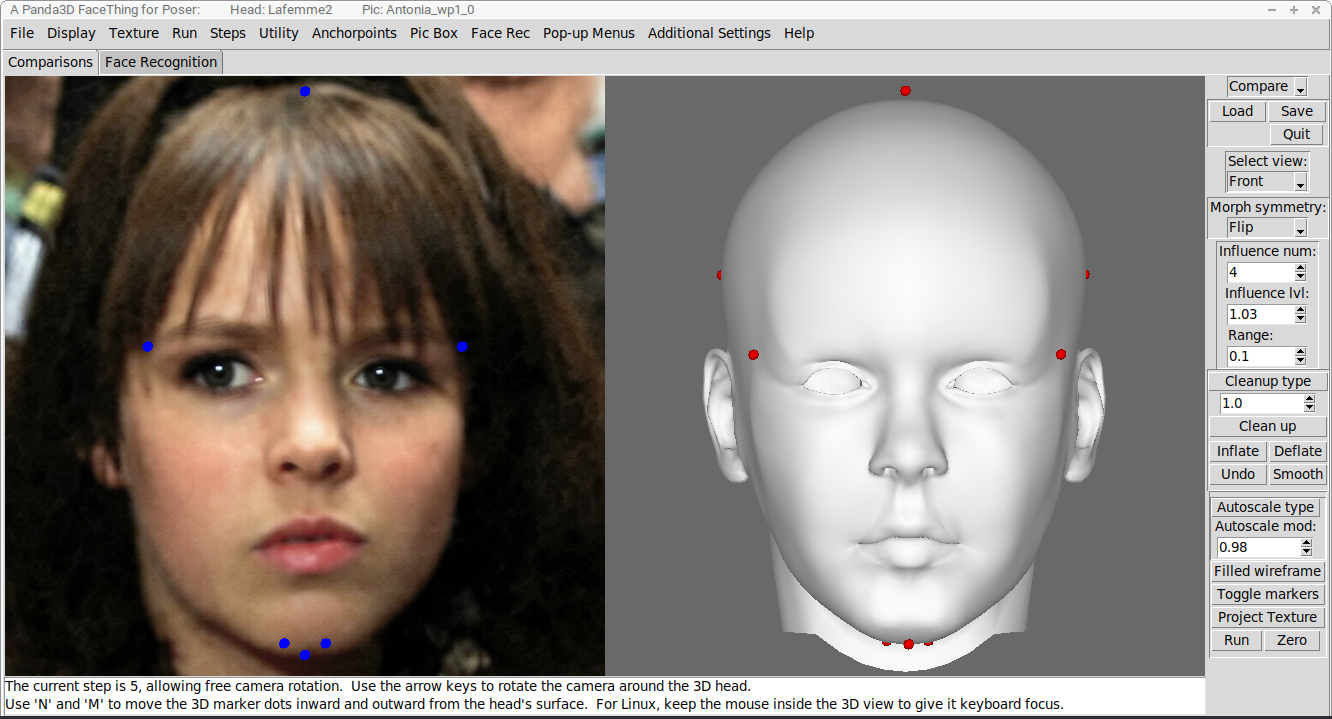
All of that, and I was showing a bad morph. Here is a corrected one, which better represents the state of morphs made using LaFemme 2. That last one needed to have some minor tweaks to cheek and jawline marker placement. Small changes to marker positions can produce significant effects in the resulting morph.
===========================sigline======================================================
Cage can be an opinionated jerk who posts without thinking. He apologizes for this. He's honestly not trying to be a turkeyhead.
Cage had some freebies, compatible with Poser 11 and below. His Python scripts were saved at archive.org, along with the rest of the Morphography site, where they were hosted.
Jancory, does this "Master Synch" have an off-switch, maybe as a figure option? Or as a program option? If so, it will be useful to advise users of that. I, myself, know nothing of such things -- I was a beta-tester for Smith Micro Poser 11, and have not installed or run anything later than that, although I've purchased most of the updates. If I could tell users what settings to toggle to fix some problems, that would be pretty great. And, if there is no off switch... I cry to the heavens, "WHAT WERE YOU PEOPLE THINKING!" The world would be a better place for children if the parents had to eat the broccoli.
As far as explaining is concerned, I can do plenty more. And I'm never short of rants, these days, so there's that. Plus, any of you can get your hands on an advance copy of the script any time you like, just let me know. I won't expect any complicated beta-testing interactions, unless maybe you find some dire crash bug & then, you know... I'd like to know that's happening, at least.
===========================sigline======================================================
Cage can be an opinionated jerk who posts without thinking. He apologizes for this. He's honestly not trying to be a turkeyhead.
Cage had some freebies, compatible with Poser 11 and below. His Python scripts were saved at archive.org, along with the rest of the Morphography site, where they were hosted.
i haven't found any off switch or a good workaround yet. it has its uses i guess but i wish it was more controllable. or just had an off switch. maybe it does & it's well hidden; i know they like to do that kind of stuff. -jan-
still lost in the wilderness
Poser 13 Superfly pretty much only these days
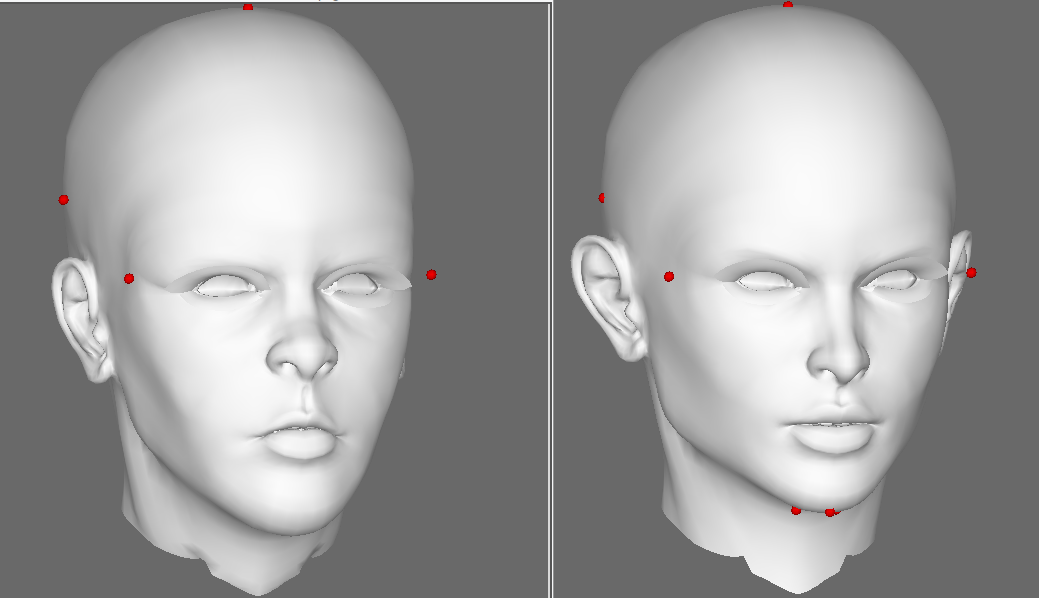
The developing Jessi conversion illustrates the limitations of this process. Using so few reference points to shape so many vertices, the end result can retain more of the source head's characteristics than one might desire. The Jessi-ness just shows through. Pauline has similar problems. LaFemme2 really surprised me, being much more cooperative. The Antonia conversions work well enough, though, that I still have hope of tweaking some of these heads into compliance.
===========================sigline======================================================
Cage can be an opinionated jerk who posts without thinking. He apologizes for this. He's honestly not trying to be a turkeyhead.
Cage had some freebies, compatible with Poser 11 and below. His Python scripts were saved at archive.org, along with the rest of the Morphography site, where they were hosted.
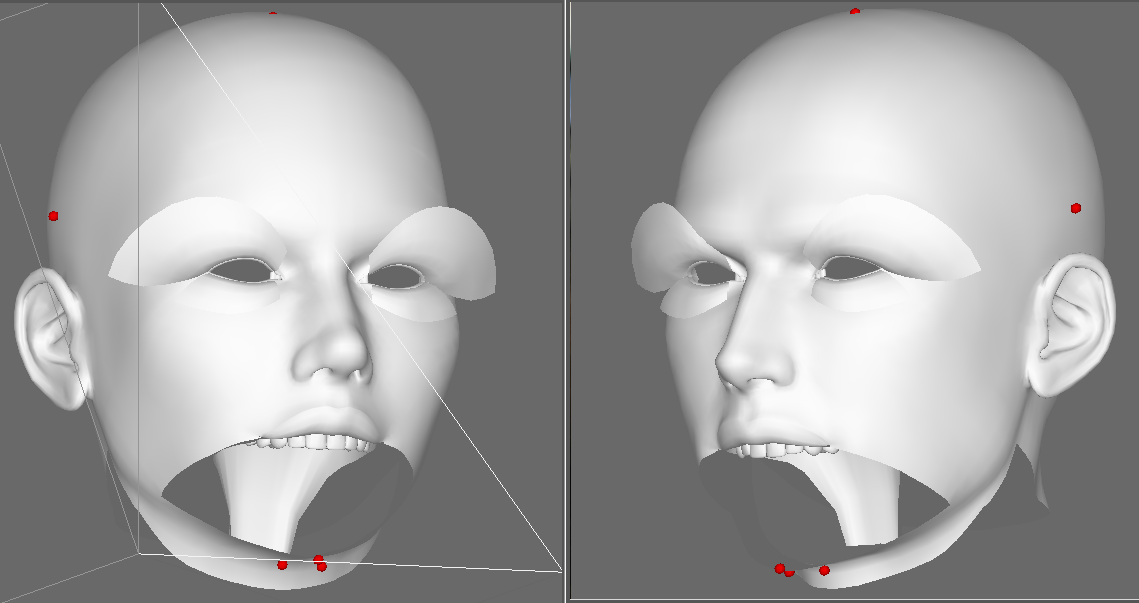
Dawn and Dusk will not be among the set of converted heads, unless I can figure out how to adapt the script's process for... whatever this is. They look like leftovers from some Surrealist group exhibition from the 1930s. Those lashes look like they were procedurally generated using a mathematical function.
===========================sigline======================================================
Cage can be an opinionated jerk who posts without thinking. He apologizes for this. He's honestly not trying to be a turkeyhead.
Cage had some freebies, compatible with Poser 11 and below. His Python scripts were saved at archive.org, along with the rest of the Morphography site, where they were hosted.

Dusk and Dawn have 2 sets of lashes. 1 was for long glamor lashes, and the other was for normal ones.
Available on Amazon for the Kindle E-Reader Monster of the North and The Shimmering Mage
Today I break my own personal record for the number of days for being alive.
Check out my store here or my free stuff here
I use Poser 14 and Windows 11
So that really is on purpose. I half-suspected that something had gone wrong with my import process.
Poser figures have been showing me how much they like to deviate from any standards or norms one might try to generalize about them. It's hard to find a baseline, or any set of rules. They keep surprising me. And those two were the biggest surprise so far. Man.
===========================sigline======================================================
Cage can be an opinionated jerk who posts without thinking. He apologizes for this. He's honestly not trying to be a turkeyhead.
Cage had some freebies, compatible with Poser 11 and below. His Python scripts were saved at archive.org, along with the rest of the Morphography site, where they were hosted.
And we're back.
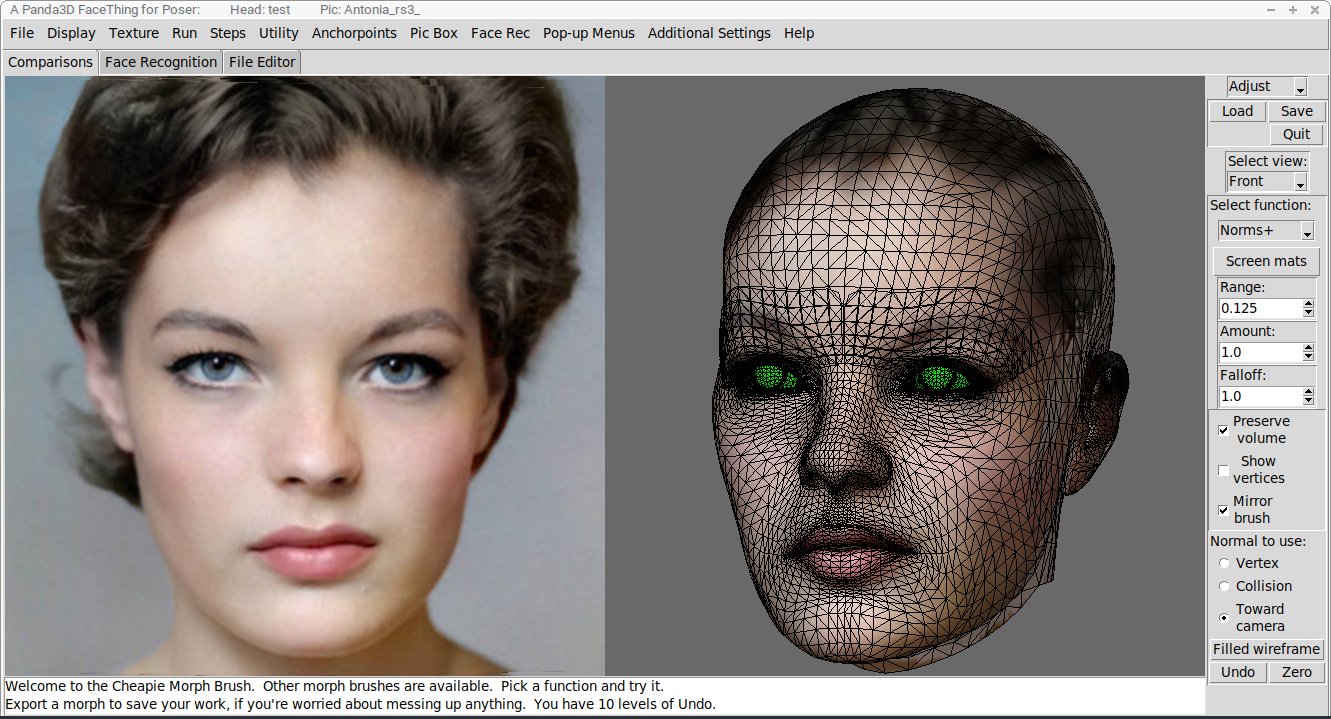
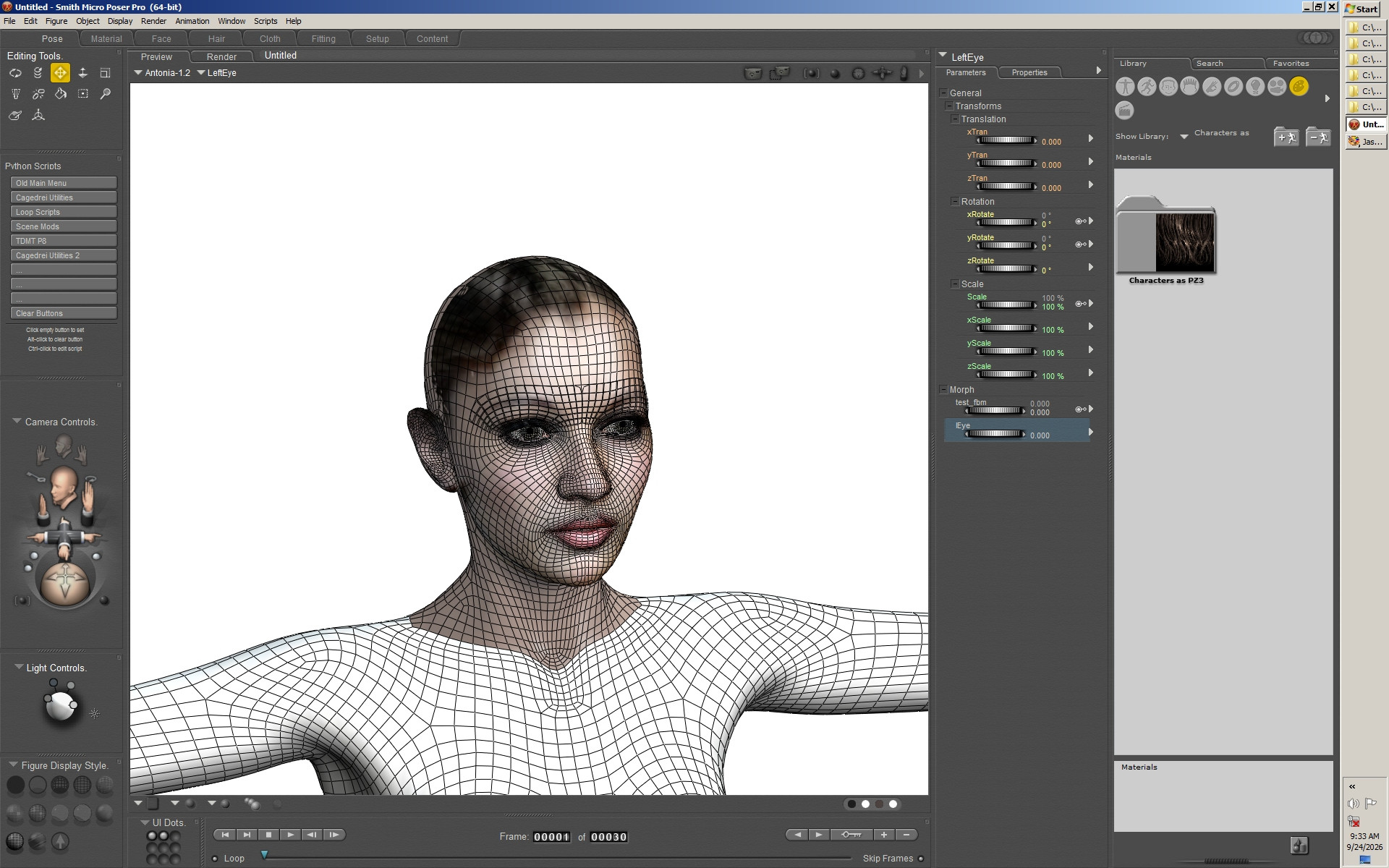
I had to add a process for handling multi-actor heads, for compatibility with Dawn and Dusk, so I went ahead and built that as a process that can be extended for other purposes. Today, I'm showing the process for morphing eyeballs along with the head that I've just tested.
Here, you can see the Antonia-1.2 head with eyeballs, showing the eyes in green. This is the standard mapping, as opposed to the A-mapping that I usually use. I used the new features to import the 'head', 'lEye', and 'rEye' groups together. They morphed nicely, but the script's process will reshape the eyeballs with the face, and generally you want your eyeballs to retain their default eyeball shapes and just move around with the eyesockets. The script has a built-in process to screen the deltas on material-grouped polys that should remain rigid through the morphing. I wrote that to work with the integrated teeth on older Poser figures, but here it has been used on the eyeballs. Once that process was run, the eyeballs were popping through the upper eyelids slightly, so I pulled the head into the Cheapie Morph brush and use the Norms+ brush with material screening to pop the faceskin eyelids out of the eyes. I'll put all of this in a little tutorial, for the final release.
A combined-actor morph like this one can be exported as FBM or as v-line 'squished morph' obj files. Poser 4 era users may remember the squished morphs from way back when Traveler made most of our morphs for us, and they were almost all for Posette. I'm also integrating a cr2 editor, so morphs like these will also be able to be exported as deltas already plugged into a cr2 for you, but more on that later.
===========================sigline======================================================
Cage can be an opinionated jerk who posts without thinking. He apologizes for this. He's honestly not trying to be a turkeyhead.
Cage had some freebies, compatible with Poser 11 and below. His Python scripts were saved at archive.org, along with the rest of the Morphography site, where they were hosted.
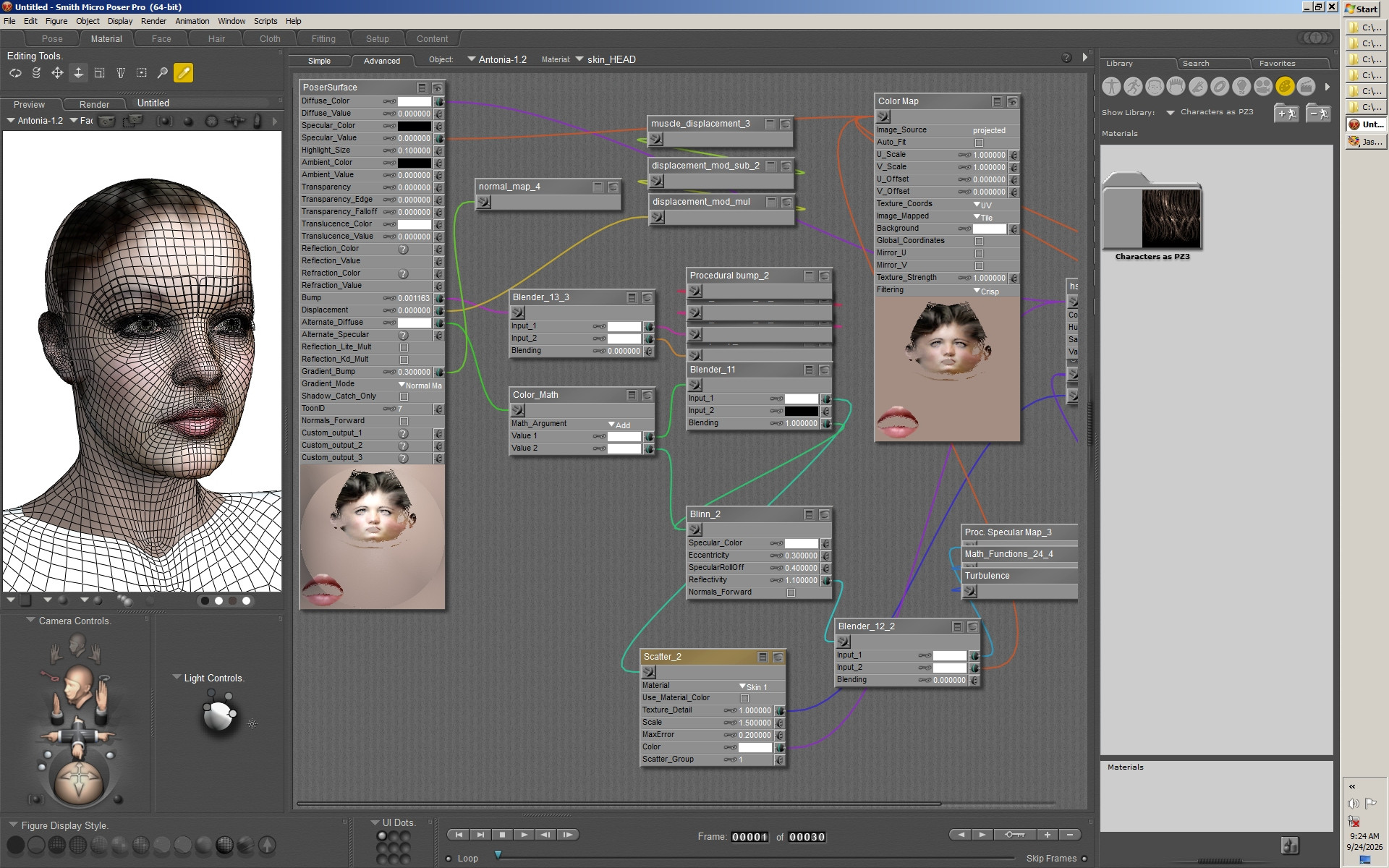
Here's Antonia-1.2 (standard-mapping), wearing the FBM-export test morph, as well as the Facething visualization texture. Everything works as intended, very nice.
===========================sigline======================================================
Cage can be an opinionated jerk who posts without thinking. He apologizes for this. He's honestly not trying to be a turkeyhead.
Cage had some freebies, compatible with Poser 11 and below. His Python scripts were saved at archive.org, along with the rest of the Morphography site, where they were hosted.
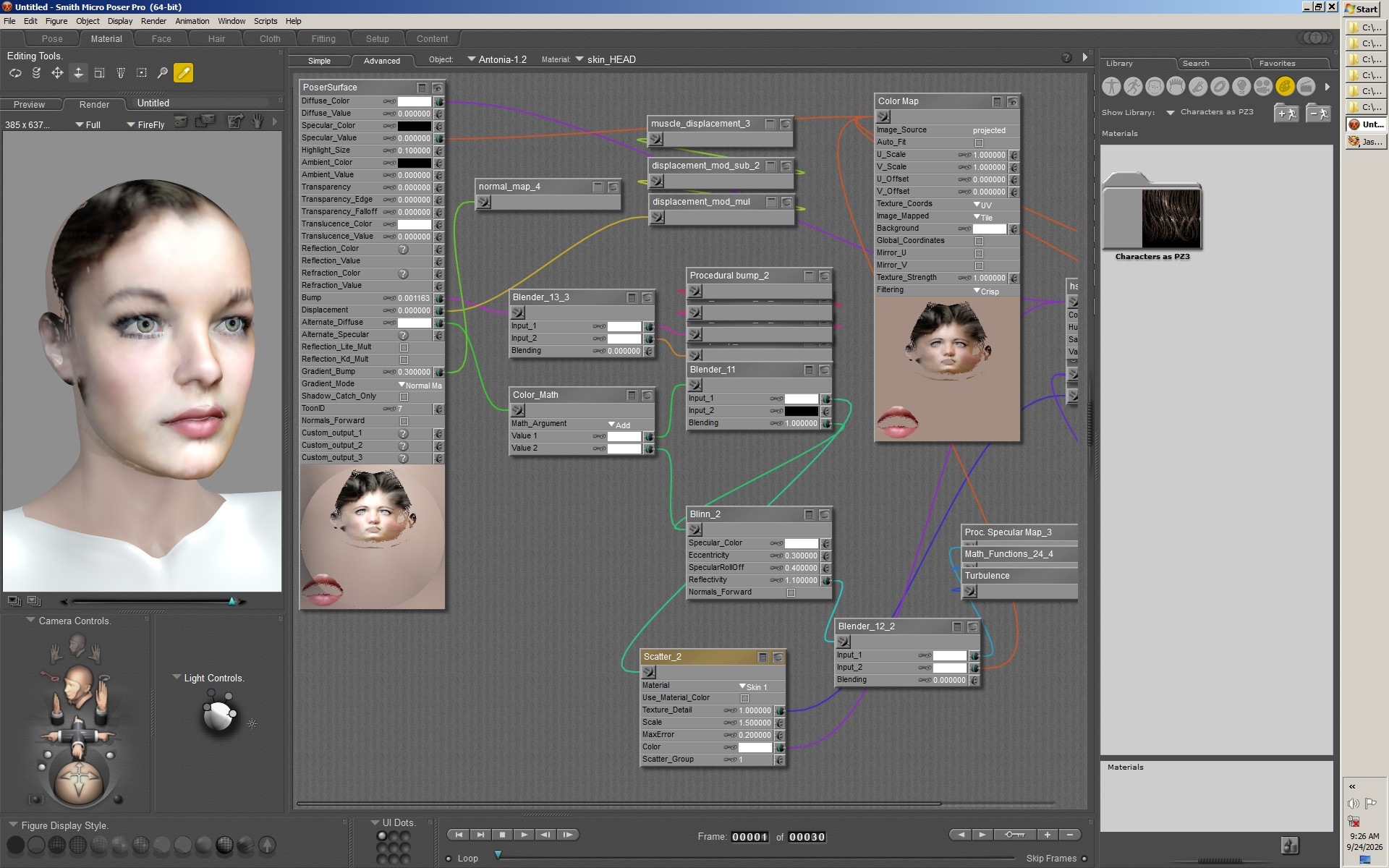
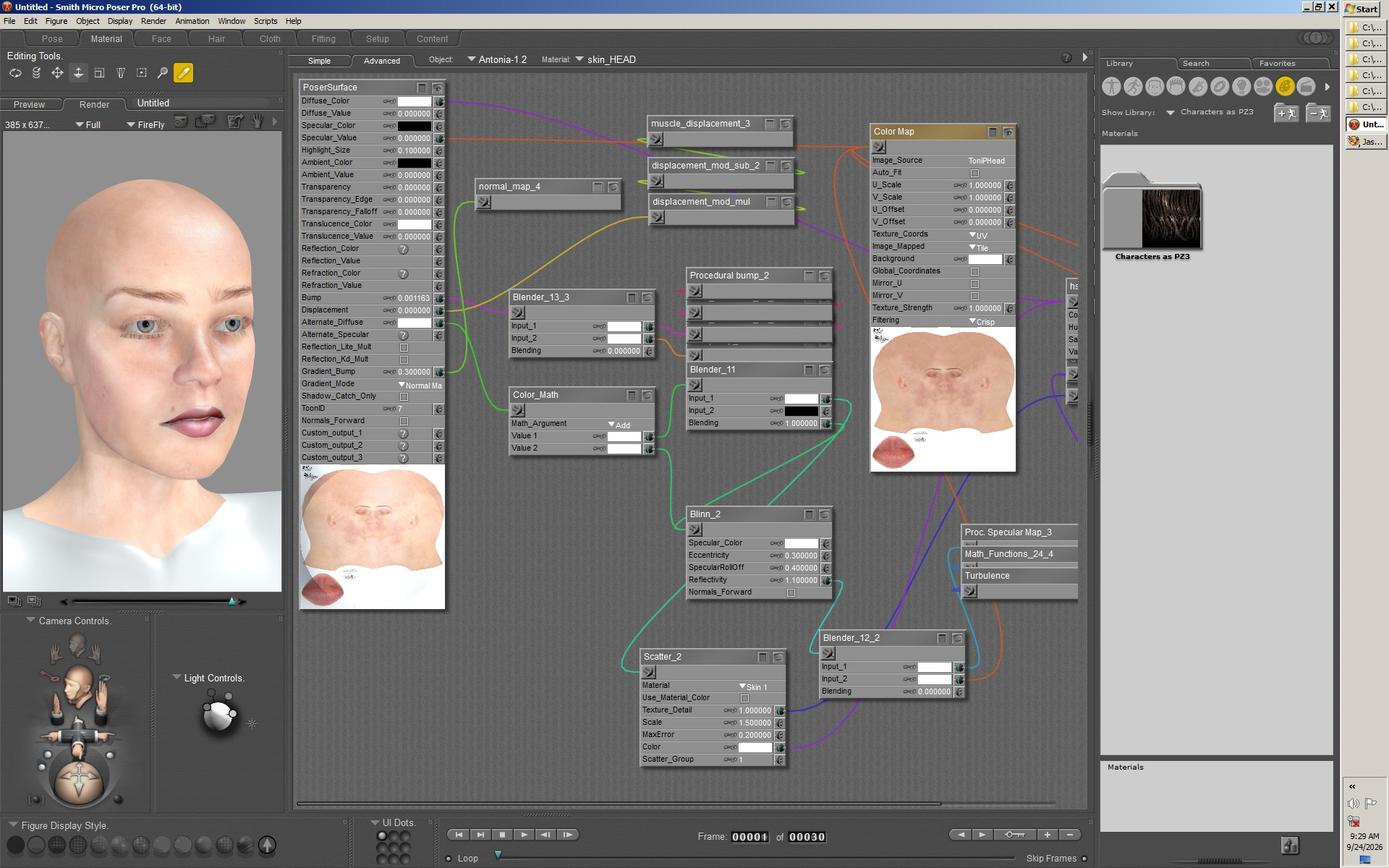
The same, rendered first with the visualization texture and then with a SaintFox texture. You can see how eyebrow placement is important for a character morph. I have set up the Antonia-1.2 markers to match the eyebrow placement of my favorite A-mapping BlueEcho eyebrow transparency. The alignment is still good here, but you can really see how the eyebrow styling can drastically affect a resemblance. I have given in and done the eyeball morphing for you folks, but I draw the line at styling the eyebrows for you. You're on your own, with that one.
===========================sigline======================================================
Cage can be an opinionated jerk who posts without thinking. He apologizes for this. He's honestly not trying to be a turkeyhead.
Cage had some freebies, compatible with Poser 11 and below. His Python scripts were saved at archive.org, along with the rest of the Morphography site, where they were hosted.
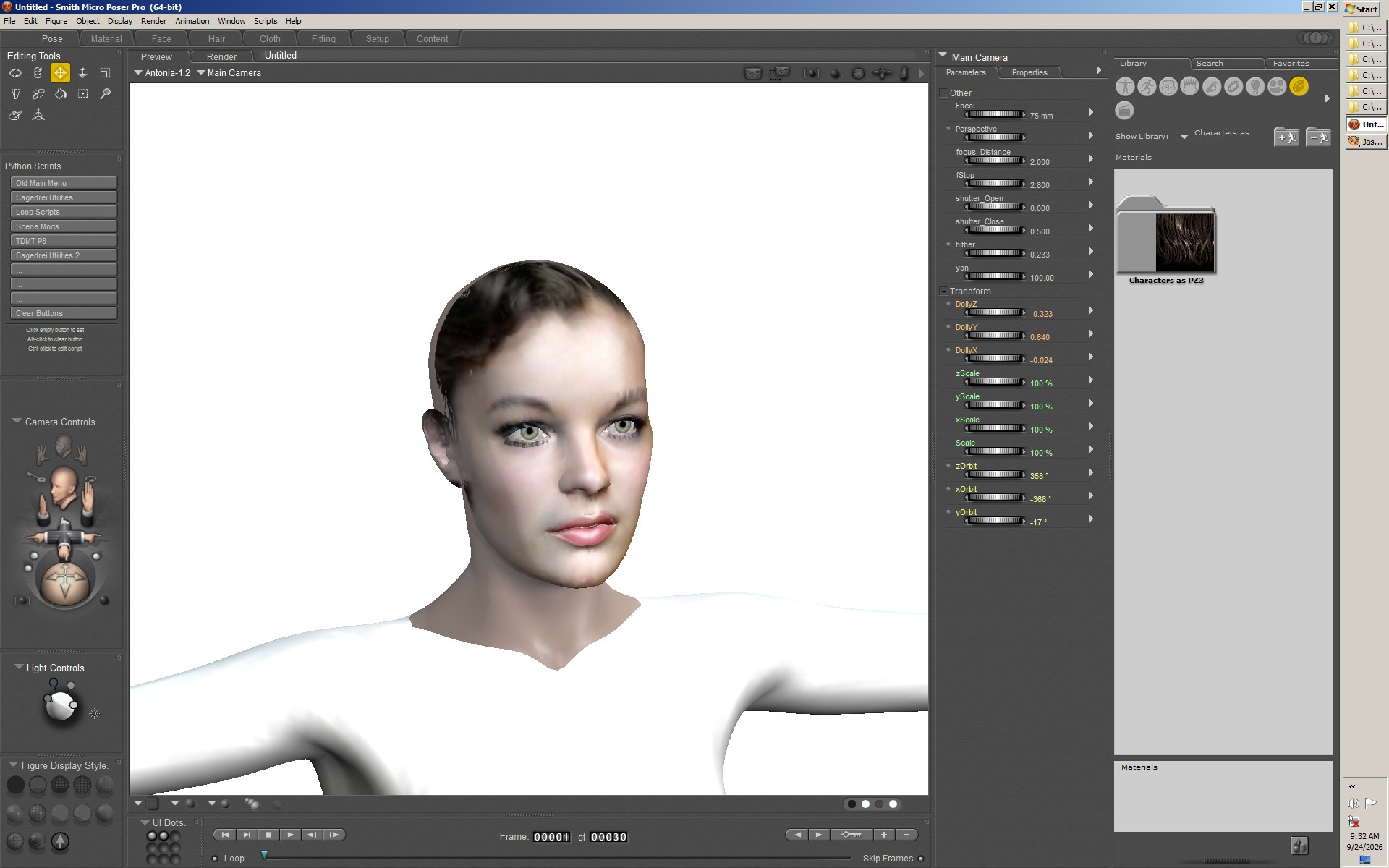
The same again, this time verifying that the v-line morphs are, indeed, identical, and then showing you the un-morphed original face.
While I'm here, I'll explain about the cr2 editor. It will be pretty basic, nothing to compete with CR2Edit or whatever, but it will allow per-line editing and the addition of the script's morphs, as well as the duplication of select head actors. Yes, I'm back on those eyeballs that move their eyesockets along with them. A second set of eyeballs can be added, without the problematic smoothTran and smoothScale joint handling, to give the user a fully-functional set of eyeballs for the L'Figeurs and any others that might be similarly affected. Meanwhile, the existing eyeballs are still there. They can be hidden and still scaled or translated to continue acting in their current capacity as novelty-act head-morphing toys. No utility is lost, no one needs to use the feature unless they want to, and useful functionality that was taken away from these figures for no clear reason can be fully restored. Also, there's a Treeview, and Cage really gets to brush up on his cursing and kvetching skills while programming the thing.
That's it. As before, you can become an early user at any time, just by contacting me.
Oh, except that's not all, is it. No, it isn't. The FBM export also means support for Blender shapekeys should be in place. One's figure could be exported from Blender as obj, with grouping for the head and eyeballs, and then the process I used here could be applied to create character morphs for you MakeHuman or Antonia-1.x or what-have-you. I don't know if this also opens up compatibility for Genesis-as-obj, as I know nothing about that at all. Maybe someone out there knows things and can tell us something about that.
===========================sigline======================================================
Cage can be an opinionated jerk who posts without thinking. He apologizes for this. He's honestly not trying to be a turkeyhead.
Cage had some freebies, compatible with Poser 11 and below. His Python scripts were saved at archive.org, along with the rest of the Morphography site, where they were hosted.

Privacy Notice
This site uses cookies to deliver the best experience. Our own cookies make user accounts and other features possible. Third-party cookies are used to display relevant ads and to analyze how Renderosity is used. By using our site, you acknowledge that you have read and understood our Terms of Service, including our Cookie Policy and our Privacy Policy.
couldn't use them at full strength & some things like teeth , brows, eyes & sometimes neck needed work but they're a fine jumping-off point.
still lost in the wilderness
Poser 13 Superfly pretty much only these days
My Freebies