
Renderosity Forums / Carrara
Welcome to the Carrara Forum
Forum Coordinators: Kalypso, Anim8dtoon
Carrara F.A.Q (Last Updated: 2026 Sep 09 4:39 am)
Visit the Carrara Gallery here.

Subject: c6pro render of v4.1 with hair in GI demo scene


looks nice ...
i did like to do something like that but the pz3 wont load... it does "something" but nothing loads into the scene...
IF YOU WANT TO CONTACT BAR-CODE SENT A PM to 26FAHRENHEIT "same person"
Chris
I think they said to use the carrara runtime - that pz3 files are gonna be slow to load. I loaded some o.k. after it asked me to navigate to the poser 7 default runtime, but several users have had problems, hence they definitely need to fix it. I reckon we're getting it free because we're beta-testing it. maybe it only imports pz3 files made by poser 7.
I have P7 ... but after trying thing out i find that removing the lights from the Pz3 does make it load..
Now atleast it loads into C6 ... so i can play some more 
Chris
IF YOU WANT TO CONTACT BAR-CODE SENT A PM to 26FAHRENHEIT "same person"
Chris


That took so long to render? I'm not impressed, not by the rendering time and for sure not by the quality......
Artwork and 3DToons items, create the perfect place for you toon and other figures!
http://www.renderosity.com/mod/bcs/index.php?vendor=23722
Due to the childish TOS changes, I'm not allowed to link to my other products outside of Rendo anymore :(
Food for thought.....
https://www.youtube.com/watch?v=pYZw0dfLmLk


Hair can potentially bring ANY system to it's knees in pain during a render because of its complexity. Like all things in the 3D world, an intelligent use of the tools is critical to getting good effects/renders and reasonable render times. That's where we get to be artists/craftsman, right? The master of our tools... ;-) I don't see people getting the latest word-processor software complaining that it doesn't help them write better poetry - automatically. :-D
it turns out it renders somewhat faster once one zooms in on the hair. maybe it's harder to do all the calculations when the hair polygons are relatively smaller (compared to the production frame) than when they are relatively larger. in addition, I shrunk the v4.1 model (and hair) to about 5 or 10% of import size, which might also be a factor. these poser models are coming in very large, compared to my previous experience with poser model imports to carrara.
Content Advisory! This message contains nudity
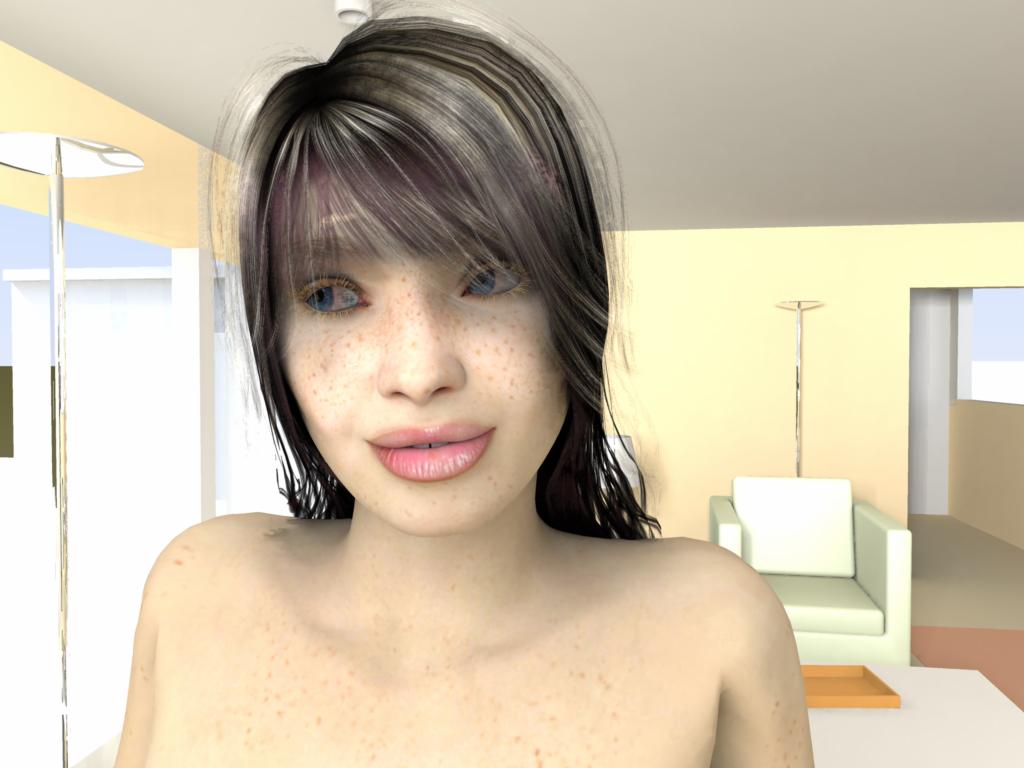
The hair colour has a hint of purple in it which looks a little strange and there is clearly something of an issue with texture banding or antialiasing of the hair but overall a very good first effort without any tweaking
V4.1 and hair imported from a pz3 (once I'd found out to delete the lights)
Default scene with one extra light but no other tweaking
AMD FX60 dual core with 2GB RAM
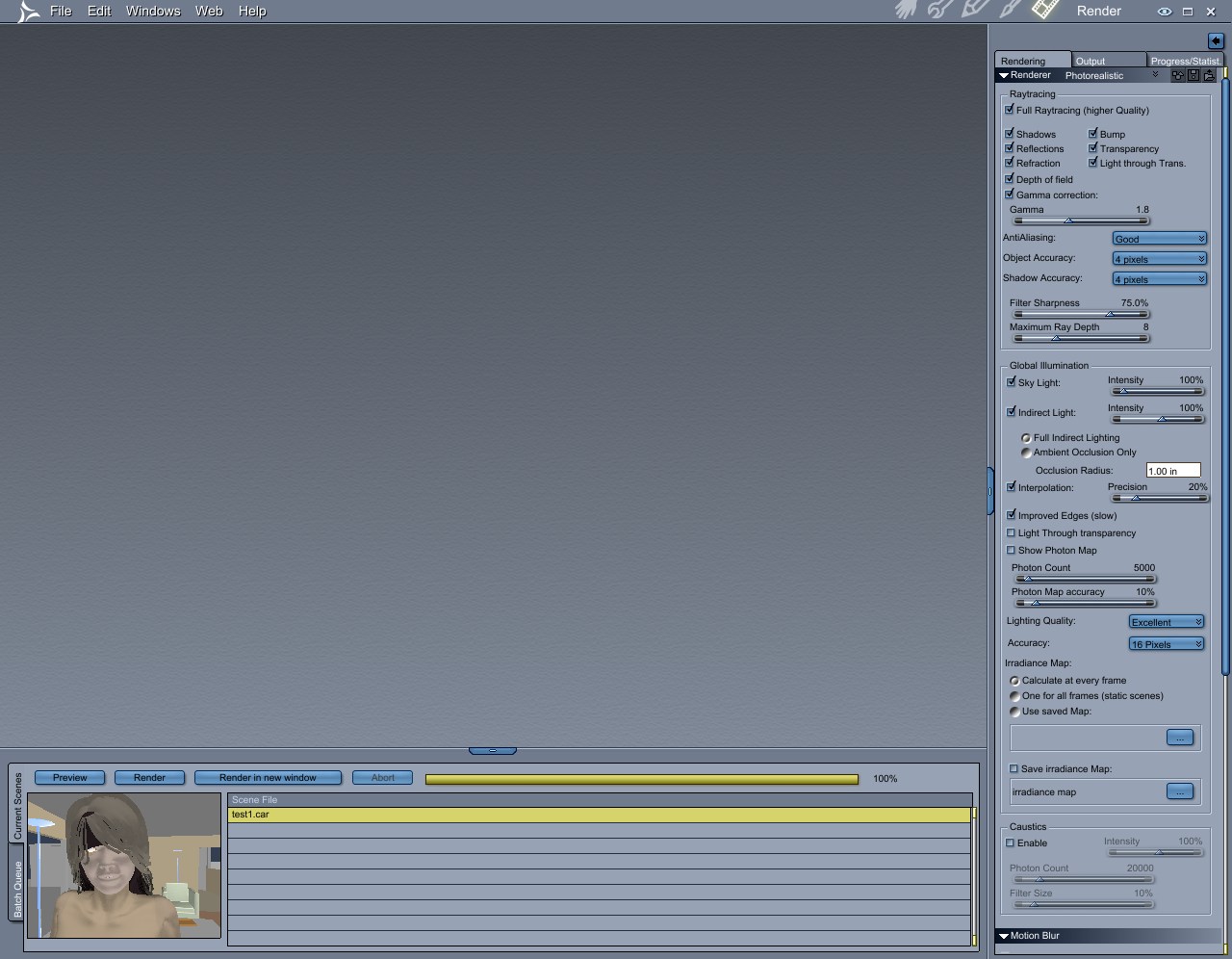

the main things to do are: check the second "light thru transparency" setting increase photon count to 100000 or more I would advise unchecking gamma, as the image is too bright on my monitor, but it may look correct on a windows machine. I would suggest leaving the filter where it is, as increasing it may cause problems. in addition, ya can: increase anti-aliasing/lighting quality to best change all accuracies to 1 pixel uncheck interpolation check "improved edges" change photon accuracy to 30% the additional will slow the render wayyyyy down, but may not improve it enuff to justify the wait. it may also speed it up to uncheck the skylight in an indoor scene, but if the default had it checked, then it may be needed.

Privacy Notice
This site uses cookies to deliver the best experience. Our own cookies make user accounts and other features possible. Third-party cookies are used to display relevant ads and to analyze how Renderosity is used. By using our site, you acknowledge that you have read and understood our Terms of Service, including our Cookie Policy and our Privacy Policy.
Content Advisory! This message contains nudity
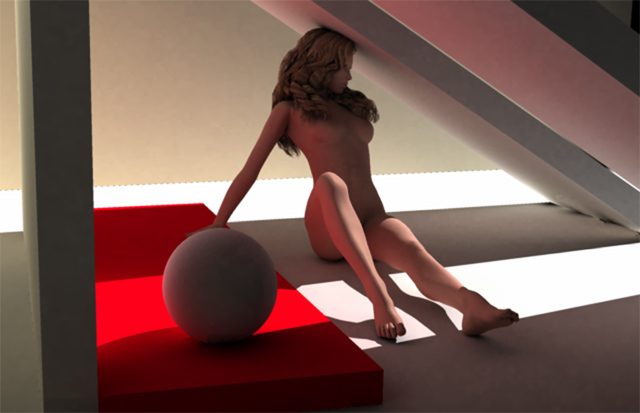
c6pro render of v4.1 with hair in GI demo scene (nudie pic). medium quality render settings. only content used was from the c6Pro runtime (poser not used in any way). hair is render-intensive. processor 1 spent an hour just doing the head and hair, whilst processor 2 finished up the rest of the scene an half-hour early.