
Renderosity Forums / Carrara
Welcome to the Carrara Forum
Forum Coordinators: Kalypso, Anim8dtoon
Carrara F.A.Q (Last Updated: 2026 Jul 30 8:26 pm)
Visit the Carrara Gallery here.

Subject: Importing AI?


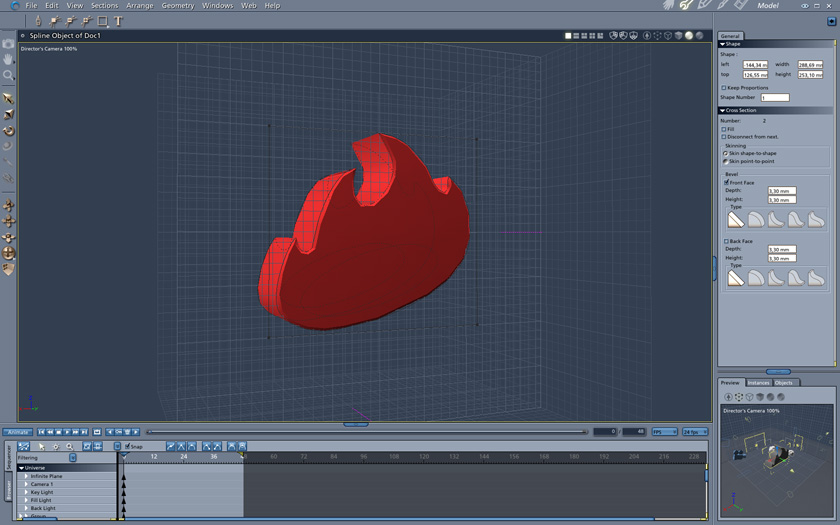

Very, very, nice hoofdcommissaris!
I see there is a difference in the object between your first and last image. I actually made two AI files, one without the hole in the middle(Like your first image,) and one with(Like your last image.) I meant to upload the latter, I hope I did'nt upload the wrong one?
Is this a difficult process?
Are there many steps?
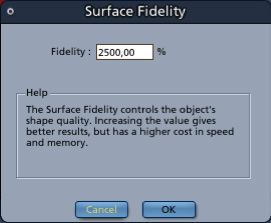
Not really. If you look closeley, the hole is there. I didn't see it the first time. What you need to do to create a hole is select all, and use the command 'Combine as compound'. The process: - insert a spline object - select the plane in the object that has to 'hold' the object (at the start of the magenta line) - import the Illustrator file (use 'import' from the menu) - select all, 'Combine as compound' - the magenta line on the right, or on the floor, determines the depth of the object - the 'Surface fidility' makes the curves smoother (but it lays some burden on your processor) Returning to the assembly room, the object will be there. This is more or less the route I take turning ai files of logo's to their 3D versions. I will split the starting file with all the elements into seperate object, to give them different depths and materials. Good luck!


Privacy Notice
This site uses cookies to deliver the best experience. Our own cookies make user accounts and other features possible. Third-party cookies are used to display relevant ads and to analyze how Renderosity is used. By using our site, you acknowledge that you have read and understood our Terms of Service, including our Cookie Policy and our Privacy Policy.

[ Here is an AI file of the attached image](http://home.comcast.net/~angelouscuitry/Angelfire_Halo.zip)(Angelfire's Burning Halo logo)I'm interested to know how to import this into Carrara 5 Pro; and give it depth; with the Spline Modeler?