
Renderosity Forums / Carrara
Welcome to the Carrara Forum
Forum Coordinators: Kalypso, Anim8dtoon
Carrara F.A.Q (Last Updated: 2026 Sep 09 4:39 am)
Visit the Carrara Gallery here.

Subject: Auras and Glows


Do it in post. In PhotoShop, what I like is creating a duplicate layer set to "screen," using "select by color" or levels command to isolate the bright things, apply a little gaussian blur to that and adjust the layer's visibility to suit. I hadn't had a similar problem with Aura the one or two times I tried it, tho. Check if you can ramp up the "Quality" on the effect -- I think there's a slider.

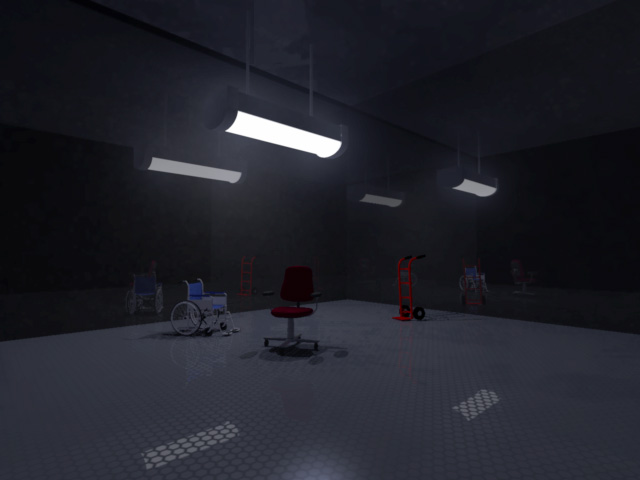
Thanks guys... normally I would do post work in PS, but this is for an animation. I've always used Light Sphere in the past for other light glows, but since Anything Glows does offer that option I wasn't sure how to pull it off in this situation. Mark, I just tried your idea very quickly here at work in a primitive shape and I think your solution will work perfect. I'll apply it to my actual scene when I get home. I didn't know you could put the bulb inside an object... I just assumed it was like Lense Flare where you had to have the hotpoint visible to see the effect. Thanks for the help!
Chucker

Privacy Notice
This site uses cookies to deliver the best experience. Our own cookies make user accounts and other features possible. Third-party cookies are used to display relevant ads and to analyze how Renderosity is used. By using our site, you acknowledge that you have read and understood our Terms of Service, including our Cookie Policy and our Privacy Policy.
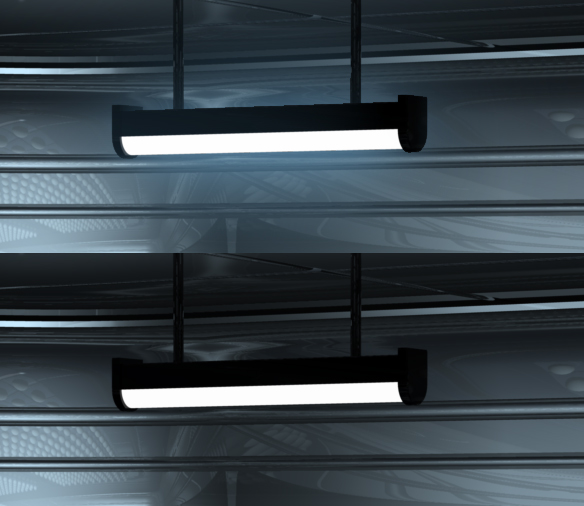
Hello, I am trying to create a nice blue glow from a white light. The light is a tube shape with Anything Glows applied to generate the actual light, and I tried applying an Aura to the tube shape, but "Aura" is kinda flakey right now (similar to what Light Cone used to be in the past) since it is a post effect and creates jaggies around the object it is applied to. Any ideas on a better way to do a nice glow effect around an object? Chucker