
Renderosity Forums / Carrara
Welcome to the Carrara Forum
Forum Coordinators: Kalypso, Anim8dtoon
Carrara F.A.Q (Last Updated: 2026 Sep 09 4:39 am)
Visit the Carrara Gallery here.

Subject: Movies as Light Gels


Excellent - thanks for that!
The next thing is that the rendering doesn't seem to advance the movie in synch with the animation frames. I have a 2 sec 25fps AVI file, and 50 frame animation, but rendering doesn't advance the gel movie with every frame - instead it seems to advance the AVI every 3rd frame or so.
Any thoughts?
Thanks again
Richard

Thanks - I'd already matched the frame rates of the AVI and the animation, and it's still not moving as expected. Every second frame is rendered twice, as follows:
Instead of rendering frames 1,2,3,4,5,6,7,8 etc of the AVI in frames 1,2,3,4,5,6,7,8 of the animation, it renders frames 1,1,3,3,5,5,7,7,etc of the AVI.
I know this because I created an AVI with numbers 1-25 in frames 1-25.
Is there some setting I have missed?
Thanks,
R

Only thing I can think of is that perhaps the animation you're using for the gel is interlaced and your Carrara project is not. (Carrara can render interlaced video, but it's not the default.) So, maybe Carrara is getting hung up on a field as opposed to frames?
Just grabbing at straws, there. I haven't had this trouble, though I've used movies for gels before. (In C4, not C5, but I can't imagine they'd go backwards in usability....)
Dex
On further investigation, it's not even 1,1,3,3,5,5,7,7 etc ... it's more uneven than that. I suspect it's to do with rounding errors in the tweening curve, even though it's linear.
The Carrara documentation is really thin when it gets down to the finer points of the software in many places, including here.
Thanks
R
Yeah, that's odd. I'd say double check thru your time line to make sure there isn't something there throwing it off. Are you actually rendering the avi or is a preview playing oddly... I think there is an issue there (have seen this) so if so use something else to play the actual rendered movie and double check frames on the movie render. The other possibility may be to close carrara out to removed cached info or start over if you can't locate something in the timeline or file that might be causing an issue. The timeline is quite deep.
No need to think outside the box....
Just make it
invisible.
I'm actually rendering the AVI, and watching what number (and therefore which AVI frame) appears on the object as each frame is rendered.
Also, I'm working with a blank scene - create new scene, create shader with AVI, apply to an infinite plane, and that's it.
I'm growing more sure it's an issue with the tweening. I can get all the AVI frames to show if I run a 1 sec AVI over 2 sec of rendered animation, but then each frame shows once or twice, but there seems to be no tween length where each one shows only once.
Thanks
R

Privacy Notice
This site uses cookies to deliver the best experience. Our own cookies make user accounts and other features possible. Third-party cookies are used to display relevant ads and to analyze how Renderosity is used. By using our site, you acknowledge that you have read and understood our Terms of Service, including our Cookie Policy and our Privacy Policy.
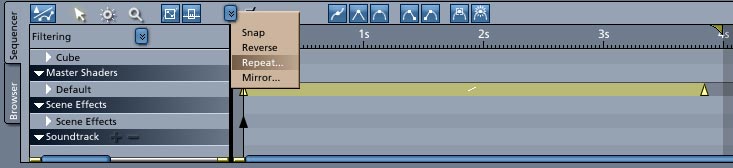
Is it possible to loop a movie which is loaded as a light gel? I can't find a way to do this - as each frame is rendered, it comes to the last movie frame and sticks there for the rest of the animation.
There is a "loop" button below the movie preview window, but there is no reference to it in the manual that I can find.
Any help appreciated
Richard