

















Conforming landscapes in Poser by erogenesis
Close
Hover over top left image to zoom.
Click anywhere to exit.
Members remain the original copyright holder in all their materials here at Renderosity. Use of any of their material inconsistent with the terms and conditions set forth is prohibited and is considered an infringement of the copyrights of the respective holders unless specially stated otherwise.
No AI - This artwork was created entirely by hand or with traditional digital tools.
Description
In my previous post about the fantasy world, I alluded to how crazy things will be getting in those scenes, also Poser-wise.
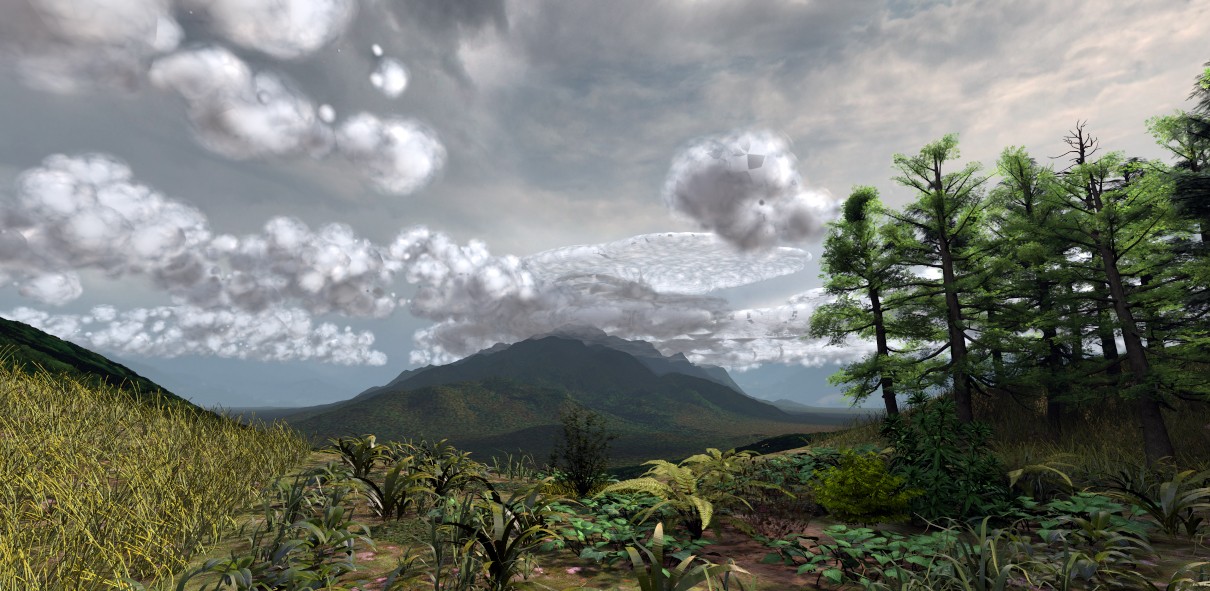
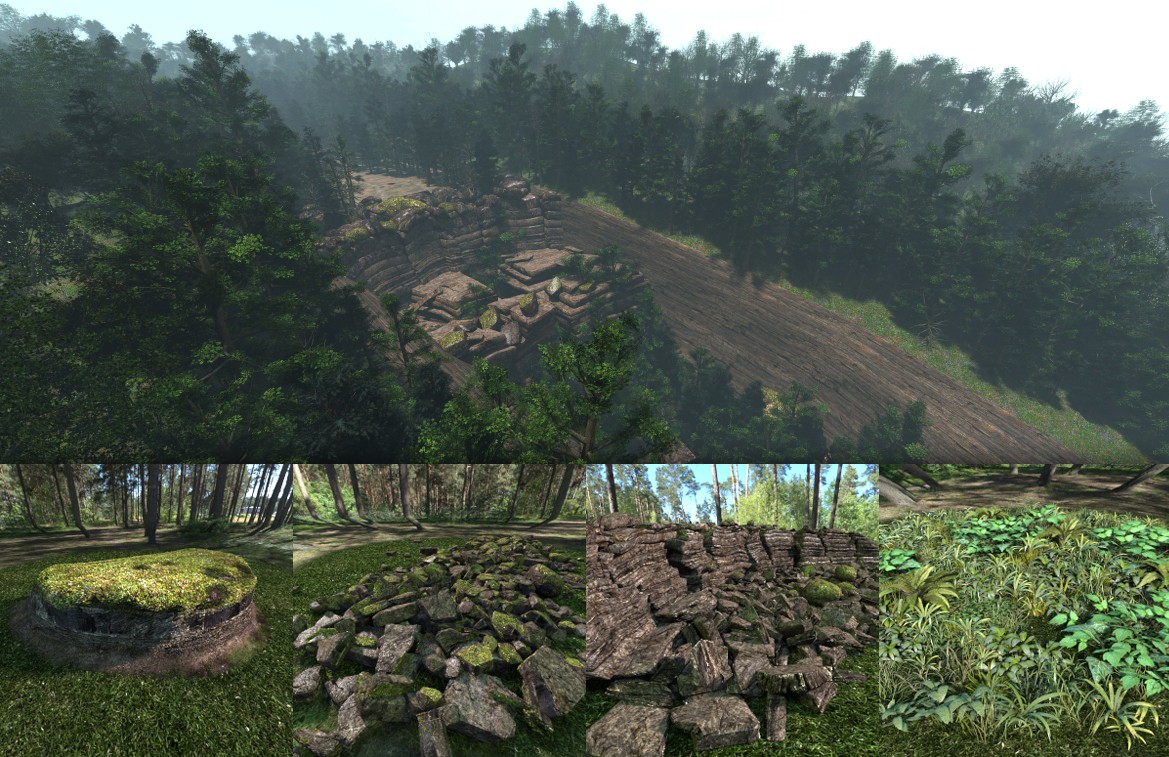
The scenes (second picture) will be nearly the equivalent of 0.5km by 0.5km large. The landscape mesh is a dedicated one for that scene, with a slightly higher polycount in the middle for definition, and lower to the edges. Over a hundred transparencies of trees around the rim and more detailed trees to the center. The set wasn't yet finished in that picture but it's not far off. Together with a lot of geologically accurate cliff-face models to top it off, I hope it will end up looking good for the comic.
However, in doing so, I found I spent way too long workin on this ONE scene, and so I felt I needed to find a way to speed that up for future comics.
Poser's power is that it can handle INSANELY large scenes quite easily, but it's main power is figures. Drag a figure in, drag some clothing on her, and boom you can start posing.
What about landscapes? This all needs to be done manually, tree by tree, or if you have a forest prop, use that. But you'll struggle to make variations. So why not just make a landscape figure, and clothe it with... vegetation, tree, grass, rocks... or all of the above?
I made it. It's a landscape prop with bones north-south-east-west, and NW-NE-SE-SW. they translate up and down with weight maps, and you can pull at them to create your own unique little square of land... and then load up a second to match that piece on the side, and then a third... etc.
Ok now you can load up a patch of grass on one tile, then a forest on a second, then shrubbery on a third. Boom, landscape in 5 minutes.
The only problem is that the scene is HORRENDOUSLY SLOW AND LARGE. This is because Poser loads in ALL the weight mapping into the scene directly. And we're talking Billions of vertices. So Instead of weight maps, I went with morphs. I converted all the translations to morphs, deleted the weight maps, and the scene is teeny tiny and works very fast. Although the flexibility of the weight maps is lost, since they were just going up and down, the morphs do the same job, so its ok.
It's just a pain to rig it initially, but thereafter, it's fabulous.
Don't ask me if I'm going to release this, because only the landscape is 100% mine. I recycled other vendor's content to get the foliage going, but who know, maybe this might be something that can be worked on in future.
(the mountain in the background is a model I made from a DEM and satellite image from NASA from somewhere in South East Africa. Clouds are 3d models with an unnecessarily complicated procedural cloud material)
Rendered in Poser Pro 11.

Comments (2)
So many brilliant work-arounds and creative solutions in here! Finding good Poser ground especially for expansive scenes is like finding The Holy Grail and you did it one better by building it yourself! I think that creating a horizon is so critical and these hills accomplish that beautifully. And the rocks and plants are wonderfully detailed for tighter shots. Super excellent work, my friend! Looking forward to all your updates as your project continues!
Thank you for sharing your expertise, but I would be interested in a tutorial on a simple landscape model to better understand your method.