


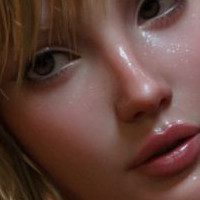















Colour correction tips by JenniSjoberg

Close
Hover over top left image to zoom.
Click anywhere to exit.
Members remain the original copyright holder in all their materials here at Renderosity. Use of any of their material inconsistent with the terms and conditions set forth is prohibited and is considered an infringement of the copyrights of the respective holders unless specially stated otherwise.
No AI - This artwork was created entirely by hand or with traditional digital tools.
Description
Just a little quicky on how colours can be changed and enhance an image if you're going for a more painted look. Obviously strong colours like these probably won't work well with "realistic" images
http://artofjenni.com/colourtut.html

Comments (30)
Xcellent!!!
Thanks a lot for all those helpful tutorials !
Wow, what a great postwork, very well done and thanks for sharing :)
Sweet stuff, thanks for another bunch of hints Jenni. You are the best :)
Excellent postwork tips!You can change the world with the photoshop Jenni:-))Thank you for sharing with us:-)))
thank you Jenni...your postwork takes your imagery to a whole new level.... it is wonderful to see where you have taken your base renders to
Splendid done my dear!!!Bravissima!V:DDD.Hugsxx Whylma
So very generous of you to share these !! Thank you.
Excelnte trabajo fina con las imagnes,dicho s d paso tods ellas excelentes
♥ Very nice collage of your great pieces of artwork, have a beautful Sunday ♥ Thank you also for the link!
Too much to comment on! It is all so amazing! Absolutely fabulous art! Love it!
Very informative tutorial, thank you for that. Nice to see the different effects you can achieve.
Your colours are always superb.
thanks for this :)
Absolutely splendid....!!!
This is really a great tutorial. I've had photoshop for awhile now and used some of this, but not to the extent that you have taken it to. So inspiring and now I want to crack open PS, but alas.. work calls. Perhaps tonight!
thanks so much for the tuts.
It's incredible what you do with your base renders, you really are an incredible artist.
superb !!!!!!!...excellent tutorials..if you have never seen them GO LOOK PEOPLE !!!!
Love your art!
Amazing tutorial Jenni and your art is truly amazing, compliments, kisse Orietta
Precious images and instructions my friend, Thank you for sharing it with us, it's very kind Jenni!
Very nice tutorial. Thank you for your generosity!
Awesome! Very sweet of you to share :)
Beautiful Image.
Superbe réalisation. Les tutoriaux sont superbes. Merci encore...
Thank you for sharing! Always great to receive some tipps from pros :)
OK, here goes.... Congrats on artist of the month!!!! Ive seen a few of your images along the way, but missed most of them, having never spotted them in the gallery. Thanks to a little thing called AOM, that has been corrected :) Here's why i like all your posts: Simplistic layouts with a focal point. Dynamic colors that work perfectly within the scene. Characters are always interesting in both appearance and pose. Nice depth, never over done. you seem to have real clarity in your creative process. Keep up the great work :)
Thank you very much for these tutorials - nice to get tips from somebody who does things so damn well!! Much appreciated :)
Though I comment on images very rarely these days I'm a big fan of your artwork. Many thanks for these tips that might come quite handy for any of my future projects. Oh, and keep up the amazing work! :)