
















Rock Stage from RPublishing by RPublishing
Close
Hover over top left image to zoom.
Click anywhere to exit.
Members remain the original copyright holder in all their materials here at Renderosity. Use of any of their material inconsistent with the terms and conditions set forth is prohibited and is considered an infringement of the copyrights of the respective holders unless specially stated otherwise.
No AI - This artwork was created entirely by hand or with traditional digital tools.
Description
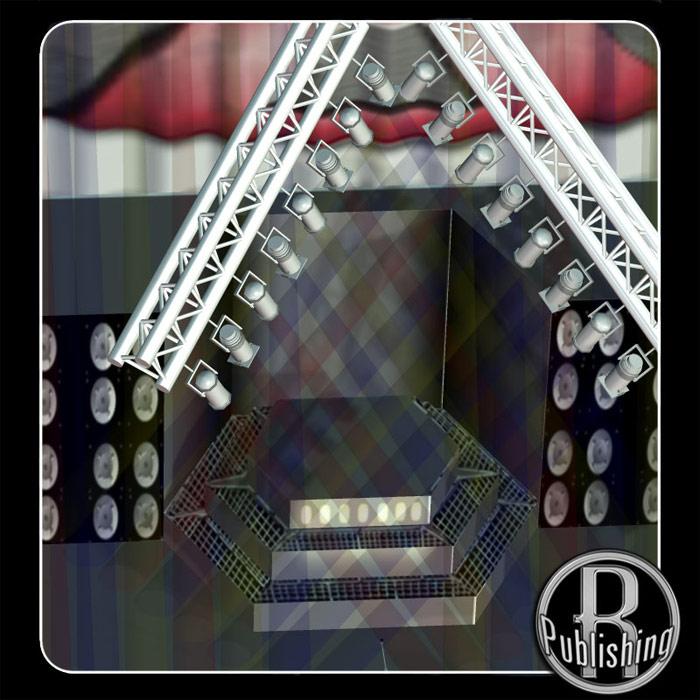
Do you wanna rock?! Based on actual stage designs used by rock groups-- a Rock Stage for your Poser people!
As you'd expect, this set comes with a stage (with a rising center drum section), a backdrop drape, and a front drape. It also offers you unprecendented control over your spotlights. Rather than using actual Poser lights, this set includes light models with light "cones" to simulate volumetric light (which isn't supported under Poser 4 and Pro Pack).
(When you see how many light models are in this set, you'll see why this method was chosen- 72 lights in a scene could bog down even the fastest computer.)
This set contains 10 trusses, each of which is a complete "figure", containing:
A base truss which contains 8 (or 4) lights. Move the truss (or the Body) and the lights move with it.
The lights can be moved together (tilt), rotated together (pan), and can resize the light cone together (by using the dials on the Body).
Each of the lights can individually tilt, pan, and resize the light cone (by selecting the Light, Base, or LightBeam parts).
Each of the lights can be have its light color changed (using the Materials Editor). Change the color to red or blue or green or yellow...
And, best of all, there is no "crosstalk" between the light figures- moving one set absolutely will *not* affect the others (even though they all use the same base obj file).
In all, this stage set contains SEVENTY-TWO (72) light models which can individually pan, tilt, and change to another color!
And since a pz3 scene file is included, you can use the included lighting or one of your own sets.
The back drape can be mapped with any image you desire, without the need to shape the image to the drape's template. Note: due to the curving shape of the drape, you may see some odd lines.


Comments (0)
No comments yet
Sign In or Register to share your thoughts.