















Cool Shadow Trick by MrGorf

Close
Hover over top left image to zoom.
Click anywhere to exit.
Members remain the original copyright holder in all their materials here at Renderosity. Use of any of their material inconsistent with the terms and conditions set forth is prohibited and is considered an infringement of the copyrights of the respective holders unless specially stated otherwise.
No AI - This artwork was created entirely by hand or with traditional digital tools.
Description
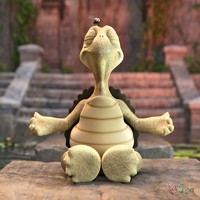
I recruited my little friend Cholanda to help with this demo...
A lot of things look better with raytraced shadows. Hair is not one of them. It often creates black flecks as layers of hair cast shadows on each other. Besides, with some hairstyles like the Amarseda hair shown here, raytracing its shadows can inflate render times from minutes to hours. I usually turn off shadows for the hair, but sometimes that would be painfully noticeable. I could fake it in postwork, but I figured this little thing out instead. You can use raytraced shadows for everything else, and use depth mapped shadows for the hair. Here's how:
1. Render the scene with no shadows. This is the base layer.
2. Turn off shadows for the hair. Give the light raytraced shadows. Render Shadows Only.
3. Turn on shadows for the hair. Turn off shadows for everything else. Change the light to depth mapped shadows. Render Shadows Only.
4. In your image editor, load the base layer at the bottom. Load the raytraced shadows in a layer above that, and your depth mapped shadows in a layer above that.
5. Change the depth mapped layer to Darken mode.
6. Merge the two shadow layers. Change this layer to Multiply mode.
7. Adjust the shadows' color or transparency to suit your tastes. Tada! Done.
Well, almost. A curious thing was that the depth mapped shadow lined up properly on the figure, but on the wall, it was too high! No problem! I just lassoed it, then cut it, and then pasted it in the correct place.
So, finally, this is something to try if and only if the above sequence would take less time than actually raytracing the hair shadows. Remember that unless you would see the shadow of the hair on a wall or the ground, you can probably get away with not giving it a shadow at all.
Hope this helps. And, oh yeah, her rump is not really as big as the shadow would indicate...

Comments (4)
Very interesting set up! Thanks for the trick! Those shadows do make her butt look big though
Egads! Alot of work for a render...but it looks very nice!
Which is why they dislike shadows more than cameras. };-) Interesting exposition.
bonne image!