















Arabica Terra Sunset by kjer_99
Close
Hover over top left image to zoom.
Click anywhere to exit.
Members remain the original copyright holder in all their materials here at Renderosity. Use of any of their material inconsistent with the terms and conditions set forth is prohibited and is considered an infringement of the copyrights of the respective holders unless specially stated otherwise.
No AI - This artwork was created entirely by hand or with traditional digital tools.
Description
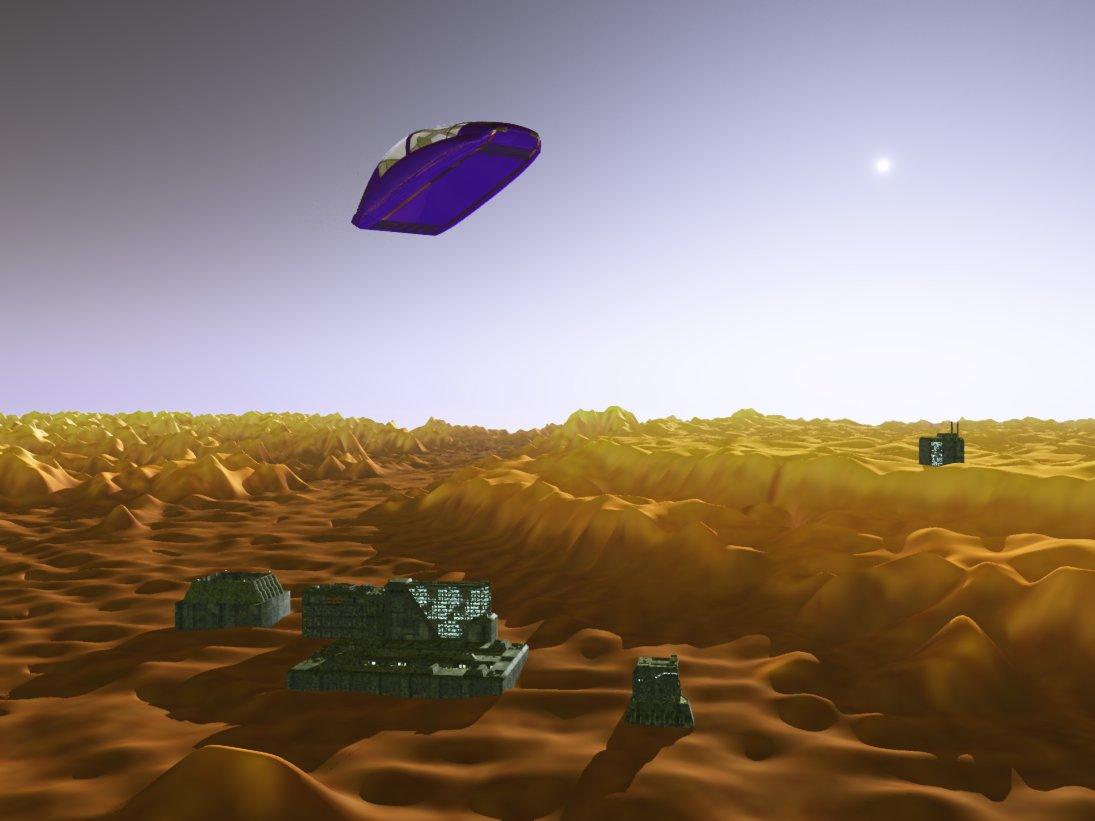
Just a doodle with no story this time. Very similiar to one I did in Bryce about a year ago. The terrain and its texture are a colorized version of a false color photo taken in January, 2010, of an inverted crater in the Arabica Terra region of Mars. In the render, the inverted crater is in the middle and runs to the right. The city is located where the original crater rim ran.
In reality, the dark brown sandy areas would be black because they are derived from basalt, a common black volcanic rock on Mars. Most craters are a depression but these mostly ancient craters rise above the plain Because they are so old, they filled with sediment over the eons and subsequent erosion stripped away the terrain around the filled crater. The surviving fill in this crater measures approximately 250 meters or about 800 feet in diameter. The entire picture from which the terrain was created measures 600 meters (or about 2,000 feet) in distance.
Examples of such craters are fairly common on Mars and examples can be found on Earth as well. I have portrayed a time in Martian settlement that is about a hundred years later than the period I use for my "Matronaut" series. The sky is bluish because that is the dominant color of Martian sunsets--sort of opposite of what we experience on Earth. You will note that the sun and its corona are consierably smaller than if this were Earth.
I have to say that I much prefer making my terrains in Bryce, rather than in Vue. In the latter they always come out overly bumpy and are much harder to smooth out the sharp corners of the terrain. Just my opinion. Yet in fairness, there are many things that can be done to a terrain in Vue that are not possible with Bryce.
Thanks for all your visits and comments. Come again.
Jeremy
CREDITS:
Vue6 Pro Studio, PSP 5.
IW Air Car (Renderosity).
A3 Lany (DAZ, Renderosity).
EcoSystem: StoneMason's Greeble City Objects (DAZ).
Terrain: created from a photo from NASA's MRO HiRise.

Comments (16)
Great info and a marvelous landscape with excellent light!
Great Image Jeremy!!
Interesting lighting, the terrain almost looks translucent.
fantastic lighting!
Hey, keep at it. Theres probably a bit more to learn and a few tricks to discover with Vue for better terrains... Carrara has its own tricks and I wonder if some of those wouldn't help you too ;) Still, overall, the scene still looks good, very alien :)
Nice
Nice one Jeremy..and about the terrains..hmm..I don't know if Vue 6 Studio has the feature, but I think it has, you can smooth the terrain by editing it and going to the effects tab where you can erode it to your liking. Another way is to stretch it, which makes it bigger, but also smoothes out the the bumps
Nice doodle Jeremy, have a good day!
Nice one Jeremy!
Most impressive sense of scale and fascinating colors!!! Thanks for the geological information!!!
Hmmmmmm....i have seen you do a lot better
This I can relate to.The hours I've spent playing with terrain in Poser and Bryce...always seems to end with "that'll do"!.I like photo mapping terrain in Bryce, but that's where the hard work starts.This is maybe not your best work, but will make a point on the learning curve as you master Vue,(as I know you will).I've never believed in bad renders, every picture has it's merit if you can look at it from the artists point of view. Your vision is clear, your gallery speaks for itself and I look forward to sharing your vision with you.
Excellent work! :)
Really lovely and I like your description of terrains on Mars!
wonderrul setting of the sun
Fantastic scene, excellent work!!!!!!!!!!!!!!!!!!!!!!!!