
Renderosity Forums / Poser 14

Subject: Comic / Graphic novel conversion of a scene

What I start with: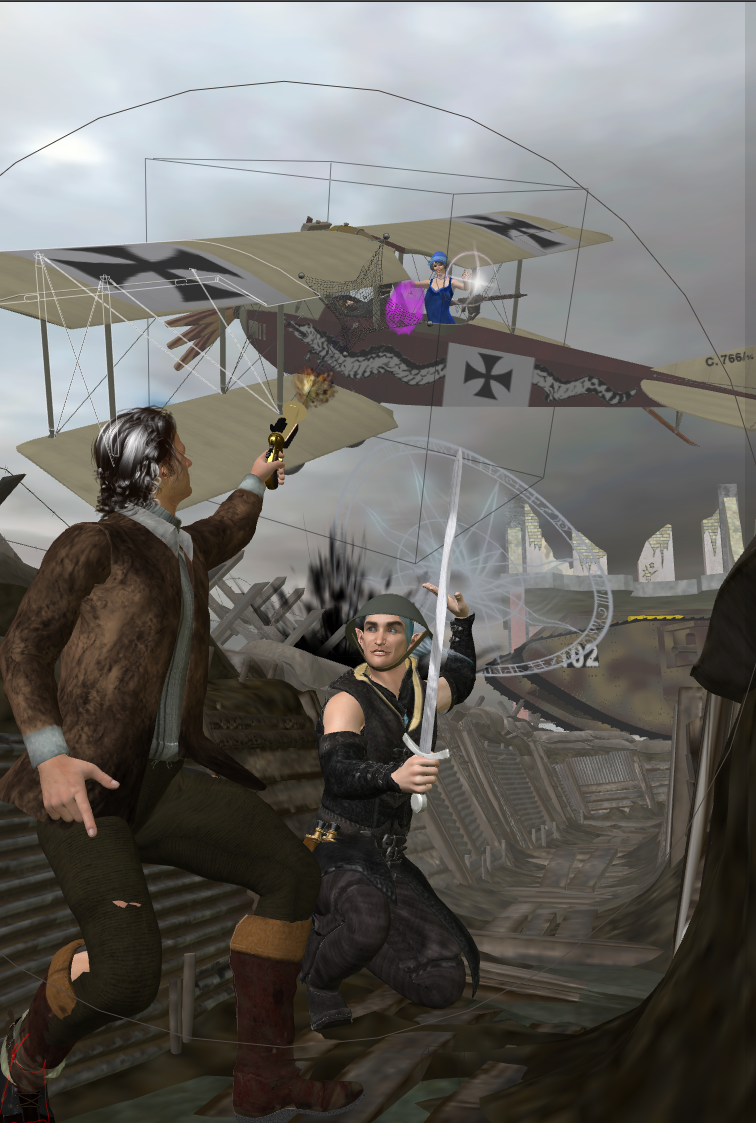
What I get 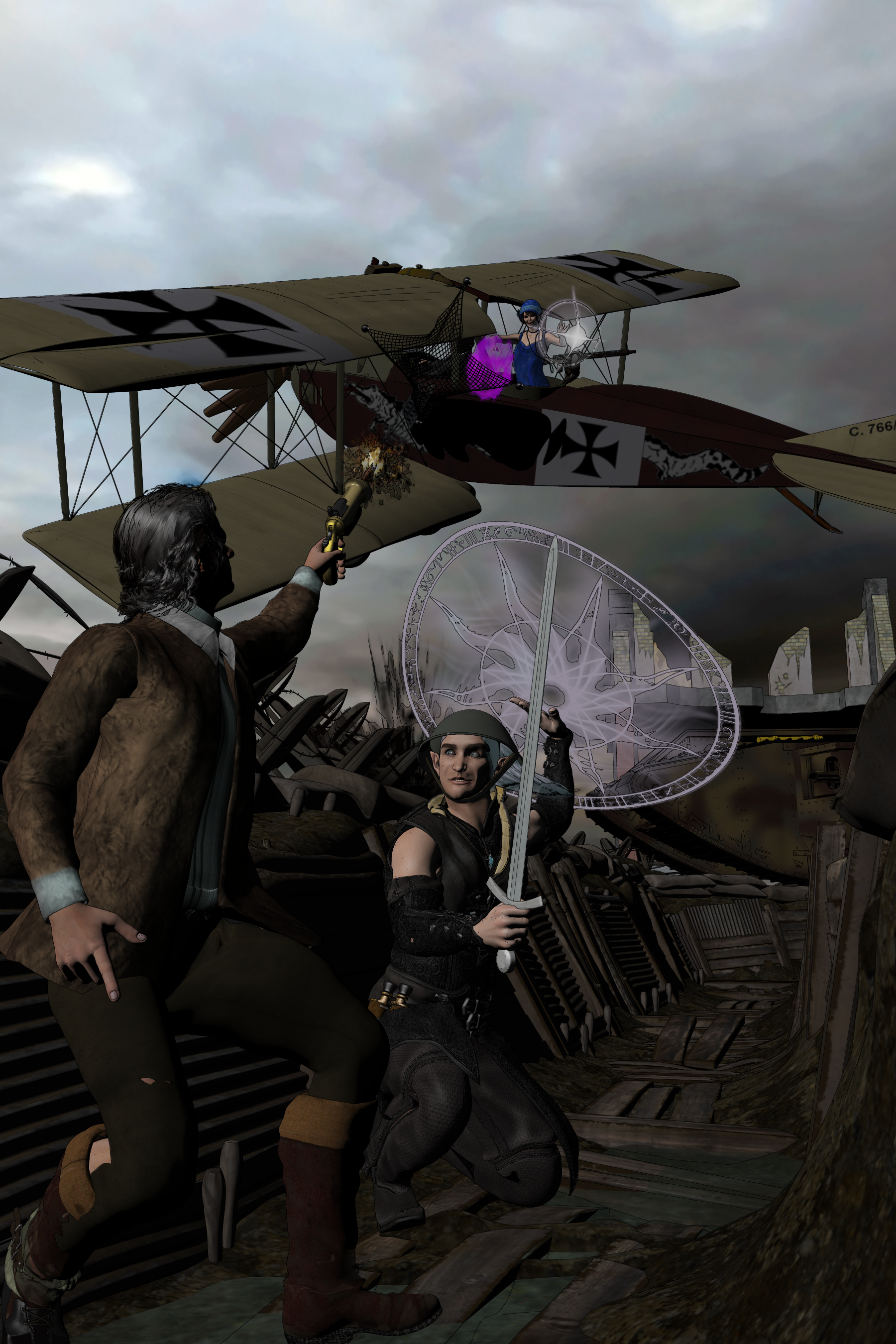
What I wanted.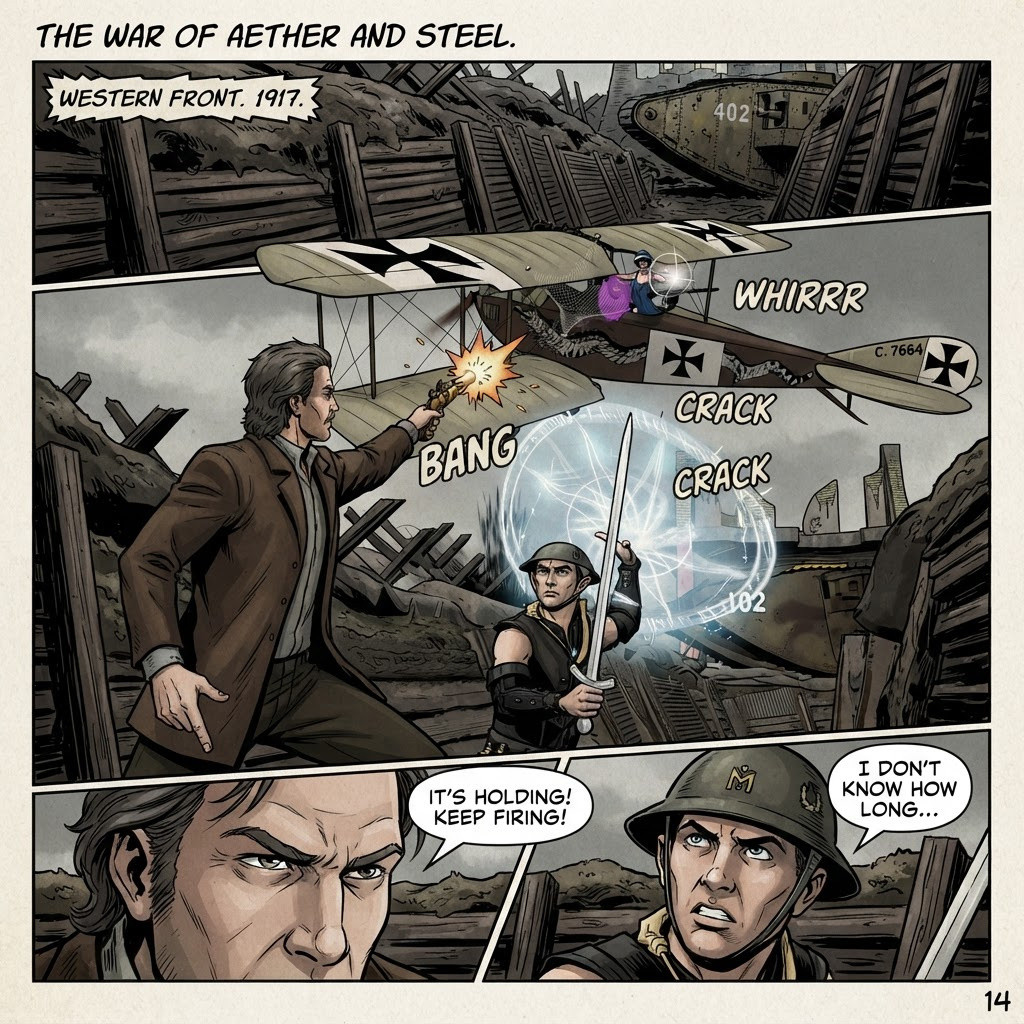
Tom Tinney,
Writer, Rider, BIKER-NERD!!
Mewe Group:Biker Nerd Clubhouse

I don't do much in the way of toon or comic renders, but I started to once.
Here is my scene. It was set up in an earlier version of Poser, so I lost the draping.
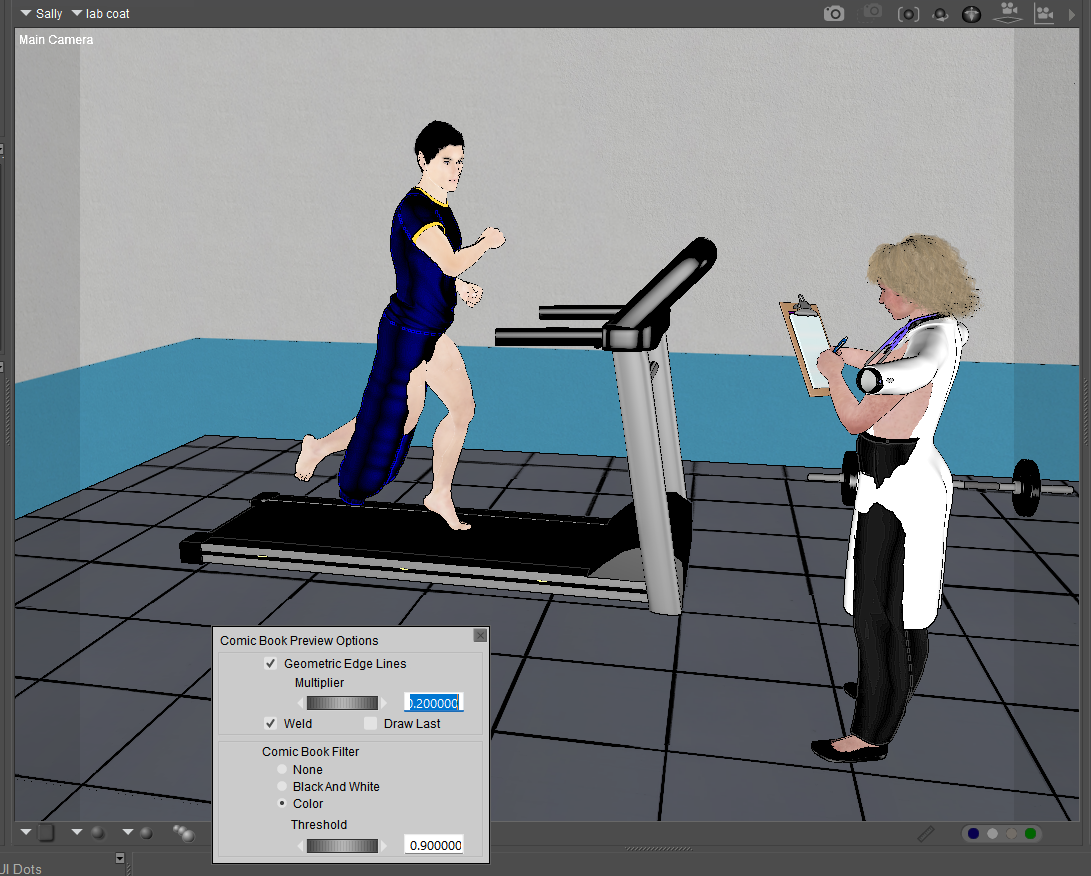
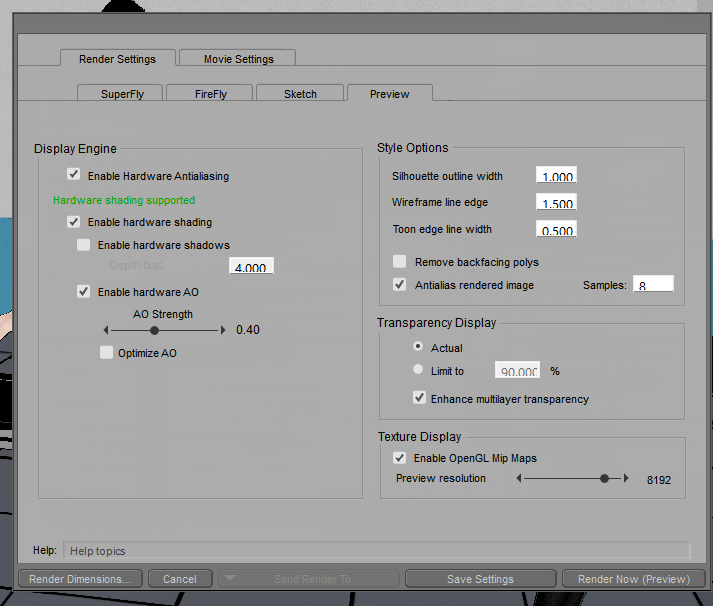
My render settings
and here's the final render
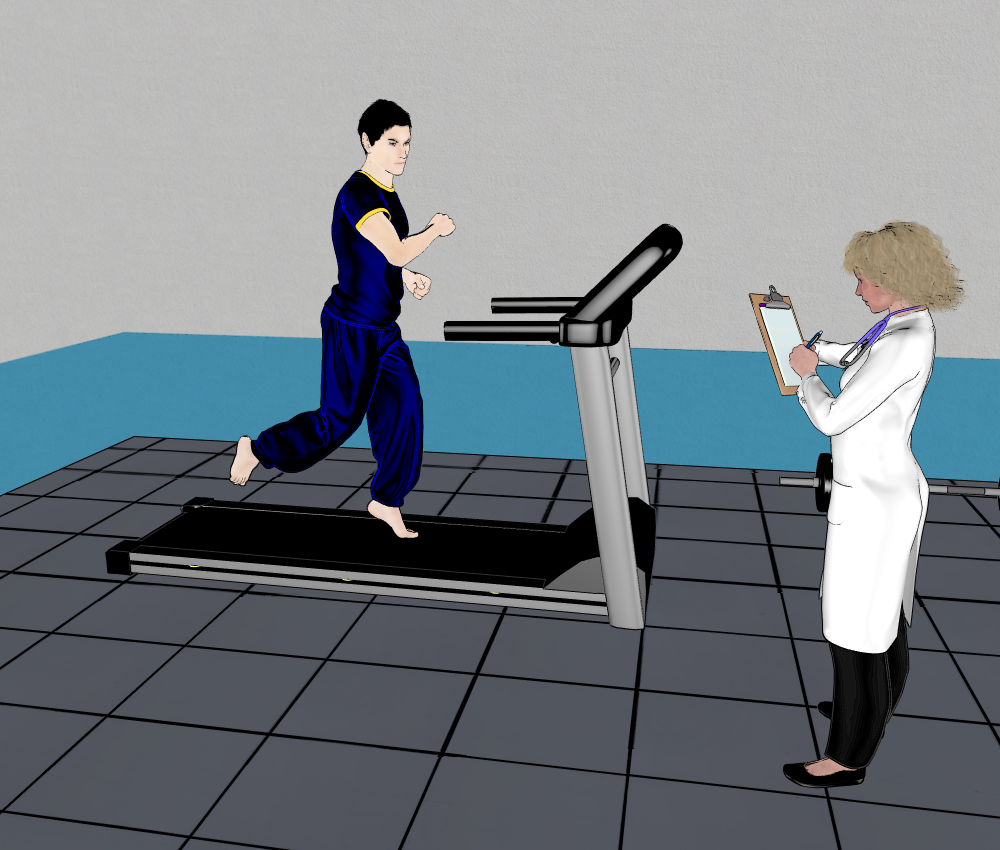
Something I found was that most of the shaders need adjustment, and I need lots of light. There are 4 infinite lights ranging from 75 to 100 percent and a point light at 40%
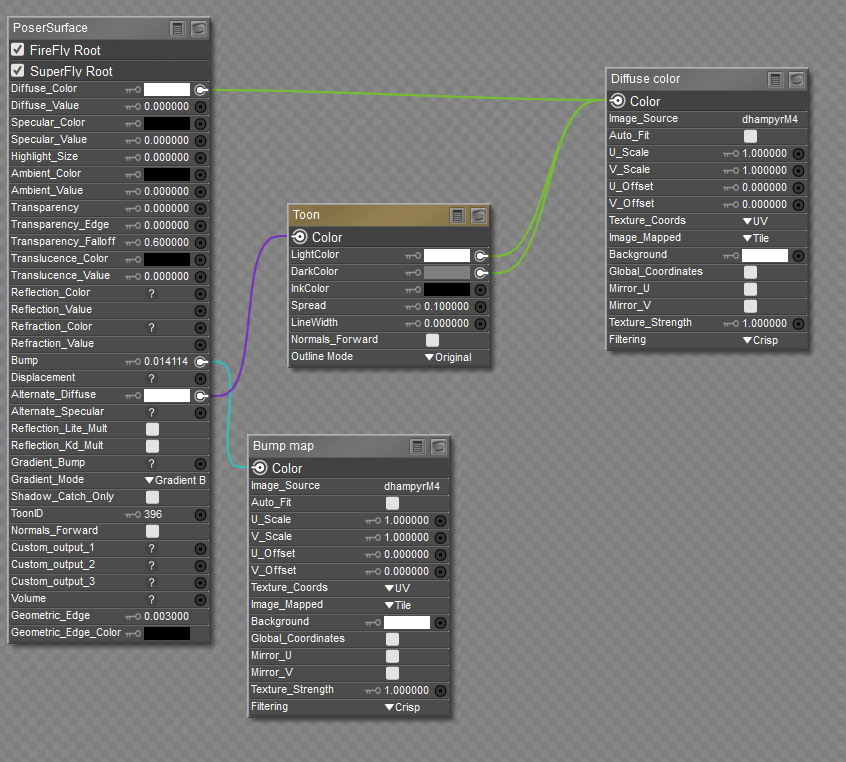
Here is the skin shader for the guy on the treadmill.
Available on Amazon for the Kindle E-Reader Monster of the North and The Shimmering Mage
Today I break my own personal record for the number of days for being alive.
Check out my store here or my free stuff here
I use Poser 14 and Windows 11

There are some tutorials:
Read both because they are not the same. Then experiment and see what works best for you. I got pretty good results but I decided I just wanted to do regular renders and not try to make it look like comic sketching.

The old way was to get rid of horrible dark grunge in a scene by lifting the gamma (there's a gamma lift script built-in, try a setting of "2"). Drop a basic toon skin shader on the skin if needed. Real-time render colour flats and the Comic Book mode line-art separately, combine in Photoshop. A very basic lines + flats demo, and as you can see the 'line' mouth here was erased from the line-art, which can be done easily because it's on a separate layer in Photoshop. This is a very old demo, showing the basics of toon in Poser 11.
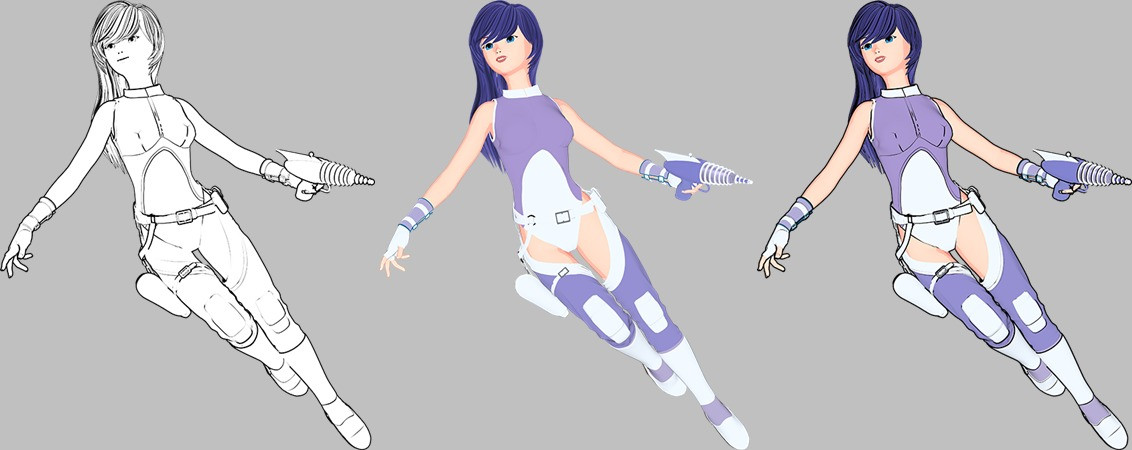
Of course, things have come a long way since then, and one can now push very basic line-art/greyscale posed Poser renders through ComfyUI...
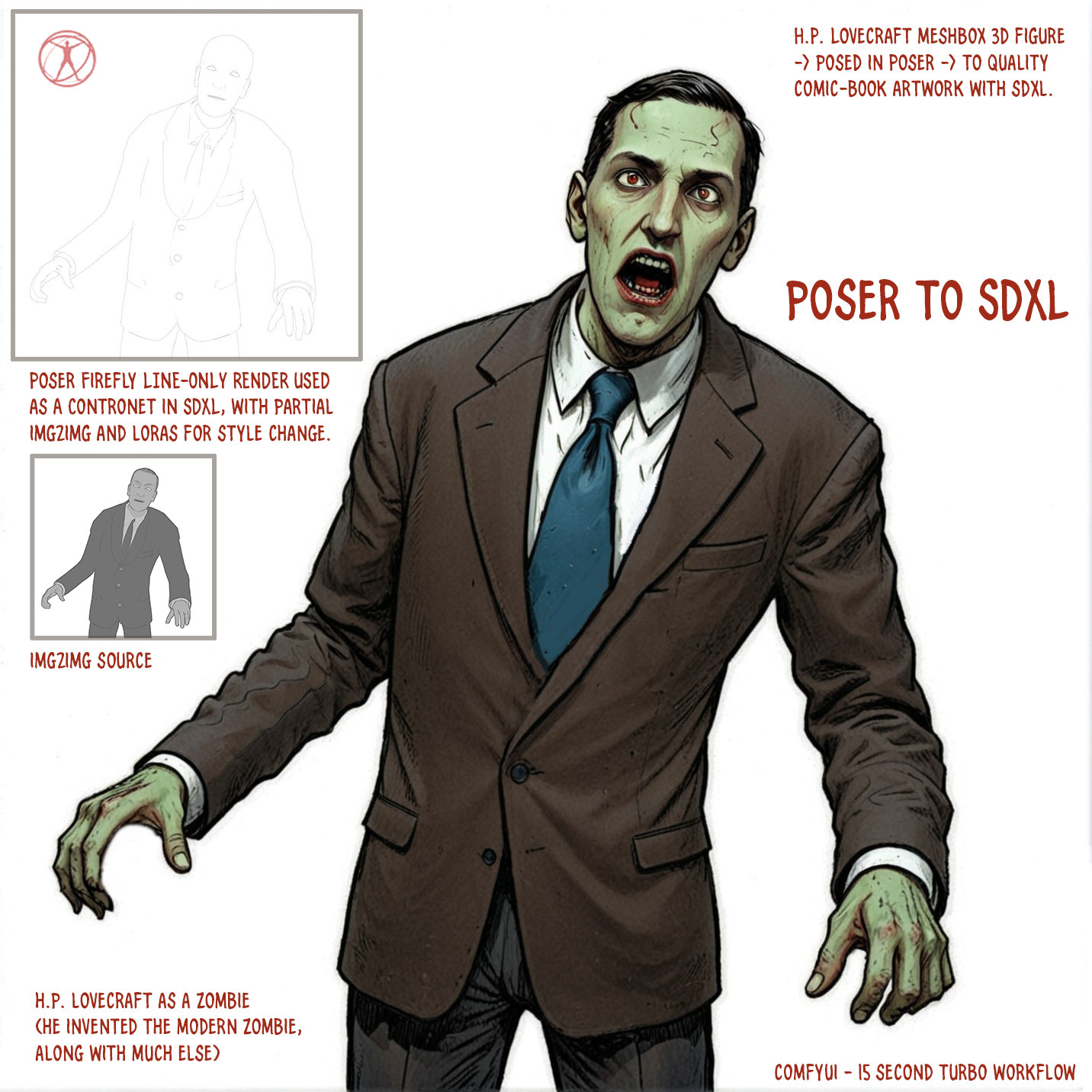
Learn the Secrets of Poser 11 and Line-art Filters.

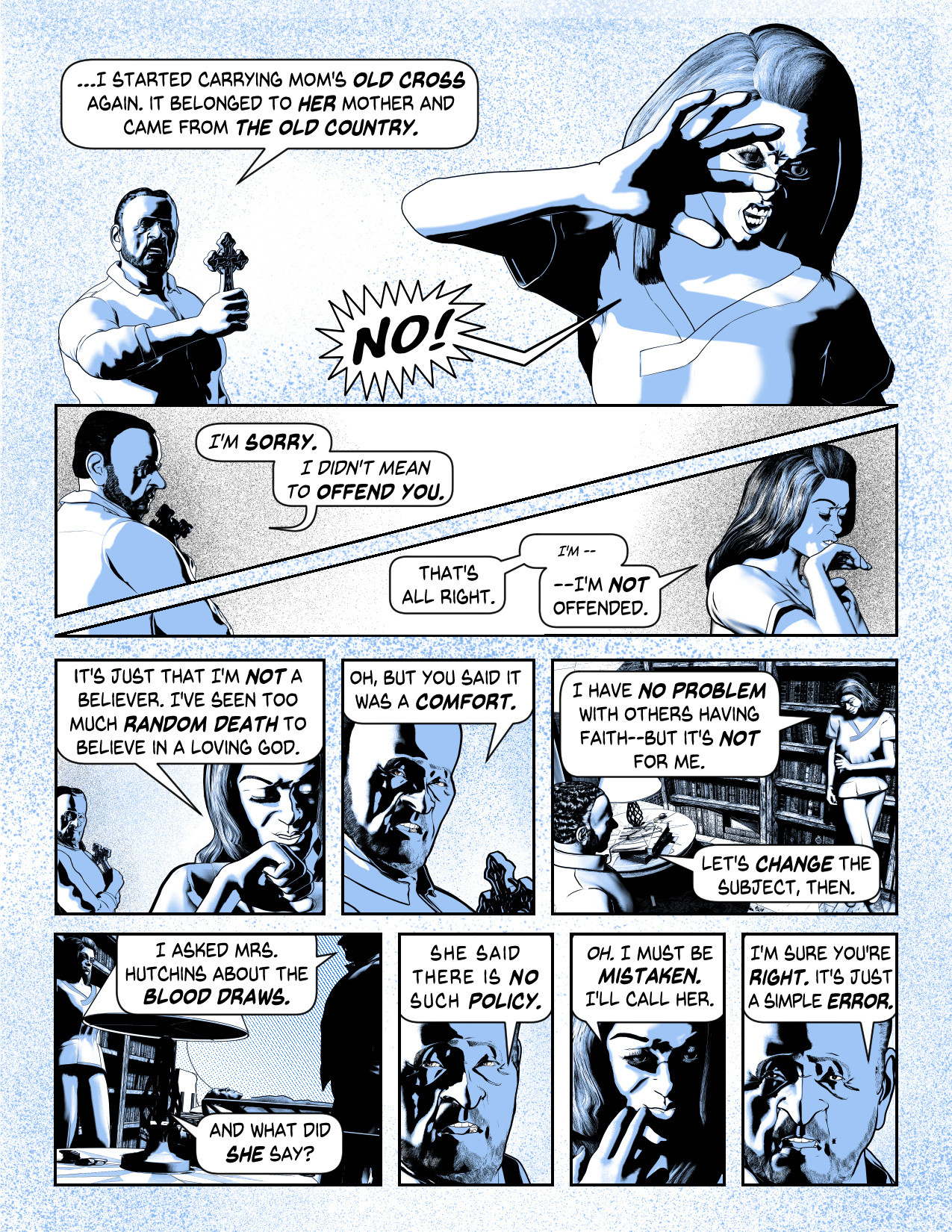
Toon does NOT make good graphic novel style comic art. The simple fact is that it's an old OpenGL view setting that approximates outlines that are all the same width. What you might want is the Comic Book Preview, which is a much better option because it gives you a lot more control over the outlines. There is a setting available in the Materials Room that lets you set different thicknesses for different body parts. For instance, I use thicker lines on the body than on the eyes, teeth and tongue. Ditto for small lines on fingernails.
Take a look at my gallery for a lot of examples of what I'm doing with the process.
Also, my blog has a tutorial on how I achieve these kind of results. If the link doesn't appear in my signature, I'll PM the link to you.
- - - - - - - - - -
System: Lenovo Legion Pro 7 16IRX9H Laptop | Windows 11 Professional | 32GB RAM | 14th Gen Intel® Core™ i9-14900HX | Nvidia RTX 4090 Laptop GPU 16GB 9728 CUDA Cores
mikemitchellonline.blogspot.com | Poser Noir Comics Tutorial | Illustrations Honored by Renderosity

Privacy Notice
This site uses cookies to deliver the best experience. Our own cookies make user accounts and other features possible. Third-party cookies are used to display relevant ads and to analyze how Renderosity is used. By using our site, you acknowledge that you have read and understood our Terms of Service, including our Cookie Policy and our Privacy Policy.
Does the toon feature really work? My thought was that it converts a completed scene to a more cartoon or graphic novel feel. That thought is apprently very wrong.
Every time I mess with it, the entire scene flips to 3 colors bland colors (useless) and a depth of field of a few feet of scene blacking out everything behind or around.
Do we have to build every feature of every prop/character/object using a toon node in the materials room? Even, as an example, the Terradome figures? I have watched the tutorials and read the articles, and I must be missing something.
Does anyone know where a really good tutorial on ground up, step 1 how to make characters and scenes(existing already or new) into a graphic novel look?
Tom Tinney,
Writer, Rider, BIKER-NERD!!
Biker Nerd Clubhouse Website
Mewe Group:Biker Nerd Clubhouse