
Renderosity Forums / Poser - OFFICIAL
Welcome to the Poser - OFFICIAL Forum
Forum Moderators: RedPhantom Forum Coordinators: Anim8dtoon
Poser - OFFICIAL F.A.Q (Last Updated: 2026 Oct 03 7:44 am)

Subject: Fix the origin to a modified position. It won't stay put!


Animatable Origin will allow you to change origin frame-by-frame in an animation. If you want it to be fixed after setting it once, unclick Animatable Origin. I don't know if that's what's causing your problem, but it could be if you are using more than Frame 1.
Though I haven't fully figured out rigging yet, if the door is part of a larger figure, it's tricky (impossible?) to change the origin of a body part. The end point of the part's bone is the origin. If it is part of the figure, make sure the end point of the bone is where you want the pivot point for the door.

Available on Amazon for the Kindle E-Reader Monster of the North and The Shimmering Mage
Today I break my own personal record for the number of days for being alive.
Check out my store here or my free stuff here
I use Poser 14 and Windows 11
Are you asking how Phil did it, or are you asking how it's normally done?
Available on Amazon for the Kindle E-Reader Monster of the North and The Shimmering Mage
Today I break my own personal record for the number of days for being alive.
Check out my store here or my free stuff here
I use Poser 14 and Windows 11
Animatable Origin does work for a prop the way I described it the first time I posted. I tested it after posting to be sure I was describing it correctly, it didn't work, so I thought maybe I was mis-remembering something. But I screwed up my first test I guess, because now I can get a prim box to change its origin from frame-to-frame. So Animatable Origin is something to uncheck if you don't actually want the origin to change frame-to-frame.

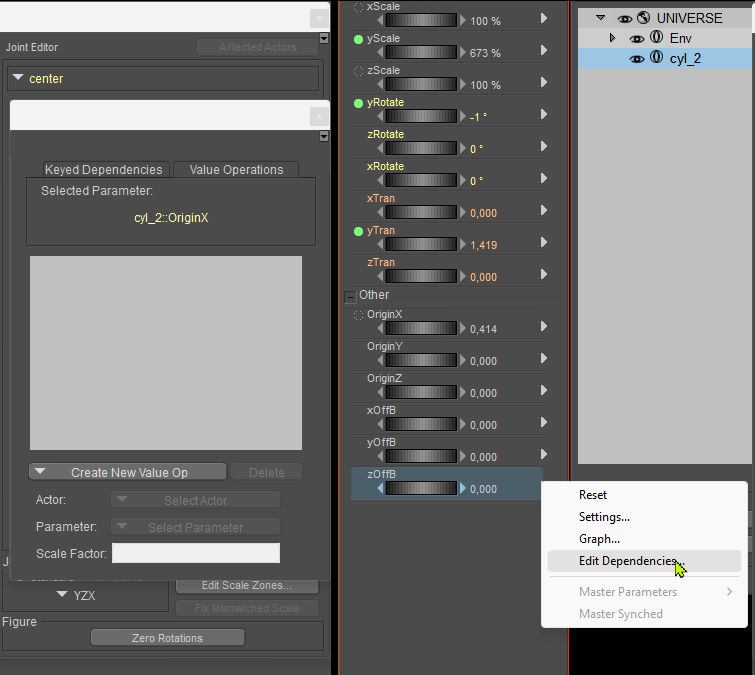
Each parameter may have dependencies. Did you check if this OriginX has anything weird in the Values Operations tab?
IMO it should be empty, and I can't imagine any reason why the parameter's value may be affected by a boolean flag on Display Origin.
𝒫𝒽𝓎𝓁
(っ◔◡◔)っ
👿 Win11 on i9-13900K@5GHz, 64GB, RoG Strix B760F Gaming, Asus Tuf Gaming RTX 4070 OC Edition, 1+2 TB SSD's, 6+4TB HD
👿 Mac Mini M2, 27 Golden Gate, 16GB, 500GB SSD
👿 Nas 10TB
👿 Poser 13 and 14 ❤️
I've done a scene with a primitive box and, like before, I get the same result. As soon as I turn off the Animatable Origin option the origin goes back to the centre. I've taken some screenshots which I'll post tomorrow to show it better.
I know a while back I created a doorway in Maya and positioned the origin for the hinge but unfortunately I don't have access to Maya any more.
RedPhantom posted at 1:55 AM Tue, 8 September 2026 - #4510195
I want to know how it's normally done, so I can do it!Are you asking how Phil did it, or are you asking how it's normally done?
It's possible there is a difference between how it's normally done and how Phil did it, which reveals the answer to his question, so maybe both are relevant, but I don't know enough to say.
Here's how I move the origin.
With the prop selected, open the joint editor.
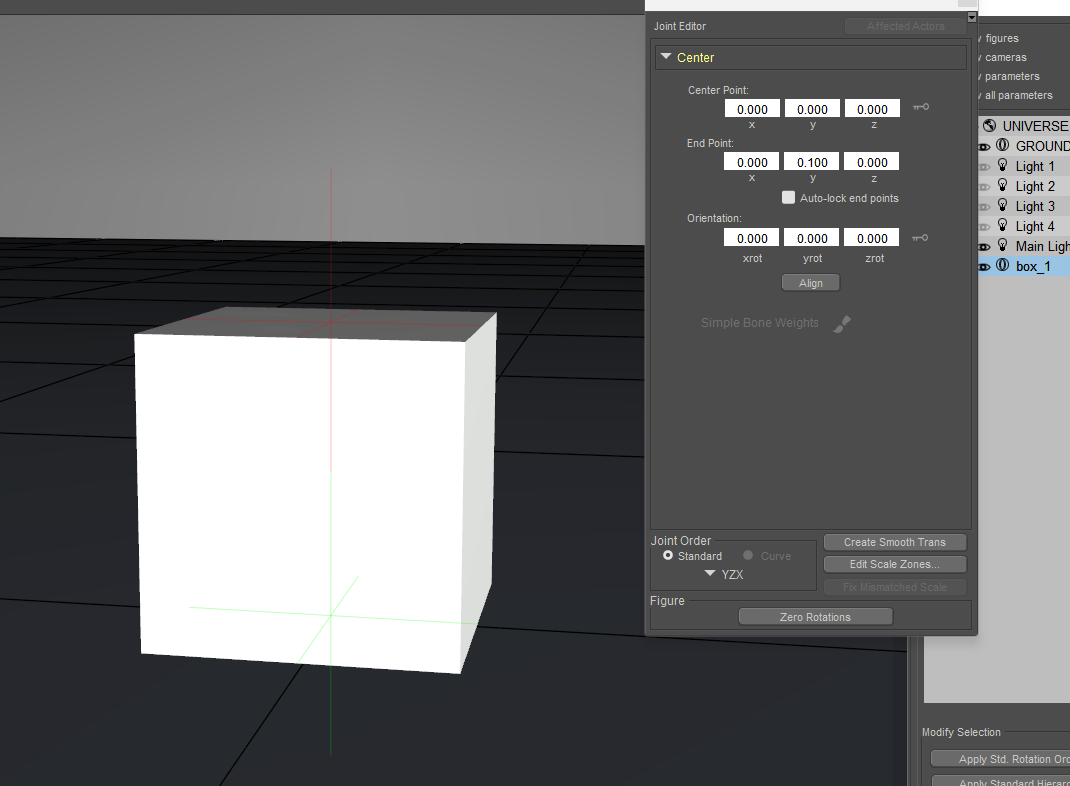
Move the center point x, y, or z values. The green plus will move. 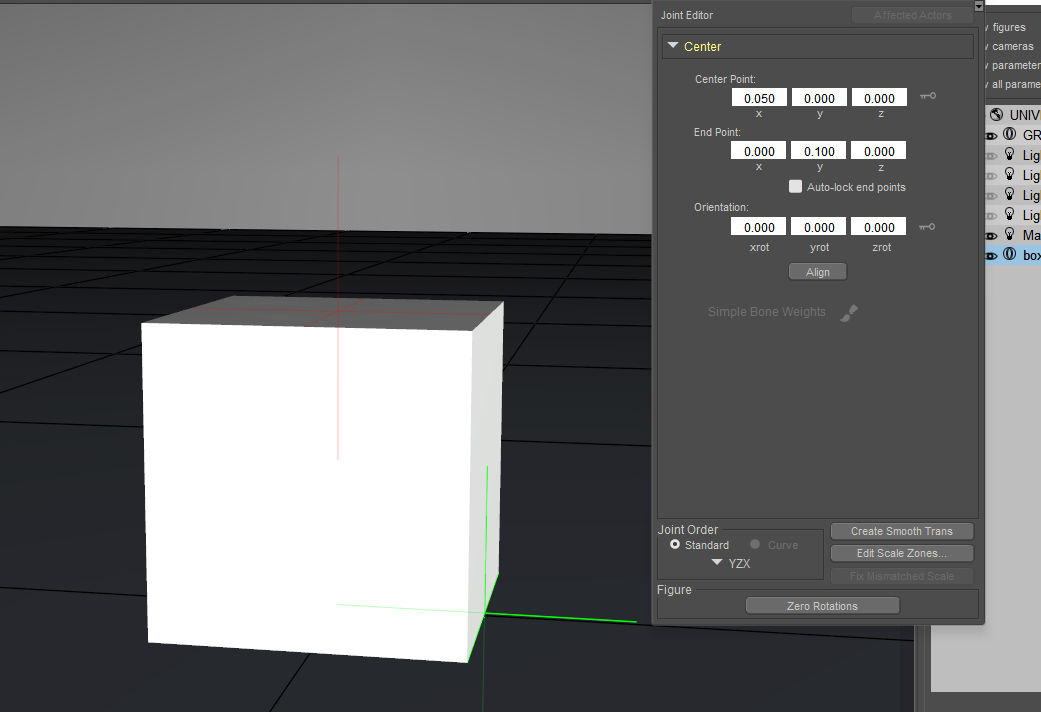
Close the joint editor and move the cube.
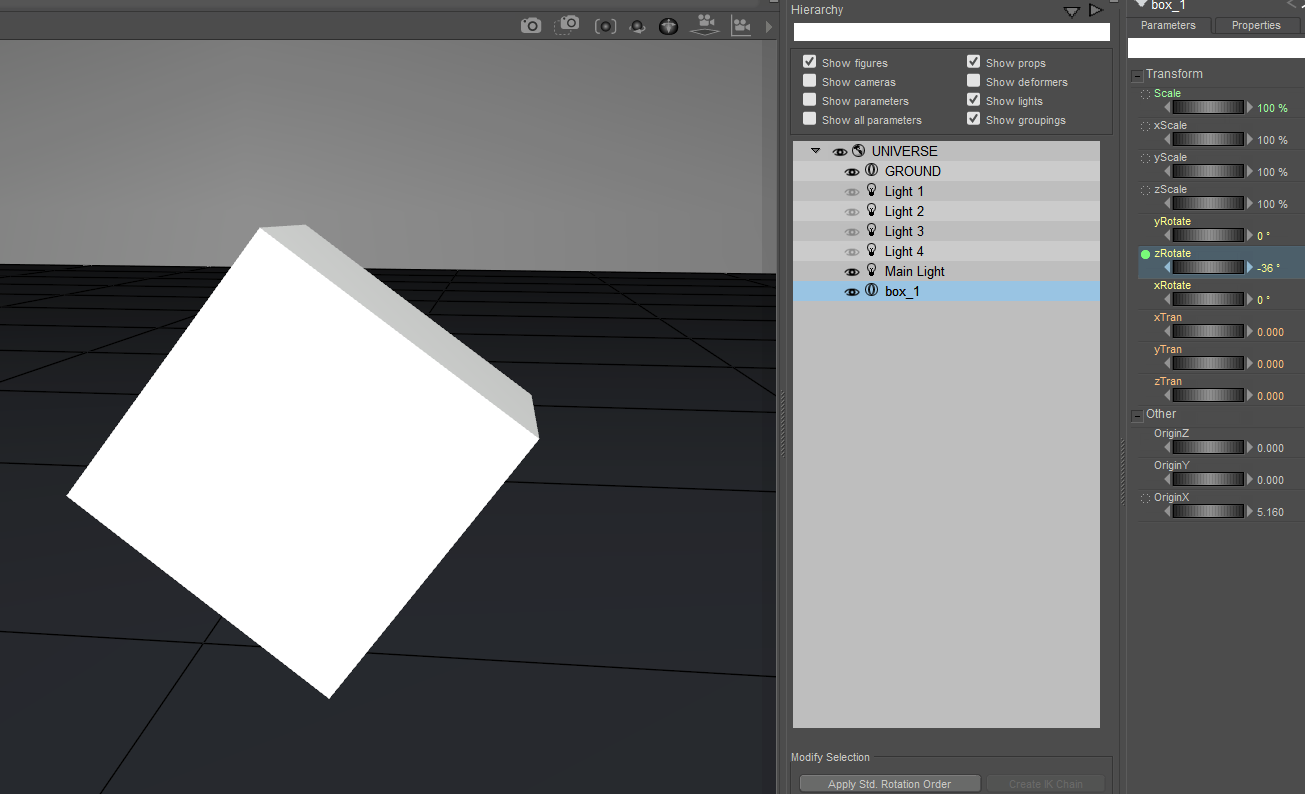
Available on Amazon for the Kindle E-Reader Monster of the North and The Shimmering Mage
Today I break my own personal record for the number of days for being alive.
Check out my store here or my free stuff here
I use Poser 14 and Windows 11
Well, I would never have thought of using the Joint Editor to move the origin but now I know!
Chose the door and launched the Joint Editor.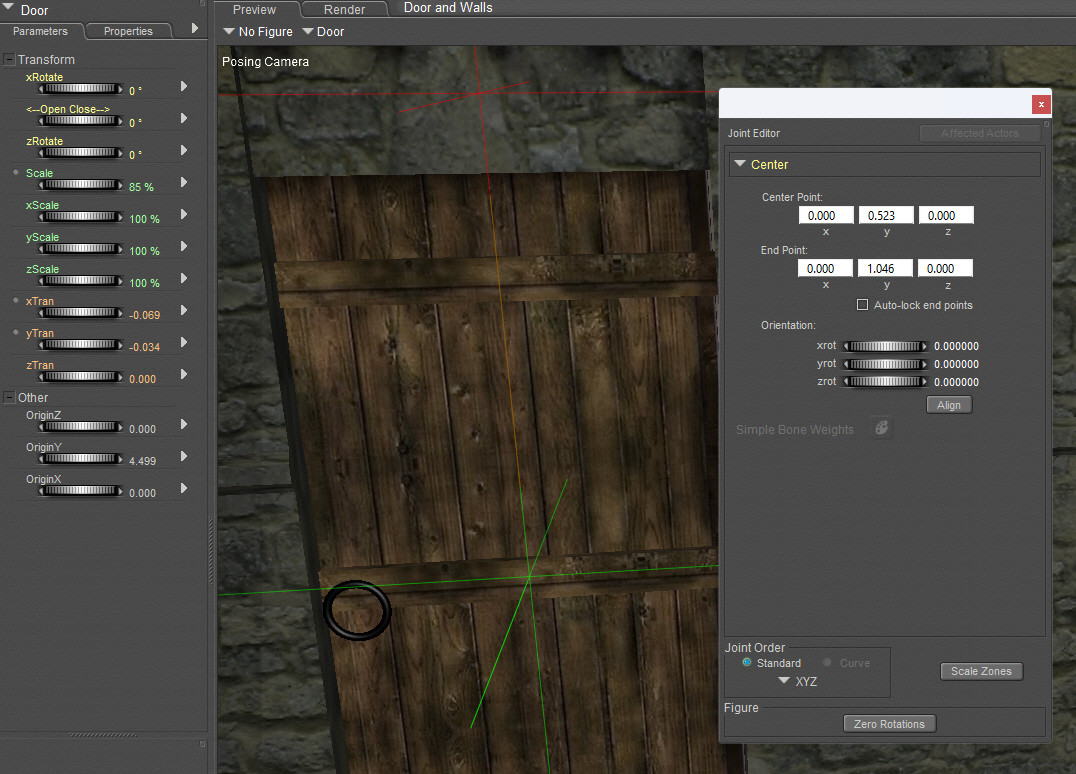
Changed the Center (Centre?) point value and the green cross moved to where I wanted it. I don't know what the red cross does but it didn't affect anything.
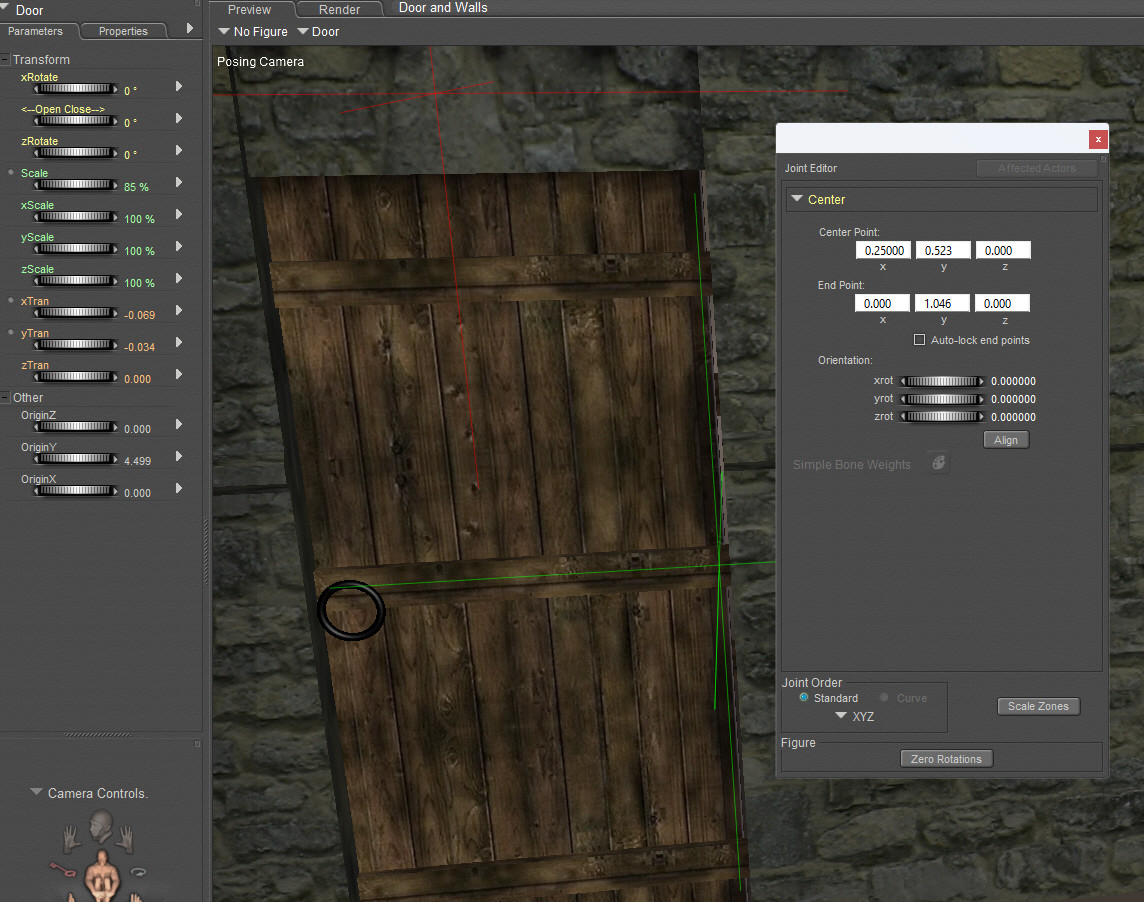
And now I have a door that opens correctly.
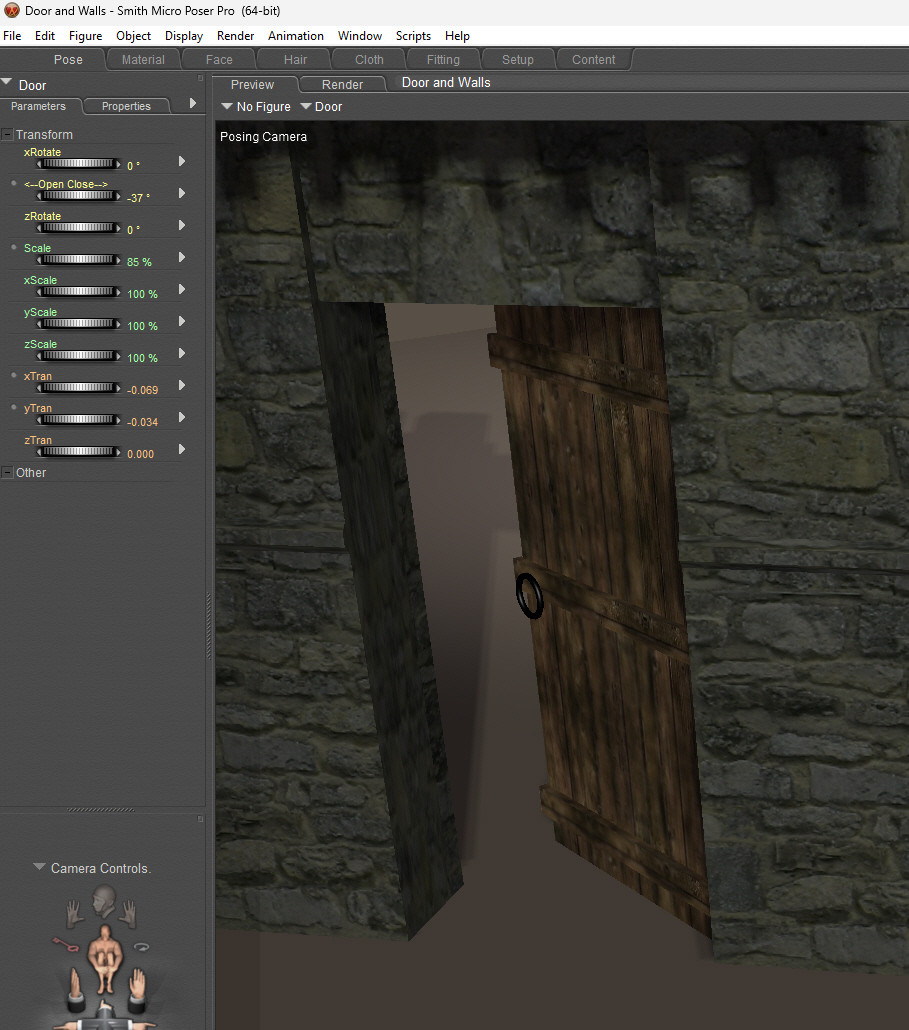
Thank you for all the advice and effort in helping me solve this. Not sure what I'll do with it yet but I'll think of something!
Now, (rubs hands together), think I'll try animating a wheel that rotates correctly along a road.. Where's everyone going???
You could also rig the door to make it opening. But that's more involved. I'd have to look at the tutorial again to remember how it was done.
Available on Amazon for the Kindle E-Reader Monster of the North and The Shimmering Mage
Today I break my own personal record for the number of days for being alive.
Check out my store here or my free stuff here
I use Poser 14 and Windows 11
That still seems weird. I have to change object origin all the time when I make something in Blender and import it into Poser. Using parameters and properties always works for me. Check Display Origin in Properties, change the origin parameters in Parameters, then go back to to Properties to uncheck Display Origin. I only have to use the Joint Editor when changing the origins on the parts of rigged objects.
There may be other ways to do it. This is the way I do it and don't have any trouble.That still seems weird. I have to change object origin all the time when I make something in Blender and import it into Poser. Using parameters and properties always works for me. Check Display Origin in Properties, change the origin parameters in Parameters, then go back to to Properties to uncheck Display Origin. I only have to use the Joint Editor when changing the origins on the parts of rigged objects.
Available on Amazon for the Kindle E-Reader Monster of the North and The Shimmering Mage
Today I break my own personal record for the number of days for being alive.
Check out my store here or my free stuff here
I use Poser 14 and Windows 11
Don't forget that sometimes, it may be handy to consider that, once the Joint Editor is opened, the cursor changes when hovering the origin of the object (the green cross)
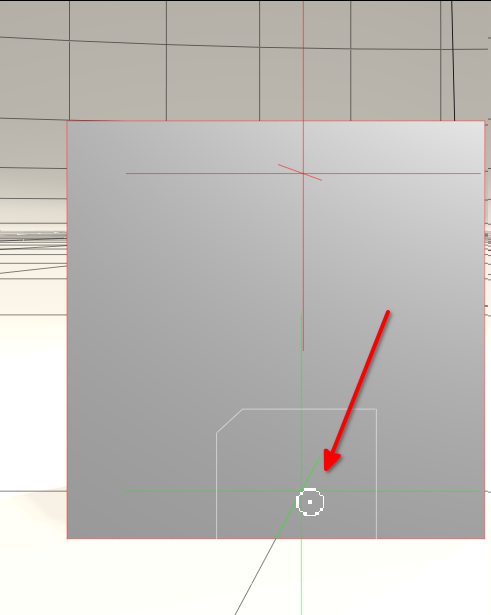
It allows you to move the origin horizontally using the From Top cam, or vertically using one of the following cams: From Left, From Right, From Front and From Back
𝒫𝒽𝓎𝓁
(っ◔◡◔)っ
👿 Win11 on i9-13900K@5GHz, 64GB, RoG Strix B760F Gaming, Asus Tuf Gaming RTX 4070 OC Edition, 1+2 TB SSD's, 6+4TB HD
👿 Mac Mini M2, 27 Golden Gate, 16GB, 500GB SSD
👿 Nas 10TB
👿 Poser 13 and 14 ❤️

There may be other ways to do it. This is the way I do it and don't have any trouble.There are alternate ways to do many things. But each of the alternate means should work. Why the Properties panel works for me in setting the Origin, but doesn't work for someone else, is at least a mystery that draws my curiosity.
Nope, no matter how many ways I try to get the origin to stay in its new position as soon as I move or rotate the object the origin always goes back to its original position. I'll stick with the joint method, at least it works for me.
The tutorials (lessons 21-23) here at Renderosity have helped me to understand how bones work, they're really good. I gave up with the manual.
Out of curiosity, what item is it you’re using? I’d like to check it out and see if I can find why it’s acting up. Bjbrown’s method works with primitives.
Available on Amazon for the Kindle E-Reader Monster of the North and The Shimmering Mage
Today I break my own personal record for the number of days for being alive.
Check out my store here or my free stuff here
I use Poser 14 and Windows 11
For info I'm using Poser Pro 2014.
I loaded a primitive cube, scaled it to look like a door and made the origin visible and animateable in the properties panel
I then moved the x origin to the side of the door as though it were a hinge.
if I then use the yRotate parameter the door works correctly. When I uncheck the two parameters the origin returns to its original position
It looks like unless the animatable origin is left checked this will always happen.
so, it works but leaves the 3 parameters under the Orher category visible.
I think I prefer using the joint editor method.

Privacy Notice
This site uses cookies to deliver the best experience. Our own cookies make user accounts and other features possible. Third-party cookies are used to display relevant ads and to analyze how Renderosity is used. By using our site, you acknowledge that you have read and understood our Terms of Service, including our Cookie Policy and our Privacy Policy.
I think I've tried this before but now how I did it is eluding me.
I've altered the X origin on the door so that it opens correctly but as soon as I hide the origin it goes back to where it was originally. I've even tried locking the origin parameter but it still goes back to the centre.
Do I need to leave this setting on for it to stay in its new position or am I missing something?