
Renderosity Forums / Poser 14

Subject: Done with Poser.

Okay, tried to edit the OP, and that's not an option.
Tom Tinney,
Writer, Rider, BIKER-NERD!!
Mewe Group:Biker Nerd Clubhouse


What problems are you having? I haven't had any issues with P11 scenes not rendering in P14. However, the render setting options have changed for Superfly. Do you use Superfly, and did you check those? Are you getting an error? I use Poser for story series so I do want my characters to look the same, though they might get updated between stories so they might look slightly different. But they don't look like different people.
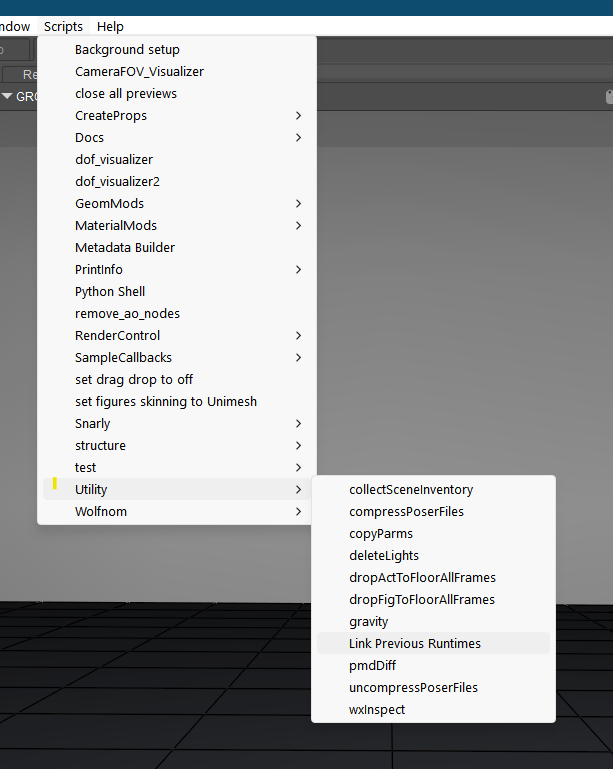
As far as adding all your runtimes, there is a feature to add them all at once. I don't remember what it's called so I'll have to find it.
Available on Amazon for the Kindle E-Reader Monster of the North and The Shimmering Mage
Today I break my own personal record for the number of days for being alive.
Check out my store here or my free stuff here
I use Poser 14 and Windows 11
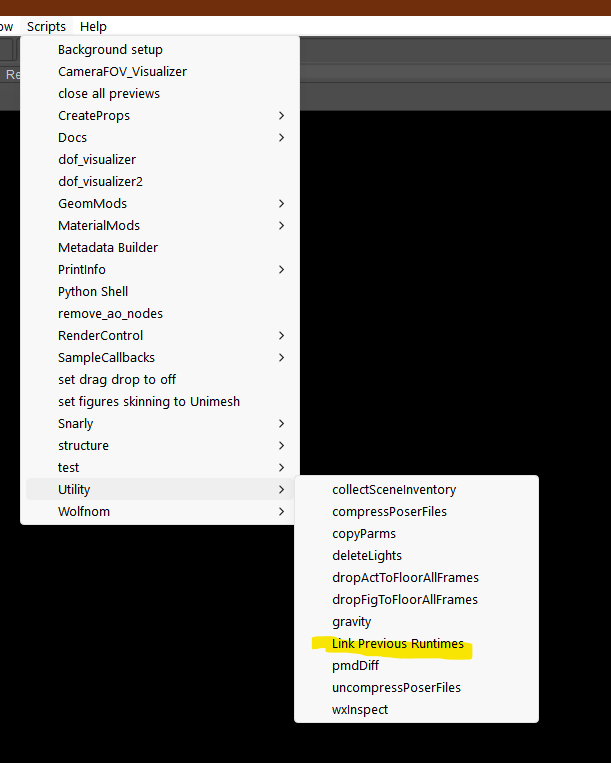
Found it. There's a Python script that comes with Poser called link runtimes that will add them.
Available on Amazon for the Kindle E-Reader Monster of the North and The Shimmering Mage
Today I break my own personal record for the number of days for being alive.
Check out my store here or my free stuff here
I use Poser 14 and Windows 11

RedPhantom posted at 10:42 PM Sun, 9 August 2026 - #4509231
Thank you very much! I'm going to do the upgrade at some point and this info will help a lot.Found it. There's a Python script that comes with Poser called link runtimes that will add them.
I'm not upgrading now because, honestly, I do not see anything new that would matter for my workflow, which is almost entirely line art.
- - - - - - - - - -
System: Lenovo Legion Pro 7 16IRX9H Laptop | Windows 11 Professional | 32GB RAM | 14th Gen Intel® Core™ i9-14900HX | Nvidia RTX 4090 Laptop GPU 16GB 9728 CUDA Cores
mikemitchellonline.blogspot.com | Poser Noir Comics Tutorial | Illustrations Honored by Renderosity

>"I do not see anything new [in Poser 14] that would matter for my [Poser 11] workflow, which is almost entirely line art."
Assuming you're not using a Firefly line-art preset, then there have been a couple of small ones...
Poser 12: "OpenGL Comic Book Preview: Last Draw checkbox option added to improve quality of geometric edge lines". So far as I can tell it now does it twice (very slightly different) and then blends the two into one?
Poser 13.1.469: "Improvements to Comic Book Preview Draw Last feature".
Poser 14.0.439 (30th July 2026): Upgraded OpenGL from 2.2 to 4.3, and now the OpenGL Preview viewport has support for 8 lights in scene vs. 5 previously." (Which might be of use re: Comic Book Preview line-art?)
Note that it would be unwise to switch in mid-project, for those working with Comic Book Preview rendered line-art alone. It might not be quite the same, and might bjork a finely-balanced multi-software recipe. But for a new project there could be a light quality improvement? Of course, if you're doing a manual draw-over, or heavily Photoshop filtering/blending, then such small quality improvements on the lines won't matter.
Learn the Secrets of Poser 11 and Line-art Filters.

Personally, I’m sticking with Poser 12 because the updates aren't compelling; ever since the PoserFusion integration with Cinema 4D was dropped, I’ve lost interest in upgrading to newer versions of Poser. DAZ Studio made the right move by creating a plugin that works for me, even if it’s nothing extraordinary.
jibicoco, you can get to a recent Cinema 4D via Poser 11 and the latest E-on Vue (now wholly free). Poser 11 just needs to be installed, and then you tell Vue where it is. That's it. Then you can import a Poser file from Poser 12 to Vue, and output for Cinema 4D.
Learn the Secrets of Poser 11 and Line-art Filters.
So, the biggest problem is that I can open a scene I made and rendered from in poser11 using my copy of poser 11. Opens fine.What problems are you having? I haven't had any issues with P11 scenes not rendering in P14. However, the render setting options have changed for Superfly. Do you use Superfly, and did you check those? Are you getting an error? I use Poser for story series so I do want my characters to look the same, though they might get updated between stories so they might look slightly different. But they don't look like different people.
As far as adding all your runtimes, there is a feature to add them all at once. I don't remember what it's called so I'll have to find it.
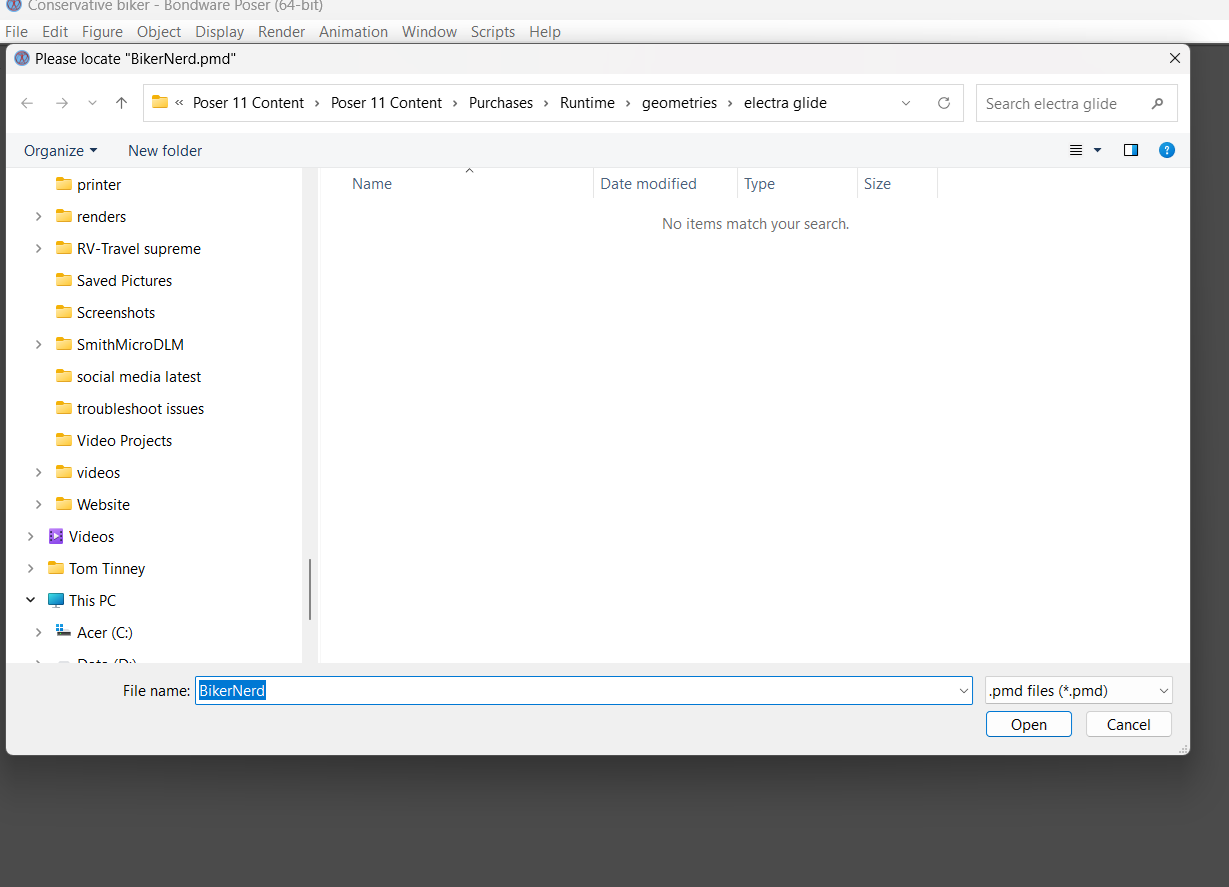
When I close Poser11, and open Poser 14, then try to open that exact scene file, with no other alterations or changes, Poser14 acts like it is missing files, names, etc. It's sputters and chokes, then gives me a "Not enough memory to open" after I end up cancelling every crazy lookup it asks for (Again, not knowing what file extensions is and trying to search folders with the name it gives me for the supposed missing file.
I do not understand how one version (Poser 11) can open a saved scene with all of its intact information, but the next version up (poser 14) gets its brains scrambled and suddenly can't load it. I vaguely remember this happening between 9 and 11, but Poser 14 hasn't opened a SINGLE previously built scene without asking for missing files or just showing a name with not file extension and asking where it is. I LITERALLY just opened the scenes with NO problem in poser 11.
Is there some sort of conversion or script I'm supposed to run on scenes produced with older revisions of Poser so the new one doesn't crash and burn?
Tom Tinney,
Writer, Rider, BIKER-NERD!!
Mewe Group:Biker Nerd Clubhouse
Here is the scene opened without any issue in poser 11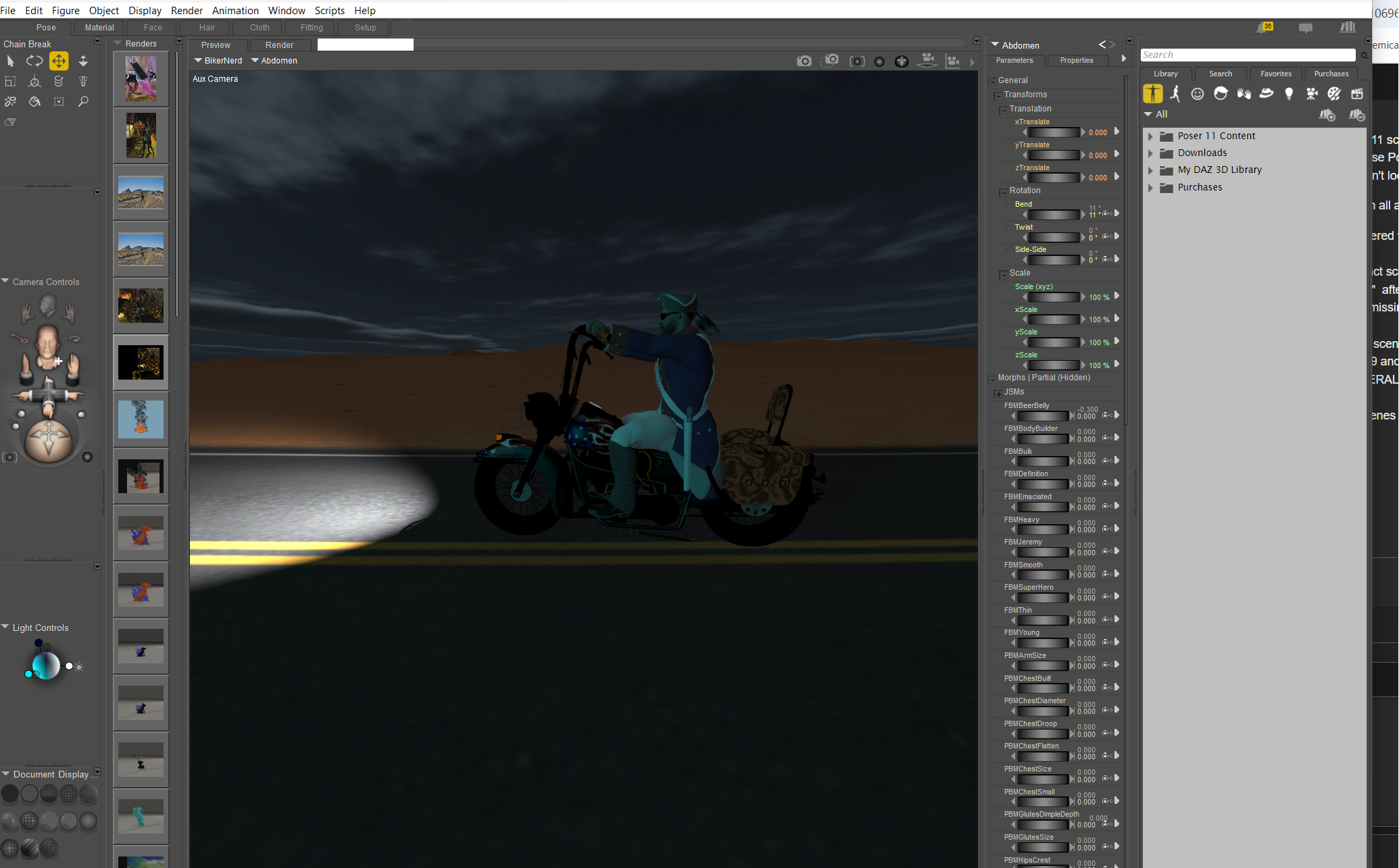
Tom Tinney,
Writer, Rider, BIKER-NERD!!
Mewe Group:Biker Nerd Clubhouse
And this is the first of many errors from the same scene being opened by Poser14/
Tom Tinney,
Writer, Rider, BIKER-NERD!!
Mewe Group:Biker Nerd Clubhouse

I agree with ChrmeStar. It sounds like you didn't add your runtimes. There's a script to help with that.
Available on Amazon for the Kindle E-Reader Monster of the North and The Shimmering Mage
Today I break my own personal record for the number of days for being alive.
Check out my store here or my free stuff here
I use Poser 14 and Windows 11

Hopefully you consider people's suggestions in here and can follow up. Its good to ask around first in case the issues are just something that was overlooked. Happens to the best of us. The first thing i do when upgrading is setup all my custom runtimes to make sure everything can load. I have not had any of the issues you're talking about on my end. I'm still able to open scenes from Poser 7 and Poser Pro 2014. But its not as smooth sometimes going backward (ie; saving in 14, then opening in 2014, etc)
Also, PLEASE always 'Save As' if you open old projects in a newer version, else you risk not being able to open it again in old versions if it does change something. That is probably a best practice for any software and will save you some hear ache
_____________________________
My most recent Poser animation:
Previs Dummies 2
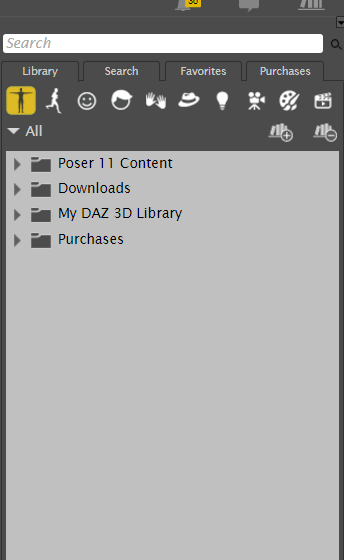
Ran the script. Now I have duplicate...sort of...runtimes in the library that are sort of representative of the setup I had in Poser 11.
Now I am not sure which one is real as the quantities are off. Did I miss the option to import t a previous editions runtime setup during the install? Seems like that would be a upgrade step vs. a script.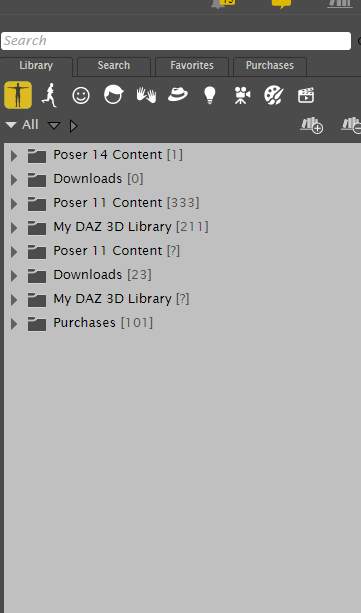
Tom Tinney,
Writer, Rider, BIKER-NERD!!
Mewe Group:Biker Nerd Clubhouse

I suppose that the runtimes with [?] are not correct, But, you may right-click on each item of the list and select "Show in Explorer"
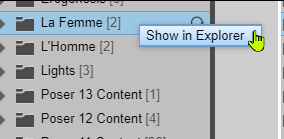
So that you should have an idea of which one you should keep, or not.
𝒫𝒽𝓎𝓁
(っ◔◡◔)っ
👿 Win11 on i9-13900K@5GHz, 64GB, RoG Strix B760F Gaming, Asus Tuf Gaming RTX 4070 OC Edition, 1+2 TB SSD's, 6+4TB HD
👿 Mac Mini M2, 27 Golden Gate, 16GB, 500GB SSD
👿 Nas 10TB
👿 Poser 13 and 14 ❤️

Privacy Notice
This site uses cookies to deliver the best experience. Our own cookies make user accounts and other features possible. Third-party cookies are used to display relevant ads and to analyze how Renderosity is used. By using our site, you acknowledge that you have read and understood our Terms of Service, including our Cookie Policy and our Privacy Policy.
Sadly, after my last upgrade to Poser 14 (which is showing to be pretty useless at this point), I think I am done with paid future Poser upgrades. A scene that renders fine in Poser 11 (Originally started in Poser 9) refuses to render in Poser 14. If we have to rebuild EVERY scene, character, prop and feature of a scene, backwards compatibility means nothing and there is no point in upgrading. For people using the models and program for cover art, graphic novels, and story lines, consistency of the characters and settings is key. That has apparently fallen off of their radar.
And the FACT that I have to goof with setting for Poser 14 to see all of the settings and libraries that I have setup in Poser 11 and 12 shows me they are NOT taking into account he HUNDAREDS of dollars previus revision users have invested in supporting their efforts. Sad.
Tom Tinney,
Writer, Rider, BIKER-NERD!!
Biker Nerd Clubhouse Website
Mewe Group:Biker Nerd Clubhouse