
Renderosity Forums / Z Brush
Welcome to the Z Brush Forum
Forum Moderators: fly028
Z Brush F.A.Q (Last Updated: 2024 Aug 27 11:07 am)
 |
|
|
ZBrush Areas @ Renderosity : Gallery - Tutorials - Freestuff
Pixologic: ZB 3.1 Overview - ZB 3.1 Demo -ZBrush 3.12 MAC - Gallery - ZBrush News - Interviews
ZClassroom - Docs - ZBrushInfo (Wiki) - Downloads - ZBrush 3.1 Overview
| Renderosity Marketplace | Gnomon ZB/DVD Training |

Subject: Polypainting on a texture then exporting it...


I use zbrush mainly for sculpting and modeling (for 3D prints) and have long ago polypainted, most are not textured... I'm vague on the details, best to look for your answer at the pixologic site or at ZBrush Central... lots of specific details and tutorials there... wish I could offer better, but the gurus hang out there
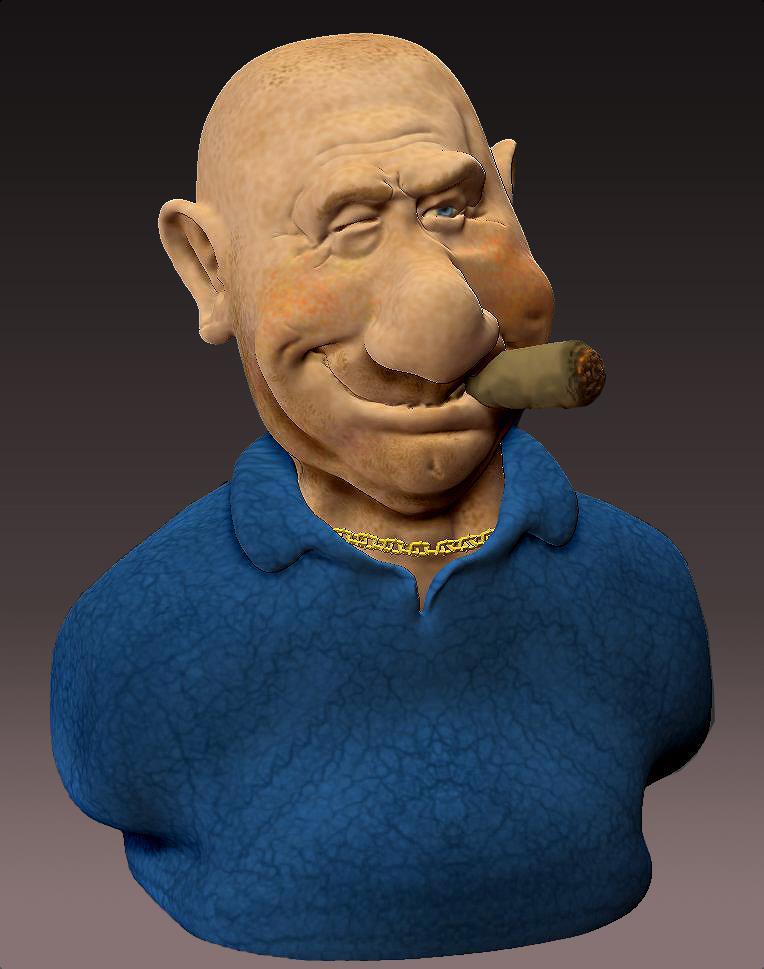
"The Enforcer" one I sculpted and textured in ZBrush...
On-line
portfolio / Making figurines
in China /
Gallery / Video
Demos
I will definitely do so... I'm a bit hesitant, I fear they're gonna be all, like, "what are you using poser models for?"
I've done some sculpting and texturing in zbrush, but I haven't used it to tweak with poser models before. I was looking into other 3d paint applications (like Blacksmith 3d) and kept on running into people saying stuff like "it's cheaper than zbrush" which led me to conclude that I already owned a program that could do what I want.
I will ask over there, as I'll ask anywhere I think I'd get an answer, the question of is it possible to paint on top of an imported texture in zbrush then export it back out!
(It seems like it is, I've seen a pretty good thread on Hivewire about it, but I encountered my error. Someone there is threatening to help me tomorrow, but I thought I'd take a chance and see if someone here knew.)

Ok, so to paint on an imported texture in ZBrush you first have to apply it to the model as Polypaint - otherwise it won't work. So load your texture. go to polypaint under tools and choose Polypaint from Texture. Then make sure the texture map is not active anymore and start your painting. When you're done, you'll need to go to Texture Map under the Tools menu and choose Create>New from Polypaint. Note that if you want sizes larger than 2048 you'll need to go to UVMap under Tools and set the size and UVMap border you want. I usually have a size of 4096 with a border of about 8 pixels.

Privacy Notice
This site uses cookies to deliver the best experience. Our own cookies make user accounts and other features possible. Third-party cookies are used to display relevant ads and to analyze how Renderosity is used. By using our site, you acknowledge that you have read and understood our Terms of Service, including our Cookie Policy and our Privacy Policy.
Hello,
I'm trying to figure out how to use zbrush as a 3D painting program. I'd like to be able to add scars and tatttoos and such to a pre-existing texture. I've been trying to do this with various models (V4, Genesis 2 Female) and not having much luck.
I've been able to import the model, and polygroup by uv. I have been able to import textures, though I don't know if I'm doing what I need to do in order to get the result I want.
If I use the "texture map" option under the "tool" menu, I can import a texture map and have it display in zbrush. If I then go into the polypaint menu and click on "polypaint from texture" I am then able to paint on that texture. However, when I'm done painting, and go back into the "texture map" menu and hit "new from polypaint" it replaces the entire texture with a white one, my work disappears, and it does not bake the painting into an exportable texture.
I've tried loading the texture by first importing it via the "texture" palette, then using the "color" palette and using "fill" which also applies the texture to the model, but then I am not able to use "polypaint from texture" in the polypaint menu, and I don't seem to be able to paint on the model.
I must be doing something wrong and am probably overlooking something obvious. Can anybody help me? Thanks!