
Renderosity Forums / Carrara
Welcome to the Carrara Forum
Forum Coordinators: Kalypso, Anim8dtoon
Carrara F.A.Q (Last Updated: 2026 Sep 09 4:39 am)
Visit the Carrara Gallery here.

Subject: Please help with shading domain


Material zones are Shading Domains in Carrara. They'll show up in three places in Carrara. 1) Shader room - Select the object in the Assembly Room and then go to the Shader Room. The individual/linked material areas will be visible in the Properties pallete, 2) Vertex Modeling Room - Open the object in the Vertex Modeler. The domains will be shown by opening either the UV editor or the Global properties shown in the Propterties Pallete, 3) Hair Room after hair has been applied to the object - Grow Region tool selected, then in the Properties Pallete push the clear button and then use the Selct By button. The domains will show up in there. Mark

Privacy Notice
This site uses cookies to deliver the best experience. Our own cookies make user accounts and other features possible. Third-party cookies are used to display relevant ads and to analyze how Renderosity is used. By using our site, you acknowledge that you have read and understood our Terms of Service, including our Cookie Policy and our Privacy Policy.
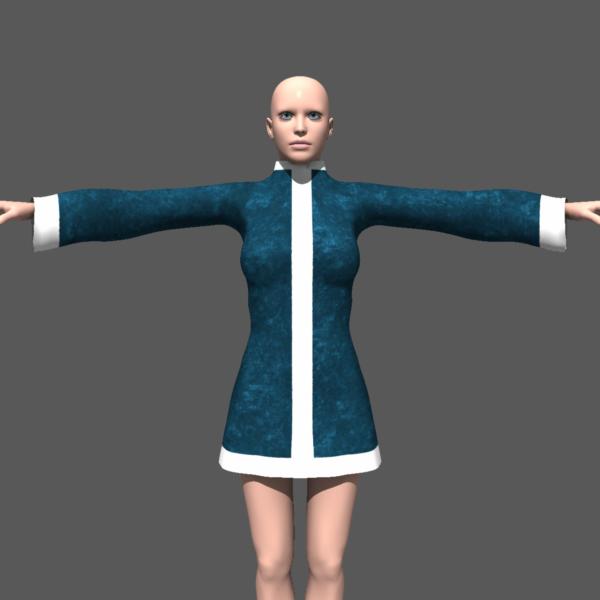
I do so dislike being a newbie. Boohoo. I have rendered in Carrara 5Pro but that was about it. Mow I am in Carrara 6Pro. I have modeled a coat in another app conformed it in Poser etc. UV mapped it in UV mapper Pro. I have several material zones that i want to apply fur to. I cannot figure out where to find the material zones to put a shading domain onto. Could anyone show me where to do this? I would even send you the geometry (it is not ready for prime time but it does have the mapping on it.) If this is too much to ask I understand. I have attached an image of the coat. cheerio lululee