
Renderosity Forums / Carrara
Welcome to the Carrara Forum
Forum Coordinators: Kalypso, Anim8dtoon
Carrara F.A.Q (Last Updated: 2026 Sep 09 4:39 am)
Visit the Carrara Gallery here.

Subject: Shaders info needed


Normally you zip the shaders in a folder and have subfolders for any included textures.
www.youtube.com/user/ShawnDriscollCG

Hi SN, The easiest way to it is simply drag your shaders into a custom shader folder in the Browser. When you drop it, you'll be asked if you want to embedd the textures - select yes. However, if you use the same texture map in multiple shaders, it would be smarter to choose the link option when dropping them into the browser. That way you can keep your final product size smaller - which is usually better. You'll just have to include instructions on where to place the T-maps for your customers. Mark
The easiest way to it is simply drag your shaders into a custom shader folder in the Browser. When you drop it, you'll be asked if you want to embedd the textures - select yes.
See thats what I needed to know, but the issue I am having is that C5 isn't asking me if I wish to embed the maps. Oh well, thanks for the info. I'll just play around and see if I can convince C5 to behave.
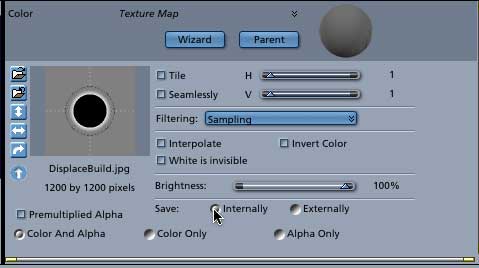


I don't know about rendo's, but an image map of a procedural should be ok...you will likely need to do more work and using components in carrara to create an image should be fine...that is standard in all 3D licenses. If not...well that gets confusing and please show me. Many of the presets aren't that original anyway. The competing product thing is different. Image maps seem safer for things like this tho. Likely you will not just pop out presets...probably wouldn't look too good anyway and wouldn't go over well.
No need to think outside the box....
Just make it
invisible.

Privacy Notice
This site uses cookies to deliver the best experience. Our own cookies make user accounts and other features possible. Third-party cookies are used to display relevant ads and to analyze how Renderosity is used. By using our site, you acknowledge that you have read and understood our Terms of Service, including our Cookie Policy and our Privacy Policy.
Hi.
I was thinking of putting together a collection of shaders for the marketplace, but I needed a little info and the manual is kind of vague on some points.
The question is, do I need to package anything other than the shader file itself? If I include shaders using texture maps, how would I go about packaging the texture maps? Im concerned about paths. Any advice appreciated