




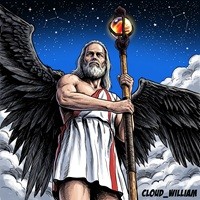










Bring it on! in color WIP by LadySythe

Close
Hover over top left image to zoom.
Click anywhere to exit.
Members remain the original copyright holder in all their materials here at Renderosity. Use of any of their material inconsistent with the terms and conditions set forth is prohibited and is considered an infringement of the copyrights of the respective holders unless specially stated otherwise.
No AI - This artwork was created entirely by hand or with traditional digital tools.
Description
Well... I started coloring another Solara drawing of mine, but this time, trying my darndest to follow SeanE's CiCi Tutorial from his website (thanks for the tuts and congrats for the award!) It's still a work in progress...but PHEW! It's a lot of work! Having a HELL of a time trying to figure out how to do the hair without resorting to using the dodge and burn tools *sigh* Anyone know of any comic hair tuts?
So many layers... *whimpers as she looks over psd file* Guess that's what happens when someone jumps from place to place...
Questions, comments and ideas always welcome!
Enjoy!
original artwork, colored in photoshop 7

Comments (2)
Well...you can always use airbrushes with lighter and darker colour values instead of the burn and dodge tool, but I don't know if that's really that "different". If the problem is in drawing over the lines...a little trick I like to use is to copy the lineart and then paste it on a new layer, set to multiply. The black lines on that layer will stay black no matter what you draw underneath, but the white is transparent.
Awesome job!!