
















Did you know? by midinick
Close
Hover over top left image to zoom.
Click anywhere to exit.
Members remain the original copyright holder in all their materials here at Renderosity. Use of any of their material inconsistent with the terms and conditions set forth is prohibited and is considered an infringement of the copyrights of the respective holders unless specially stated otherwise.
No AI - This artwork was created entirely by hand or with traditional digital tools.
Description
Okay folks... I've been using Poser for ages – and would you believe it? I just stumbled across two features that blew my mind like I was new to the program 😄
First off: Poser can make waves.
Actual water waves!
All this time I’ve been hunting for the perfect water surface for my fantasy scenes – and now I find out I could’ve just made them myself?
I mean... come on. That’s like discovering fire after years of rubbing LED lights together.
Second: You can create text. In Poser.
Not kidding. Text.
I seriously thought my eyes were playing tricks on me.
I used to slap my logo on a little square and drag it into place manually for every camera angle like it was 2005. (Which is why I finally gave up and started doing it in post.)
And now?
Just add a text object, parent it to the camera – and boom. Instant logo, instant title, anything you want. Throw a material on it and you're golden.
So yeah… if you’re sitting there thinking, “Wow, she’s just now discovering this?”
Let me just say:
Let me have this. I feel like I just uncovered a forgotten scroll from the Temple of Poser 😆
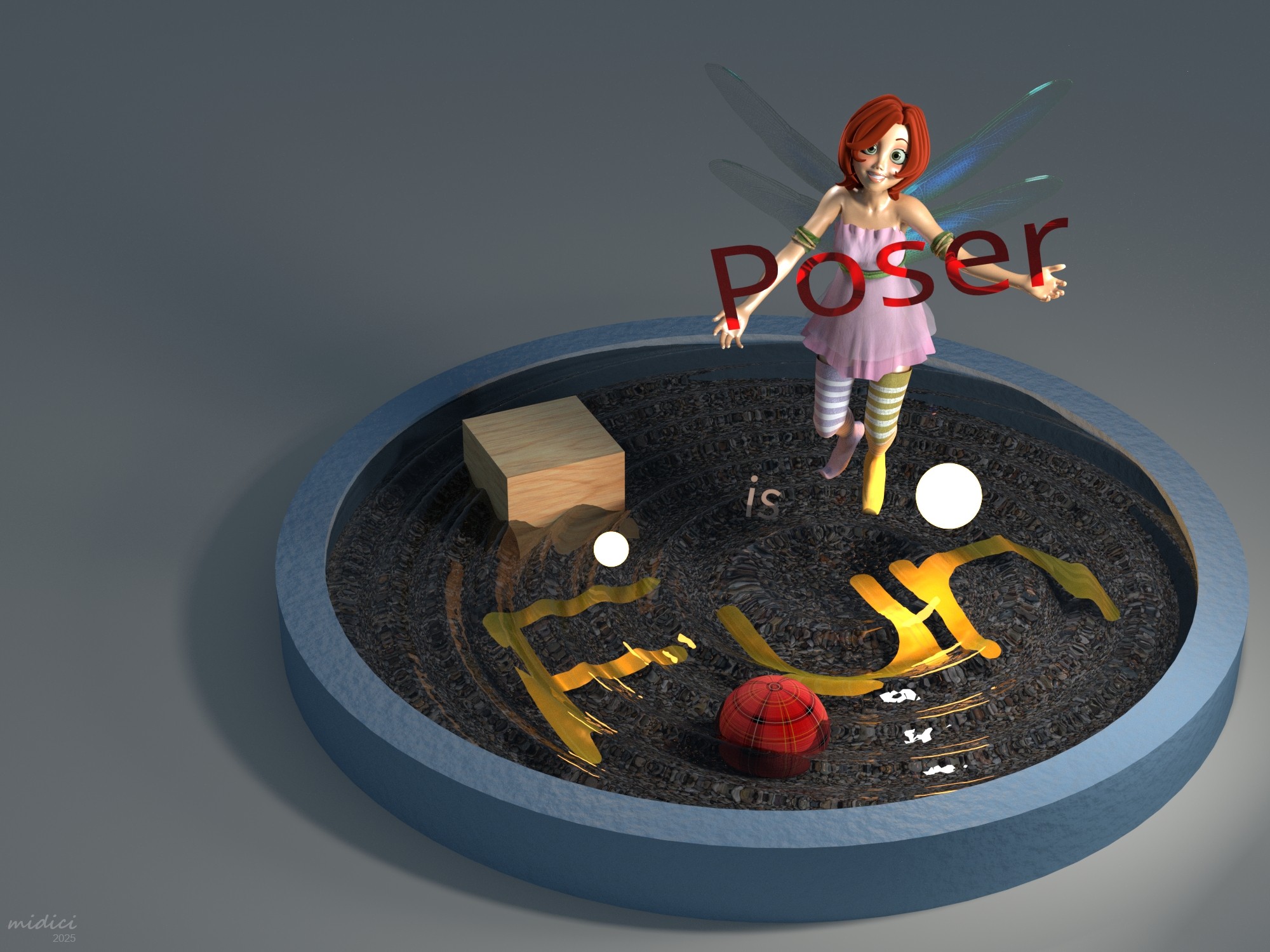
1st – Result
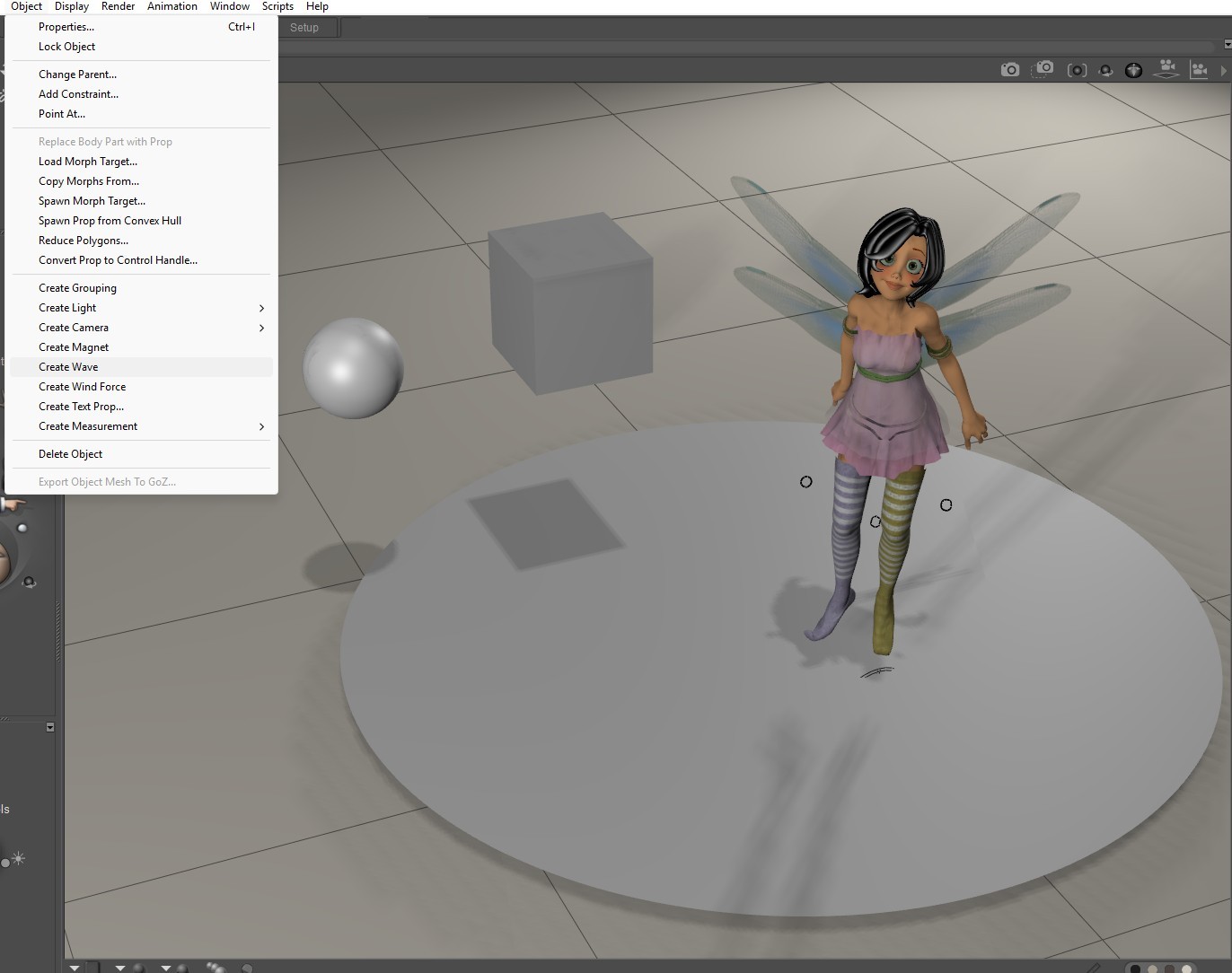
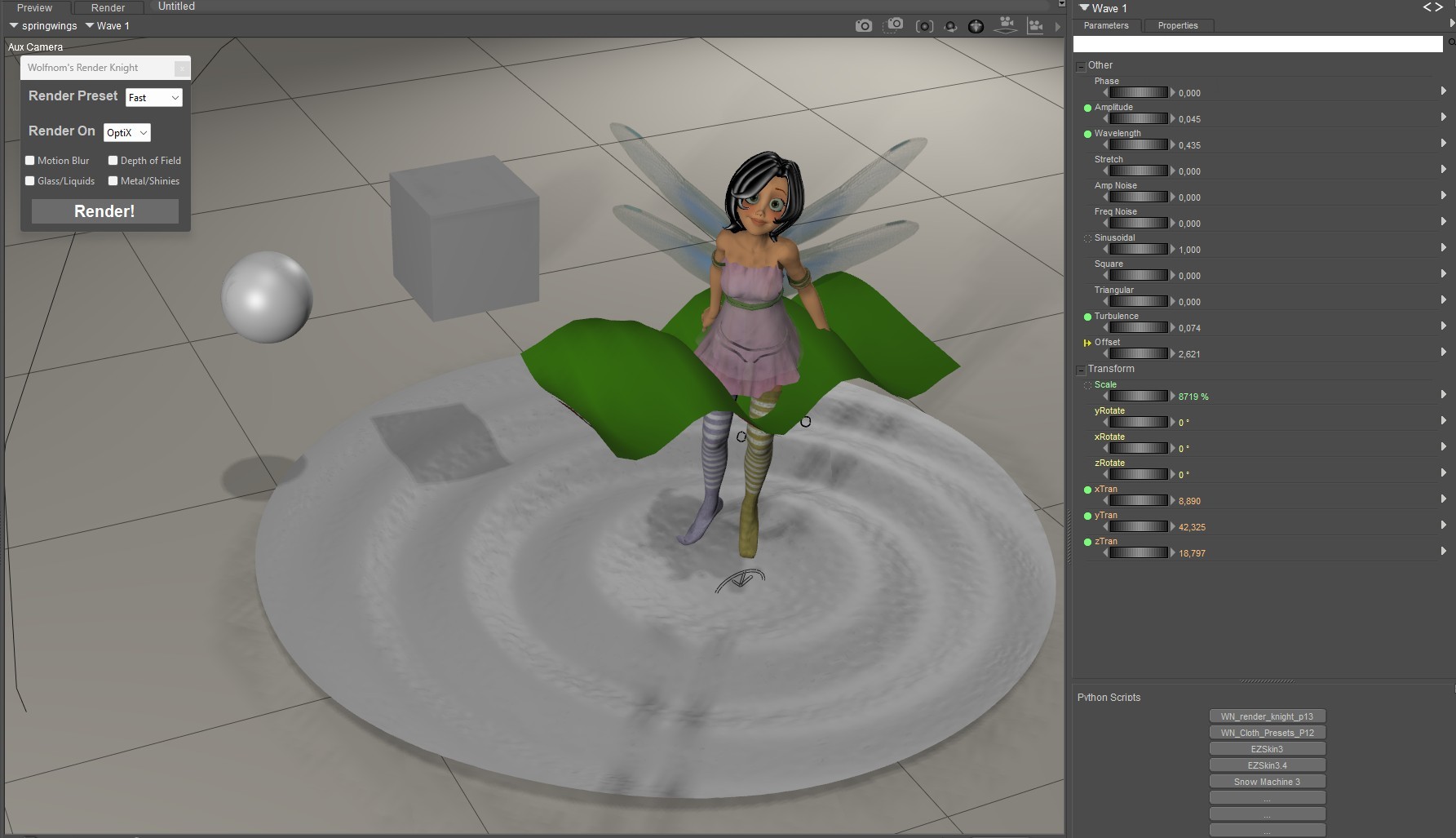
2nd – Select your plane → Object > Create Wave
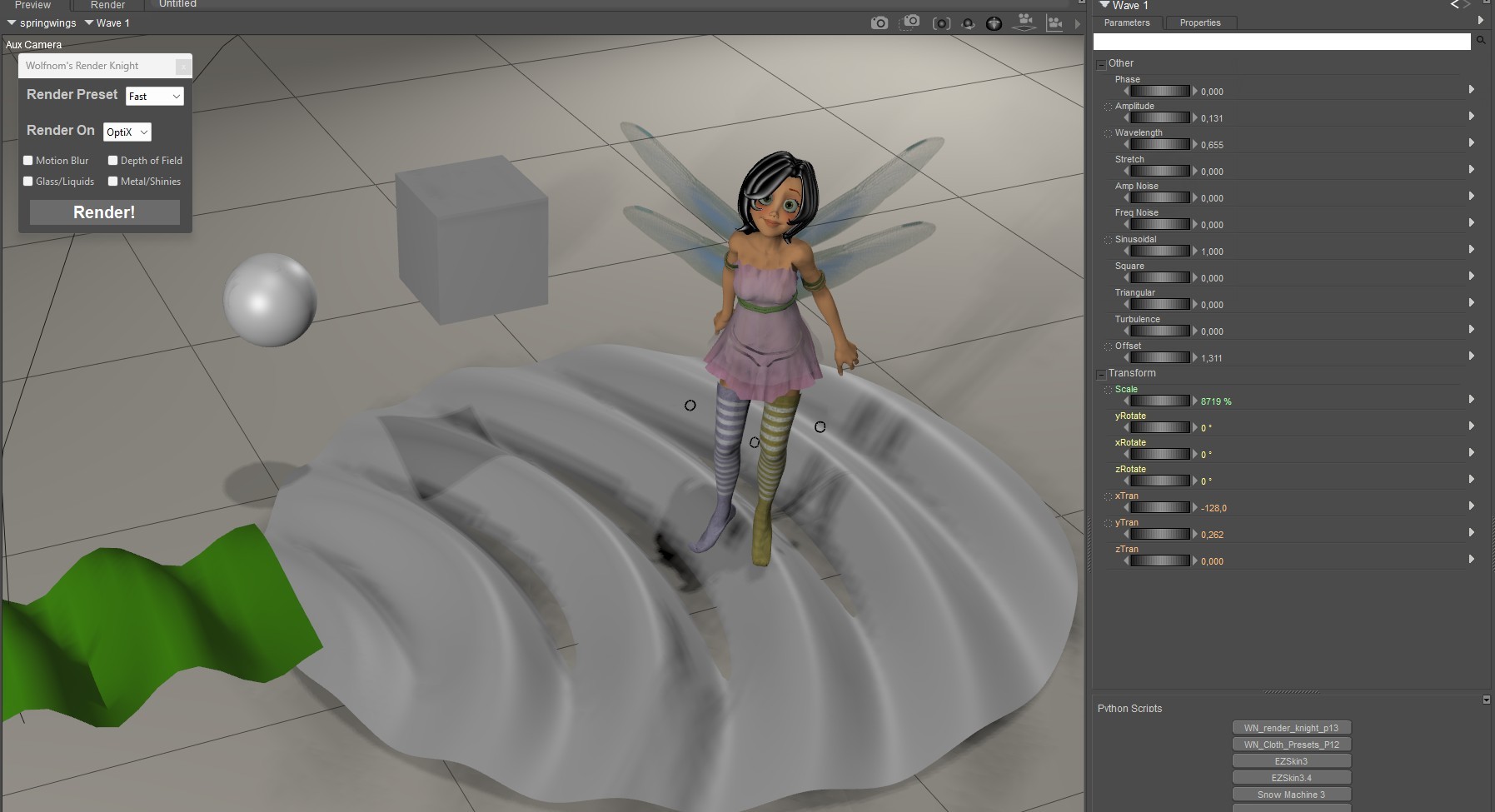
3rd – Move the green wave marker where you want it.
I wanted a circular wave, so I dragged it to the point where the wave should start.
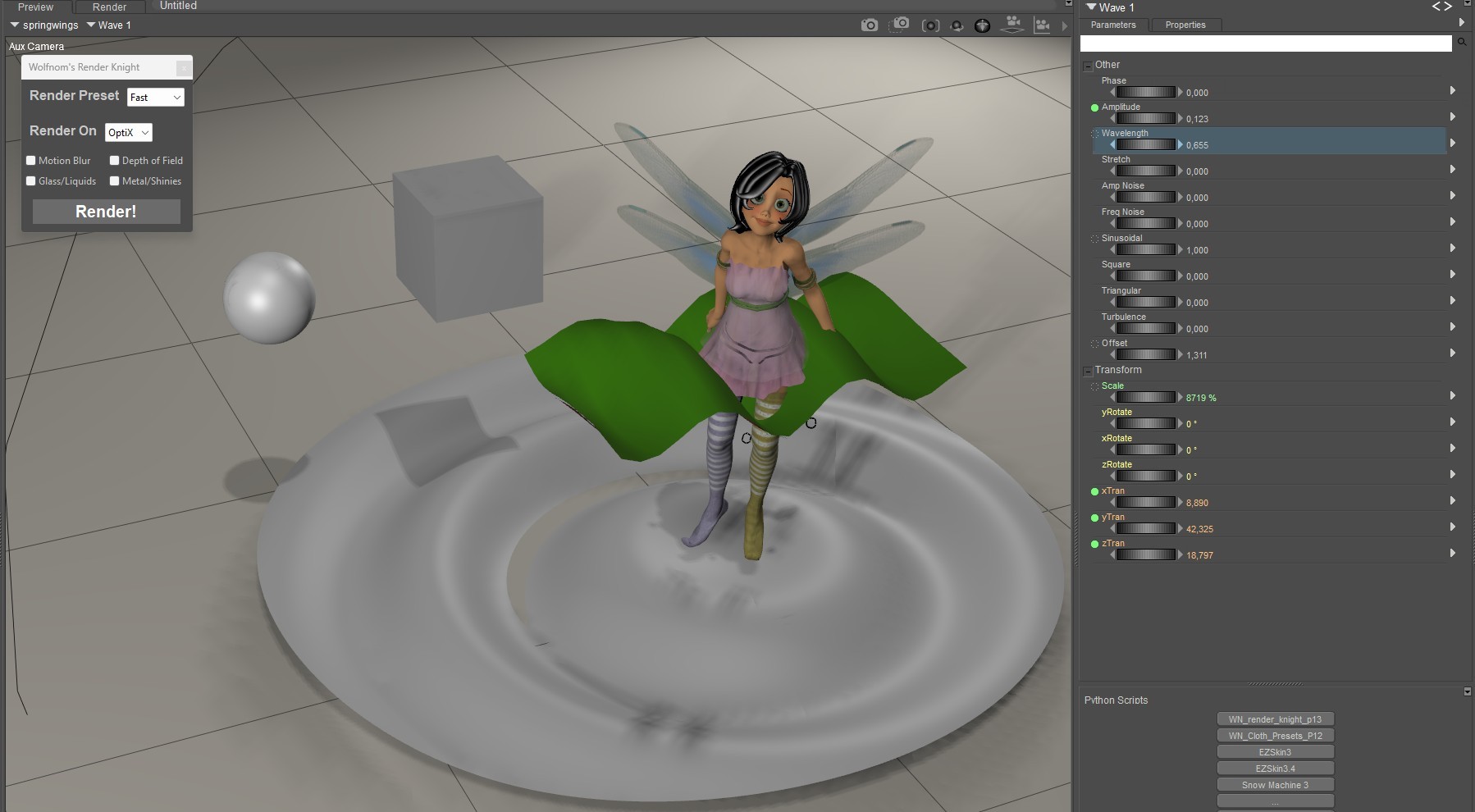
4th – Adjust the settings
5th – Add some turbulence for extra effect
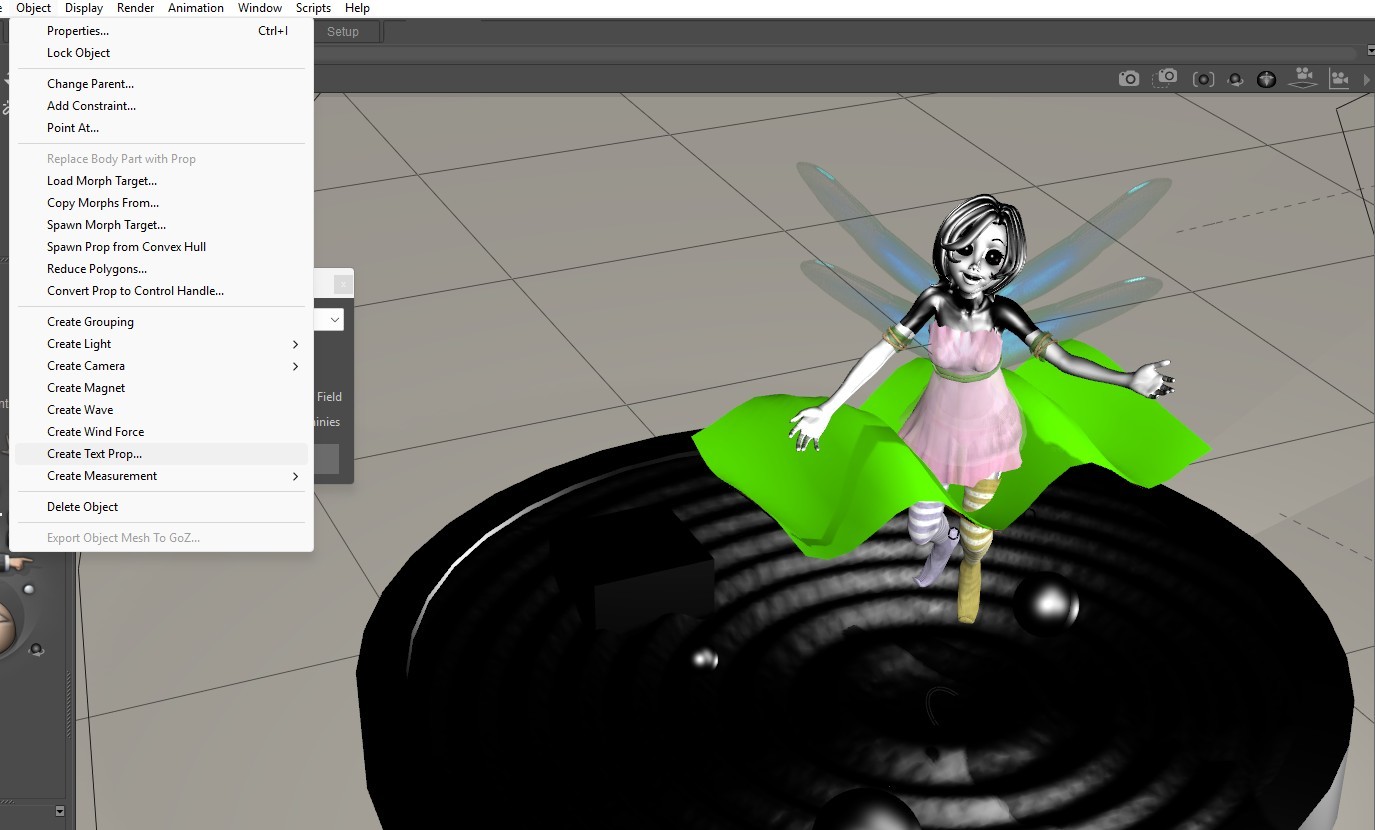
6th – Create your text using → Object > Create Text Prop
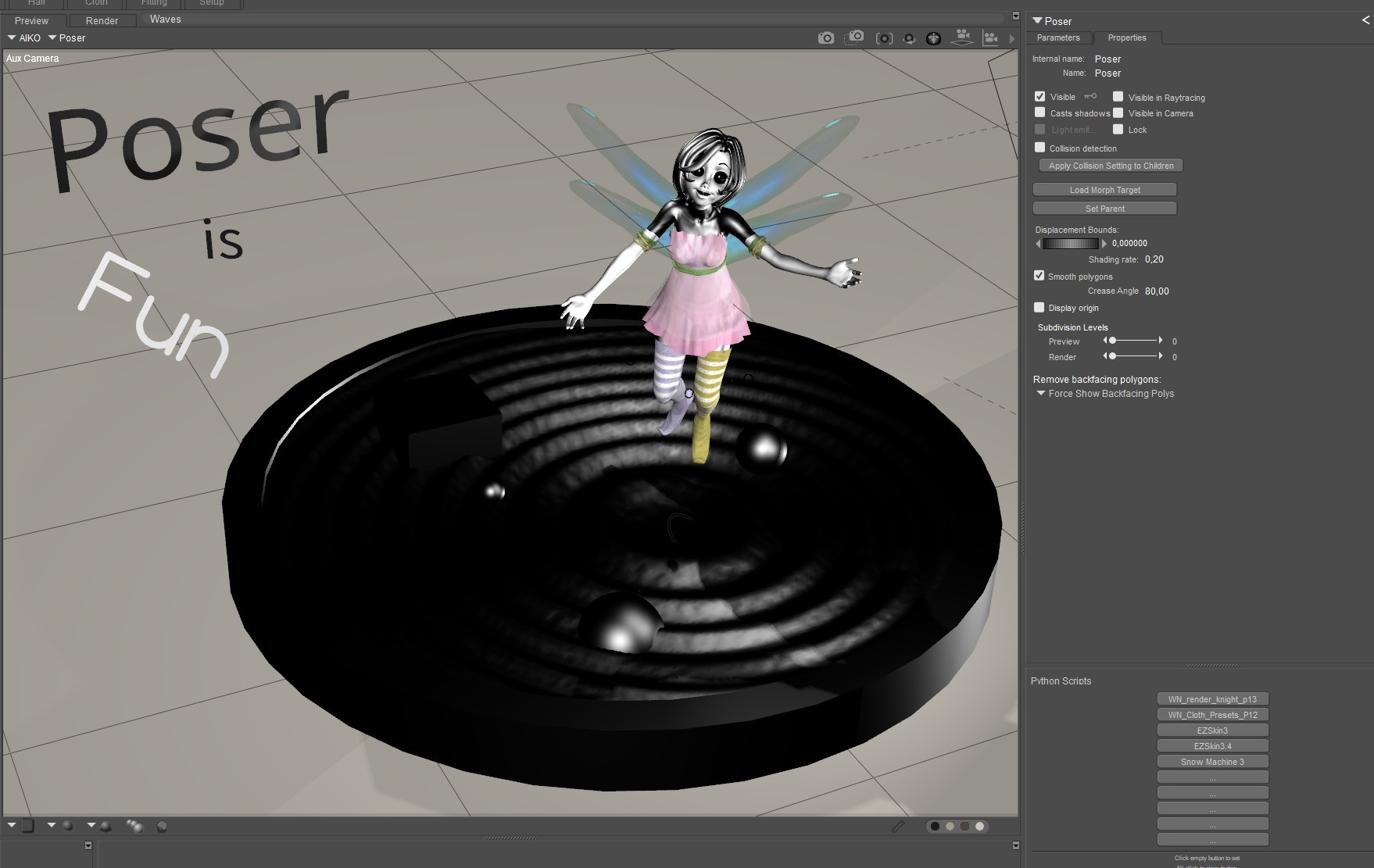
7th – The text will be invisible at first (in render) – make it visible in the properties panel
The text is a simple flat text, but I think it is good for some effects. Even if you just create confetti and make some dots XD


Comments (10)
lol...seriously. I used Poser from 2006 to 2016 and never knew either of these things were possible in Poser. Could have saved a lot of work back then if I knew...lol
Excellent find and awesome share :)
Thank you so much! It honestly took me so many years until I finally got curious enough to explore what’s actually hidden in those menus XD
only software i use for my work. yep!
Yep, I totally get that. Poser and I were love at first sight, too. ^^
New to me also!!!!!!! LOL Thank you for so much for sharing!!!!!!
My pleasure! Always happy to help :D I'm really glad you like it – and I'm curious to see what you'll be rendering for us next!
ditto everything above... i just checked, and even in my old outdated PP2014 version those features exist... who knew? not me!! and like you, i've spent hours searching for rippled water and i've struggled to find the baby bear of ripples, where everything is juuuuust right... hehe. you're utterly brill for discovering this, and i absolutely wholly appreciate you sharing your findings, with visual explanations as well... thank you thank you... :))
Hah, I’m so glad I’m not the only one who’s been blissfully unaware all these years. Honestly, it feels like we’ve all been digging for the Holy Grail of ripples… and it was sitting quietly in the Object menu the whole time, sipping tea and waiting for someone to notice it. The “baby bear of ripples” line made me laugh out loud – it’s exactly that. Not too flat, not too stormy – just the right amount of magic. Thank you for your lovely comment – it makes my inner explorer feel seen and celebrated. Let’s keep uncovering Poser’s hidden treasures together. :D
Wow this is so great. I'm going to try this out for sure, thanks for caring and sharing. Your example looks great, happy rendering.
Thank you so much – that really means a lot coming from you. I'm genuinely curious what you'll create with it! Always happy to share what I discover along the way. Happy rendering to you too!
This is what makes us so passionate about "Poser"! There are so many things everywhere. And when you know how many hours you spend in front of them... Your feedback is funny and know that you are not alone in this situation.
Thank you very much :) you are so right ^^
Excellent work and I will try. Thank you for to share
Thank you very much :)
I used the ride system with poser 5, but it was too clean, not natural enough. I'd forgotten about it. I tried it again, like the wind system. I didn't know the letters. Thanks for the tutorial.
Thank you ^^
That is a very cool creation and discovery. Excellent!
Thank you very much ^^
Great information! Thanks for passing it along!
you're welcome :) ^^