


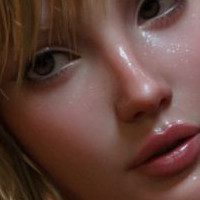















Geisha by THWolfe

Close
Hover over top left image to zoom.
Click anywhere to exit.
Members remain the original copyright holder in all their materials here at Renderosity. Use of any of their material inconsistent with the terms and conditions set forth is prohibited and is considered an infringement of the copyrights of the respective holders unless specially stated otherwise.
No AI - This artwork was created entirely by hand or with traditional digital tools.
Description
Figure created in DAZ Studio. Composited in Photoshop. Post work done in Photoshop, Topaz Studio, and Rebelle 2.

Comments (5)
Superb!
This is absolutely stunning my friend love it :)
Lovely image! And what outfit is that, please?
Thank you so much. The kimono is Peony Kimono for Genesis 2 (https://www.daz3d.com/peony-kimono-for-genesis-2-female-s). I believe I changed the color but can't remember if I just changed the color in the Surface Tab or added a shader preset. To get the draping, I used DForce. It doesn't always work, but it did beautifully for this one.
Gorgeous!
Love the semi-watercolor look. How was that achieved?
A painterly look is achieved by losing details and softening the figure while enhancing the values by dodging and burning highlights and shadows. For the background, I used a series of overlays and painted layers with varied blend modes and masks. For the figure, I probably used Topaz Simplify to lose the detail, though I always bring back the eye area by masking the Simplify layer. Other plug ins I will use to create a more painterly look include Alien Skin Snap Art and Topaz Impressions. I will sometimes create a black and white sketch layer set at multiply to bring back detail.