
















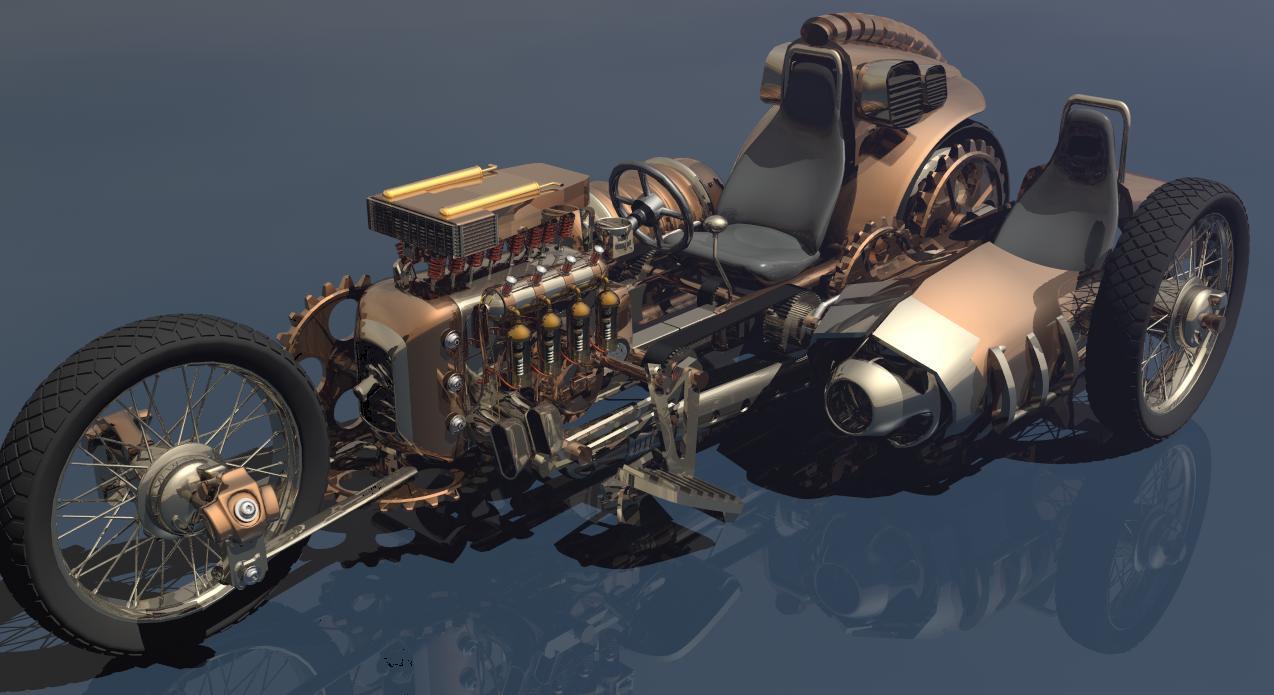
Forward Motion Device (Final) by woodywoo
Close
Hover over top left image to zoom.
Click anywhere to exit.
Members remain the original copyright holder in all their materials here at Renderosity. Use of any of their material inconsistent with the terms and conditions set forth is prohibited and is considered an infringement of the copyrights of the respective holders unless specially stated otherwise.
No AI - This artwork was created entirely by hand or with traditional digital tools.
Description
Bryce7 - Wings3D
Thanks for looking
Pete

Comments (17)
Toad of Toad Hall would have loved stealing this one for a quick jaunt, what a worthy beast
excellent final...superb creativity...a side-car !!!
As always amazing!!!!!!!!!!!
Fantastic work my friend.
Amazingly detailed.Fine modeling,
Again COOOOOL BIKE
Nice work.....looks great.
heavy on the imagination and originality
Hey, Pete, great machine. I think you could use a few of my faeries to drive this thing. One on the steering wheel, one on the shifter and one on the gas (to hell with the breaks lol). You don't have to really pose them, just stick 'em in the scene! I know they'll just love it!!!!!!!!!!
Im going to have to try another DAZ rider soon, Ill pose her and then build the Machine around Her/Him. Accurate posing eludes me, my hat is off to all of you that have mastered this skill. I'm in awe of some of the DAZ work, the figures look so lifelike its almost spooky. One of the main reasons I created this style of work for myself is because its so unique that there is nothing to compare it to. And there is no right or wrong.
I shall show it to my friends who have "real" side-cars! They will be jealous!
As we age, most of my friends are now riding Full dress comfort versions of Various makes and models. Very few of us are Brand loyal anymore. I don't know anyone that has a sidecar right now.
Fantastic! Corrie
awesome render of a fantastic bike!
Shining done.
It's gonna be fast :-)
Outstanding modelling and beautifully presented!
Wow again!
Terrific model, clearly, but the thing that most impresses are the tire treads! How?
Those were done in wings3D. A cylinder rotated of its side. Then 3 cubes were set up and shaped into just 1 band of the thread. This was exported to Bryce. Ctrl 'D' then rotated to form the second band of thread. ect until the whole cylinder was covered with thread. When that was complete there were Holes between the those threads ( the two cubes between the three ) the file was exported back to Wings where those two cubes were added then back to Bryce to repeat the fill in process. Wings is a small free program, it doesn't handle much so complete modeling is impossible, its great for creating 'Small parts' without Wings3d I would still be doing landscapes in Bryce. Its fairly simple to use and there are some pretty good Tutorials on Utube to help you get started.