
Renderosity Forums / Poser - OFFICIAL
Welcome to the Poser - OFFICIAL Forum
Forum Moderators: RedPhantom Forum Coordinators: Anim8dtoon
Poser - OFFICIAL F.A.Q (Last Updated: 2026 Oct 03 4:20 pm)

Subject: Bought Goddess hair and can't change the hair color! I need help guys!

Hair colors are not adjusted by a parameter dial. Instead, you have to apply a MAT pose.
In the Pose library you'll find a folder Goddess Hair MAT. Inside, you'll see several icons of hair colors.
Select the hair figure, double click the icon with the color you want, and you're done.
You may not see the color in the document window. In that case, choose the menu Display -> Document Style -> Texture shaded.
Next, select the hair figure (doesn't matter what part of the hair) and choose Display -> Figure Style -> Use Document Style.
If that doesn't help, click on a visible part of the hair and choose Display -> Element Style -> Use Figure Style.
Now the hair should show up in its full glory.
The pen is mightier than the sword. But if you literally want to have some impact, use a typewriter

You can also pretty easily adjust hair color (or anything else for that matter) in the Materials room, by hooking one or more Color_Math nodes in front of the texture map and adding and/or removing color as you desire. In cases where the base hair color isn't completely black, you can exert a lot of control over what color the hair comes out to be. E.g. if you have middling blond hair, if you wanted it to be bright blue, you could add two Color_Math nodes between the PoserSurface window and the image map for the texture:
One set to Subtract, and take out all the yellow
One set to Add, and add in a large amount of blue (e.g. 175)
I don't think a lot of people do this for clothing or hair but I do it all the time, makes it a lot less urgent to go buy "New Styles for Soandso".

Hmmm. So that's the secret to colouring hair in the material room? I've been changing the colour of the top node with varying results.
I'm going into poser a bit later and will give this a try.
Thanks for that great tip :)
"It is good to see ourselves as
others see us. Try as we may, we are never
able to know ourselves fully as we
are, especially the evil side of us.
This we can do only if we are not
angry with our critics but will take in good
heart whatever they might have to
say." - Ghandi

When I get home from work I'll put some examples together with screenshots from the Materials room, it's a bit fiddly if you're not used to really mucking around with the Advanced view in Materials room.
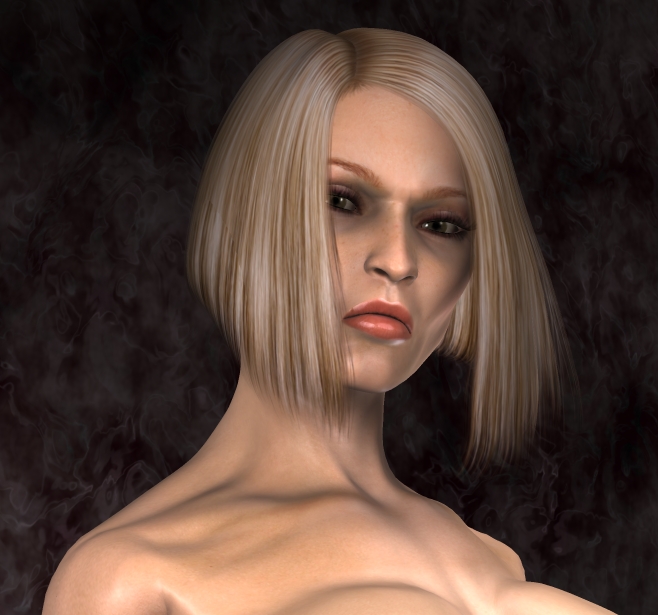
Starring Ishtar and her magnificent bone structure, starting with Basic Blonde.
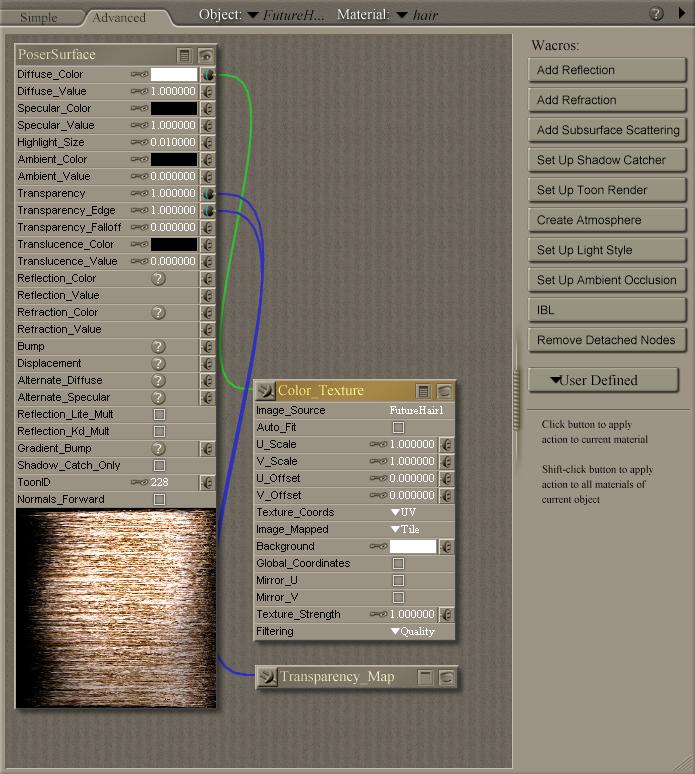
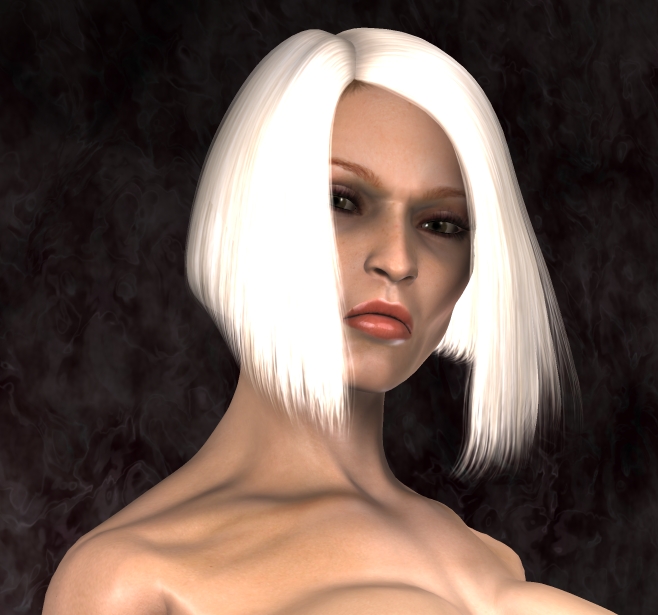
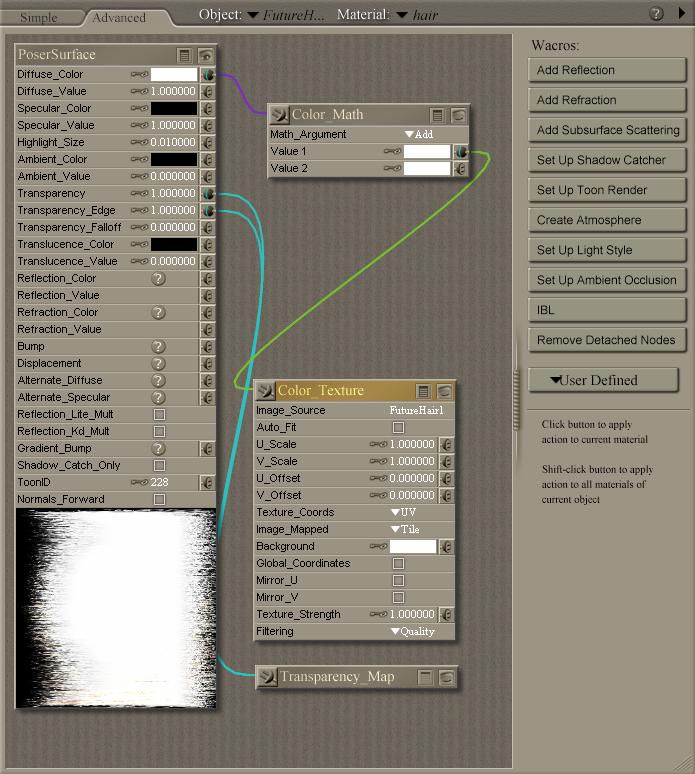
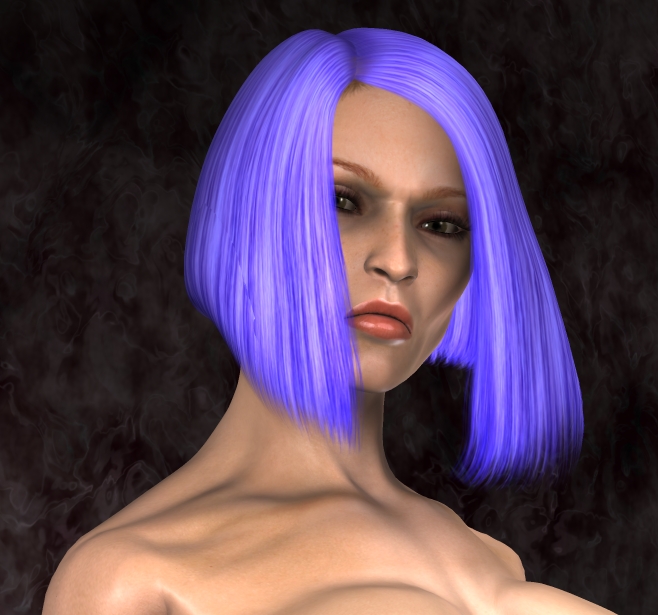
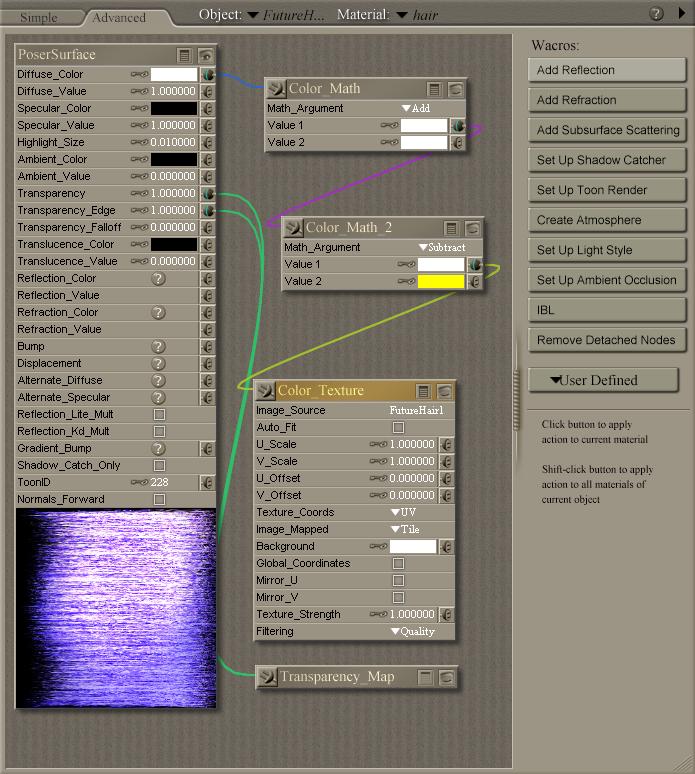
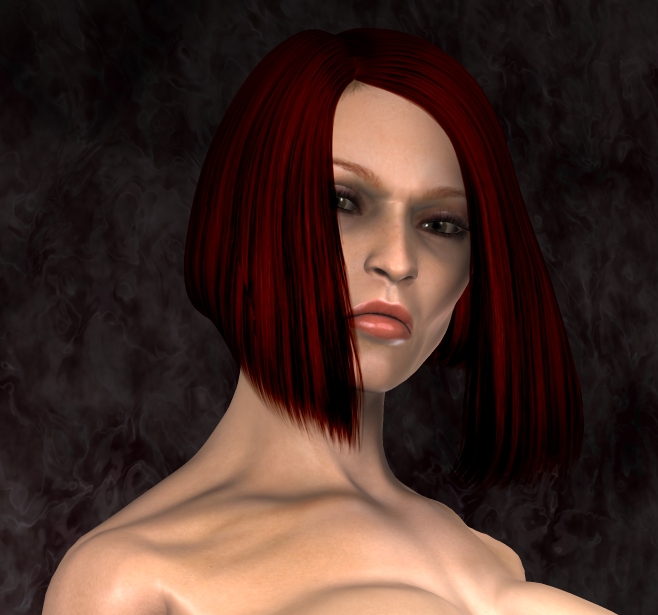
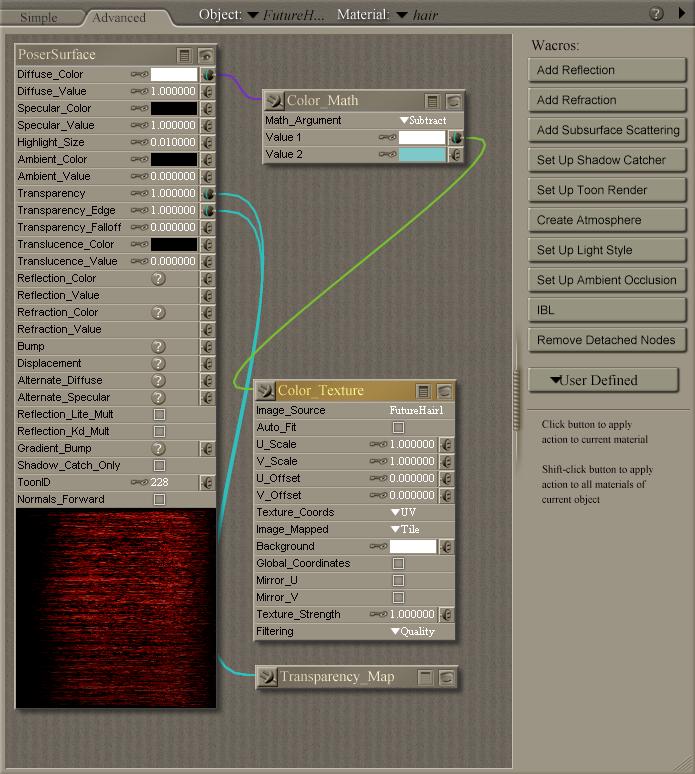
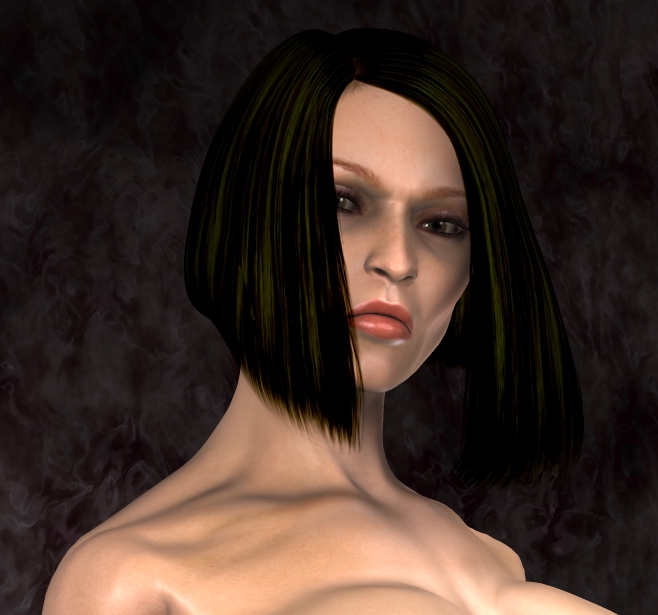
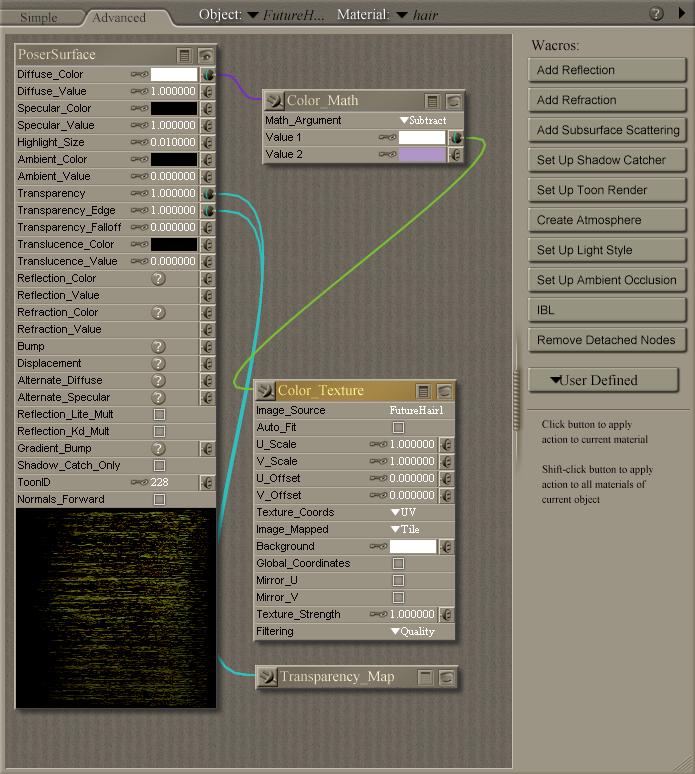
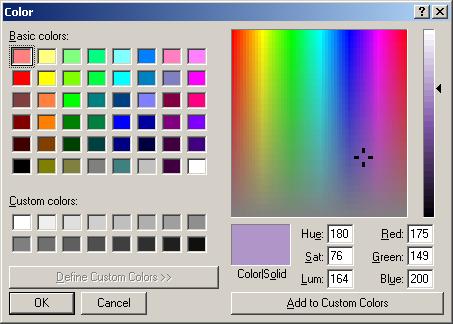

Yoikes! I'm having an aneurysm! Thanks for posting these, now I have an idea of what the headaches the poor hair color package builders must go through to create the massive color add-ons!
This also gives me a starting point to go back and grab some of my fave styles that didn't catch enough interest to have add-ons created for it. fun fun fun!!
Thanks again pjz!
Note that I took a serious short cut in that I only bothered with one color for all three layers of this particular hair - hair will tend to look a lot more realistic if there is some variation of color from inner layers to outer, if the hair is designed with multiple layers - typically it's darker in the inner layers, and sun bleaches it a bit at the outer layers.
Also note, this applies just as easily to clothing.

Privacy Notice
This site uses cookies to deliver the best experience. Our own cookies make user accounts and other features possible. Third-party cookies are used to display relevant ads and to analyze how Renderosity is used. By using our site, you acknowledge that you have read and understood our Terms of Service, including our Cookie Policy and our Privacy Policy.
Hey guys, bought goddess hair from daz3d and I still can't change the hair color!
Here is the link to what I bought:
http://www.daz3d.com/i.x/shop/itemdetails/-/?item=1467
Appears that changing the hair color should be really easy. I can't figure it out. Can someone help?
I would have thought that it would have just been one of the parameter dials, but there is no option for hair color there.
PS...i'm using poser6