
ShawnDriscoll opened this issue on Mar 08, 2006 · 10 posts
ShawnDriscoll posted Wed, 08 March 2006 at 12:36 AM
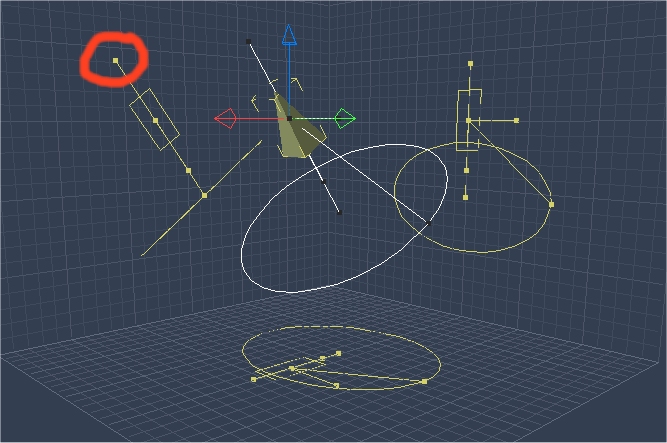

Kixum posted Wed, 08 March 2006 at 6:08 AM
I can't undo it either. I have no experience from previous versions. -Kix
-Kix

bluetone posted Wed, 08 March 2006 at 9:37 AM
Report it.

MarkBremmer posted Wed, 08 March 2006 at 12:55 PM
Missed that one. I always use the keyboard shortcut widget instead...
ShawnDriscoll posted Wed, 08 March 2006 at 1:22 PM
Kixum, can you report it please. I burned my bridges with Eovia long ago. They ignore any errors I report to them.
Kixum posted Wed, 08 March 2006 at 8:16 PM
Ya, I'm starting to put a grocery list of interface issues I'm finding. Just little things all over the place. -Kix
-Kix

ren_mem posted Wed, 08 March 2006 at 10:15 PM
Yeah, it don't work.Charles was asking about how things were going for people on yahoo. Sounded like they were hoping to not need any more patches.
No need to think outside the box....
Just make it
invisible.
nomuse posted Thu, 09 March 2006 at 2:54 PM
I just had a distant light freeze myself. Set it to "point at." That didn't work at all (despite the nice new drop-down menu). Disabled "point at" but now the light could not be pivoted at all. I deleted it and put a new one in...and made sure NOT to try "point at."
bluetone posted Thu, 09 March 2006 at 3:42 PM
Distant lights don't have a normal 'direction' to 'Point at' with. They only have an angle dimension. That may be why they can't 'Point at' something. Just my 2 cents...
MarkBremmer posted Thu, 09 March 2006 at 3:44 PM
Actually, the point at modifier is working on my system with Distant Lights. Hmmmmmmm.