Path Styler Pro for
Photoshop is a plugin for Photoshop 6, 7, or CS and
Path Styler Pro for Illustrator is a
plugin for 9, 10, or CS.
This program in conjunction with either program
creates bevels that are created in a similar way to those created
in 3D programs. One can create bump maps, choose the type of
mapping, choose the color of the lights and a lot more.
Feature Highlights
- Sharp and clean
bevels Rounded, beveled and mitered joins at corners
- Metallic,
plastic, glass and custom shaded materials
- Procedural
maps, including Noise, Wood, Turbulence, and more
- Layered mapping
with Photoshop blending modes
- Reflections
- Multiple
texture items for high-quality bump mapping
- Editable
contours that control the shape of bevels, the output of maps, and
the bumps of texture items
- Easy-to-use
inline gradients that color the output of maps
- Directional,
omni, and tube lights
- User interface
with fast previews, dynamic sliders, visual presets, and unlimited
undo/redo capability
- Over a 100
resolution-independent style presets
- Photoshop
layers and alpha channels as color maps, bump maps, and
masks
- Refractive
bevels that distort the background (only in the Photoshop version
of Path Styler Pro)
Path Styler Pro has a large number of
presets that can be used to create these beveled objects or the
user can create and save their own. Below is a beveled version of
the Shinycore's name created in Illustrator CS.

Below is a similar file created in Photoshop CS
using different type, style, and colors.

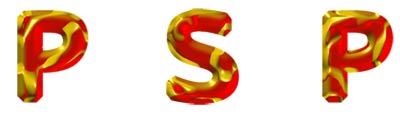
Below is a preset I applied to a Photoshop CS
file.
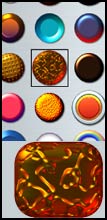
This graphic below shows a button created from a
preset and, of course, modified a little.
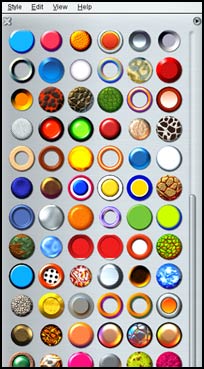
The following screen captures will show some of the
presets and choices available in Path Styler Pro. All of
the presets can be manipulated in the same way as can the beveled
objects created from scratch.
| Some of the Presets |
 |
The process is very easy. In Photoshop, create a
shape, select it, turn it into a working path, and start using
Path Styler Pro. In Illustrator, the paths are already
present.
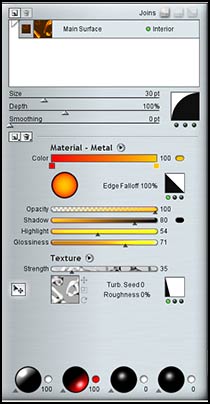
| Two of the Many Screens that can be
Accessed |
 |
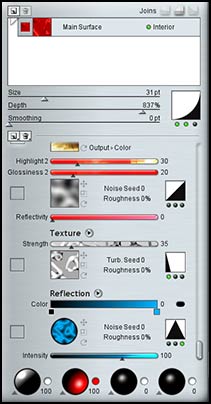 |
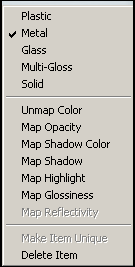
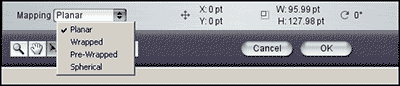
There are many arrow heads on the menus. Each leads
to more choices by way of fly-out menus. The following show two
fly-out menus.
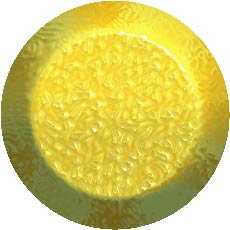
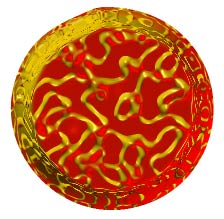
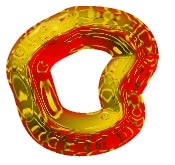
Below are two traditional beveled buttons and a free form shape.
I hope these give an idea of the wide breadth of this program.
| Created in Illustrator CS |
Created in Photoshop
CS |
 |
 |
 |
Actually, I have shown just the tip of the iceberg
of this extremely easy to use and powerful plugin. For more
information and a trial download, go to www.shinycore.com .
The price for the individual plugin is: $99.00 with
an upgrade price of $49.00 The bundle of both filters can be
purchased for $129.00 with an upgrade price of $69.00. The products
are available as download versions only.




Comments