
Cage opened this issue on Feb 24, 2010 · 592 posts
Spanki posted Wed, 31 March 2010 at 12:25 PM
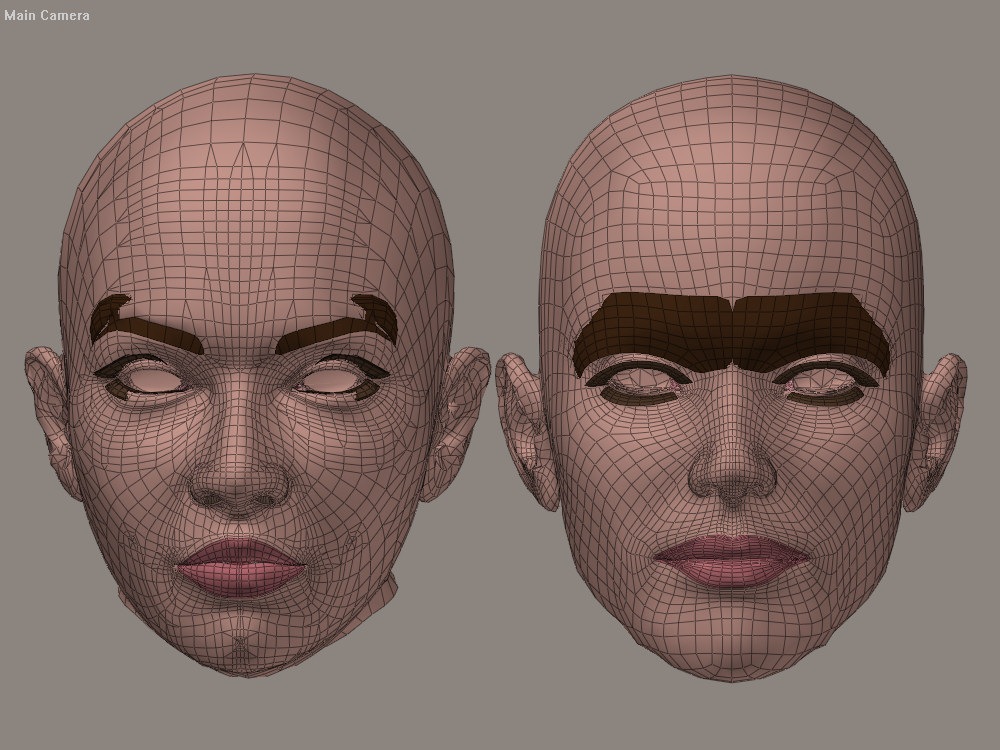
I used the sample "V1_Antonia_tutorial.pzz" scene file provided by Cage on his site. Aside from the default settings, I simply enabled the "Use Ray-casting" option (this enables the new Hybrid correlation method) and ran the comparisons in each direction - I only enabled the head skin, lips and nostrils materials on the figures (no teeth of lashes or brows or gums, etc).
The Restore Details script was NOT run - what you see it what you get from just the shape-transfer. The shape-transfer is a good indication of how well any morph-transfer is likely to work... in this case, the ears 'sorta' worked, but came out a bit lumpy, so ear-morphs would likely not be great, but as you can see, most of the rest of it came out great (excluing the parts that were excluded from the comparison).
Cinema4D Plugins (Home of Riptide, Riptide Pro, Undertow, Morph Mill, KyamaSlide and I/Ogre plugins) Poser products Freelance Modelling, Poser Rigging, UV-mapping work for hire.