
Morkonan opened this issue on Feb 12, 2009 · 77 posts
Spanki posted Wed, 25 March 2009 at 10:54 AM
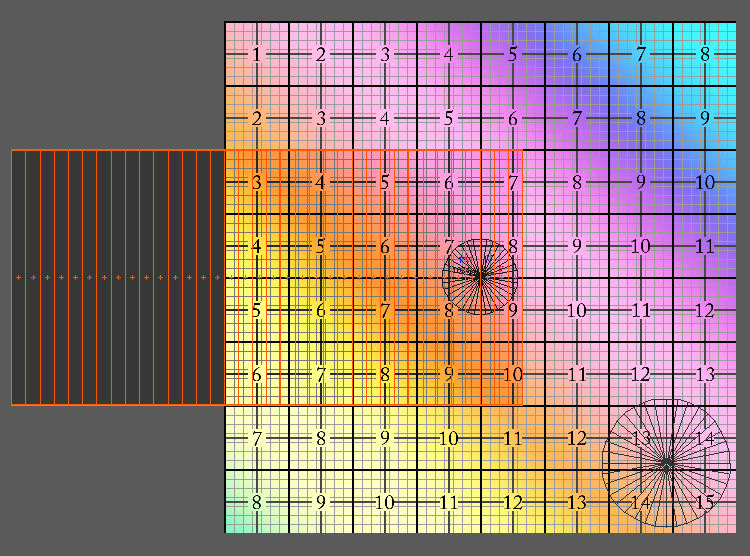
See the attached image (to help see the selected polygons, I added a dark overlay where they are). The texture fills the 0 -> 1 UV space entirely.
The uv-polys hanging off to the left (in negative U space) will get 1.0 added to thier values, essentially moving them back to where they were originally on top of the texture, so it renders "seamlessly", but there is still a seam there on the U axis.
Does that make sense?
Cinema4D Plugins (Home of Riptide, Riptide Pro, Undertow, Morph Mill, KyamaSlide and I/Ogre plugins) Poser products Freelance Modelling, Poser Rigging, UV-mapping work for hire.