Genesis Cross-Generation Pose Converter 2.3.1 by bobus256
Some images have been hidden according to your Max Maturity Rating : Safe
Settings
Contains Adult Content!
Software:
Daz Studio 4
Departments:
Available Uses:
AI Use:
No AI was used in the creation of this product or its promotional content.
Stop worrying about which Genesis generation a pose was originally created for.
Pick a pose. Pick a Genesis figure. Let Genesis Cross-Generation Pose Converter handle the generation gap.
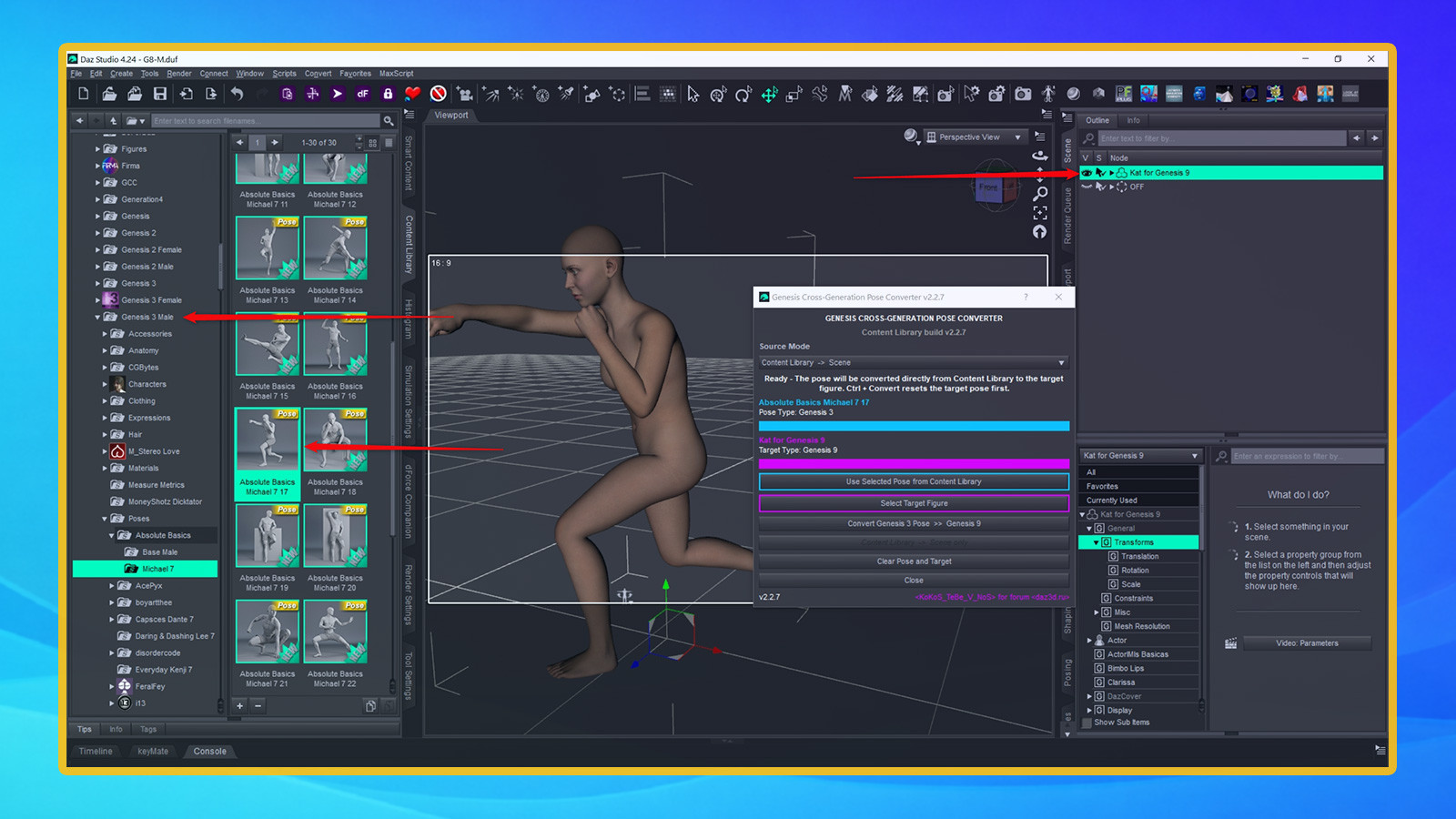
This DAZ Studio utility allows you to reuse poses across Genesis 1, Genesis 2, Genesis 3, Genesis 8, Genesis 8.1 and Genesis 9.
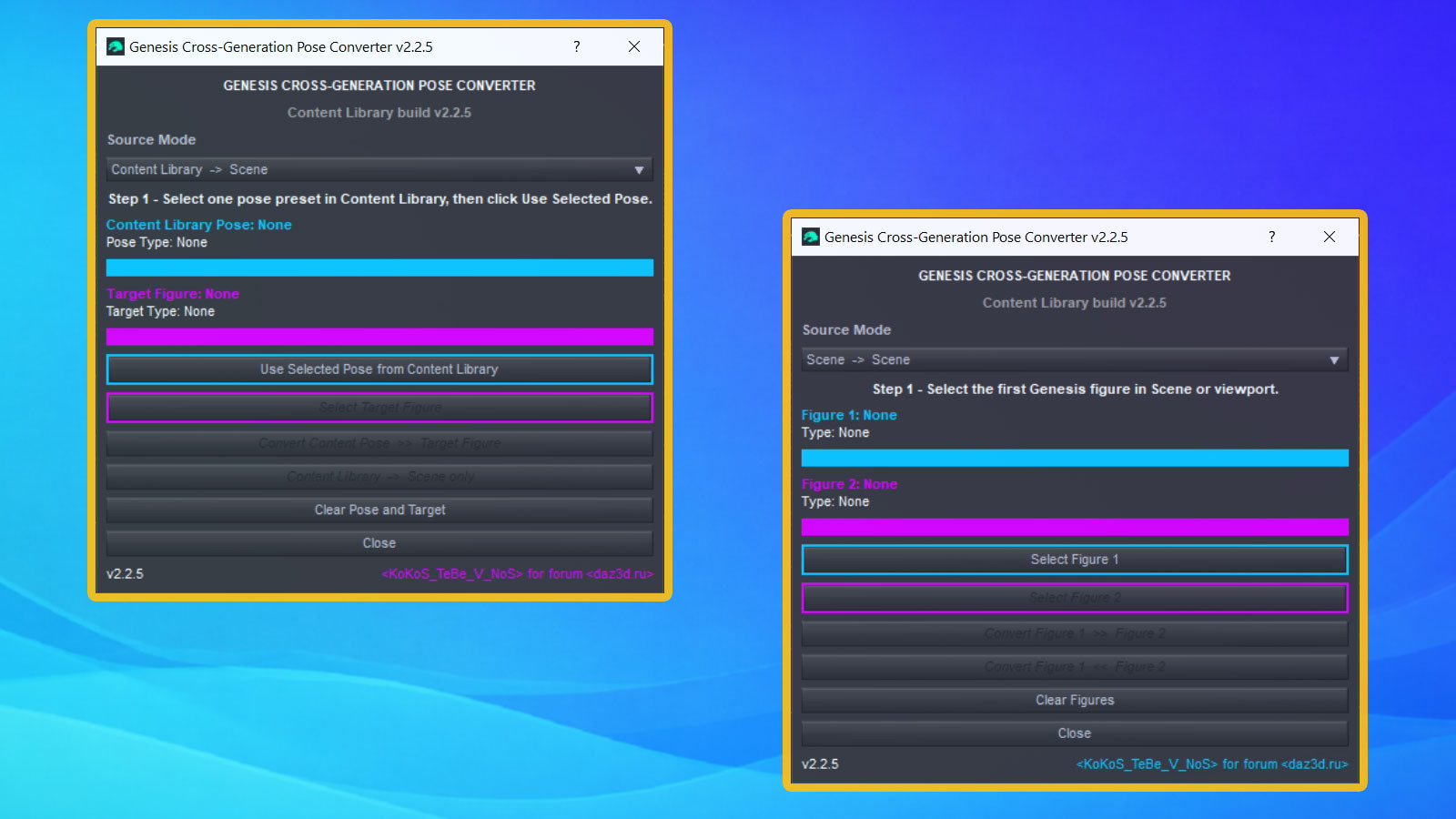
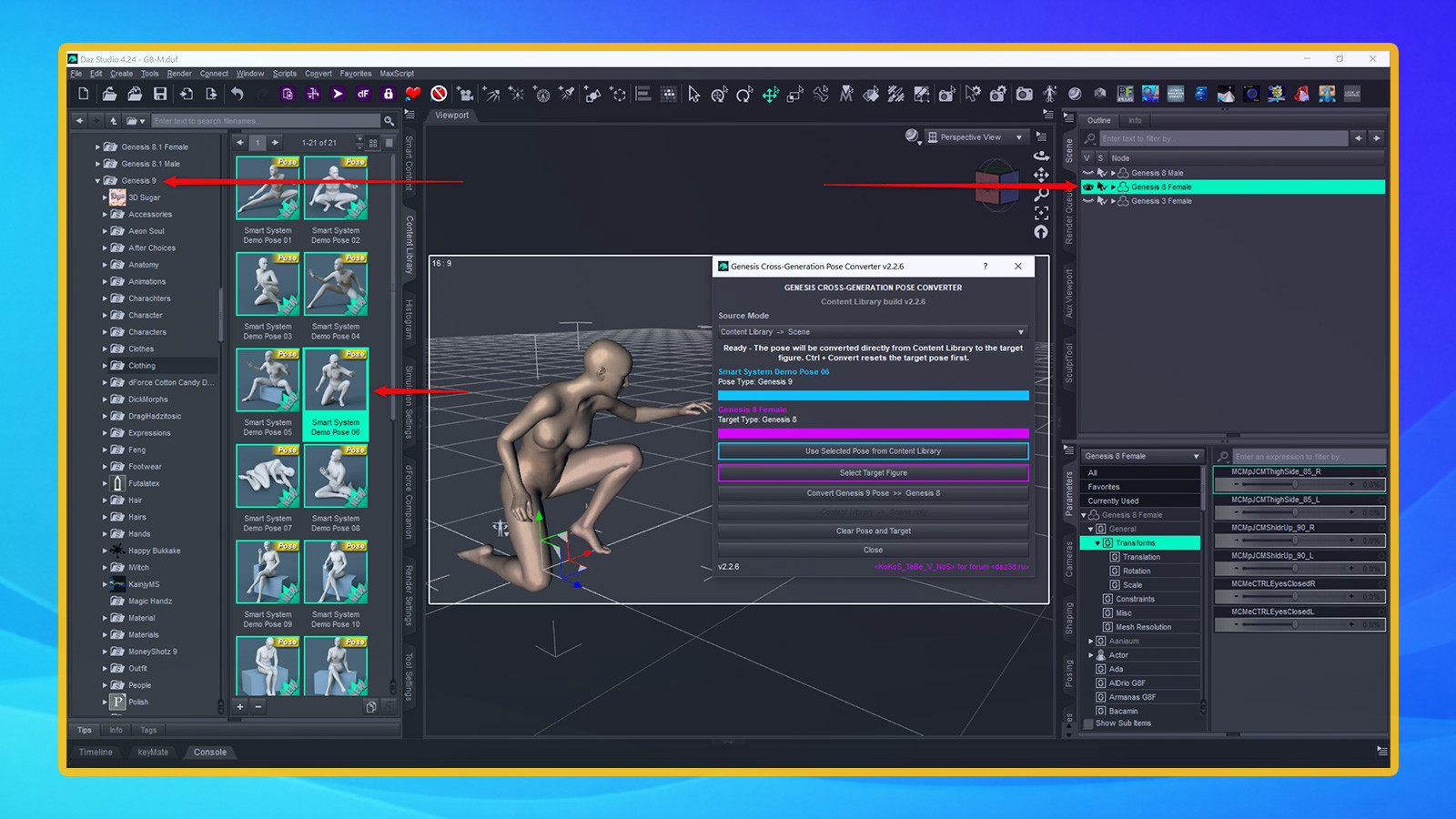
Select a pose from the Content Library, select your target Genesis figure and convert. The script automatically detects the source and target generations, applies the appropriate bone mappings and adjusts supported pose transforms for the selected figure.
You can also transfer the current pose directly between two supported Genesis figures already loaded in your scene.
Features:
- Genesis 2, 3, 8, 8.1 and 9 support
- Automatic source and target generation detection
- Content Library to Scene conversion
- Scene to Scene conversion
- Conversion in both directions
- Dedicated cross-generation bone mappings
- Rotation and translation conversion
- Bend and twist bone handling
- Generation-specific adjustments
- Optional diagnostic logging
- DAZ Studio Undo support
- Ctrl + Convert resets the target pose first
- No additional products required
All you need is a pose and a supported Genesis figure. The converter handles the compatibility work for you.
Because Genesis generations use different rigging, bone orientations, joint structures and body proportions, some extreme poses or heavily customized characters may require minor manual adjustment after conversion.
This utility converts pose transforms only. It does not convert animations, morphs, character shapes, materials or clothing.