SculptTool For Daz3D by Heiwa_Interactive_Arts
Some images have been hidden according to your Max Maturity Rating : Safe
Settings
Software:
Daz Studio 4, Daz Studio 6
Base Figures:
Genesis 2 Female, Genesis 2 Male, Genesis 3 Female, Genesis 3 Male, Genesis 8 Female, Genesis 8 Male, Genesis 8.1 Female, Genesis 8.1 Male, Victoria 9, Genesis 9
Departments:
Available Uses:
Standard License, Merchant Resource
AI Use:
No AI was used in the creation of this product or its promotional content.
SculptTool For Daz3D - V1.2
SculptTool is at the moment Windows-only (Windows 10/11, DAZ Studio 4.5–4.x, and DAZ Studio 6)
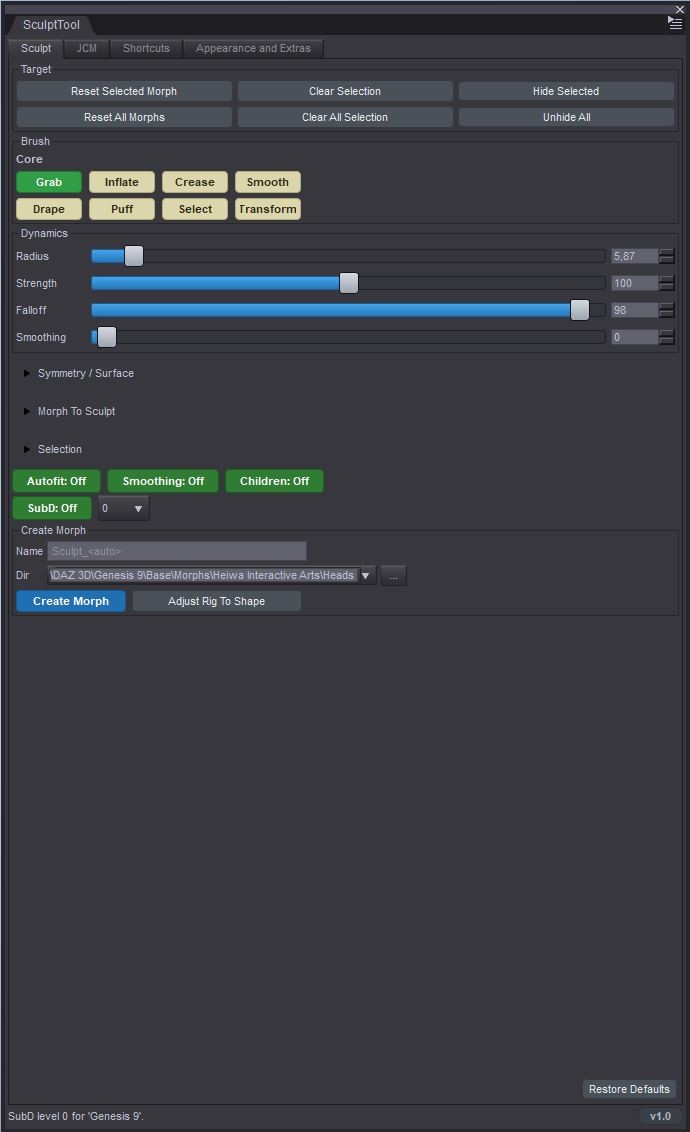
SculptTool - Fix Cloth clipping, Smooth Areas & Create Morphs/JCMs Without Leaving DAZ Studio
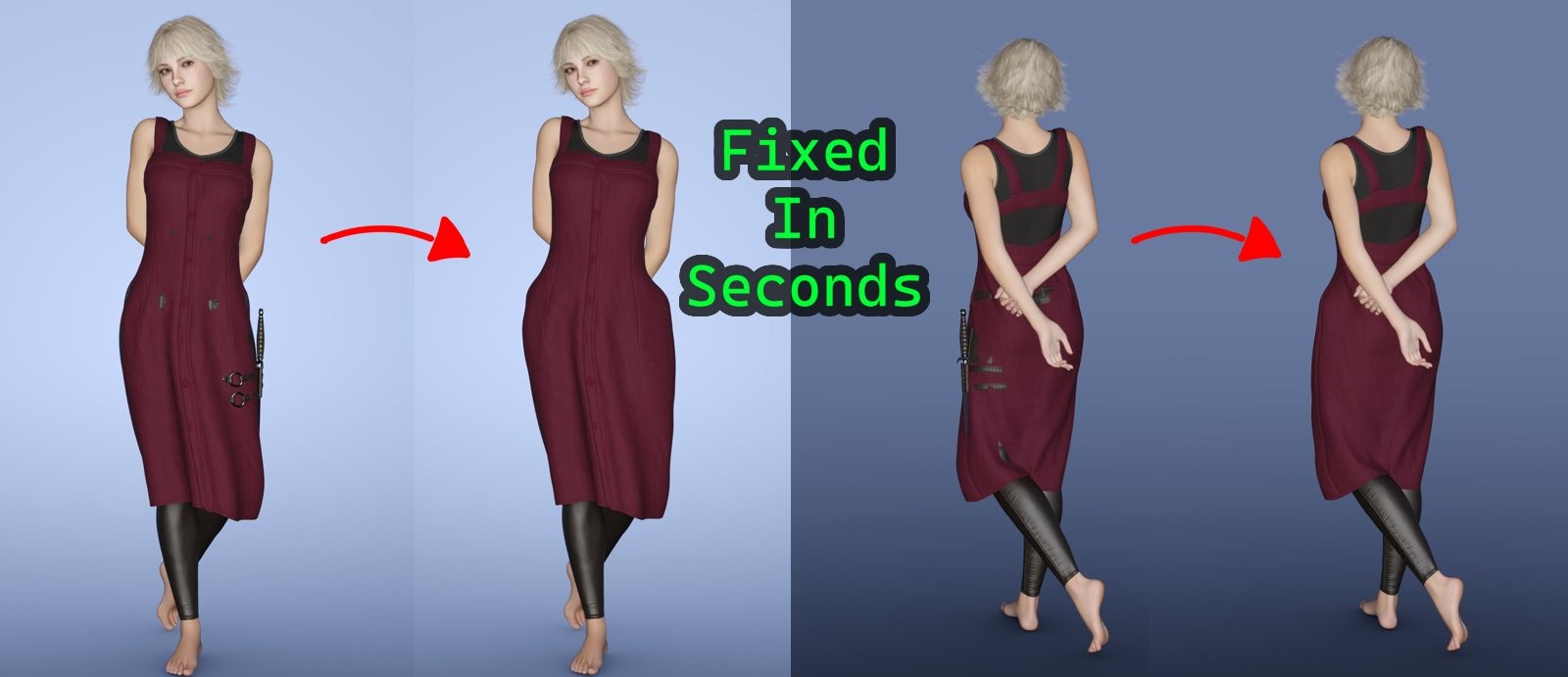
NO MORE EXPORTING TO BLENDER OR ZBRUSH FOR A FIVE-SECOND FIX.
You know the workflow: clothing clips through a pose, a joint creases oddly, or
a morph just needs a little nudge - and normally that means exporting to
Blender or ZBrush, fixing it there, and importing everything back into DAZ
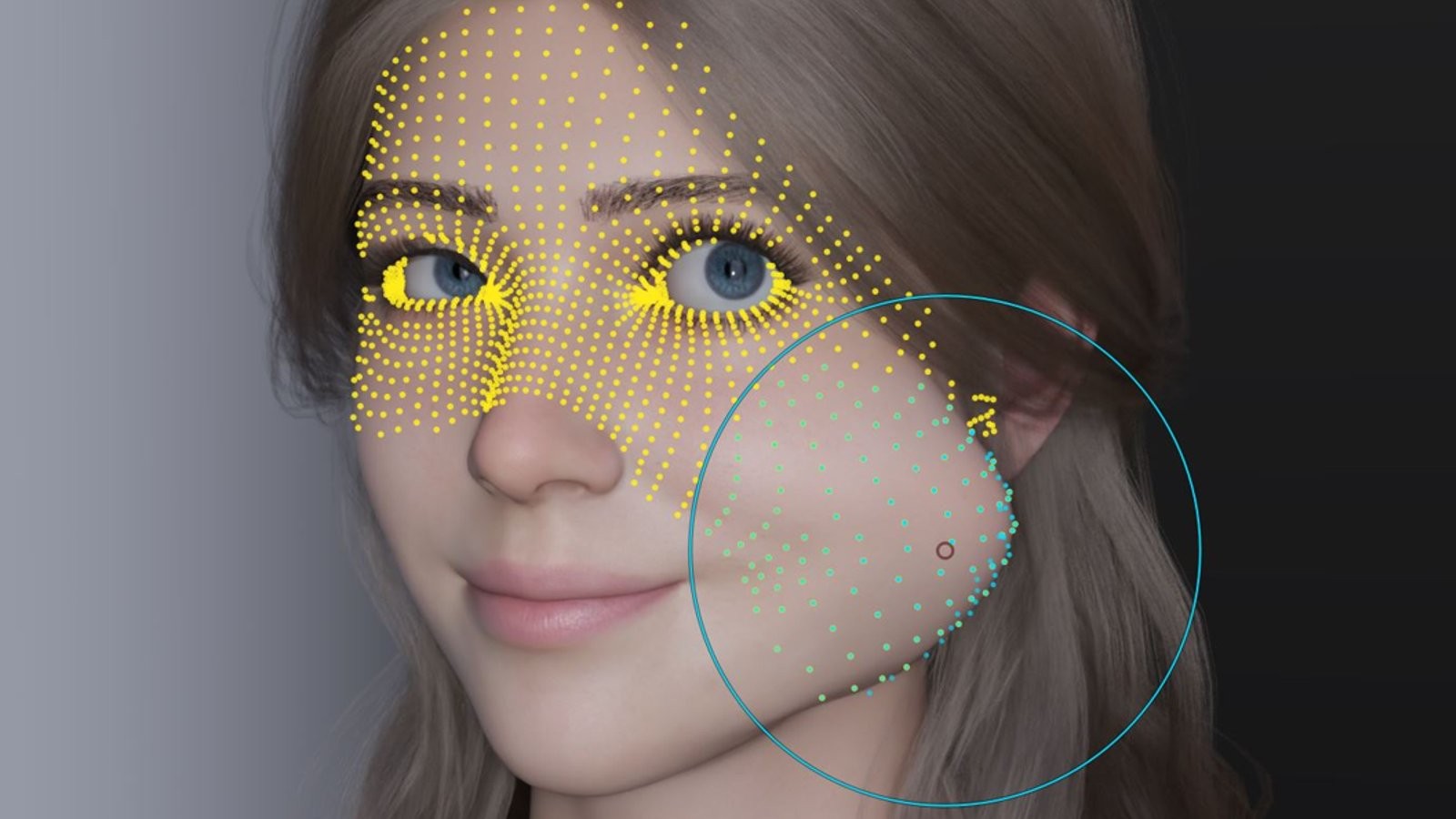
Studio. Sculpt Tool skips all of that. It adds real brush tools directly to
the DAZ Studio viewport, so you can push, smooth, and correct the mesh right
where it is - then turn that fix into a proper DAZ morph or JCM without ever
leaving the program.
WHAT'S NEW IN V1.2
• Falloff Shapes: pick the brush's falloff curve - Smooth, Sphere, Root, Inverse Square, Sharp, Linear, Constant or Random - for finer control over how a stroke ramps from the center out to the edge.
• Brush Offset: a small pad that pushes the brush's falloff peak off-center, so a stroke pulls harder to one side - perfect for bending a fold, a strap or a limb. Works with Grab and Pose Grab (and the Transform rotate pivot), and mirrors correctly when symmetry is on.
• Exit to Universal Tool: a one-click button to hand the viewport straight back to DAZ's Universal Tool (move / rotate / scale), right at the top of the pane.
• Much faster in DAZ Studio 6: sculpting with "Include Children" turned on (over conformed clothing, eyes, lashes and so on) is dramatically faster - what used to stutter now tracks smoothly.
• Smooth brush fix: it now also relaxes the inner / back side of thin clothing.
WHAT IT'S ACTUALLY GREAT FOR
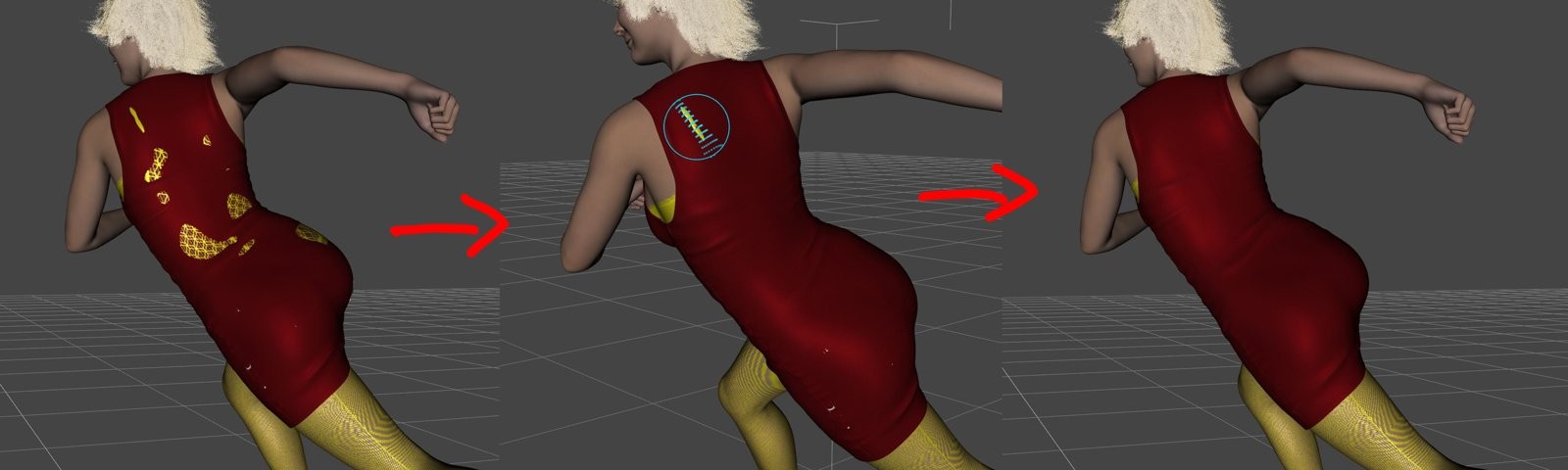
• Fixing clipping and poke-through: a sleeve poking through an arm, a collar clipping the neck, a shoe clipping the floor - grab it and push it back into place in seconds.
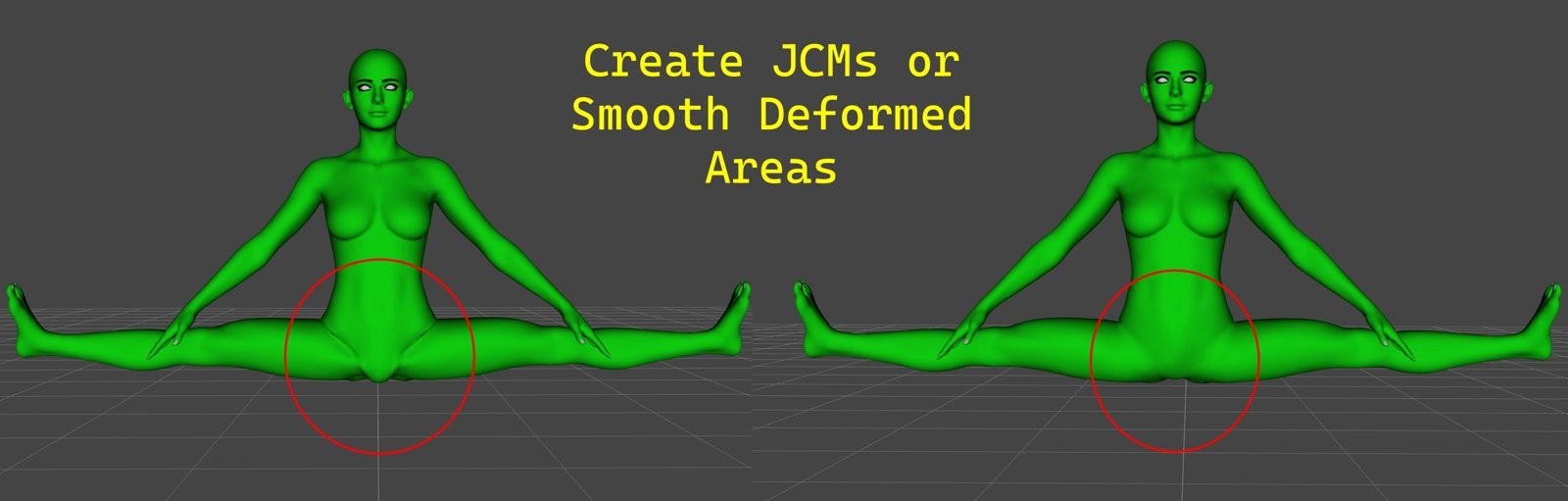
• Smoothing rough areas: relax a harsh seam, soften a wrinkle, clean up a pinch after posing - the Smooth brush blends it away cleanly.
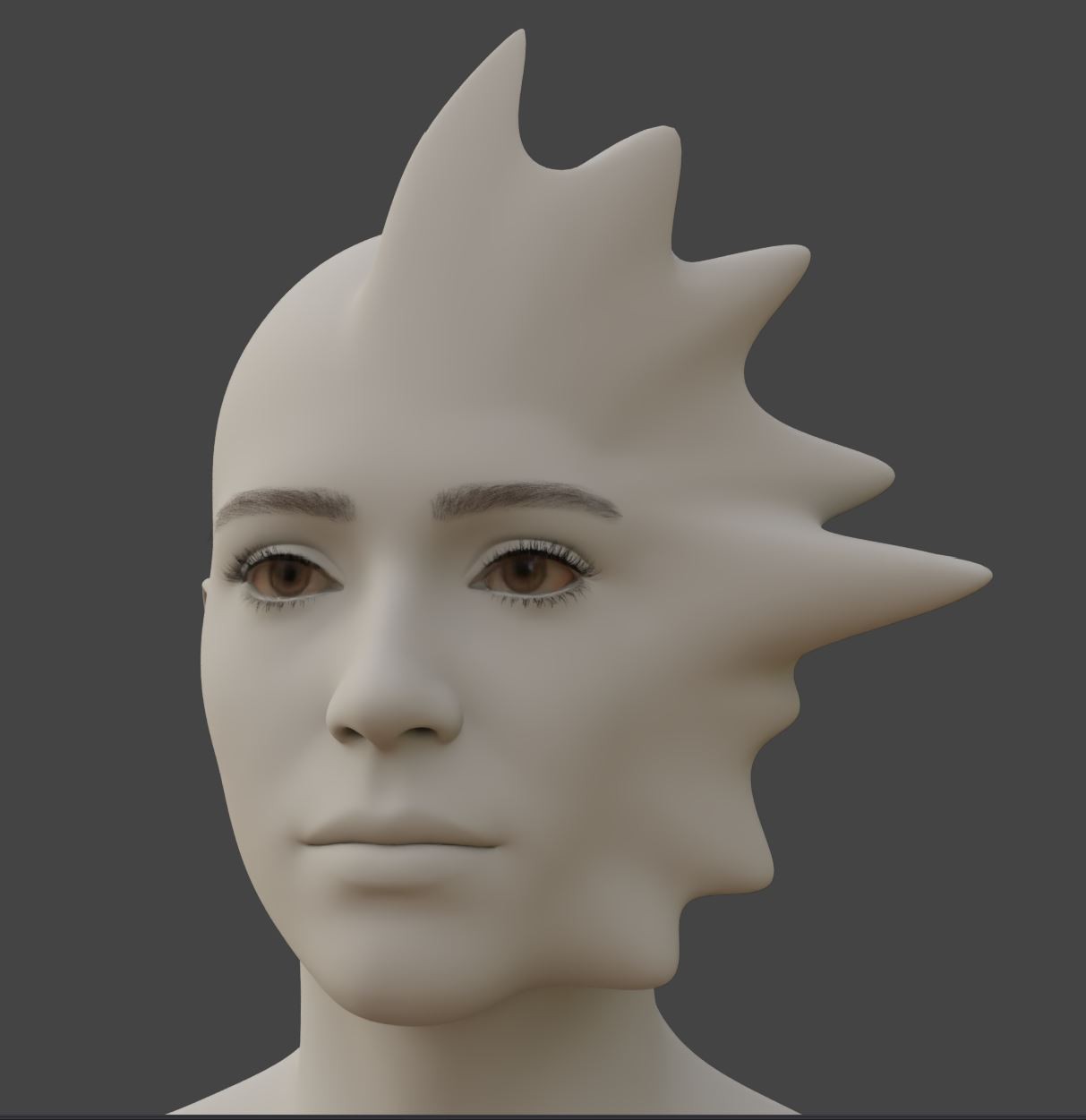
• Creating your own morphs: reshape a body part, refine a face, adjust a proportion - bake it into a real, dialable slider that saves and reloads like any other DAZ morph.
• Creating JCMs (joint-controlled morphs): pose a joint, sculpt the correction, click once - the fix now fires automatically whenever that joint bends, and fades away at rest.
Pose the joint, sculpt the correction, click once - the JCM fires on its own as the joint bends and fades out at rest.
Build a JCM library, re-apply fixes to other figures, and bundle sets into double-clickable ON/OFF presets.
NON-DESTRUCTIVE AND BUILT FOR SPEED
Every stroke, bake, mirror and JCM is a normal DAZ undo away (Ctrl+Z) - nothing here can wreck your scene.
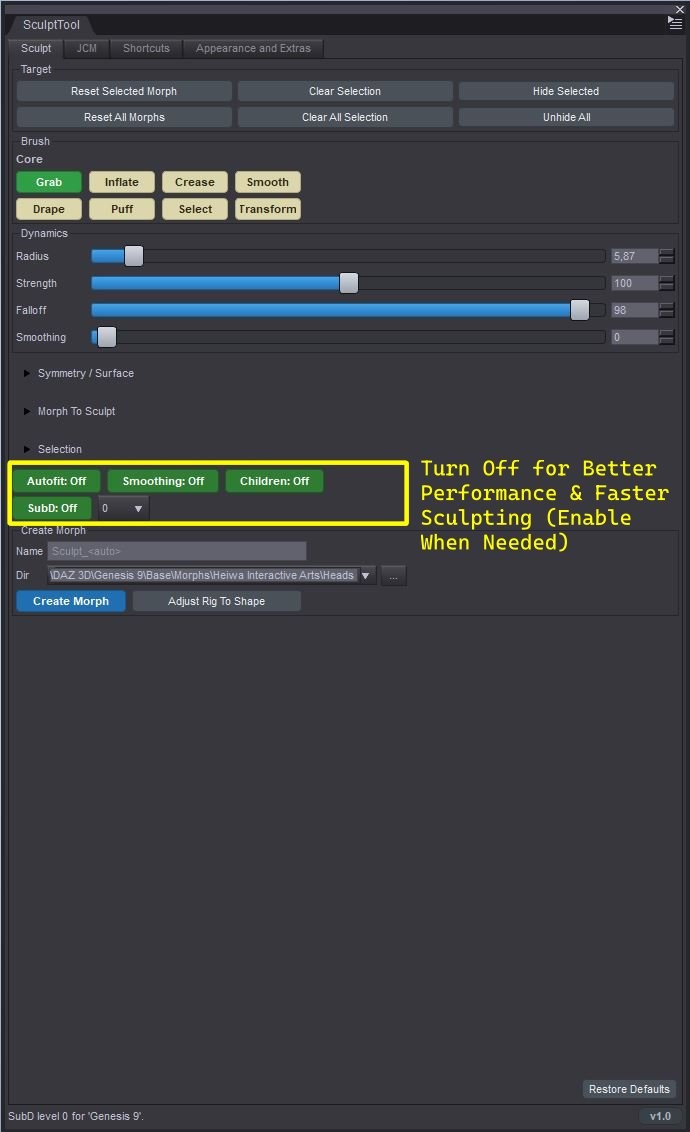
Performance options for heavy scenes: pause live re-fitting of conformed clothing/hair while you work, one-click scene-wide Mesh Smoothing control, SubD remote - the baked result is identical either way, only the live preview speed changes.
Fully customizable shortcuts and hotkeys, a clean pane with collapsible sections, and a detailed README.
Tested
DAZ Studio 4.5 - 4.x AND DAZ Studio 6: both native 64-bit plugin builds included in one package.
Works on almost any mesh you can select - Genesis figures (all generations), clothing, hair, props and environments.
Does Not Work On Strand Based Hair
Windows 10 / 11, 64-bit.
Stop breaking your flow for a two-minute fix.
without ever leaving DAZ Studio.
Fix it. Bake it. Dial it. Done.
Made by Heiwa Interactive Arts.