Iray Light Manager Pro for DAZ Studio 6 by AuraVix_Studio
Software:
Daz Studio 4, DAZ Studio 4 With IRAY
Available Uses:
AI Use:
No AI was used in the creation of this product or its promotional content.
Iray Light Manager Pro puts your entire Iray lighting setup under one roof. Stop hunting through the scene tree and the Parameters pane one light at a time — list, edit, group, and preset every Iray light and every glowing mesh emitter in your scene, live, in bulk, and fully undoable.
LIGHTS TAB
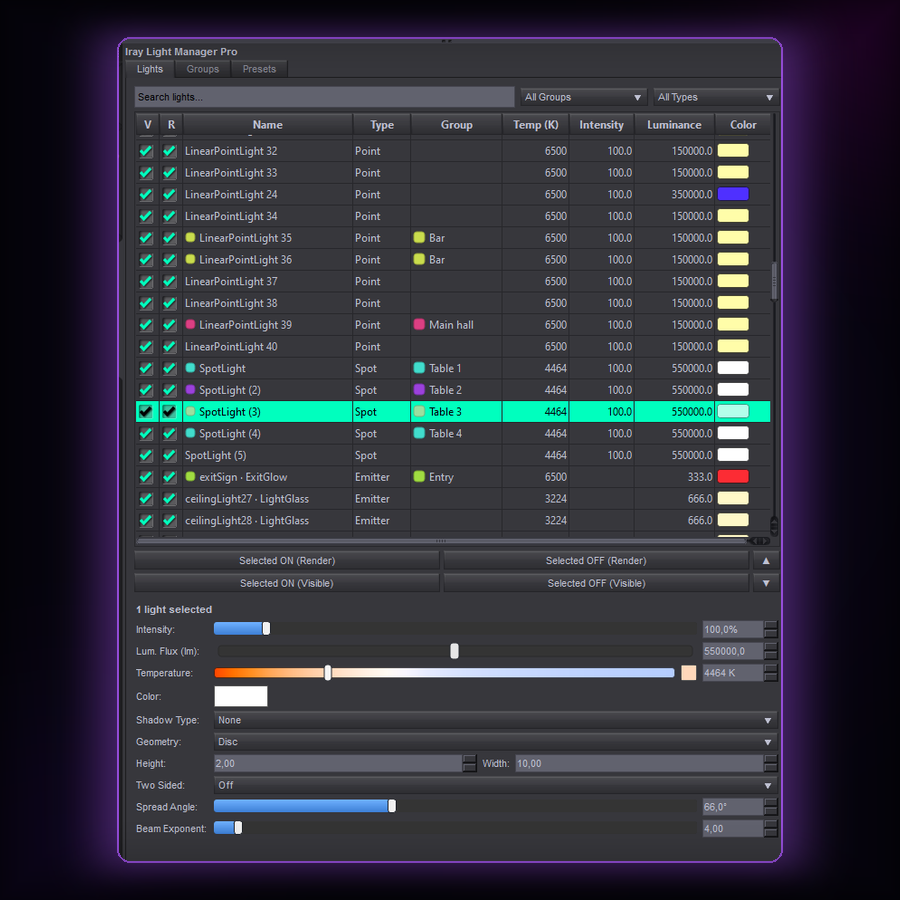
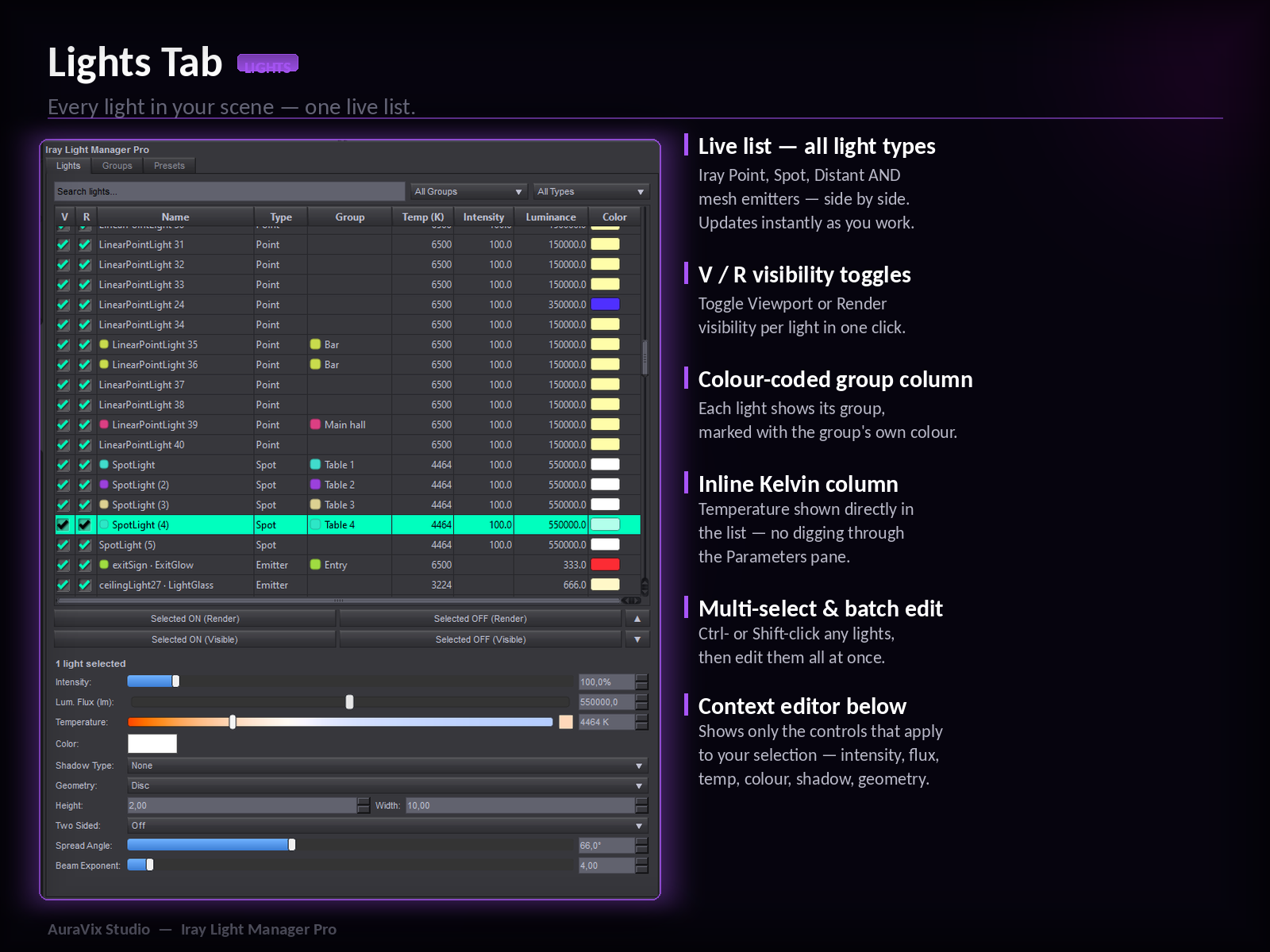
A live, searchable table of every Iray light and mesh emitter in the scene — Point, Spot, Distant lights and Iray Uber emissive surfaces, side by side. Per-row Viewport and Render toggles, colour swatches, temperature, intensity and luminance at a glance. Filter by name, group or type. Emissive surfaces are first-class lights you can dim, recolour and group like any other.
BATCH EDITING
Select one light or fifty and edit them together — Intensity, Luminous Flux / Luminance, Luminance Units & Efficacy, Temperature, Colour, Shadow Type, Light Geometry, Two Sided, Height/Width, Spread Angle and Beam Exponent. Values marked "Mixed" when the selection disagrees — so you never flatten a careful setup by accident.
COLOUR-CODED GROUPS
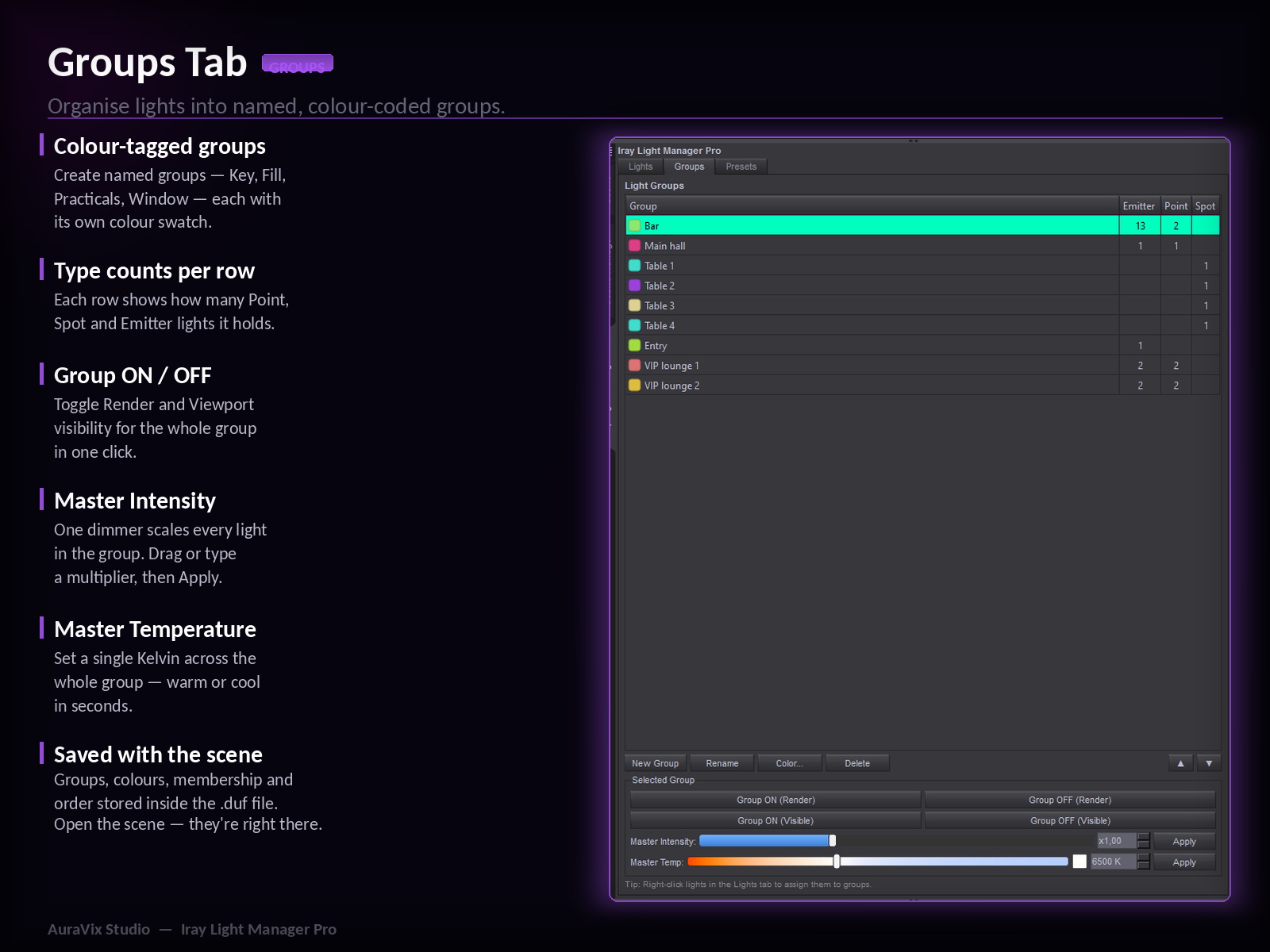
Organise lights into named, colour-tagged groups — each with a live count of light types inside. Drive the whole group at once: Group ON/OFF for Render and Viewport, Master Intensity dimmer, Master Temperature. Groups are saved inside the scene file.
LIGHTING PRESETS
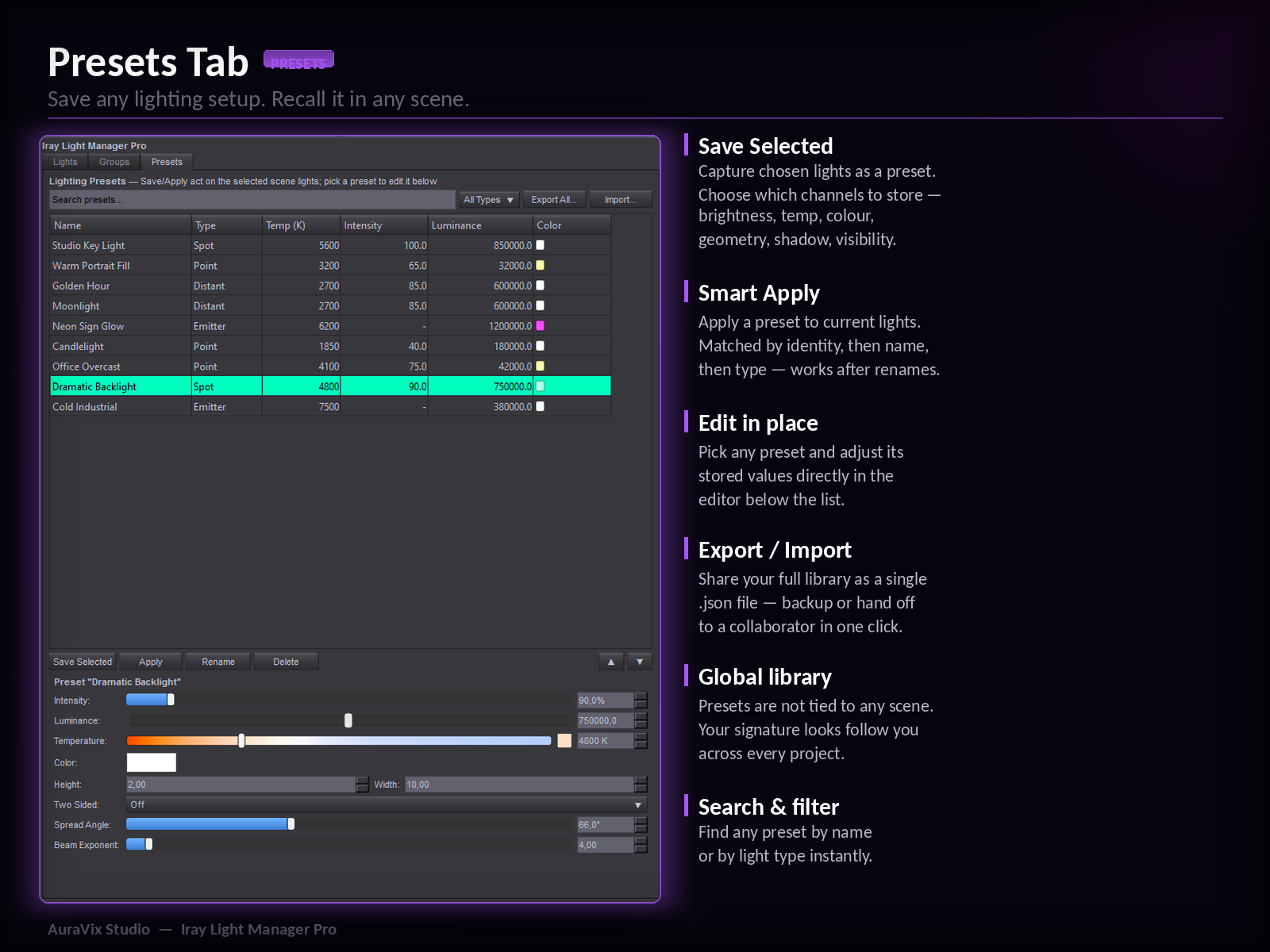
Save a complete lighting setup and bring it back in any scene. Choose which channels to store. Apply with smart matching by identity, name or type. Export and import the whole library as a single file to back it up or share it.
LIVE SYNC & UNDO
Tweak a light in DAZ's Parameters pane and the manager updates instantly — and vice-versa. Every change, single or batch, is one clean step on the DAZ undo stack.
WHAT'S INCLUDED
- dsp_iraylightmanagerpro.dll — the plugin
- Read me / user guide
- License
INSTALLATION
Copy dsp_iraylightmanagerpro.dll into your DAZ Studio 6 plugins folder, restart DAZ Studio, then open from Window > Panes (Tabs) > Iray Light Manager Pro.