
DocPhoton opened this issue on Jul 18, 2026 · 10 posts
DocPhoton posted Sat, 18 July 2026 at 9:33 PM
Might someone have this product?
https://www.daz3d.com/vevenor-ritual-veves-for-genesis-9
Is there some trick to use it? No docs or vids on YT.
They're allegedly H.Materials, so I'm selecting the G9 Figure, Rt. clicking a material and nothing.

GGreen posted Sat, 18 July 2026 at 11:44 PM
I own several geoshell products. Geoshells are like second skins.
This product maybe helpful for g8 and earlier - https://www.daz3d.com/geoshell-visibility-presets
This one is for G9 -https://www.daz3d.com/geoshell-visibility-presets-for-genesis-9
Here is a geoshell tutorial you might want to add to your wishlist-https://www.daz3d.com/second-skin--the-complete-guide-to-geoshells
Here is a youtube tutorial that might help - https://www.youtube.com/watch?v=pv9a6LocIHE
DocPhoton posted Sun, 19 July 2026 at 1:22 AM
So, basically I need to make/add a geoshell?
Thanks.
GGreen posted Sun, 19 July 2026 at 2:10 AM
Making the geoshell is the first small part of it. You have to select the areas that you want to apply the product/presets to. It all depends on the product you are using.
DocPhoton posted Sun, 19 July 2026 at 12:39 PM
Had the wrong image...

RHaseltine posted Sun, 19 July 2026 at 8:49 PM
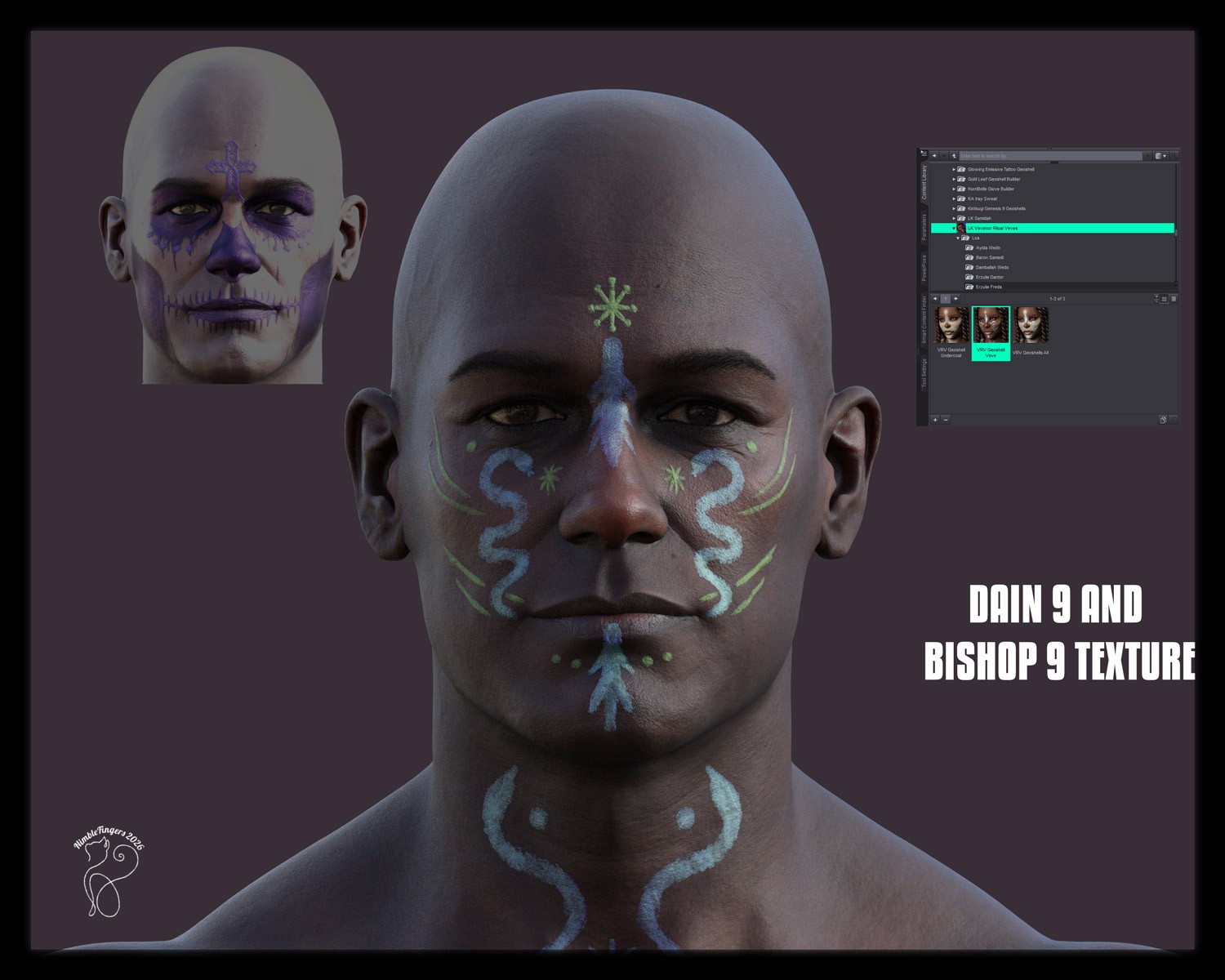
VRV Geoshells from that product wil load the shell onto the figure, then you use the materials on that.
DocPhoton posted Sun, 19 July 2026 at 9:50 PM
I only have H. Materials & don't see any Geoshells. I'll try one of the links GGreen lists.
GGreen posted Mon, 20 July 2026 at 9:27 AM
You have to create the geoshell and then apply the materials to the geoshell. The video will explain it to you.

Bejaymac posted Tue, 21 July 2026 at 2:17 AM
Friend of mine has this
People>Genesis 9>Materials>Lexa Kiness>Vevenor Ritual Veves
At that path in your Content Library you should find three DUF files, those will load "custom" GeoShells onto G9.
DocPhoton posted Wed, 22 July 2026 at 4:15 PM
Yay! That did the trick.