
RedPhantom opened this issue on May 28, 2026 · 12 posts
RedPhantom posted Thu, 28 May 2026 at 10:57 PM Site Admin
I'm using the physical surface node, and I wanted to add anisotropic to the shader, but I don't see it on there. Am I missing it, or is it not there? How would I add it?
Available on Amazon for the Kindle E-Reader Monster of the North and The Shimmering Mage
Today I break my own personal record for the number of days for being alive.
Check out my store here or my free stuff here
I use Poser 14 and Windows 11

Y-Phil posted Fri, 29 May 2026 at 6:32 AM
Hi
One is here:
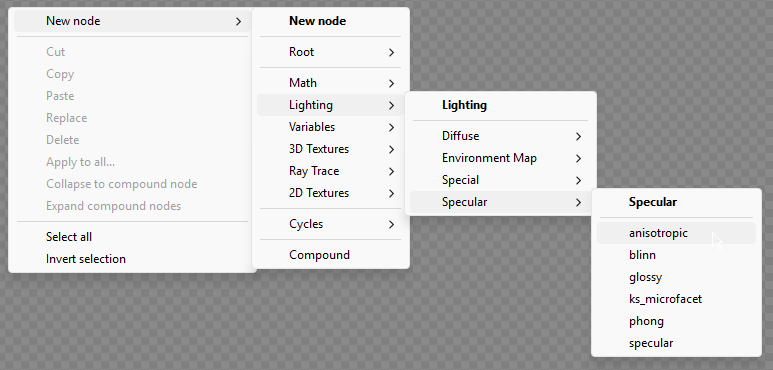
And the Cycles version is here:
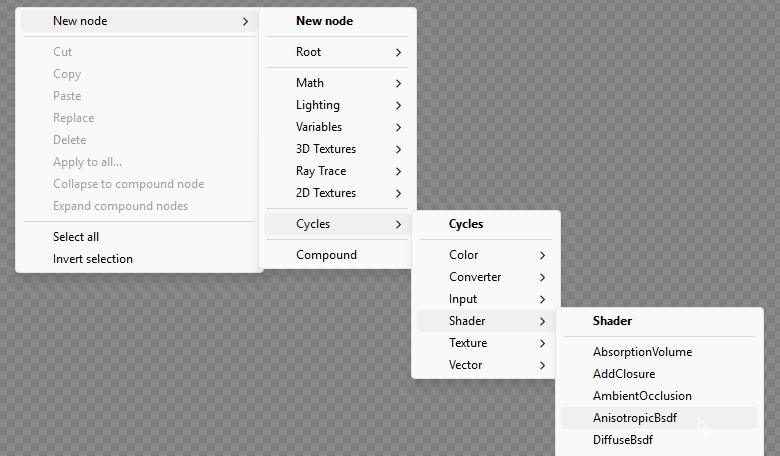
But I don't which one should be used with the Physical node, as when I'm using this effect, I putting it in a second layer, based on Cycles and I mix it with the Transparency shader to control the strength of the effect.
𝒫𝒽𝓎𝓁
(っ◔◡◔)っ
👿 Win11 on i9-13900K@5GHz, 64GB, RoG Strix B760F Gaming, Asus Tuf Gaming RTX 4070 OC Edition, 1+2 TB SSD's, 6+4TB HD
👿 Mac Mini M2, Tahoe 26.5, 16GB, 500GB SSD
👿 Nas 10TB
👿 Poser 13 and 14 ❤️
RedPhantom posted Fri, 29 May 2026 at 8:05 AM Site Admin
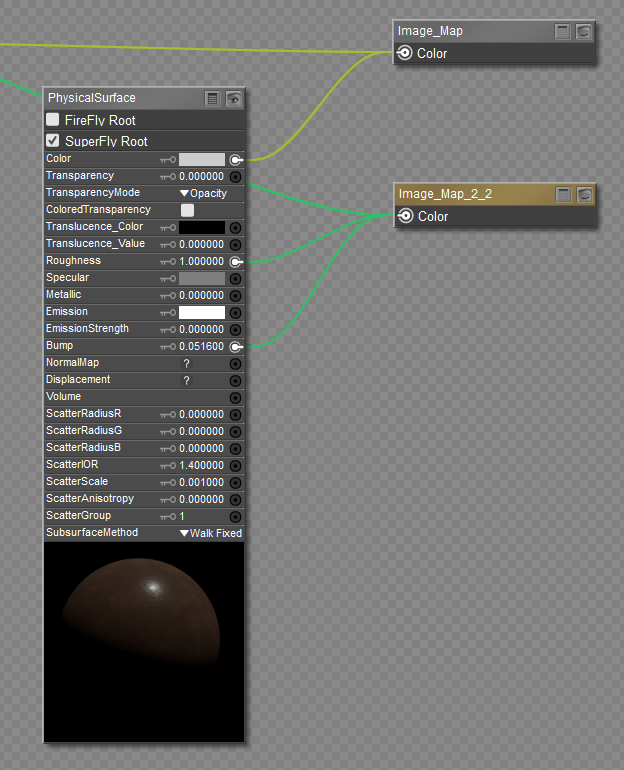
I know of those nodes, but I wouldn't know where to plug them in
Available on Amazon for the Kindle E-Reader Monster of the North and The Shimmering Mage
Today I break my own personal record for the number of days for being alive.
Check out my store here or my free stuff here
I use Poser 14 and Windows 11

hborre posted Fri, 29 May 2026 at 8:06 AM
The PhysicalSurface node does have anisotropy, but it is called ScatterAnisotropy. You will need to change the value to see an effect. Using either of the separate nodes will only allow connection to the Volume channel. The only time I use ScatterAnisotropy is to add it to skin textures.

bagginsbill posted Fri, 29 May 2026 at 1:01 PM
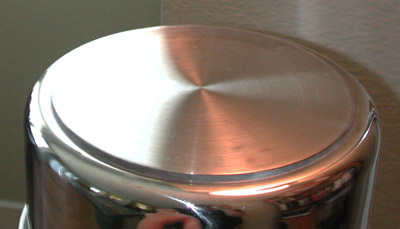
Anisotropic is an adjective and it applies to lots of things. It means "not the same in all directions". Everything in the Physical surface node is isotropic - the same in all directions, except the scatter, as hborre said. If you want anisotropic scatter, it's built in. If you want anisotropic specular reflections, as seen on hair or silk threads or grooves on a pan, you can't plug that into the Physical surface node. You'd need to do some other simpler/dumber root node, or you'd need to mix them.
Renderosity forum reply notifications are wonky. If I read a follow-up in a thread, but I don't myself reply, then notifications no longer happen AT ALL on that thread. So if I seem to be ignoring a question, that's why. (Updated September 23, 2019)
bagginsbill posted Fri, 29 May 2026 at 1:12 PM
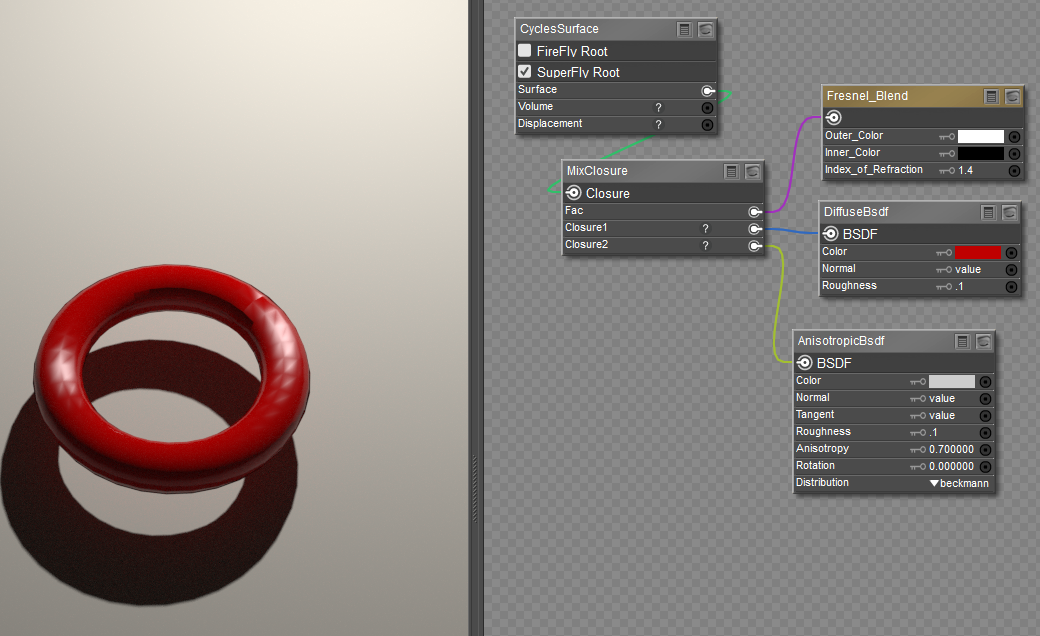
I'd show you how to use it, but in Poser every flavor of anisotropic reflections, even in SuperFly/Cycles nodes, works like crap. If you see individual polygons like here, you can try subdividing, but the result is still weird nonsense.
Renderosity forum reply notifications are wonky. If I read a follow-up in a thread, but I don't myself reply, then notifications no longer happen AT ALL on that thread. So if I seem to be ignoring a question, that's why. (Updated September 23, 2019)
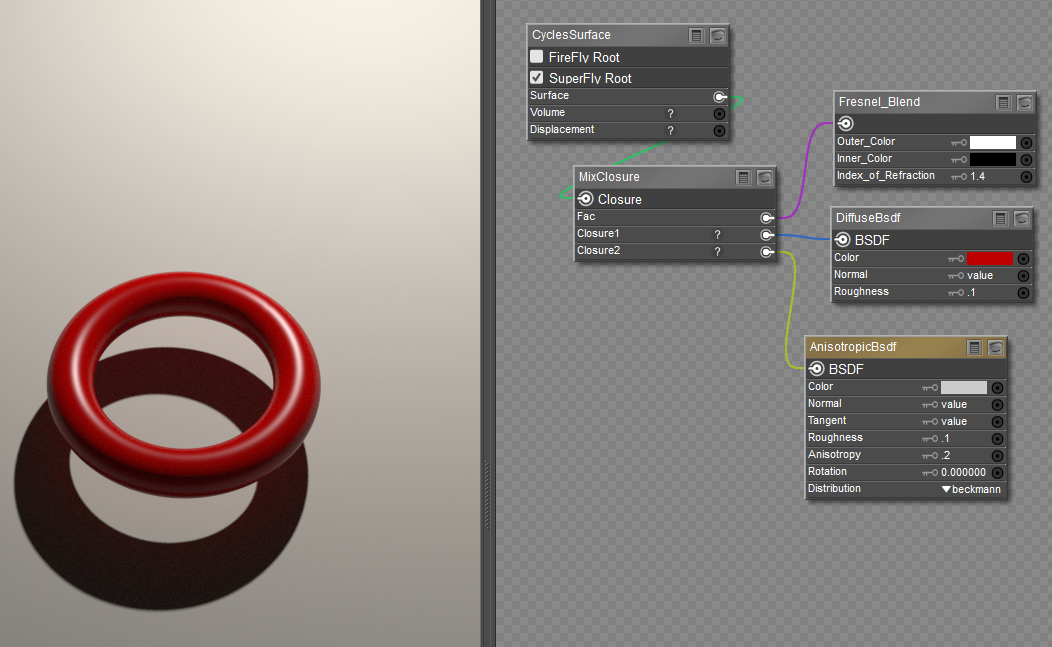
bagginsbill posted Fri, 29 May 2026 at 1:14 PM
This looks better but it isn't what I was after.
Renderosity forum reply notifications are wonky. If I read a follow-up in a thread, but I don't myself reply, then notifications no longer happen AT ALL on that thread. So if I seem to be ignoring a question, that's why. (Updated September 23, 2019)
bagginsbill posted Fri, 29 May 2026 at 1:16 PM
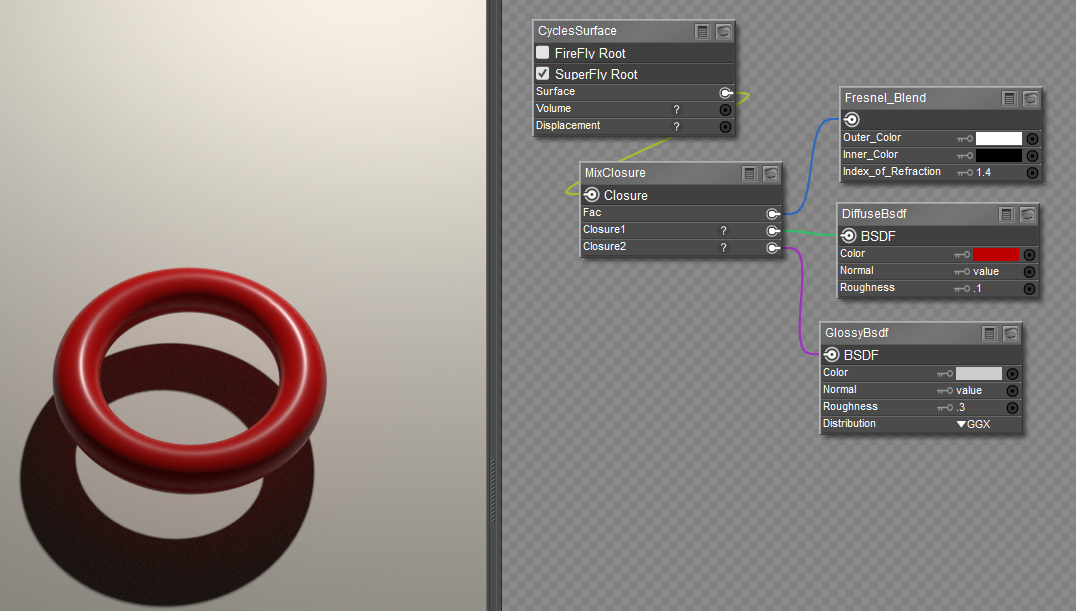
Here's an isotropic reflection - pretty much no difference aside from the parameter controlling roughness.
Renderosity forum reply notifications are wonky. If I read a follow-up in a thread, but I don't myself reply, then notifications no longer happen AT ALL on that thread. So if I seem to be ignoring a question, that's why. (Updated September 23, 2019)
hborre posted Fri, 29 May 2026 at 1:41 PM
Would changing the distribution bring you closer to what you want?

ChromeStar posted Fri, 29 May 2026 at 2:13 PM
If the anisotropy value is low and there's no rotation, I don't know that it should have much effect.
Here's a very similar test in Poser 14. I have an infinite light to ensure the lighting angle is the same for all six toruses (with two levels of subdivision), and just vary some settings on the AnisotropicBsdf node as described below. Compare the highlights.
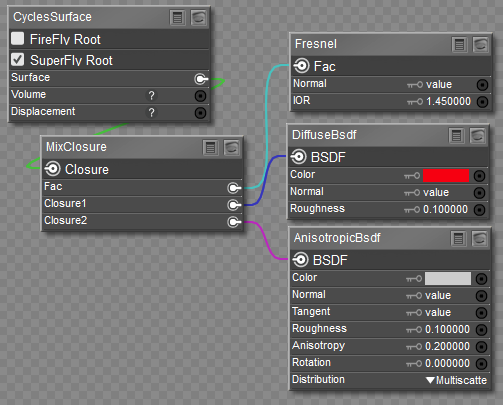
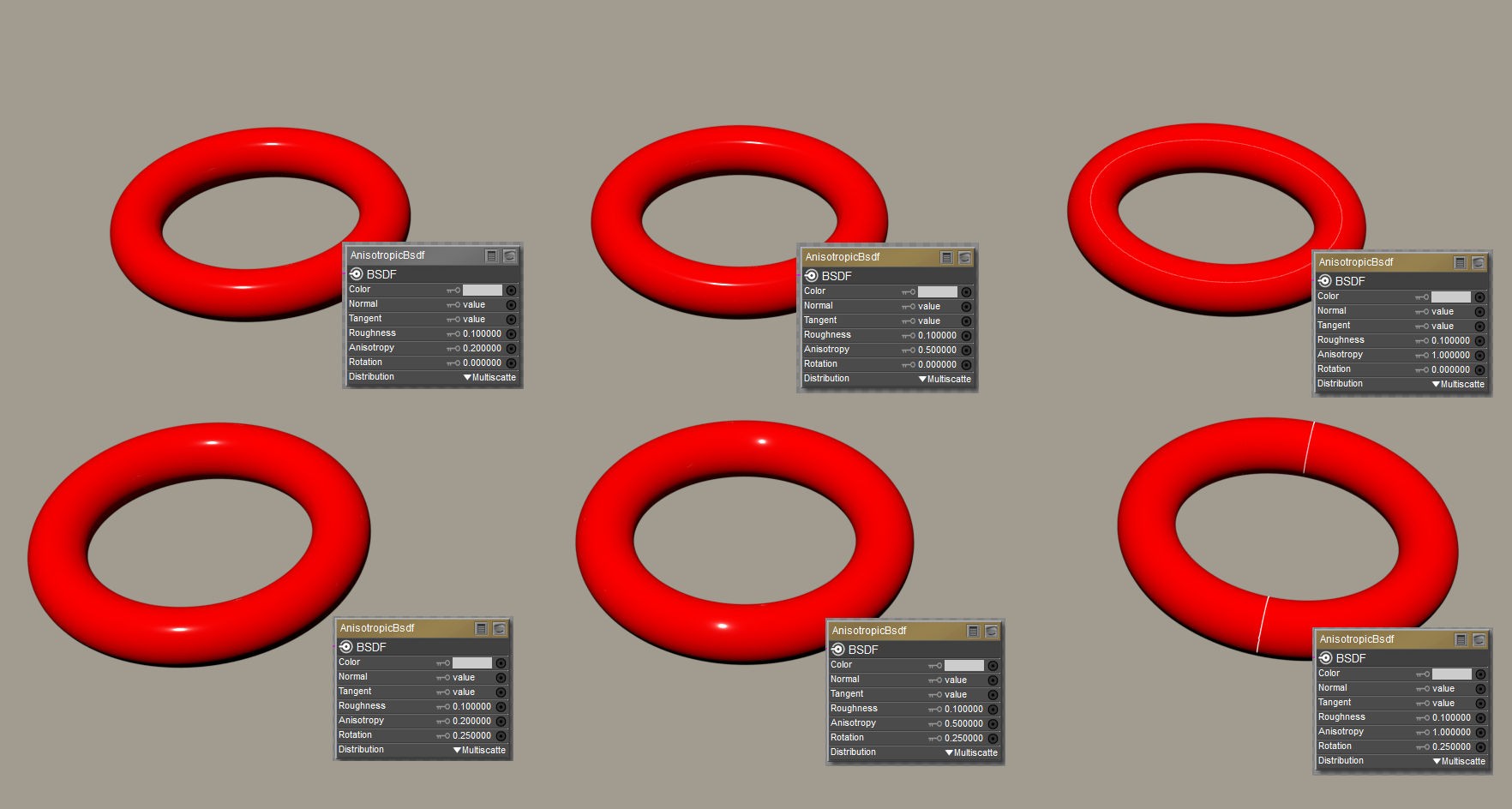
Going across varies the anisotropy value, 0.2 on the left, 0.5 center, and 1 right.
What the Blender manual says this does is: Amount of anisotropy in the reflection; 0.0 gives a round highlight. Higher values give elongated highlights orthogonal to the tangent direction; negative values give highlights shaped along the tangent direction.
That appears to be correct. The reflect is narrowest on the left, and on the right (1.0) it's a circle that goes all the way around the torus (but also reduced intensity because it is spread out).
The second row changes the rotation value. 0 in the top row, 0.25 in the bottom row (which = 90 degrees).
Blender manual says: Rotation of the anisotropic tangent direction. Value 0.0 equals 0° rotation, 0.25 equals 90° and 1.0 equals 360° = 0°. This can be used to texture the tangent direction.
This also appears true. The shape alteration of the highlight has turned 90 degrees. For the case with anisotropy = 1, the highlight is completely different.
https://docs.blender.org/manual/en/3.6/render/shader_nodes/shader/anisotropic.html
RedPhantom posted Fri, 29 May 2026 at 2:38 PM Site Admin
bagginsbill posted at 1:12 PM Fri, 29 May 2026 - #4506834
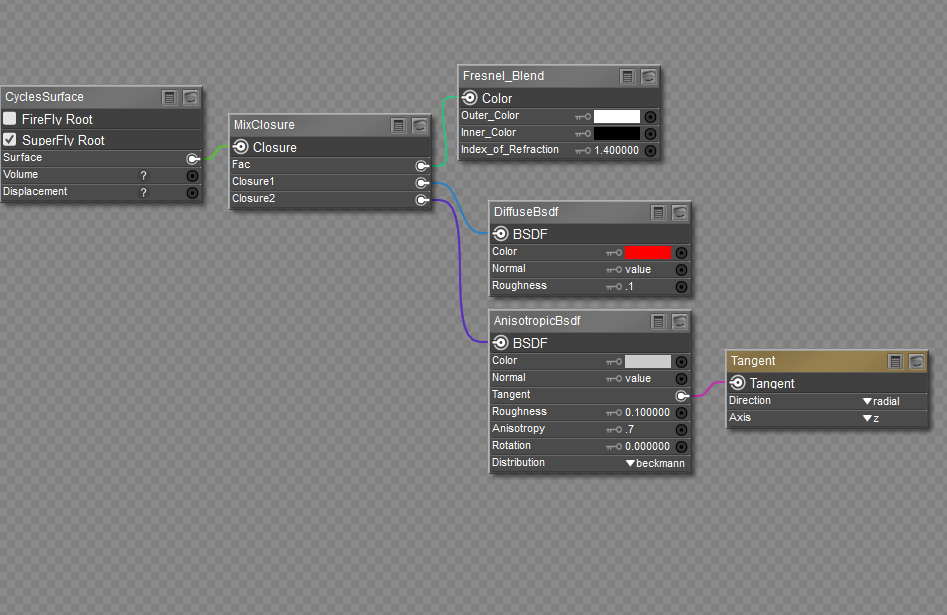
Try plugging a tangent node into the tangent of the Anisotropicbdsf node. That fixes a lot of the trouble with showing the faces. I thought it had been fixed, but maybe it's back.I'd show you how to use it, but in Poser every flavor of anisotropic reflections, even in SuperFly/Cycles nodes, works like crap. If you see individual polygons like here, you can try subdividing, but the result is still weird nonsense.
Available on Amazon for the Kindle E-Reader Monster of the North and The Shimmering Mage
Today I break my own personal record for the number of days for being alive.
Check out my store here or my free stuff here
I use Poser 14 and Windows 11
RedPhantom posted Fri, 29 May 2026 at 2:42 PM Site Admin
I'm familiar with using the AnisotropicBsdf node with the Cycles surface. And I can switch to that for the image I'm working on. I've been trying to learn more about the physical surface node for possible future freebies since it works with both render engines. But if I can't always use it, I can always make separate shaders. Thanks for all the suggestions.
Available on Amazon for the Kindle E-Reader Monster of the North and The Shimmering Mage
Today I break my own personal record for the number of days for being alive.
Check out my store here or my free stuff here
I use Poser 14 and Windows 11