
msansing opened this issue on Apr 07, 2026 · 9 posts
msansing posted Tue, 07 April 2026 at 4:33 PM Site Admin
We’re excited to introduce our new Content Filtering System,
designed to give you more control over your browsing experience across
Renderosity!
With this update, you can choose the type of content you want to see—so your
experience feels just right for you.
🔧 Choose Your Content Level
Safe – Content suitable
for all audiences
Mature – Safe content
plus material that may be sensitive
Adult – Full access to
all content, including adult material
🌐 Your Settings, Everywhere
Once selected, your preference applies across the entire site—forums,
galleries, SiteMail, and the marketplace—for a seamless experience.
⚙️ Easy to Update Anytime
Your content level is fully customizable and can be changed whenever you
like.
👉 Be sure to visit
your User Settings Panel and select your preferred content level!

MarcoK posted Wed, 08 April 2026 at 4:12 AM
Please consider using "Content Hidden by your Filtering Settings" placeholders instead of straight out omitting the products.
If you visit todays "30 Days, 30 Deals" page with the new default setting "Safe" active, it's just an "empty page" (you get the blurbs an everything, of course, but no products are displayed), which appears broken. Other than that, while I personally do not need them at this point, having content filtering options such as these is never a bad thing. Thanks.
msansing posted Wed, 08 April 2026 at 10:37 AM Site Admin
Thank you for that suggestion. We are working on an update that I believe will address that.Please consider using "Content Hidden by your Filtering Settings" placeholders instead of straight out omitting the products.
If you visit todays "30 Days, 30 Deals" page with the new default setting "Safe" active, it's just an "empty page" (you get the blurbs an everything, of course, but no products are displayed), which appears broken. Other than that, while I personally do not need them at this point, having content filtering options such as these is never a bad thing. Thanks.

exnem posted Thu, 09 April 2026 at 4:55 PM
Yes, products should not disappear, just blur the thumbnail or whatever because otherwise we're going to lose a lot of sales. I have already suffered greatly in my sales because of this.
bingomion posted Sat, 11 April 2026 at 12:58 AM
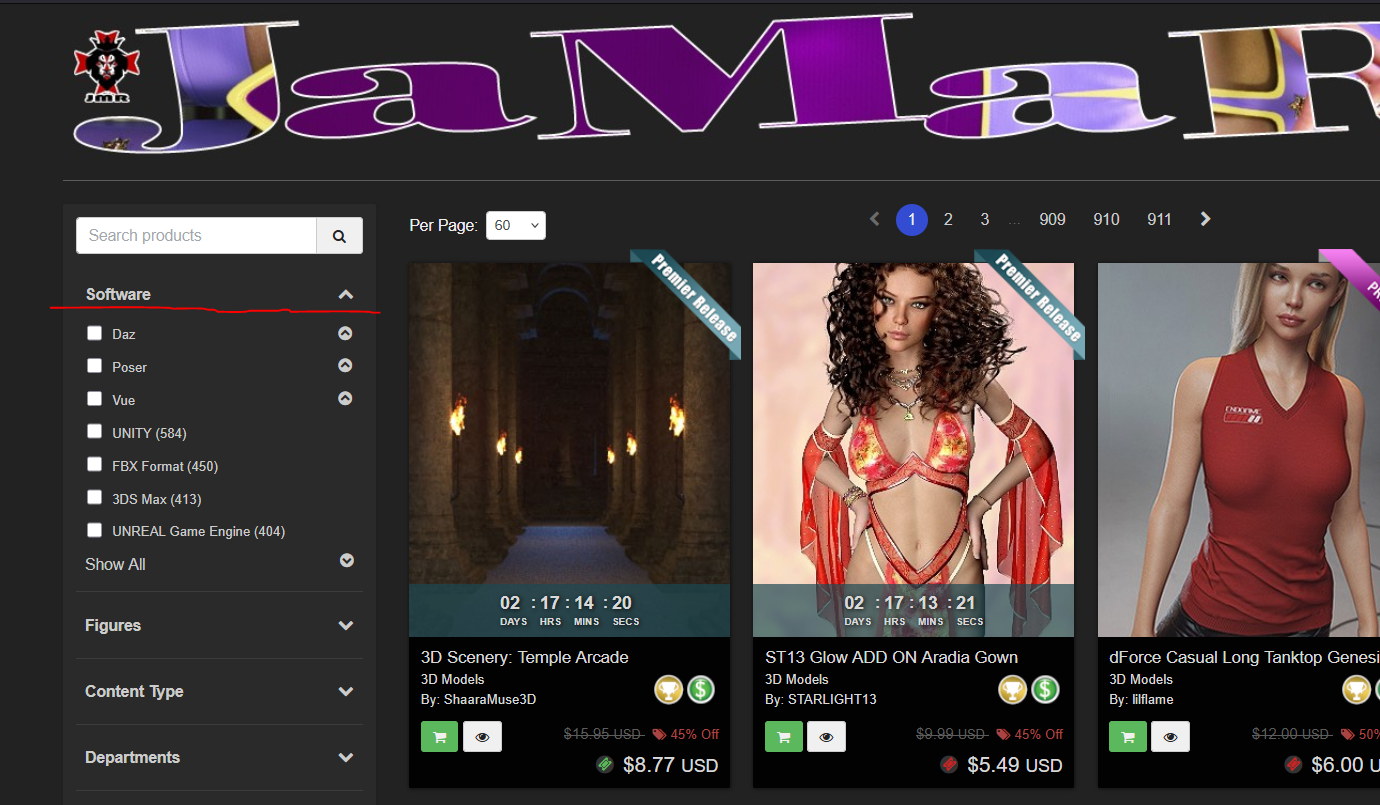
would be good to filter out all Daz products (and poser for that matter)... default to no filter obviously, I mean while you're there!

RedPhantom posted Sat, 11 April 2026 at 6:48 AM Site Admin
You can already choose which software you want to browse
Available on Amazon for the Kindle E-Reader Monster of the North and The Shimmering Mage
Today I break my own personal record for the number of days for being alive.
Check out my store here or my free stuff here
I use Poser 13 and win 10
bingomion posted Mon, 13 April 2026 at 8:05 PM
vince5 posted Wed, 15 April 2026 at 4:26 PM
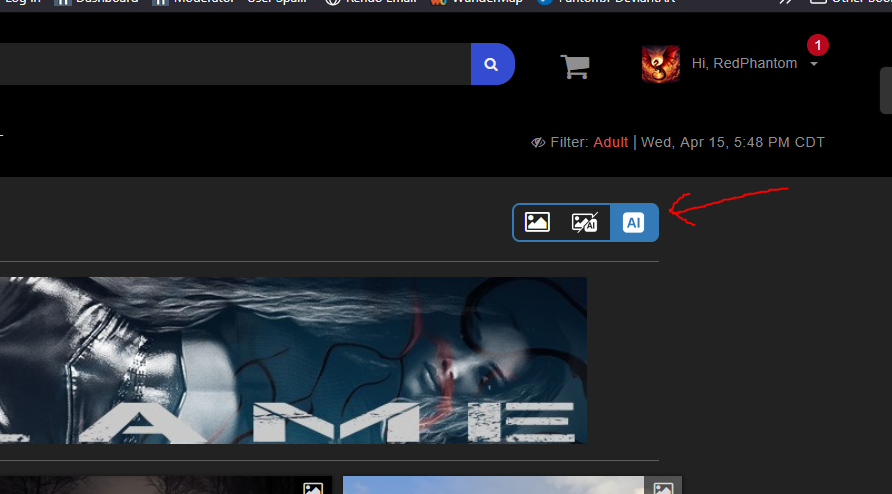
Un autre contrôle possible lorsque l'on regarde les galleries ou sur le market place, c'est un bouton avec ou sans AI
Another possible control when viewing galleries or the marketplace is a button with or without AI.
RedPhantom posted Wed, 15 April 2026 at 5:49 PM Site Admin
We already have an AI filter for the galleries.
Available on Amazon for the Kindle E-Reader Monster of the North and The Shimmering Mage
Today I break my own personal record for the number of days for being alive.
Check out my store here or my free stuff here
I use Poser 13 and win 10