
RAMWorks opened this issue on Jul 31, 2025 · 5 posts
RAMWorks posted Thu, 31 July 2025 at 7:19 PM
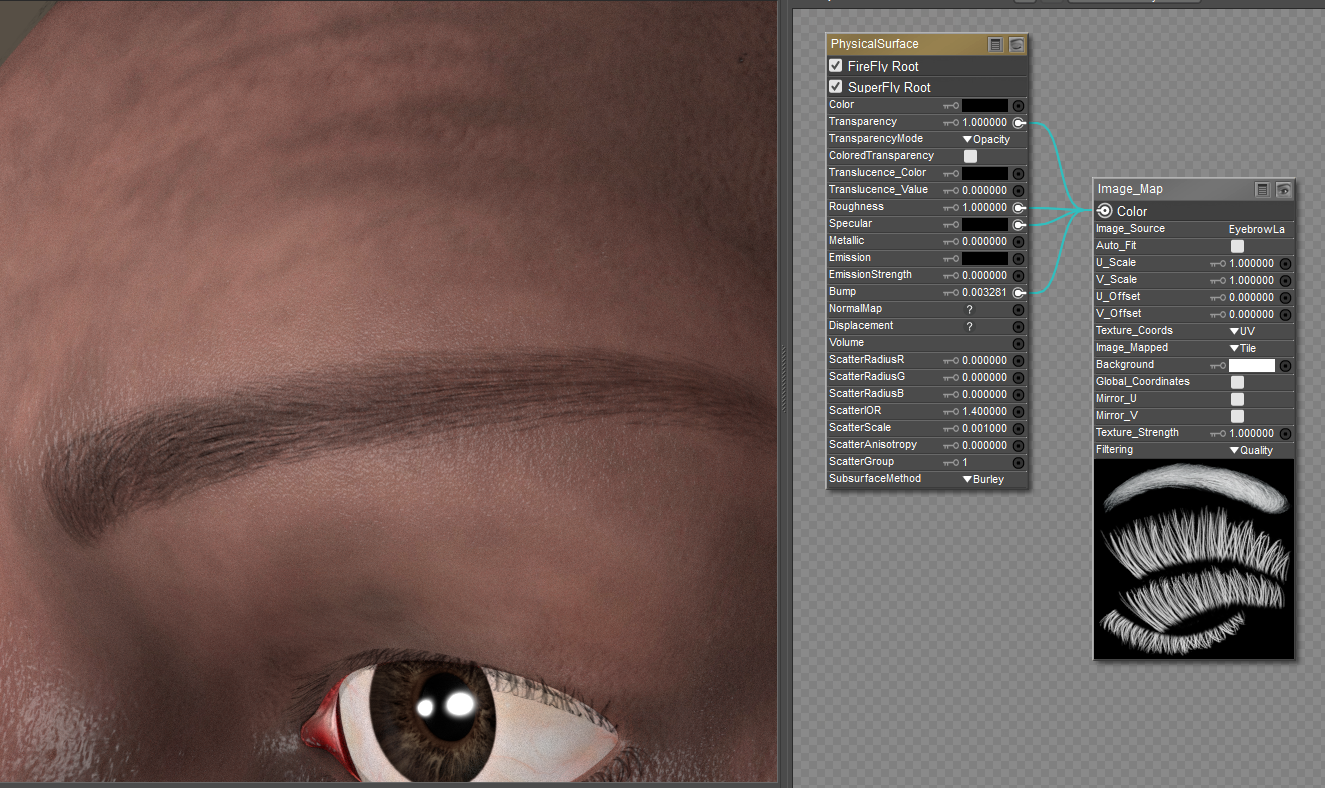
Question for those that know the tricks. This is LH, so he has a separate brow area that I like using because I can provide color options. I can not get a really black effect. You see my settings. I've even tried adding in a black square to the diffuse channel but it's just not very black. It's OK but not as rich black as I'd like! Any suggestions?
---Wolff On The Prowl---

RedPhantom posted Thu, 31 July 2025 at 8:16 PM Site Admin
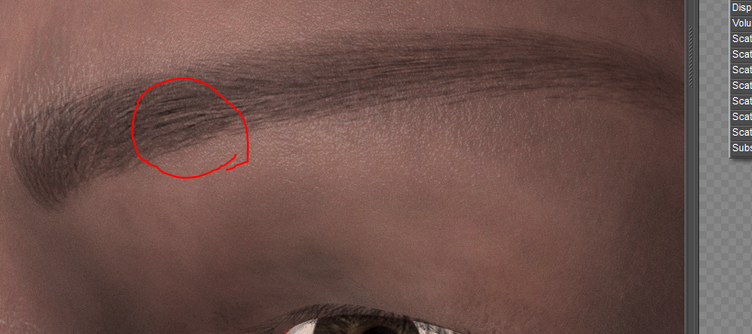
Trying your setup, I'm getting some very black eyebrows, using the ones that come with him or some think ones that come with Lehome It might be that the lashes are so thin, or it might be that the trans map isn't fully white in many locations. If you look where I circled, there is a small amount of black, which looks like it might be the densest portion of the map.
Available on Amazon for the Kindle E-Reader Monster of the North and The Shimmering Mage
Today I break my own personal record for the number of days for being alive.
Check out my store here or my free stuff here
I use Poser 14 and Windows 11

infinity10 posted Fri, 01 August 2025 at 1:44 AM
Add an invert colour node between the transmap and the colour node. This makes the hairs black in the input image for the colour node. I can't recall exactly the invert node for Poser, been using DS for a while now, but quite sure there is either a colour inversion or math node to make it inverted.
Eternal Hobbyist
RAMWorks posted Fri, 01 August 2025 at 10:51 AM
OK, I'm in Photoshop and redid the transmap and your right, it needed allot more bright white and it's now showing black. Thanks folks! 😁
---Wolff On The Prowl---

HartyBart posted Sat, 02 August 2025 at 4:22 AM
A useful tip, possibly especially useful if one plans to 'Comic Book mode' or 'Photoshop filter' for a more 'line-art look'. Thanks.
Learn the Secrets of Poser 11 and Line-art Filters.