
Bastep opened this issue on Oct 23, 2022 · 10 posts
Bastep posted Sun, 23 October 2022 at 6:24 AM
I built a procedural wood texture in Poser after a Blender tutorial. But the final result looks very different from the original. Am I making a mistake or is the mapping node not working correctly? Does anyone have experience with this and can help me?
With kind regards
Stephan Bayer
Here is the tutorial: Procedural Wood Material (Blender Tutorial)
Here is my rebuilt shader. I had to improvise a bit with the colorramps:
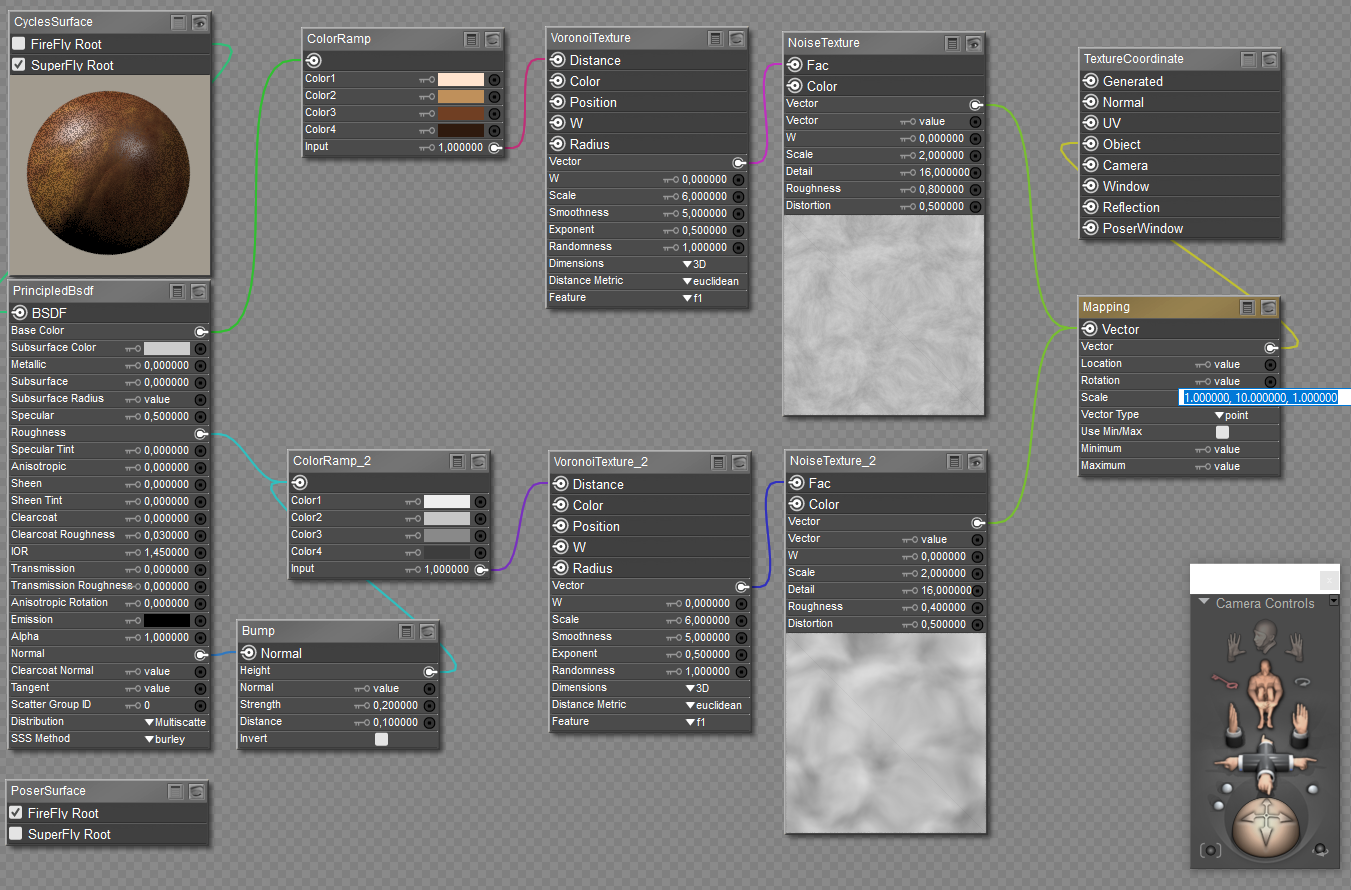
The original material: 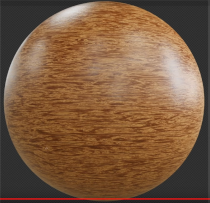
My material: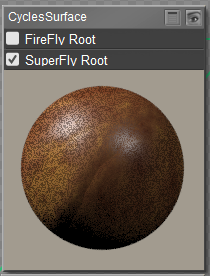
The render: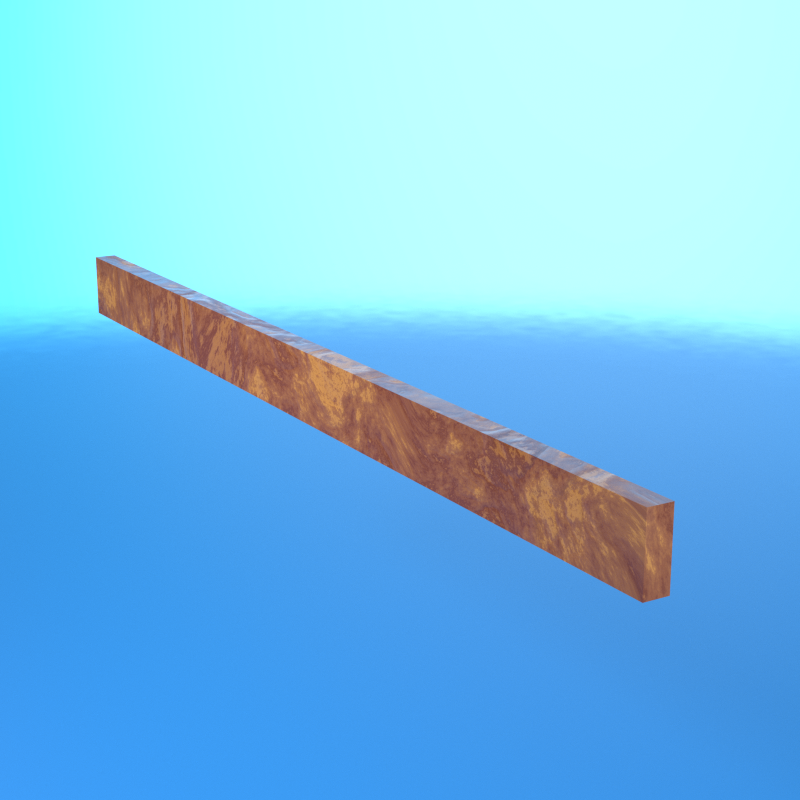

RedPhantom posted Sun, 23 October 2022 at 7:50 AM Site Admin
The Bump strength and distance values are off. Both noise distortions are off. If those don't help it might be the differences in the color ramp nodes
Available on Amazon for the Kindle E-Reader Monster of the North and The Shimmering Mage
Today I break my own personal record for the number of days for being alive.
Check out my store here or my free stuff here
I use Poser 13 and win 10

FVerbaas posted Sun, 23 October 2022 at 7:56 AM Forum Coordinator
Your input is via object coordinates. What is the unit of the values yielded by the texturecoordinate node? If those are PNU values you probably need to correct the scale.
I understand you are accounting for anisotropy in the scale factors and assume the grain is in y-direction. The plank was defined vertically?
Beautiful texture, by the way, but probably not what you were after.
RedPhantom posted Sun, 23 October 2022 at 8:07 AM Site Admin
I have to say, yours makes a good burrel wood.
Available on Amazon for the Kindle E-Reader Monster of the North and The Shimmering Mage
Today I break my own personal record for the number of days for being alive.
Check out my store here or my free stuff here
I use Poser 13 and win 10

adp001 posted Sun, 23 October 2022 at 8:47 AM
There is a difference in the coordinate system between Blender and Poser. Y and Z are switched (Z in Blender is up/down, Y is depth).
Bastep posted Sun, 23 October 2022 at 9:01 AM
Hello,
I would like to stretch the texture in one direction. For this I have set the scale values in the mapping node to 1.0, 10.0, and 1.0. With these settings the texture should be stretched in one direction but it is not. Settings of the units of measurement, changes of the scaling values have no effect the render always remains the same.

The upper plane should look similar to the lower one, i.e. drawn in width.
PS: I have tried to scale in all 3 directions in the mapping node. Unfortunately without success.
1, 1, 10 or 10, 1, 1 or 1, 10, 1
adp001 posted Sun, 23 October 2022 at 9:51 AM
I tried it too. No chance, the noise shader seems totally different from what Blender does.
But I tried something other. This gives something similar to the Blender material (scaling in X, Y and Z works as expected):
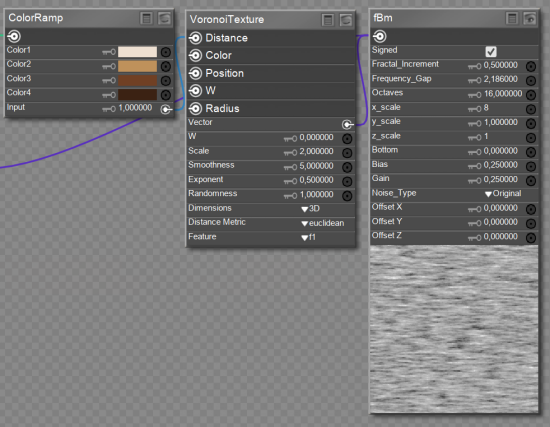
adp001 posted Sun, 23 October 2022 at 9:51 AM
...and no mapping needed.
Bastep posted Sun, 23 October 2022 at 10:11 AM
Your alternative works. Well, I still have to screw something on it. But I am not satisfied. I think the error is in the mapping node. Scaling, rotating and moving do not bring any results. It seems that the node has been shut down. I will open a ticket in any case. Let's see if something comes out.
Thanks to all for the help, and have a nice weekend.
Greetings

hborre posted Sun, 23 October 2022 at 11:21 PM
Let us know what's the tech's response is, I agree that the mapping node is not as intuitive as it should be and is not working to anyone's satisfaction.