
speculoos opened this issue on May 17, 2020 · 14 posts
speculoos posted Sun, 17 May 2020 at 4:25 AM
I don't know if other Marvelous Designer users have the same problem but when I use the new Remeshing to retopology (selected) feature in version 9.5 (as explained in the video at the MD website) nothing happens.
I have posted a help request in their forum but it is still pending approval after a week and I never got any answer to the help request I sent via their online form... They seem to ignore me and it is very annoying.

ghostman posted Sun, 17 May 2020 at 5:57 AM
Works on my end. Select everything in the 2d window. Then right click on the garment in the 3d window, Now go down in the pop up menue and you will have the option to remesh to topology. Might take some time due to what computer you have.
"Dream like you'll live forever. Live like you'll die tomorrow."
speculoos posted Sun, 17 May 2020 at 7:03 AM
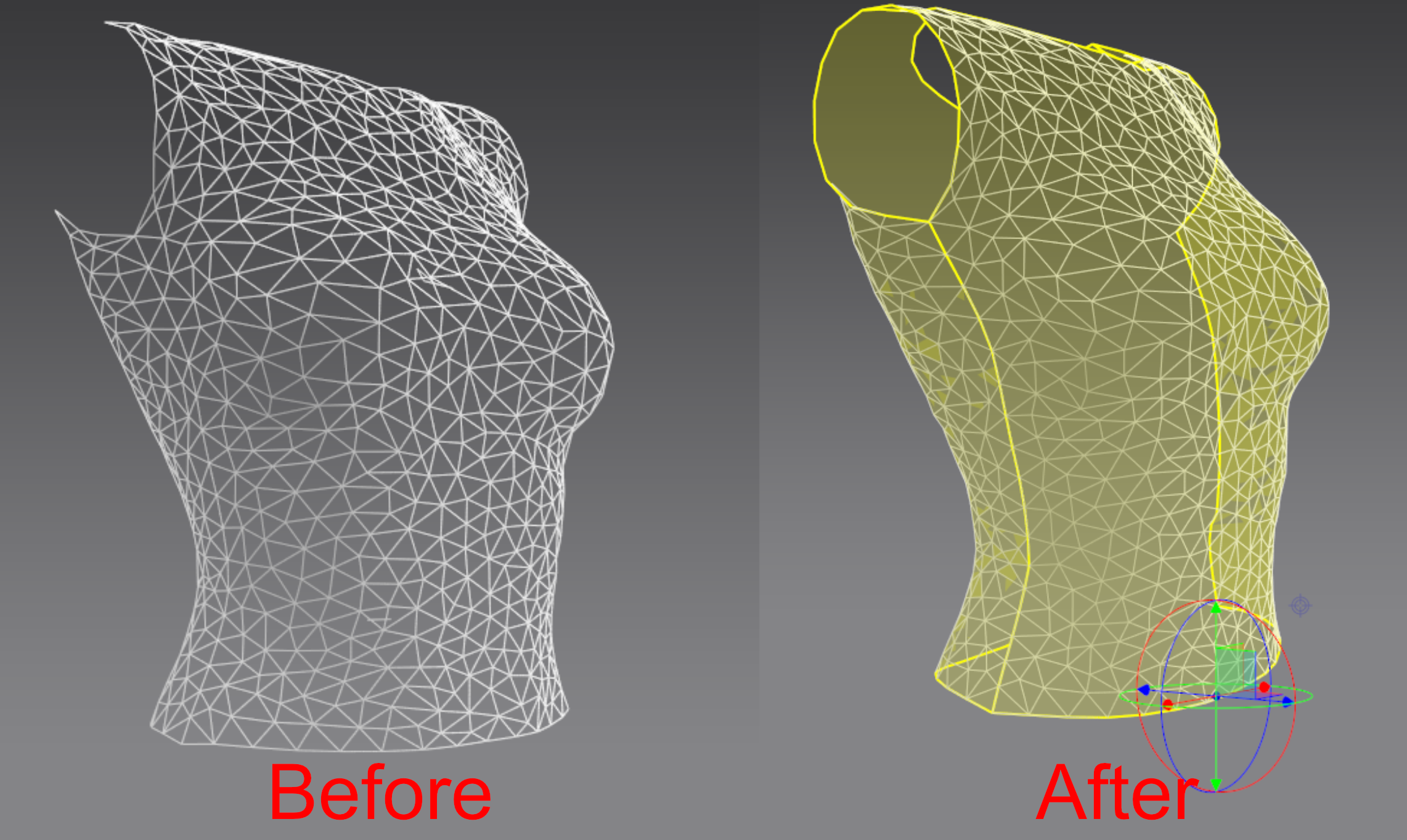
Thank you very much for your response ghostman. I have tr'ied again but as you can see it doesn't work for me. The screenshiot shows a simple garment before and after the remesh to retopology process but nothing seems to happen. The process lasts a fraction of second and obviously doesn't produce any effect.
ghostman posted Sun, 17 May 2020 at 7:28 AM
I belive you mush first make it into quads instead of tris.
"Dream like you'll live forever. Live like you'll die tomorrow."
speculoos posted Sun, 17 May 2020 at 11:36 AM
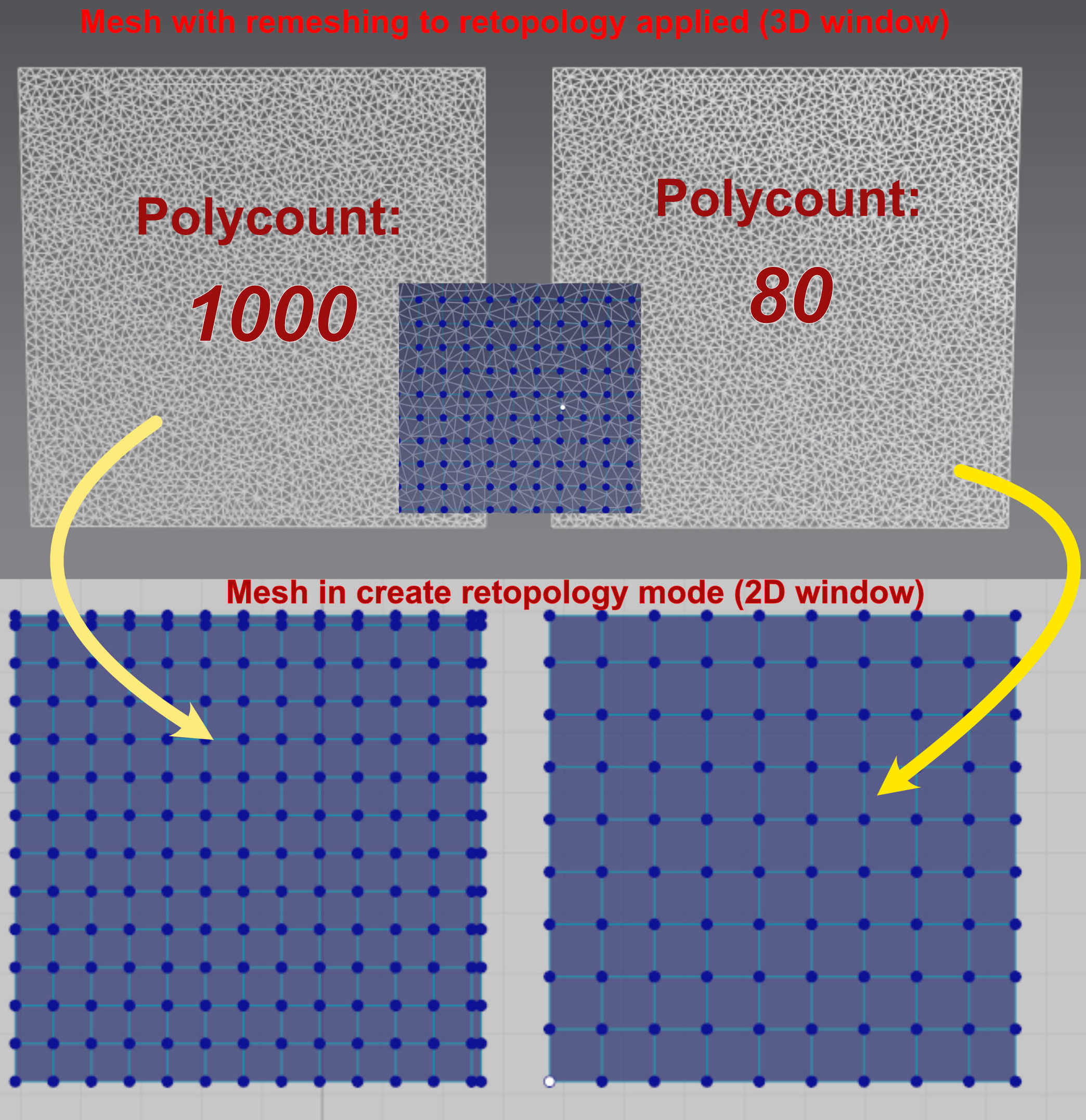
I have already tried to quadrangulate the mesh before applying the but nothing happens when I proceed to the remeshing to retopology. The mesh is just quadrangulated instead of being triangulated. I believe there is a problem with something on my PC but I don't know what it is. What is weird is that I can see a quadrangulated mesh when I select the create retopology tool after having applied the remesh to retopology. It is visible on the screenshots below. The mesh once it is exportes is triangulated and not quadrangulated. The smaller screenshot below in the middle of the 3D view is a closeup of the mesh as it looks in the 3D view when the create retopology tool is selected. The two squares are the same mesh with a different polycount number applied. It is a mystery!
ghostman posted Sun, 17 May 2020 at 11:41 AM
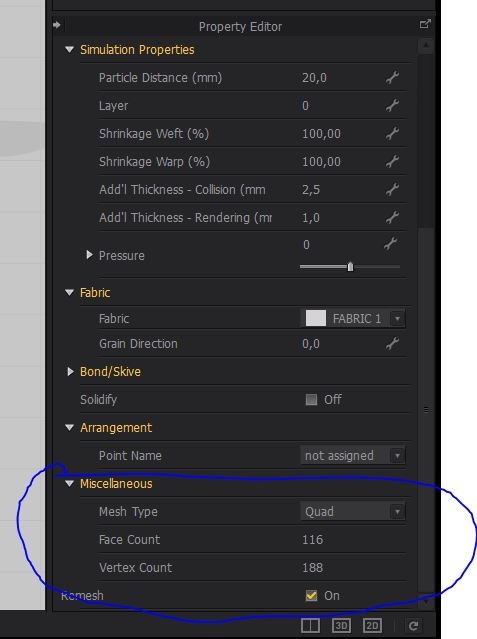
First remesh it in the properties. After that it will work the way it should.
"Dream like you'll live forever. Live like you'll die tomorrow."
speculoos posted Sun, 17 May 2020 at 1:53 PM
Thank you very much for the suggestion. I have enabled the Remesh option and I have used quad instead of triangles but the result is the same as with triangles except the triangles are quads. The mesh is well quadrangulated but the quads are the result is the remeshing and when I apply the remesh to retopology I see wider quads when I am in create retopology mode but the exported mesh is the one with small quads... I don't understand what is happening. It seems the rremeshing to retopologu applies to layer on the mesh when the only thing in scene is the mesh I have created. I really appreciate your help but it seems there is a real problem on my side... Thank you very much though.
ghostman posted Sun, 17 May 2020 at 1:57 PM
Ok. Sorry if i can't be much more help than this. :(
"Dream like you'll live forever. Live like you'll die tomorrow."
speculoos posted Sun, 17 May 2020 at 3:01 PM
Thank you again for the time spent helping me! It is very much appreciated... 
speculoos posted Wed, 27 May 2020 at 10:04 AM
Finally got a reply from Marvelous Designer after having sent them a video showing the issue. They say there was a problem with the video tutorial they posted. They have posted a news one and the remeshing to retopology (selected) feature needs some more steps but now it works.The process is not exactly the same as the previous one...
Anyway the new video is available at the Marvelous Designer website in the online manua:
https://marvelousdesigner.zendesk.com/hc/en-us/articles/900000566346-Remeshing-to-Retopology-Selected-ver-5-2-0-

FVerbaas posted Fri, 29 May 2020 at 11:00 AM Forum Coordinator
Good to hear this is solved.
speculoos posted Mon, 01 June 2020 at 1:30 PM
it was just them not posting the right tutorial...
FVerbaas posted Mon, 01 June 2020 at 2:06 PM Forum Coordinator
Tutorials are a big problem. The MD interface changes with every version or even every update. I noted the latest version does have the number of buttons reduced, with functions like 'add point' suddenly hidden under the 'edit pattern' button. This means that any tutorial made for any previous version of MD can go straight into the bin. This goes un-announced and un-documented. You have to spend a day or two to find out yourself. Well possible it is reversed in the next version.
MD is a target constantly moving. This held me from making any specific detailed 'step-by-step' publications because they would be outdated by the time I have completed them.
speculoos posted Wed, 03 June 2020 at 5:13 AM
What you say is true and this problem annoys other people. But as far as the tutorial is concerned I wonder if it was not a Clo Designer tutorial because no manual operation was needed to see the retopologised mesh with squares as it should be once it is exported..