
ModeratorReallusion opened this issue on Sep 23, 2019 · 4 posts
ModeratorReallusion posted Mon, 23 September 2019 at 4:46 AM Forum Moderator
Hello everyone,
We released Character Creator 3.1, a new update featuring character creation and animation solutions for realtime engines. The new update enhances the workflow for importing and editing 3D character clothing and assets, remeshing characters for crowd animation in iClone, and an intelligent character pipeline for Unreal Engine 4 and Unity.
Character Creator 3.1 Demo Video
What’s new in Character Creator 3.1:
Enhanced Workflow for Bringing in 3D Character Assets
One of the best features for Character Creator (CC) is its ability to bring in external content through Transformer, GoZ, or utilize the Auto-Skin-Weight OBJ-in pipeline, and save them as native CC assets. However, due to the complexity of source 3D files, it may lead to certain issues.
In the latest version 3.1, Reallusion has added several new functions like Cloth Hide Mesh Tool, Weld Vertices, and Consolidated Materials, so users can easily fix those frequently found issues while importing content from 3D Scans, Sketchfab, Poser, Daz Studio, or other marketplace resources.
 In CC3.1, you can save the hide mesh information in the cloth, a great benefit for users importing cloth assets from Daz Studio, Poser, Sketchfab, even design from ZBrush or Marvelous Designer.
Remesh Characters for Crowd Animation in iClone
One of the major requests from users is the wish to populate your scene with a whole bunch of characters without sacrificing the render performance or outrunning memory resources. In this version, Character Creator can export a fully remeshed iAvatar directly to iClone with a selected polygon reduction level.
 iClone Users can now utilize Remesh, Polygon Reduction and Game Base to create characters for different levels.
Intelligent Game Pipeline for Unreal Engine 4 and Unity
The "Character Creator & iClone Auto Setup" is officially released for Unreal Engine 4 and Unity. Game developers can take advantage of the automatic process of shader assignment, skeleton mapping and LOD deployment, and enjoy the upgraded export options customized for Unreal Engine 4 and Unity.
 CC3.1 FBX export and iClone Live Link both support Auto Setup and Epic IK-bone.
Other Content Enhancements
To further make ease of the character content usage, and gives better lighting options. There are more handy features introduced in Character Creator 3.1.
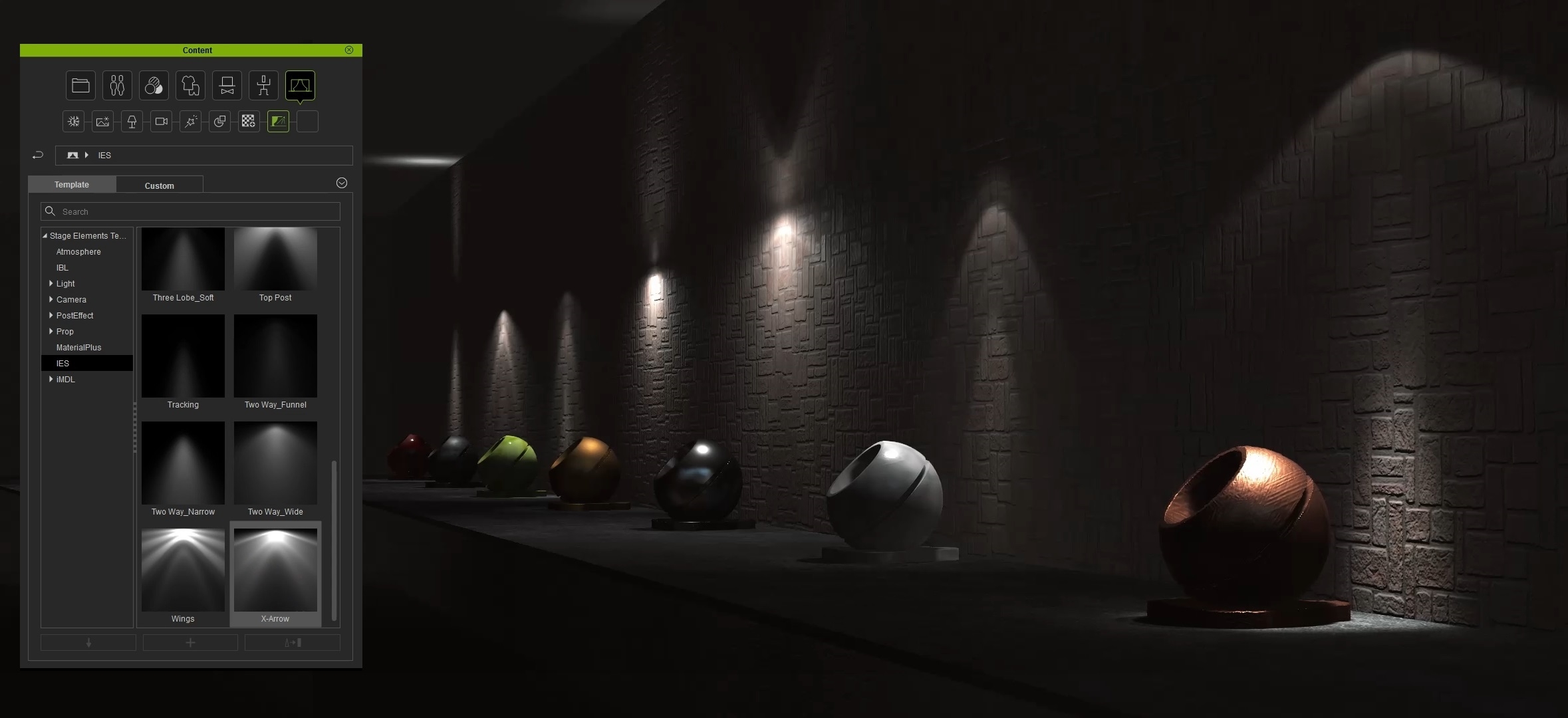 The support of standard IES gives realistic light patterns to point light and spotlight. More IES resources can be freely downloaded from the internet.
Visit the Reallusion Forum for details about Character Creator 3.1.

Jack238 posted Mon, 23 September 2019 at 2:29 PM
Thank you very helpful list of updates
ModeratorReallusion posted Tue, 24 September 2019 at 2:58 AM Forum Moderator
Thanks Jack!
In case you don't notice it, we also publish some tutorials for this new update:
Reallusion Team
Jack238 posted Tue, 24 September 2019 at 4:13 PM
Thanks. That will keep me busy!