
ImagoPictures opened this issue on Jul 09, 2018 · 9 posts
ImagoPictures posted Mon, 09 July 2018 at 5:54 AM
There's a way to save the software's settings, like the wheel zoom, panes sizes and viewport display otpions. It's truly annoying set everything every time I start the software! Also it's possible to control the view with ALT+LMB for rotating and ALT+MMB for panning? Thanks!
ImagoPictures posted Thu, 12 July 2018 at 8:33 AM
Nobody knows? I'm sure I'm doing something wrong, it's impossible that a software that costs more than 200$ can't store options and customize commands! There's a secondary executable I missed? Some file I have to edit?

fly028 posted Mon, 03 September 2018 at 12:57 PM
Hello ImagoPictures,
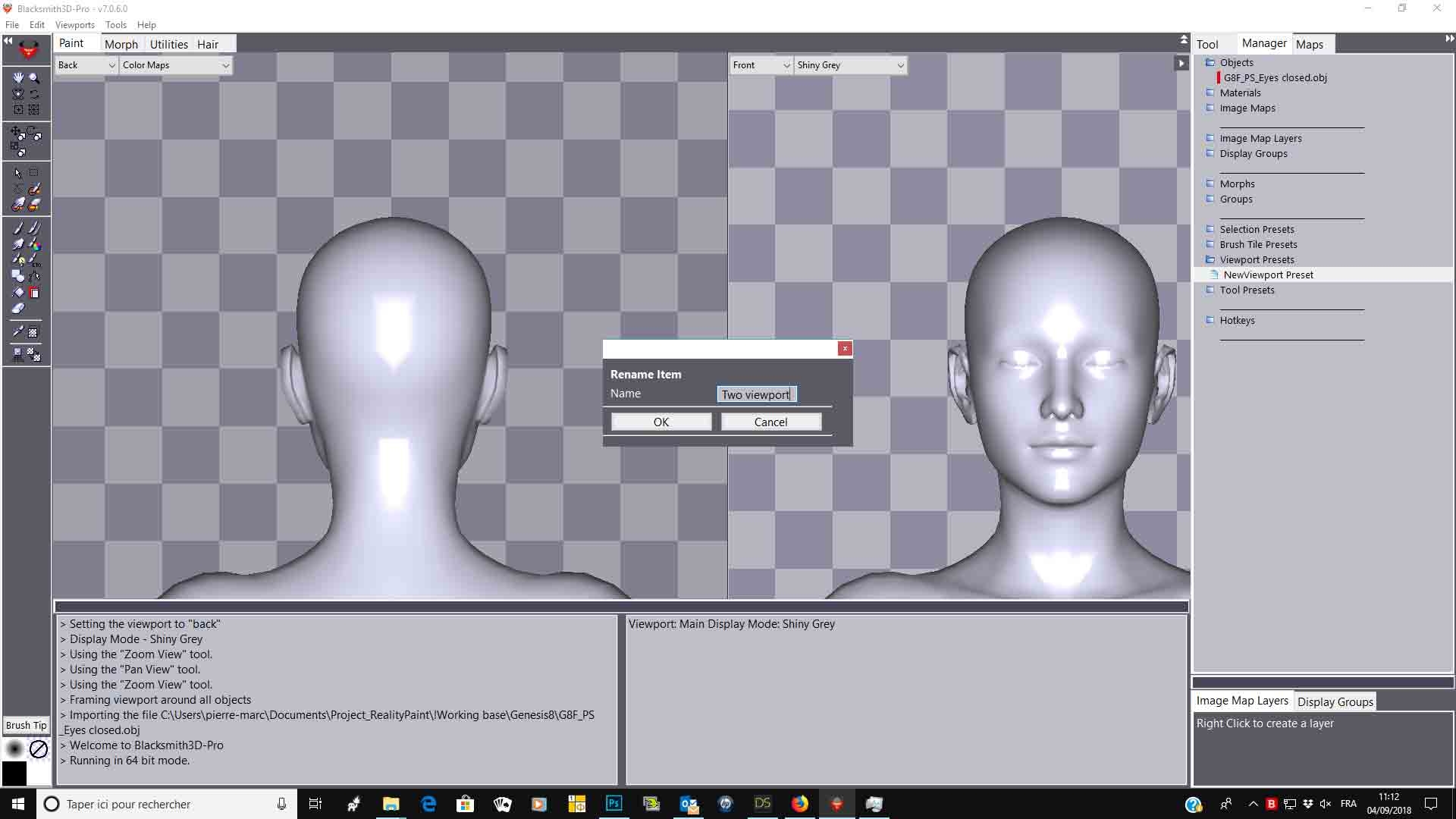
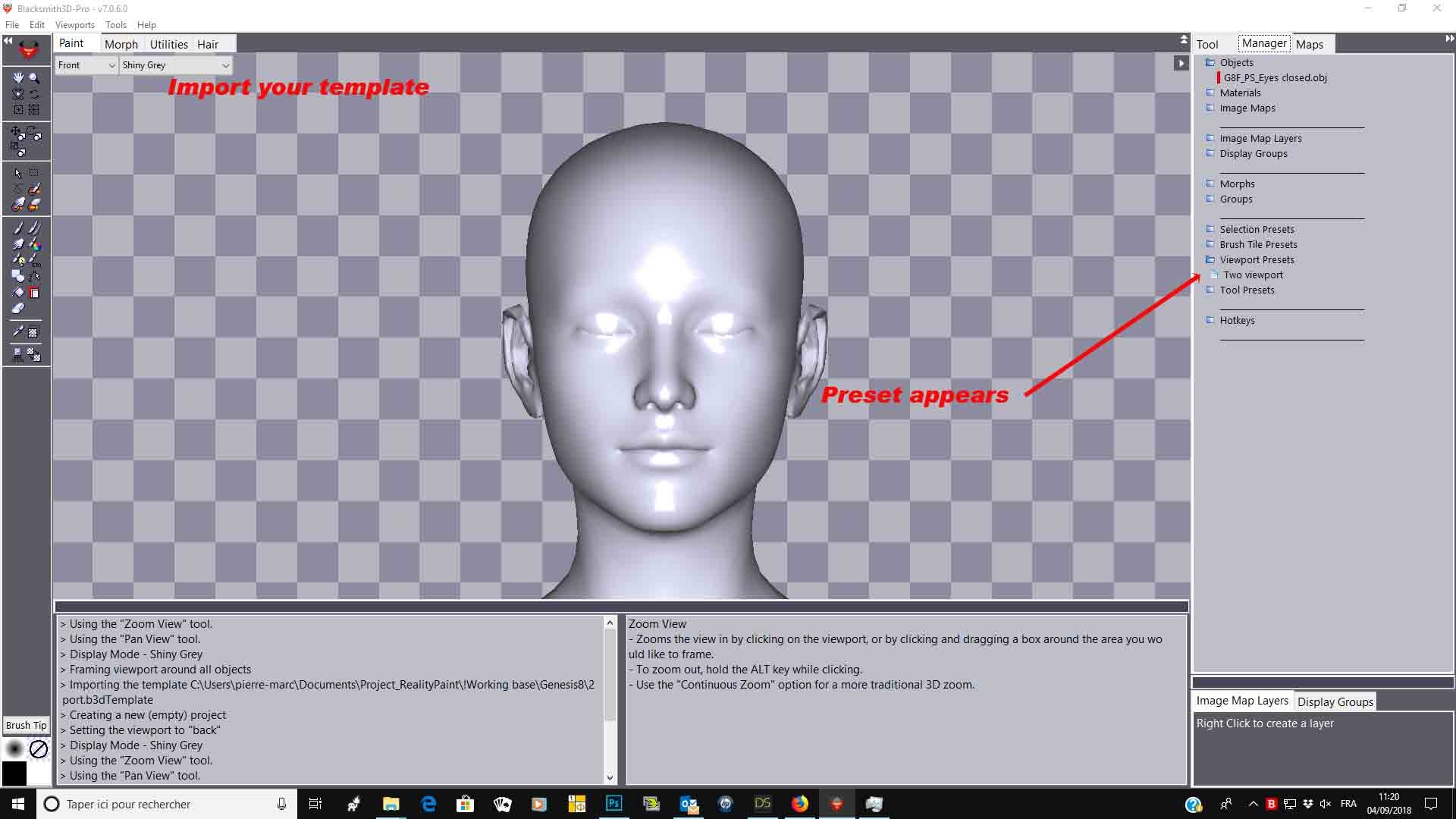
You can set hotkeys to activate/deactivate functions. You can also, in the manager tab, create presets for viewport, brush tile or selection. Set your viewport for example, go in the manager/viewport/right click and create/rename your setting Next time, open BS3D and cklick on your preset and everything will appears as you set it
Hope it helps,
Best regards,
ImagoPictures posted Tue, 04 September 2018 at 3:42 AM
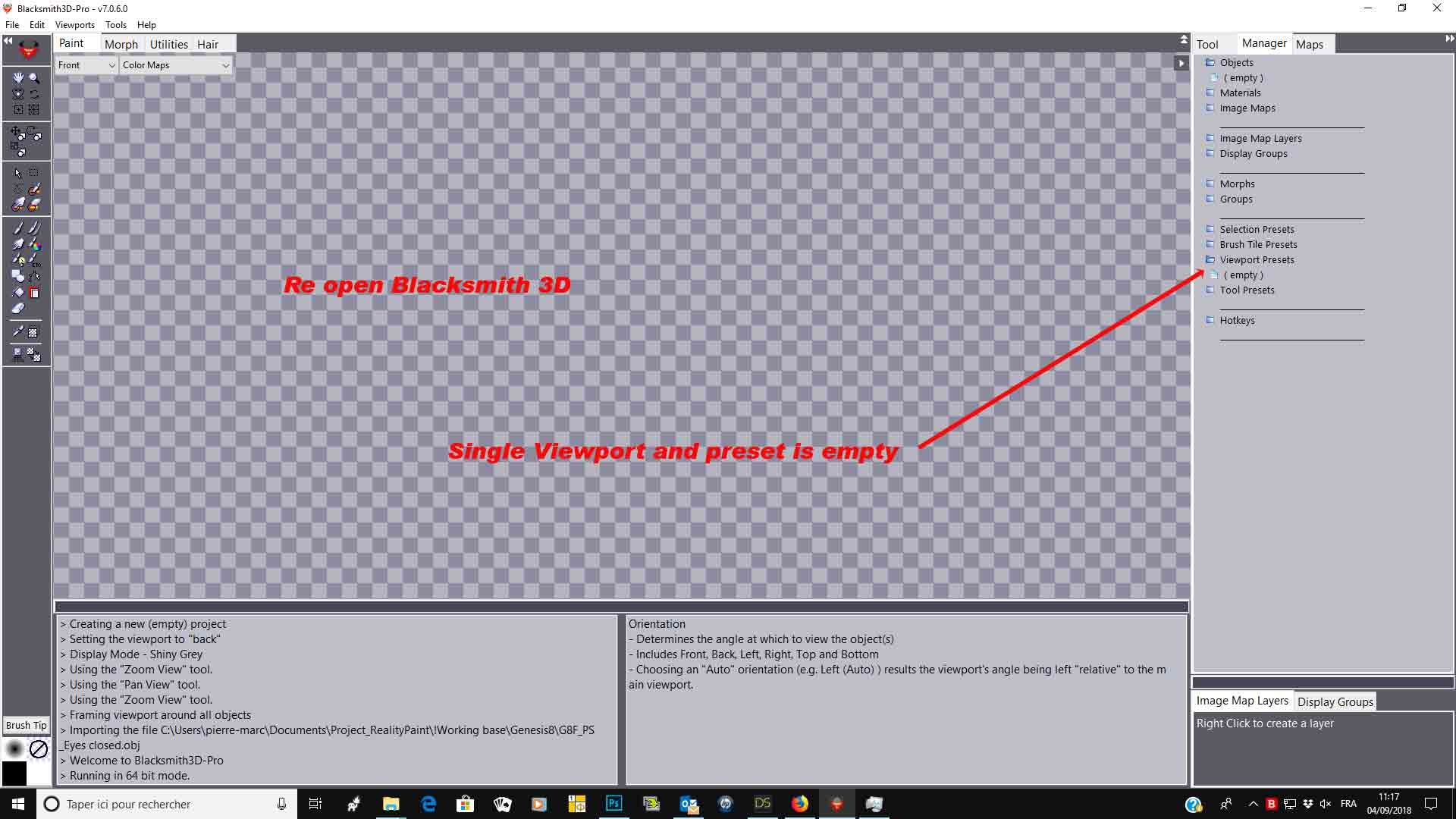
It doesn't save the presets. I tried and created one preset for tool/brush/etc and after closing Blacksmith they disappeared. Save thing for the shortcuts, it accepts only one key and not combinations.
fly028 posted Tue, 04 September 2018 at 4:35 AM
Hello ImagoPictures,
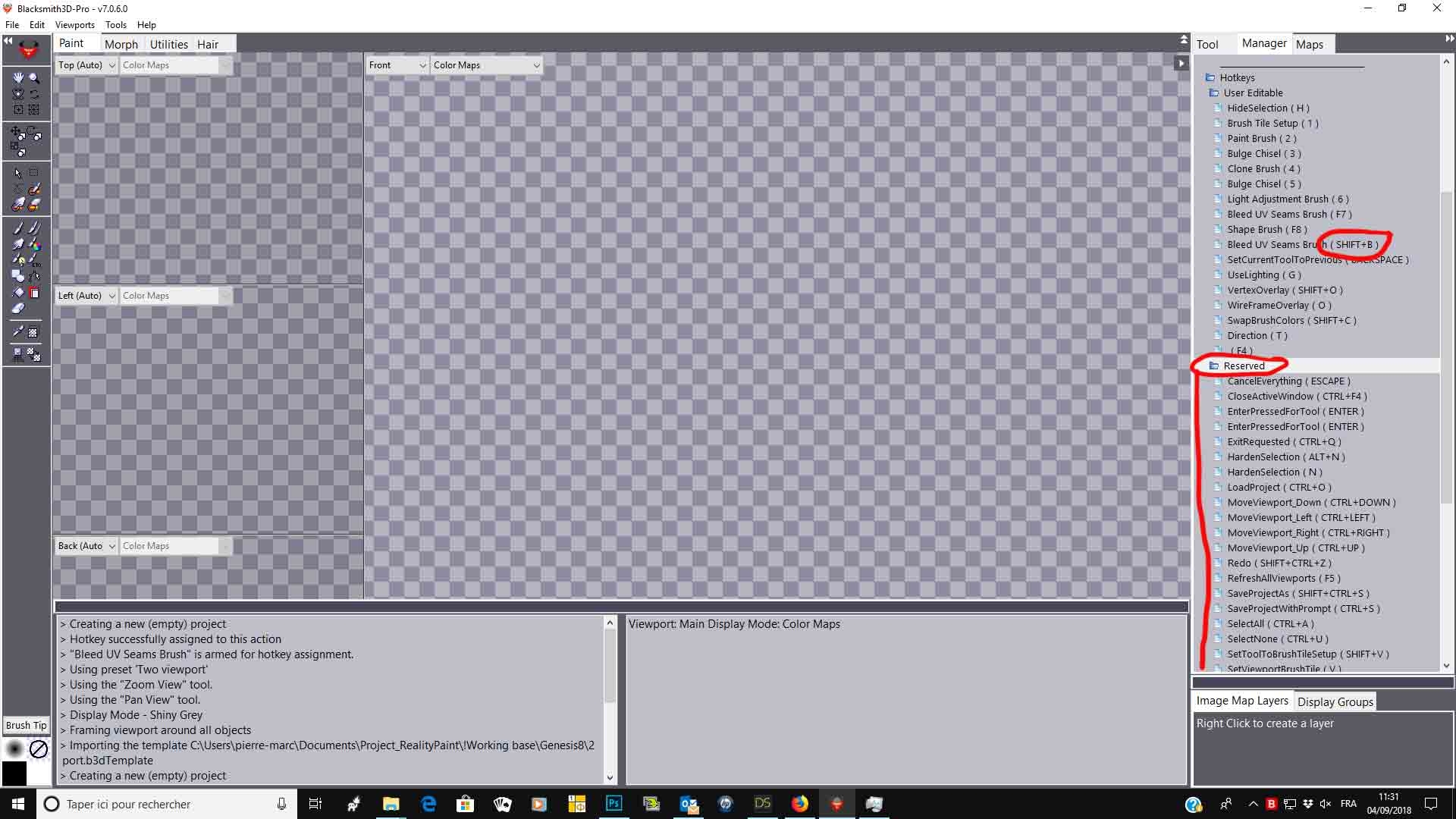
For hotkeys, you can assign combination (I did assign "Shift+B" to bleed UV seams for example). Be careful, some hotkeys are reserved :
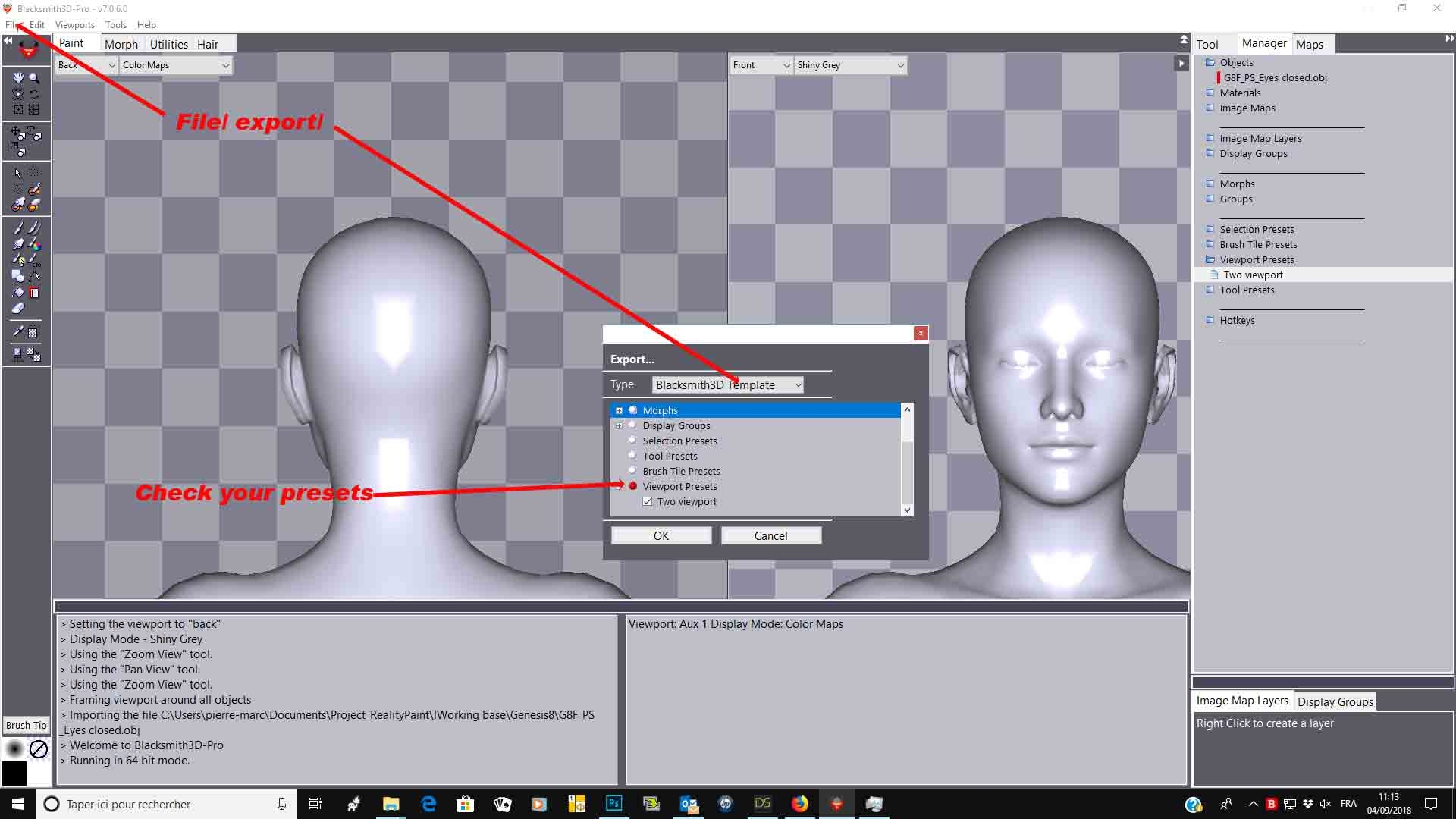
Sorry, it was late at night, i forgot to tell you to save as a template:
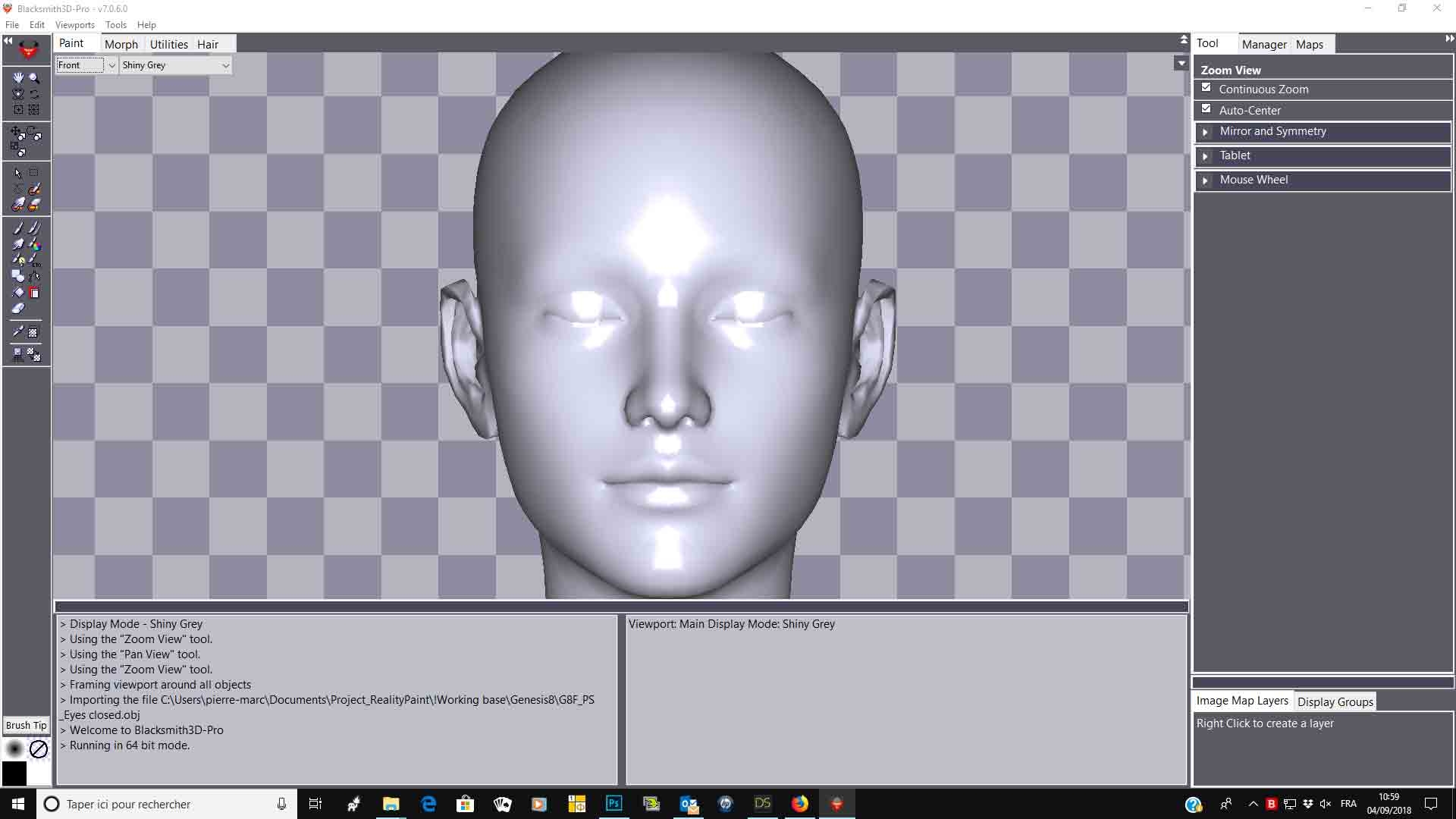
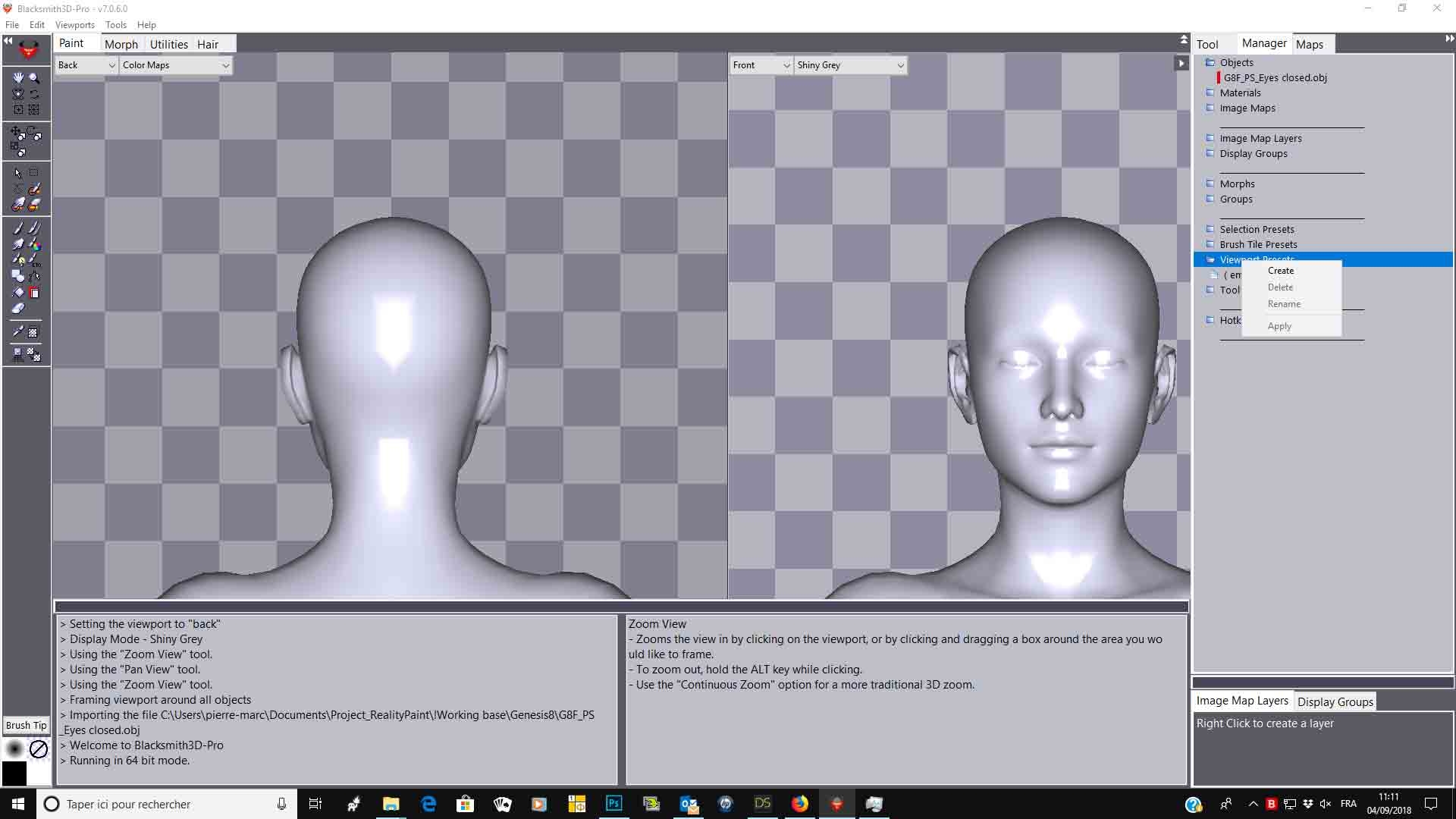
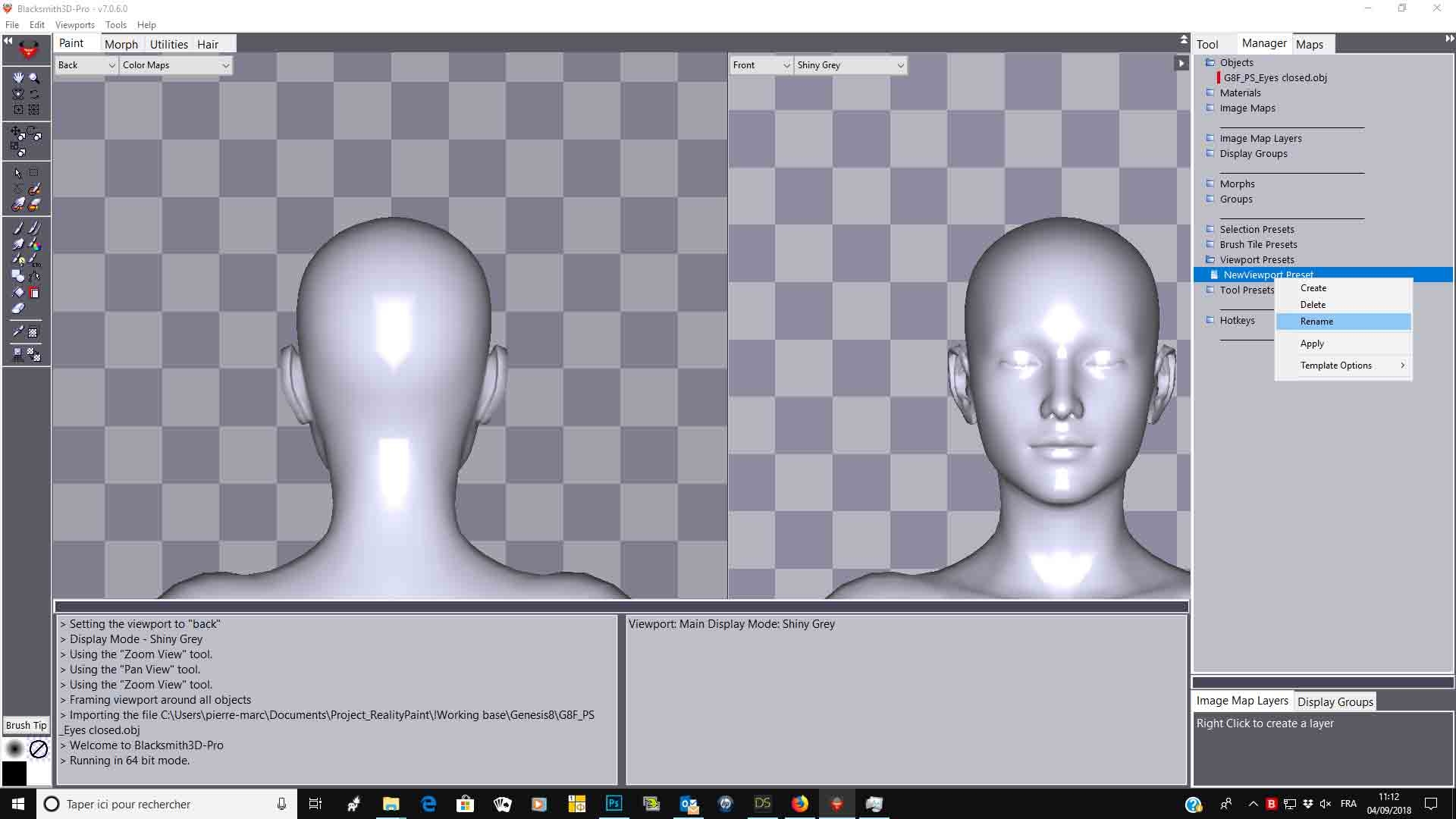
fly028 posted Tue, 04 September 2018 at 4:37 AM
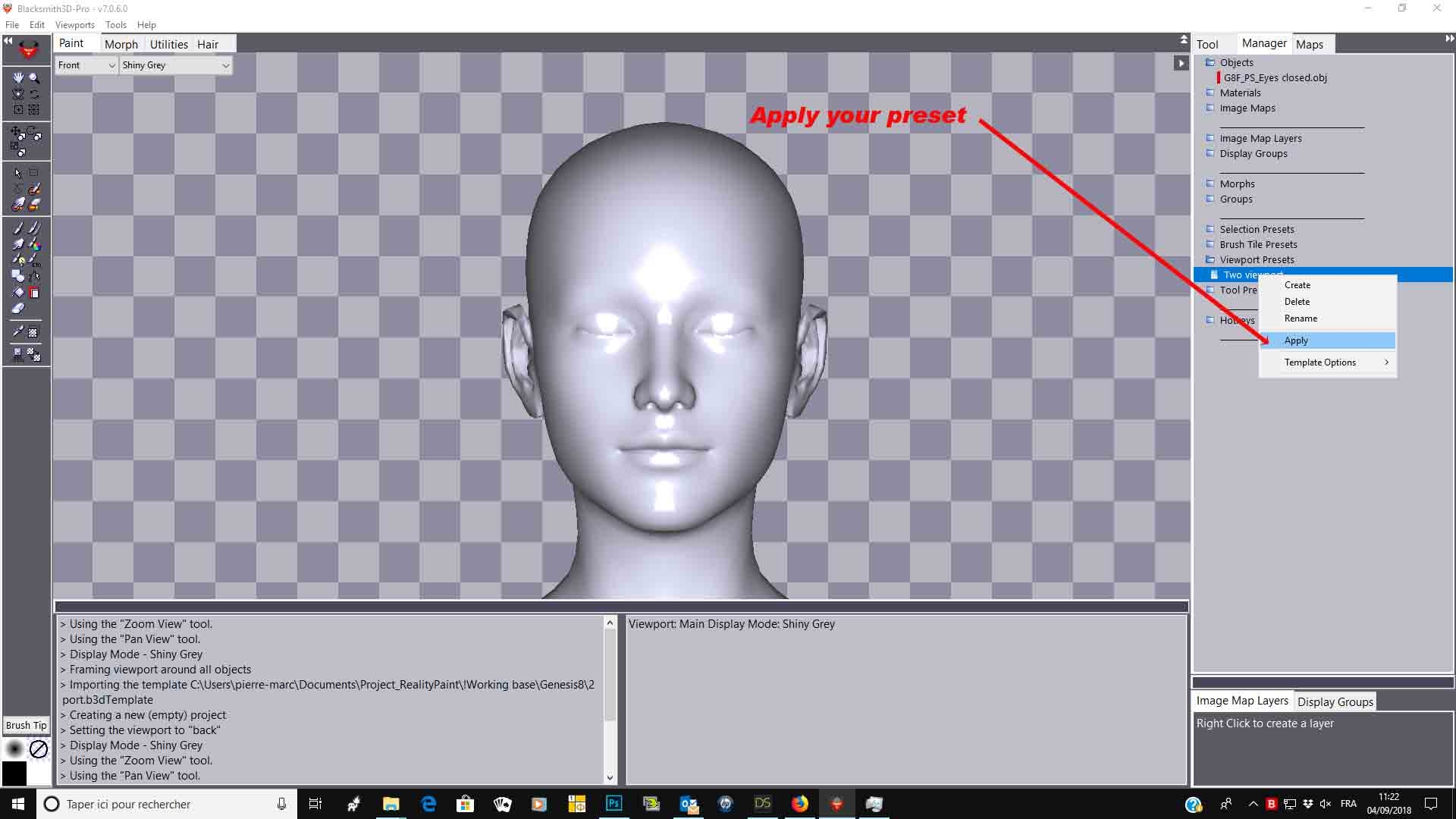

You can do the same for tool presets or create a full project with the desired interface.
Hope it helps,
Best regards,
ImagoPictures posted Wed, 05 September 2018 at 5:22 AM
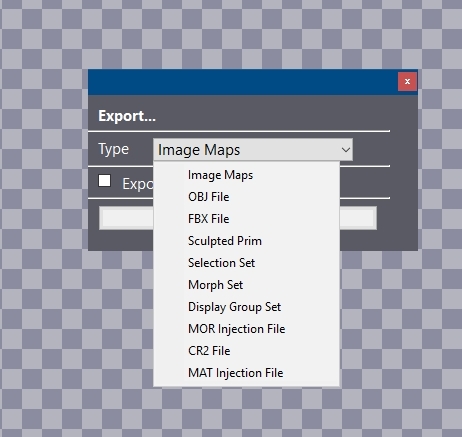 There's no option for that. Also I can't assign ALT+Mouse buttons.
fly028 posted Wed, 05 September 2018 at 11:47 AM
Hello ImagoPictures,
Pan, Zoom and rotate can only be activated through keyboard hotkeys, sorry For saving templates, you need to be in V7, this option was not in V6
Best regards,
ImagoPictures posted Wed, 05 September 2018 at 1:41 PM