
Renderosity Forums / Poser - OFFICIAL
Welcome to the Poser - OFFICIAL Forum
Forum Moderators: RedPhantom Forum Coordinators: Anim8dtoon
Poser - OFFICIAL F.A.Q (Last Updated: 2026 May 23 8:20 pm)

Subject: Making a volumetric texture


You need to set the atmosphere the same as in the lower version. Don't have the computer in front of me right now but if you have the reference manual, research atmosphere and volumetric setting.
===========================================================
OS: Windows 11 64-bit
Poser: Poser 11.3 ...... Units: inches or meters depends on mood
Bryce: Bryce Pro 7.1.074
Image Editing: Corel Paintshop Pro
Renderer: Superfly, Firefly
9/11/2001: Never forget...
Smiles are contagious... Pass it on!
Today is the tomorrow you worried about yesterday

Poser 12, Poser 13, Poser 14, in feet.
OSes: Win7Prox64, Win7Ultx64, Win11
Silo Pro 2.5.6 64bit, Silo 2025.1, Vue Infinite 2014.7, Genetica 4.0 Studio, UV Mapper Pro, UV Layout Pro, PhotoImpact X3, GIF Animator 5
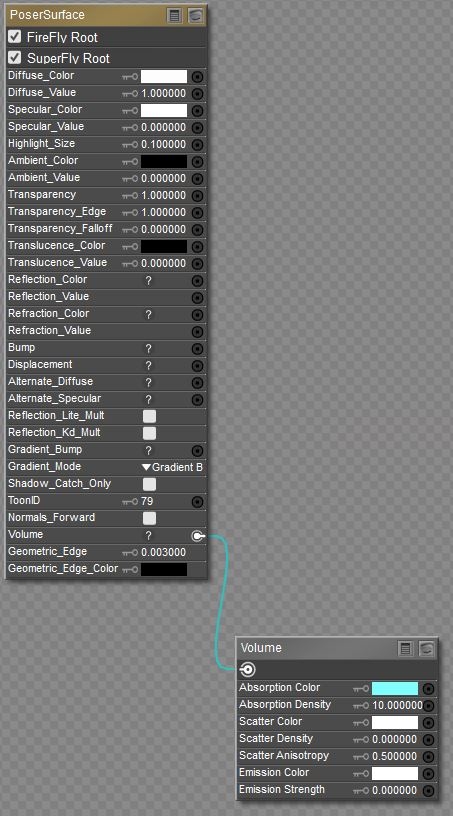
You need to set the scattering density... Start small and be prepared for long rendering time.
===========================================================
OS: Windows 11 64-bit
Poser: Poser 11.3 ...... Units: inches or meters depends on mood
Bryce: Bryce Pro 7.1.074
Image Editing: Corel Paintshop Pro
Renderer: Superfly, Firefly
9/11/2001: Never forget...
Smiles are contagious... Pass it on!
Today is the tomorrow you worried about yesterday
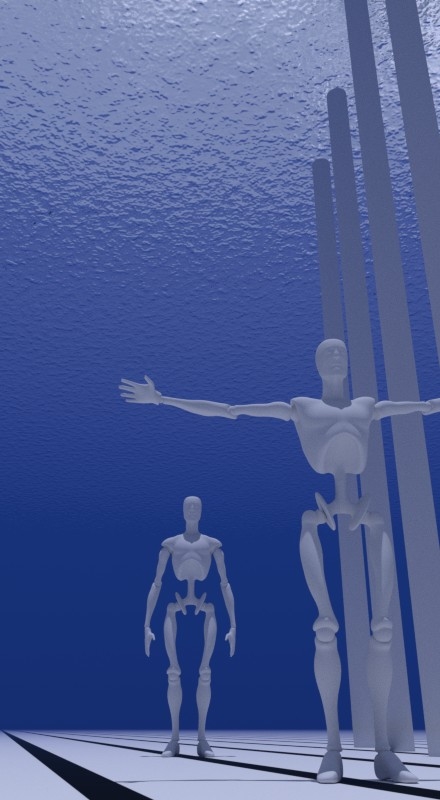
Thanks. With Scatter Density non-zero, the volume inside the sphere renders in Superfox but not in Firefox. But it renders finely speckled; what I need is to fill the Poser cube with a uniform bluish-colored fog, so that in a scene at sea I can scale up the cube to occupy the whole underwater volume to become underwater blue low visibility, as was recommended to me.
Cube or Sphere, which is which? As for the speckling, you might have to up one of the rendering parameters for Superfly. I think it's the light sampling, not sure. Check the reference manual for volumetric rendering.
===========================================================
OS: Windows 11 64-bit
Poser: Poser 11.3 ...... Units: inches or meters depends on mood
Bryce: Bryce Pro 7.1.074
Image Editing: Corel Paintshop Pro
Renderer: Superfly, Firefly
9/11/2001: Never forget...
Smiles are contagious... Pass it on!
Today is the tomorrow you worried about yesterday
seachnasaigh posted at 12:55PM Thu, 06 July 2017 - #4309338
Material screenshots and discussion of how/why to adjust parameters in cited thread.
Poser 12, Poser 13, Poser 14, in feet.
OSes: Win7Prox64, Win7Ultx64, Win11
Silo Pro 2.5.6 64bit, Silo 2025.1, Vue Infinite 2014.7, Genetica 4.0 Studio, UV Mapper Pro, UV Layout Pro, PhotoImpact X3, GIF Animator 5

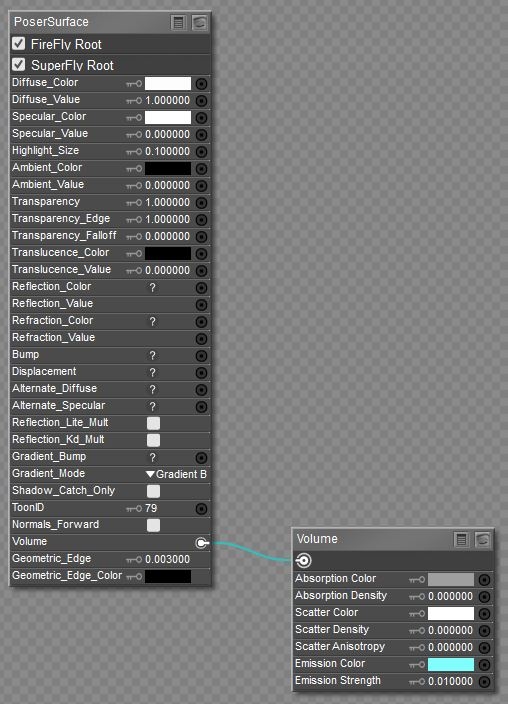

As I have often done. But can the fog described in https://www.renderosity.com/mod/forumpro/?thread_id=2766940 be made to appear full-strength everywhere below the sea surface plane and at zero strength everywhere above it?

Anthony - for FireFly, everything you want is already in the "Underwater Submarine" thread on this server, in which you actually participated as well. On page 6 of the thread I made a link to the completed scene file which you can download and use. Also in the thread is a very good above-water shader.
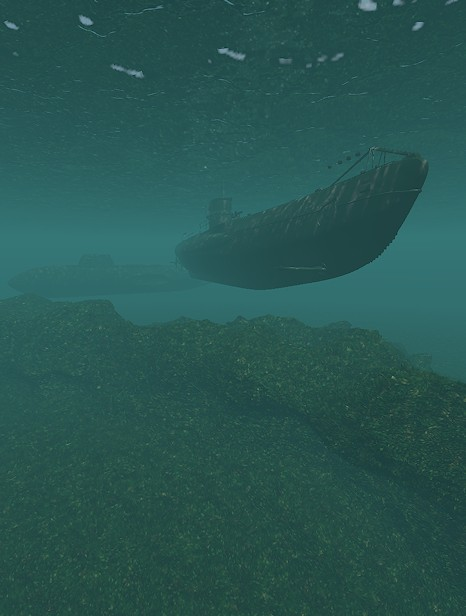
For SuperFly, I have been discovering how best to do this in just the last few days. Basically you make a big box and use Volume Absorption and Volume Scatter. I will post more details when I'm closer to certainty about all behaviors.
Renderosity forum reply notifications are wonky. If I read a follow-up in a thread, but I don't myself reply, then notifications no longer happen AT ALL on that thread. So if I seem to be ignoring a question, that's why. (Updated September 23, 2019)
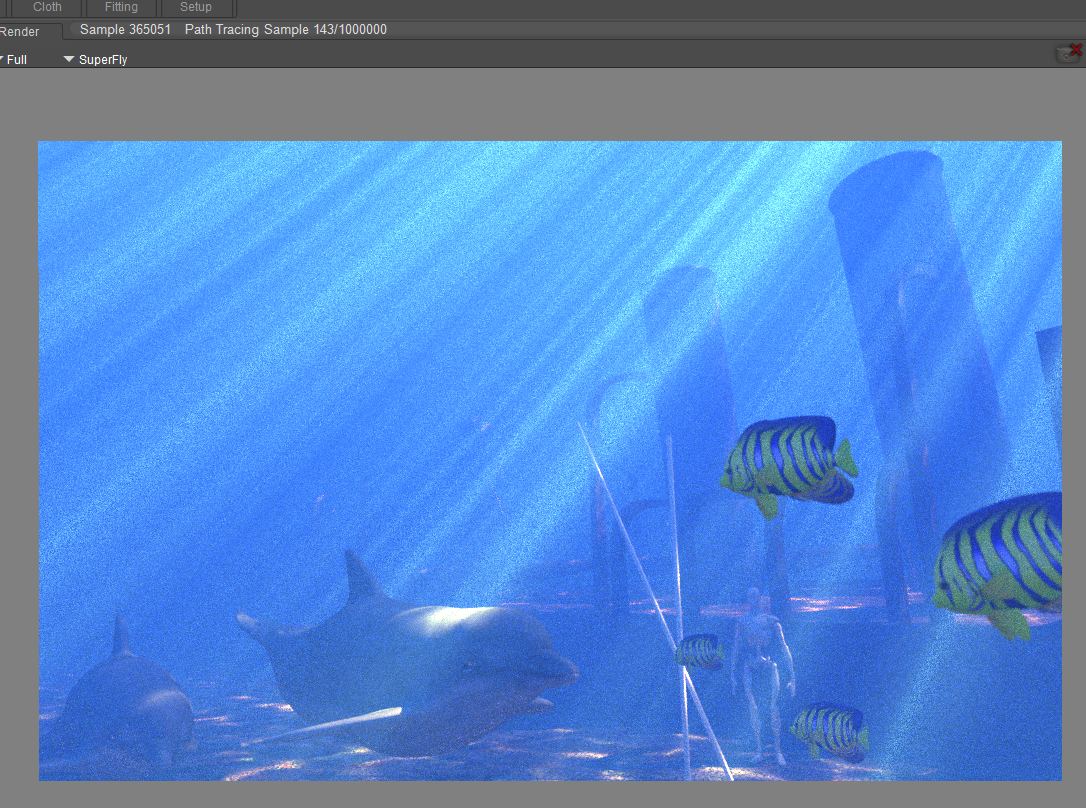
I am, at this very moment, working out how to perfect God rays in SuperFly. This is my background renderer running right now. It's far too few samples, but it's a good sneak peak.
Renderosity forum reply notifications are wonky. If I read a follow-up in a thread, but I don't myself reply, then notifications no longer happen AT ALL on that thread. So if I seem to be ignoring a question, that's why. (Updated September 23, 2019)
bagginsbill posted at 11:20AM Tue, 11 July 2017 - #4309620
Anthony - for FireFly, everything you want is already in the "Underwater Submarine" thread on this server, in which you actually participated as well. On page 6 of the thread I made a link to the completed scene file which you can download and use. Also in the thread is a very good above-water shader.
For Su perFly, I have been discovering how best to do this in just the last few days. Basically you make a big box and use Volume Absorption and Volume Scatter. I will post more details when I'm closer to certainty about all behaviors.
Thanks, but, in the "Underwater Submarine" thread, what is the "posted at" date and time of the message with that link to the scene file in?, to help me to find the link.
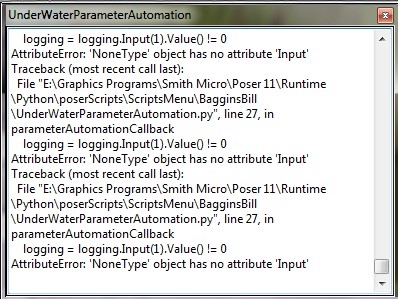
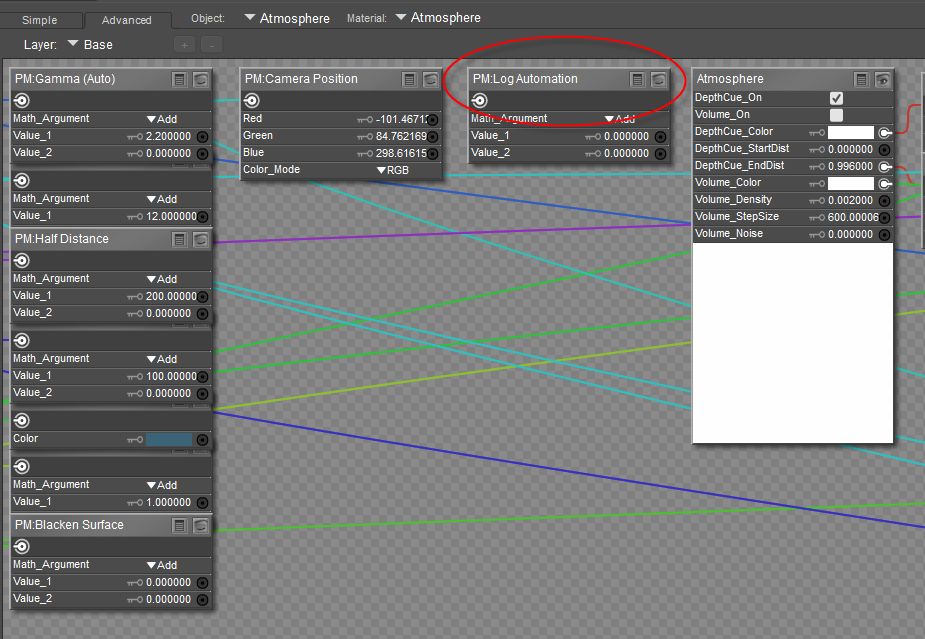
Raven - the error indicates to me that the python script cannot locate the node with the label PM:Log Automation in the Atmosphere shader.
Does your atmosphere shader look like this? If it doesn't have this node then you somehow changed the shader and need to reload.
Renderosity forum reply notifications are wonky. If I read a follow-up in a thread, but I don't myself reply, then notifications no longer happen AT ALL on that thread. So if I seem to be ignoring a question, that's why. (Updated September 23, 2019)
Ok, thanks BB.
I have found the (my!) problem. I had put your .pz3 scenes into the scene library, and was loading it from there. Doing that resulted in a blank Atmosphere node. If I loaded the .pz3 via File->Open rather than what I had been doing the Atmosphere node loads as shown. The script now runs fine.
So through this little process I realised that as I was loading from the library with a double-click, I was adding to the scene rather than replacing. My prefs are set so that double-click adds to the scene. Once I used the single check mark to load the scene, and hence replace it, the script worked properly for me.
Many thanks.

Privacy Notice
This site uses cookies to deliver the best experience. Our own cookies make user accounts and other features possible. Third-party cookies are used to display relevant ads and to analyze how Renderosity is used. By using our site, you acknowledge that you have read and understood our Terms of Service, including our Cookie Policy and our Privacy Policy.
I have Poser 11. In response to advice in the thread "Refraction at water surface", I have tried to make a sphere with a colored fog in it. I loaded a Poser sphere ("ball"), and scaled it to 10000% size. In Materials I connected the sphere's Poser Surface node's "Volume" line (near the bottom) to a Volume node. I set the values in the Volume node as shown in the example shown in Poser 11 reference manual page 427 (the teapot). But on render, if the sphere's transparencies are both set to 0, the ball renders as invisible transparent; else it renders as an ordinary solid sphere. Do I have to click something in Poser to make it obey volume rendering? The same seems to happen with Firefly or SuperFly, and with the sphere's normals pointing inside or outside.