
willdial opened this issue on Aug 28, 2016 · 11 posts
willdial posted Sun, 28 August 2016 at 3:44 PM
If you import Genesis 3 into Poser and then bends are off like this:
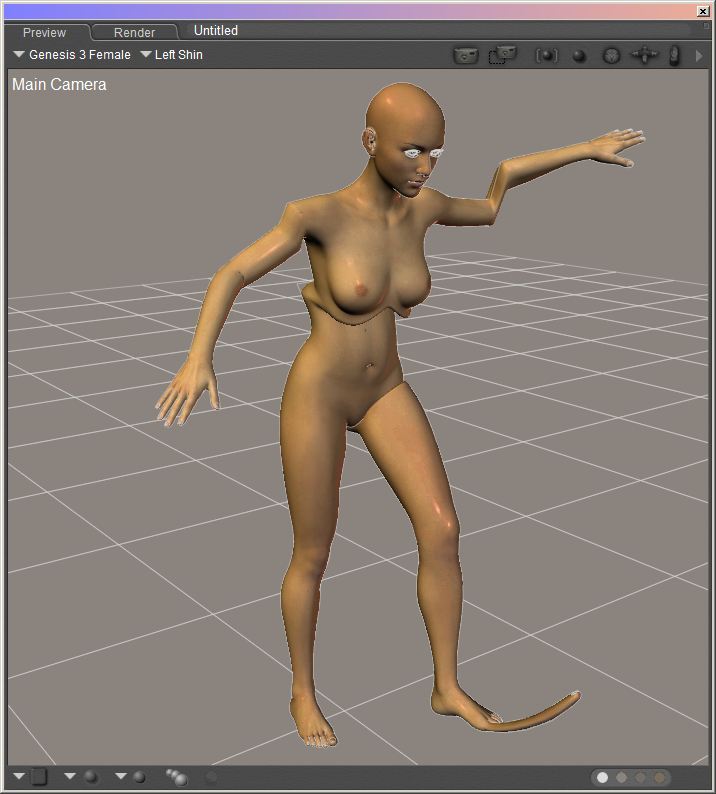
This can occur if the the DSON Importer version is too old or the generated background files are not good. Also, the Updater will throw errors if you attempt run it on a bad file.
Possible Solution 1
Genesis 3 needs DSON Importer version 1.1.3.49 or newer. You can check the version number in the DSON Importer Preference screen.

Uninstall the older version and install the correct version.
Possible Solution 2
DSON Importer generated an OBJ, PMD, and CR2 files. They need to deleted so DSON Importer will create new versions. The OBJ and PMD are under the folder "RuntimeDSONauto_adapteddataDAZ 3DGenesis 3"
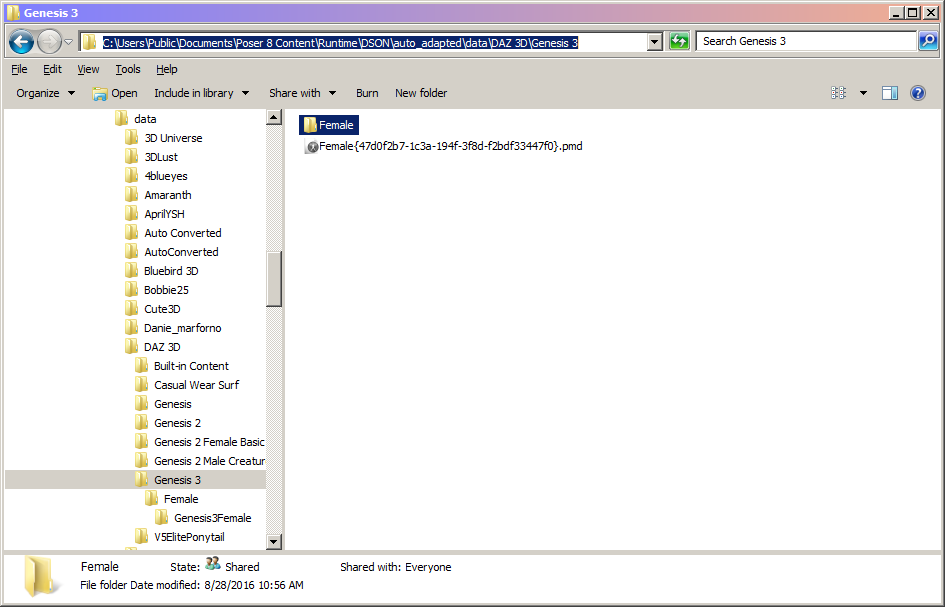
Delete the PMD and the "Female" folder.
The CR2 is under the folder "RuntimeDSONauto_adaptedcontent_files". But, it could be in one of many generated folders.
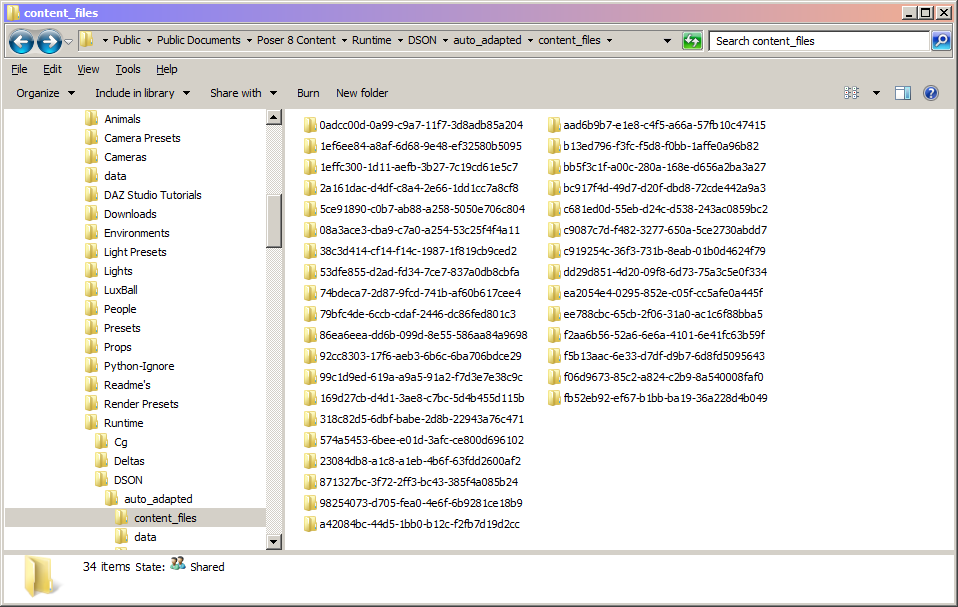
The CR2 file will have the same name as the Poser Companion File. My file was called "Genesis 3 Female Triax".
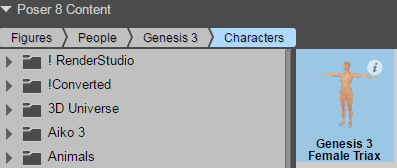
Search for the name and delete the appropriate file
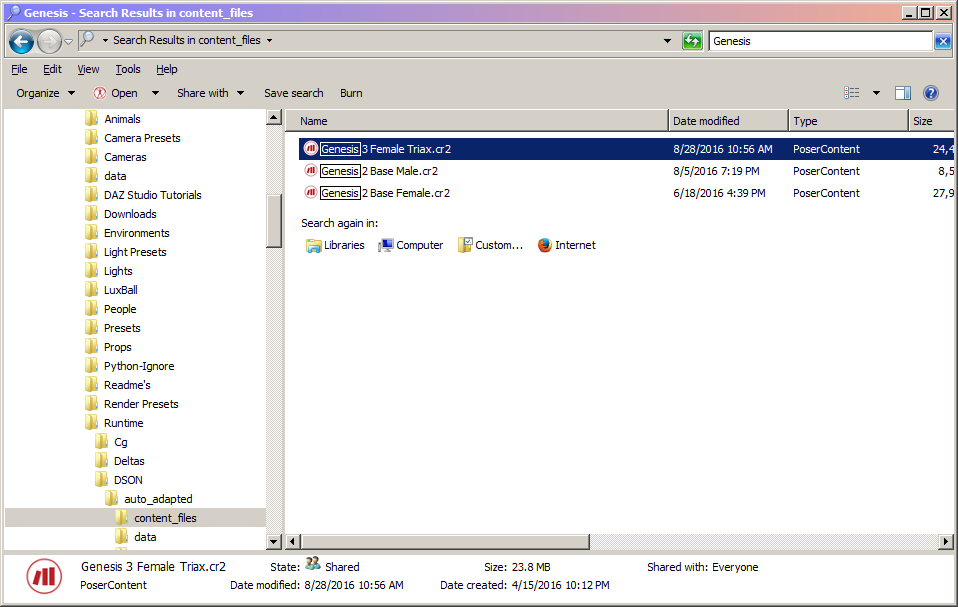
Once the files are deleted, go into the DSON Importer Preference screen and clear the cache.
Now in Poser, re-open the Genesis 3 Poser Companion file.
If the bends are correct, you can now create the Poser CR2 and update that file.
pruiz posted Sun, 28 August 2016 at 7:38 PM
Sorry for dumb question willdial but where are the DSON Importer preferences to be found?
pruiz posted Sun, 28 August 2016 at 7:44 PM
willdial - I brought this question over here because it is related. "What is the "save as" for shoes from Daz to poser before making Poser compatible files please? If one makes it a scene subset it is impossible to separate the shoes from the character at export. I'm totally confused about shoe export. Any help or how to appreciated."
willdial posted Sun, 28 August 2016 at 9:03 PM
pruiz posted at 7:02PM Sun, 28 August 2016 - #4281439
Sorry for dumb question willdial but where are the DSON Importer preferences to be found?
It's in the Scripts Menu, under DSON.
willdial posted Sun, 28 August 2016 at 9:07 PM
pruiz posted at 7:04PM Sun, 28 August 2016 - #4281440
willdial - I brought this question over here because it is related. "What is the "save as" for shoes from Daz to poser before making Poser compatible files please? If one makes it a scene subset it is impossible to separate the shoes from the character at export. I'm totally confused about shoe export. Any help or how to appreciated."
Shoe export is the same as any other clothes. When you save as Scene Subset, there should be a screen that lets you select what figure to save.

MollyFootman posted Sat, 03 September 2016 at 4:11 PM
This is interesting. I found and deleted the obj, pmd and cr2 files. Now, my attempts to load G3 result in an invisible figure. According to the various drop down and movement editing palettes (including the hierarchy editing window) G3 is there, but all I see is a little origin target on the ground in my posing window. :(
Any ideas what I'm doing wrong?
MollyFootman posted Sat, 03 September 2016 at 5:52 PM
It crosses my mind I should probably add that I am using Poser Pro 11 SR 5 and DSON 1.1.3.50. I found that when I exit Poser and return, I get a visible G3 again, but the joint are messed up as in your first picture above again. I figure I'm missing something simple. I am using D3D's XL for the initial import of G3. Maybe I should go through all the slow steps you use to do it manually?
Dang.
Heh. I think I'm talking to myself here. ;)
willdial posted Sat, 03 September 2016 at 8:17 PM
You can always give the manual method a try.
Ah, the joys of transferring between systems.
MollyFootman posted Sun, 04 September 2016 at 8:39 AM
I've been messing with this the better part of a week and this is what I've found. First of all, I'm using:
It seems that Library Manager XL is failing to properly do the conversion to triax. It should do that automagically and it does in Lululee's nice video tutorial but it doesn't for me. So here's a work flow that gets G3 and all expressions into Poser for me:
I hope this helps someone with the same problems I was having. I think my issues have to do with the latest version of Poser Pro 11 as an interesting thing is happening when I try Lululee's work flow: the resulting figure is loaded as skinning method "simple bones single skin - interoperable" rather than as "Poser traditional" as you would expect. Strangely, the expressions work in that case but all the rest of the joints are messed as in Willdial's first post here. >.< The work around pre-converted triax file loads the way I would expect with "Poser traditional" skin.
As you say, dear Willdial: "Ah, the joys of transferring between systems!"
I finish this long and boring post with a "THANK YOU!!" to Willdial and Lululee! <3
pruiz posted Sat, 10 September 2016 at 10:30 AM
I have tried ALL of Willdial's trouble shooting tips. Delete 'Female' and .pmg file as well as Cr2 - cleared DSON cache and allseems to vonvert and work properly EXCEPT for fingers which deform wildly - see below. Any ideas what is wrong or what I'm doing wrong.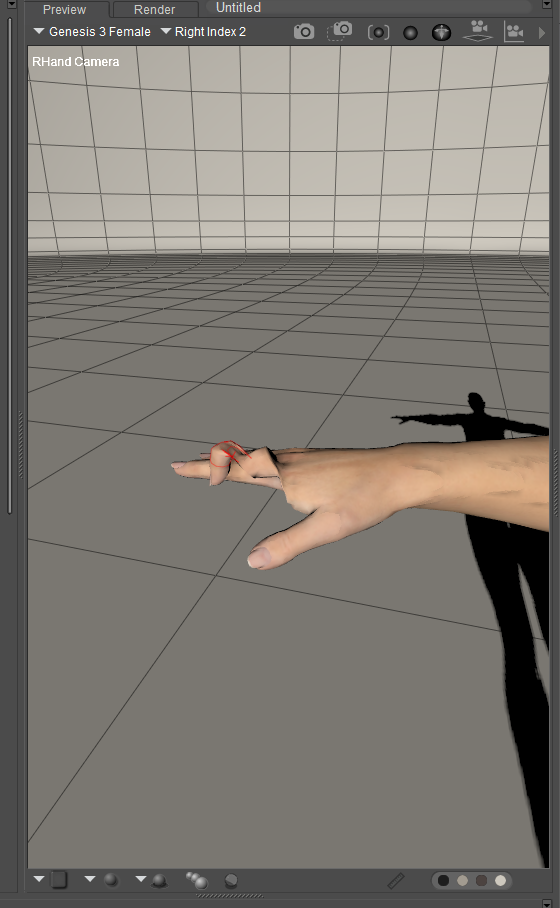
pruiz posted Sat, 10 September 2016 at 1:12 PM
willdial posted at 2:07PM Sat, 10 September 2016 - #4281447
pruiz posted at 7:04PM Sun, 28 August 2016 - #4281440
willdial - I brought this question over here because it is related. "What is the "save as" for shoes from Daz to poser before making Poser compatible files please? If one makes it a scene subset it is impossible to separate the shoes from the character at export. I'm totally confused about shoe export. Any help or how to appreciated."
Shoe export is the same as any other clothes. When you save as Scene Subset, there should be a screen that lets you select what figure to save.
Yes there is screen but it will not allow the subitems (in this case shoes) to be checked without the character to which they are conforming. I am trying to export a pair of conforming shoes - if I put them in a scene and save as scene subset the poser companion files come over to poser visually correct but if I try to conform to - they scrunch up and deform. Maybe I'm doing something totally wrong?