
lululee opened this issue on Feb 19, 2016 · 9 posts
lululee posted Fri, 19 February 2016 at 12:26 PM
Hi, I would like to read a dse file but it looks very strange when I ipen it. Is there a way that I can read it as text? Cheerio

Jules53757 posted Fri, 19 February 2016 at 1:36 PM
May be you can load it and save it under an other name uncompressed.
Ulli
"Never argue with an idiot. They drag you down to their level and beat you with experience!"
lululee posted Fri, 19 February 2016 at 3:10 PM
Hi Ulli, Can you tell me what software I need to save it uncompressed and how I would do that? Cheerio lululee
Jules53757 posted Fri, 19 February 2016 at 3:21 PM
It should be done in Studio when you save it as character preset just uncheck Compress File
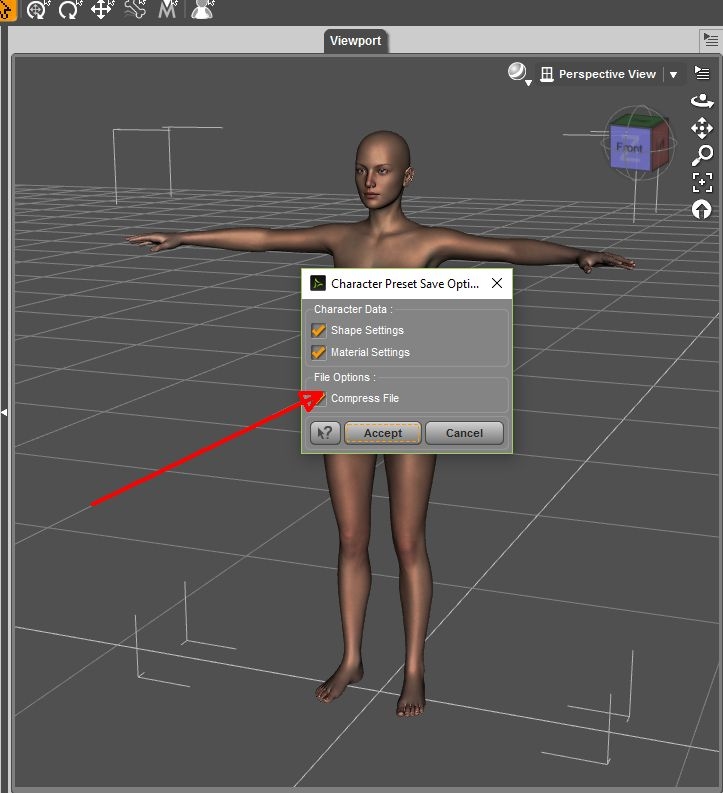
Ulli
"Never argue with an idiot. They drag you down to their level and beat you with experience!"
Jules53757 posted Fri, 19 February 2016 at 3:22 PM
Oh sorry, this was a .duf but dse should be similar
Ulli
"Never argue with an idiot. They drag you down to their level and beat you with experience!"
Jules53757 posted Fri, 19 February 2016 at 3:32 PM
Sorry again, dse means DAZ Script Encrypted, now idea how to load and save them, there are some different .ds* files possible
Ulli
"Never argue with an idiot. They drag you down to their level and beat you with experience!"

bhoins posted Fri, 19 February 2016 at 3:35 PM
dse is encrypted. You shouldn't be able to open it, unless you were the one that encrypted it. :)
lululee posted Fri, 19 February 2016 at 4:38 PM
Thanks everyone. I did not realize it was encrypted. Cheerio lululee
mountainbluff posted Tue, 01 March 2016 at 1:22 PM
What is the path to uploading Renderosity files into Daz!