
EnglishBob opened this issue on Jul 06, 2012 · 36 posts
EnglishBob posted Fri, 06 July 2012 at 8:48 AM
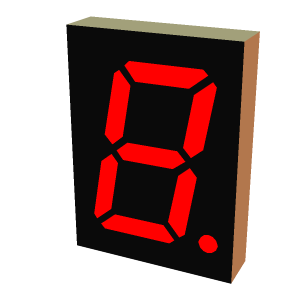
If I make the ambient value animatable I can turn the segments on and off over time. So far, so good. I can save a prop in that form and it loads again fine. However if I make material collections to help me quickly form digits, the animatable key is turned off after I apply the material, although the MC6 file itself seems to have the right stuff in it.
It's even worse if I make an MT5 - I managed to crash Poser straight to the desktop with those. :eek:
Here's an excerpt from the file without animation turned on:
nodeInput "Ambient_Value"<br></br>
{<br></br>
    name "Ambient_Value"<br></br>
    value 1 0 10<br></br>
    parmR NO_PARM<br></br>
    parmG NO_PARM<br></br>
    parmB NO_PARM<br></br>
    node NO_NODE<br></br>
    file NO_MAP<br></br>
}
And here it is with animation on:
nodeInput "Ambient_Value"<br></br>
{<br></br>
    name "Ambient_Value"<br></br>
    value 1 0 10<br></br>
    parmR "SegA_PoserSurface_6"<br></br>
    parmG NO_PARM<br></br>
    parmB NO_PARM<br></br>
    node NO_NODE<br></br>
    file NO_MAP<br></br>
}
SegA is the material name for that segment. It seems that, although the code that applies an MT5 is happy to ignore the material name at the head of the file, it gets rather confused when it sees it elsewhere. Wherever I applied the MT5, the material seemed to end up on the first material in the list. Then after some more tinkering I had the aforementioned crash.
This is Poser 7, so maybe - hopefully - this behaviour is fixed in later versions. Any light you can shed (no pun intended) would be welcome...