
Ajay300 opened this issue on Feb 05, 2011 · 7 posts
Ajay300 posted Sat, 05 February 2011 at 10:15 AM
Attached Link: Big Office
Hello,I'm new to Carrara and just came from using Daz. I setup my scenes and characters in Daz and realized that animating within it wasn't going to work for me so I got Carrara and the ERC plugin.
I got the Big Office scene and I'm experimenting with tube, shape, and ambient lights for it.
I'm not going for high realism but maybe a slight toon effect for shading. Also I'm wanting fairly quick renders possibly around a minute or two(max) as I will be making short movies.
The animations will be mostly made within this office scene. Was wondering what general direction I should take in lighting?
Thanks,
Ajay

stardust posted Sat, 05 February 2011 at 10:50 AM
Hi Ajay300! Great idea to incorporate Carrara into your workflow :) That scene has a lot of potential - for fast renders, keep the objects shaders simplified (minimal reflects, bump, etc) , use lights in your scene efficiently and if you need soft shadows, use the shadow buffer, it renders much faster with acceptable results. Dont turn on raytracing when rendering or GI :) Good luck and be sure to let us see your work!

GKDantas posted Sat, 05 February 2011 at 12:46 PM
Hi, welcome to Carrara world. In a closed environment try to use lights as the real scene. O good point here is to use IES with your lights, so it can look more natural.
Tube lights are a little strange in Carrara, you need to rotate them so you can really use it. Look at my tutorials about light:
http://carrara.mirocommunity.org/
Range Falloff and Fall Off Rate are you best friend for closed environment.
Follow me at euQfiz Digital
Ajay300 posted Mon, 07 February 2011 at 12:01 PM
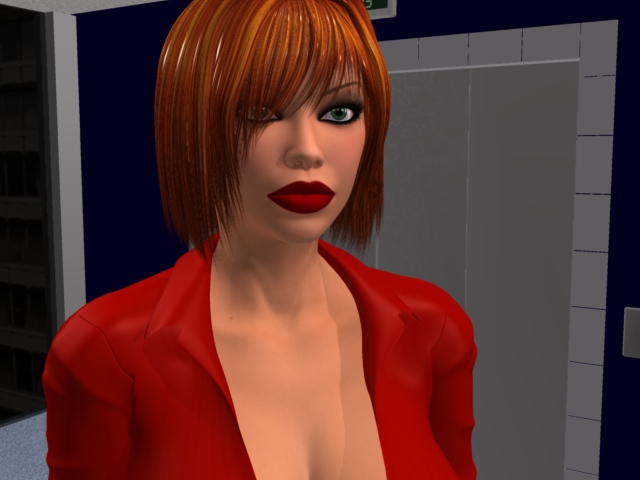
This was truly one of the most frustrating experiences I ever had. Spent all weekend working on it. Adding/removing lights, working shading, falloffs, placement etc. Change one thing can effect everything else. Main problem was that I had little experience in lighting.
Its set up okay for now and nothing Im proud of but may work out. The lines on the floor between the tube light look bad but I'll try adjusting them between shots.
I have 8 tube lights (2 of them cast shadows) 200%, ies involved, ambient 68% and various other adjustments. No soft shadows.
GKDantas posted Mon, 07 February 2011 at 12:55 PM
Ambinet Light is a bad thing to use, it will break all shadows in the render. I really set AL to 0% when working with seriuos light.
Follow me at euQfiz Digital
Ajay300 posted Mon, 07 February 2011 at 5:34 PM
Turned off ambient.
Removed IES after screwing around in it for last couple days as it makes it to dark for an indoor space.
Tube lighting draws lines in the floor and streaks in the ceiling. Light glares and spots all around.
Deleted and starting over.
I cannot believe how hard and time consuming this has been to light an office space. No wonder I see mostly outdoor renders.

Klebnor posted Mon, 07 February 2011 at 7:23 PM
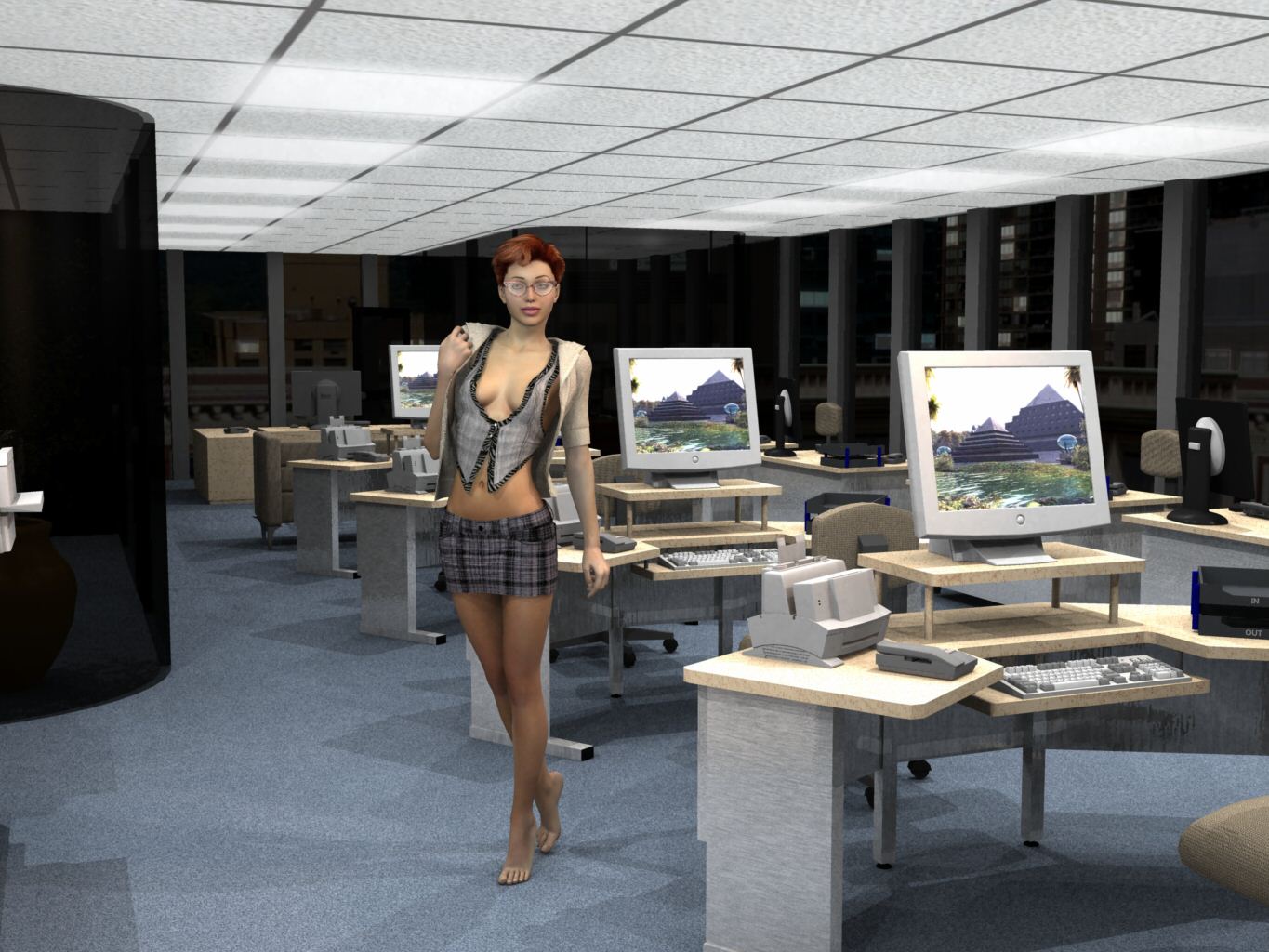
I like this model as well. I did have to raise the ceiling because the original was only about 7 ft high or so. Also changed monitors, shaders, etc.
Not too hard to light, lots of downfacing spots, one upfacing distant light illuminationg only the ceiling. Put a background outside and lowered the alpha on the exterior walls. Other than the ceiling lights (pure white for that flourescent office look) just two spots on V4.
Klebnor
Lotus 123 ~ S-Render ~ OS/2 WARP ~ IBM 8088 / 4.77 Mhz ~ Hercules Ultima graphics, Hitachi 10 MB HDD, 64K RAM, 12 in diagonal CRT Monitor (16 colors / 60 Hz refresh rate), 240 Watt PS, Dual 1.44 MB Floppies, 2 button mouse input device. Beige horizontal case. I don't display my unit.