
vidyashakti opened this issue on Aug 25, 2010 · 15 posts
vidyashakti posted Wed, 25 August 2010 at 12:19 AM

CHEERS;-)
Michael

benney posted Wed, 25 August 2010 at 4:27 AM
Hmm? that's a question that has always been on my mind too.. So I will back up your question and hopefully someone may have have a solution to it... (fingers crossed).

headwax. posted Wed, 25 August 2010 at 5:09 AM
Hi I asked the same question at Daz forum, chap called Humantex told me how it can be done by editing a txt file. Looks scary but not impossible. Have a search there and you should dig it up
headwax. posted Wed, 25 August 2010 at 5:45 AM
vidyashakti posted Wed, 25 August 2010 at 8:03 AM
Thanks a lot guys. I really appreciate the input here. Will have a stab at it and see what happens.
CHEERIO;-)
Shakti
vidyashakti posted Wed, 25 August 2010 at 8:06 AM
Just had a peek at the DAZ forum thread and it is PC oriented and I happen to be on a Mac. Oh well! Just keep lookin I guess!

GKDantas posted Wed, 25 August 2010 at 11:40 AM

Follow me at euQfiz Digital

thomllama posted Wed, 25 August 2010 at 12:10 PM
Quote - I go for a very different direction. I use 3DPoExplorer to organize my Runtime folders. In the Characters folder I create a folder for Vic4 and sub folders for cloths, shoes, acessories, hair and other things. So just one Runtime for all stuff, this way Carrara, Poser and DazStudio can read very easy from the same place.
again, that's wintel... not mac :(
Hexagon, Carrara, Sculptris, and recently Sketchup.
benney posted Wed, 25 August 2010 at 12:17 PM
Quote - I go for a very different direction. I use 3DPoExplorer to organize my Runtime folders. In the Characters folder I create a folder for Vic4 and sub folders for cloths, shoes, acessories, hair and other things. So just one Runtime for all stuff, this way Carrara, Poser and DazStudio can read very easy from the same place.
Could you point me in the right direction for the 3DPoExplorer please? It sounds like just what I need.
GKDantas posted Wed, 25 August 2010 at 12:30 PM
I think that you can buy it here or get the free version (works fine to move things around):
http://www.senosoft.com/
I think that this organization can be done by hand (I did for some time moving all files with the Explorer).
Follow me at euQfiz Digital

geep posted Wed, 25 August 2010 at 5:20 PM
Attached Link: http://www.senosoft.com/
Remember ... "With Poser, all things are possible, and poseable!"
cheers,
dr geep ... :o]
edited 10/5/2019
benney posted Wed, 25 August 2010 at 5:34 PM
Quote - I think that you can buy it here or get the free version (works fine to move things around):
http://www.senosoft.com/
I think that this organization can be done by hand (I did for some time moving all files with the Explorer).
Thanks for the link. I have downloaded the free version for now. All I have to do now is find a tutorial regarding how to use it.. Call me a dummy if you wish LOL
headwax. posted Wed, 25 August 2010 at 7:26 PM
Heh, well you are a dummy. :)
By the way, when you figure out how to use it, can you let me know please. :)
GKDantas posted Wed, 25 August 2010 at 8:00 PM
Laurent, P3DOExplorer creator are working in some video tutorial for it.
Follow me at euQfiz Digital

yarp posted Thu, 26 August 2010 at 7:51 AM
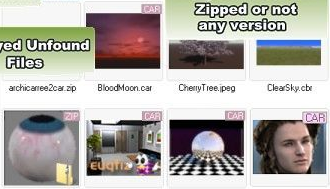
Hi Guys,
P3dO is for sure a unique tool for Carrara, I am providing Carrara support in P3dO since October 2009.
In short: Carrara and HDR thumbnails viewing is free, Carrara files References list in InDepth tree is free too. You have to register to edit thumbnails and get the thumbnailed view of a scene References.
As GKDantas said I am working on Video tutorials, but at the moment you can visit the Carrara features page at Senosoft.com which tells all about Carrara in P3dO:
http://www.senosoft.com/carrara_file_manager.php
It is short and both a description page and a Tutorial. Looking at the pictures should be enough. Well, I hope. If you have any question I will be glad to answer.
Yarp
www.senosoft.com
Yarp - author of P3DO Organizer for Poser