
exxe opened this issue on Jan 24, 2010 · 6 posts
exxe posted Sun, 24 January 2010 at 9:08 PM
It's simple, I create a terrain 130,000 ft by 130,000 ft,and place a tree in the middle,but my tree is so small I can barely see it,am I supposed to size up the tree to 1,000 ft ?

CaptainJack1 posted Sun, 24 January 2010 at 9:33 PM
Actually, it should be kinda small. Your terrain has a surface area of 16,900,000,000 square feet (606.2 square miles) and a mid size tree, when looked at from above as a leafy circle of radius, oh, say, ten feet, is going to make a shadow about 314 square feet. The tree, from above, is going to occupy 0.000001859% of the surface area of your terrain, which is tiny indeed.
Try starting with a medium size scene instead of a large one, and add a terrain to that. The default scale is much closer to the size of a tree (that is, a tree fills the camera view much more completely) and you may get closer to what you're wanting.

bwtr posted Sun, 24 January 2010 at 9:37 PM
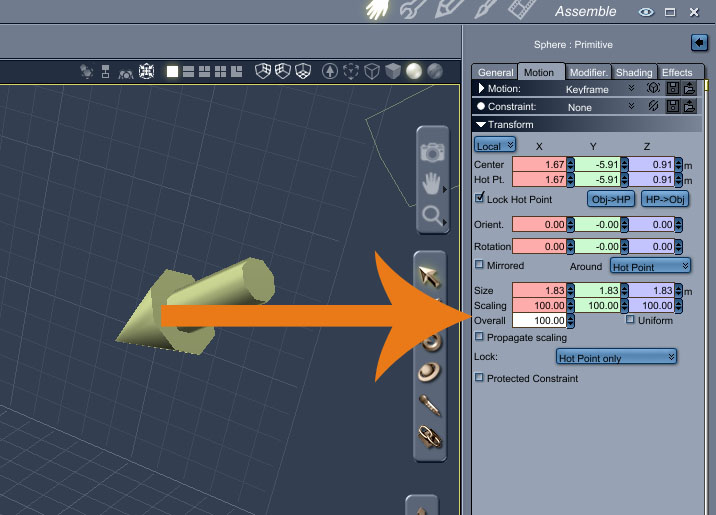
Basic rule!--adapt things to your visual needs.
Brian
bwtr
exxe posted Sun, 24 January 2010 at 10:44 PM
Thanks ! that was helpfull.

GKDantas posted Mon, 25 January 2010 at 5:30 AM
Follow me at euQfiz Digital
CaptainJack1 posted Mon, 25 January 2010 at 5:38 AM
Quote - CaptainJack1 that was the most technical explanation about size tree that i saw, but its really great!
That's me in a nutshell. :biggrin: