
pikusuru opened this issue on Aug 04, 2009 · 7 posts
pikusuru posted Tue, 04 August 2009 at 4:22 PM
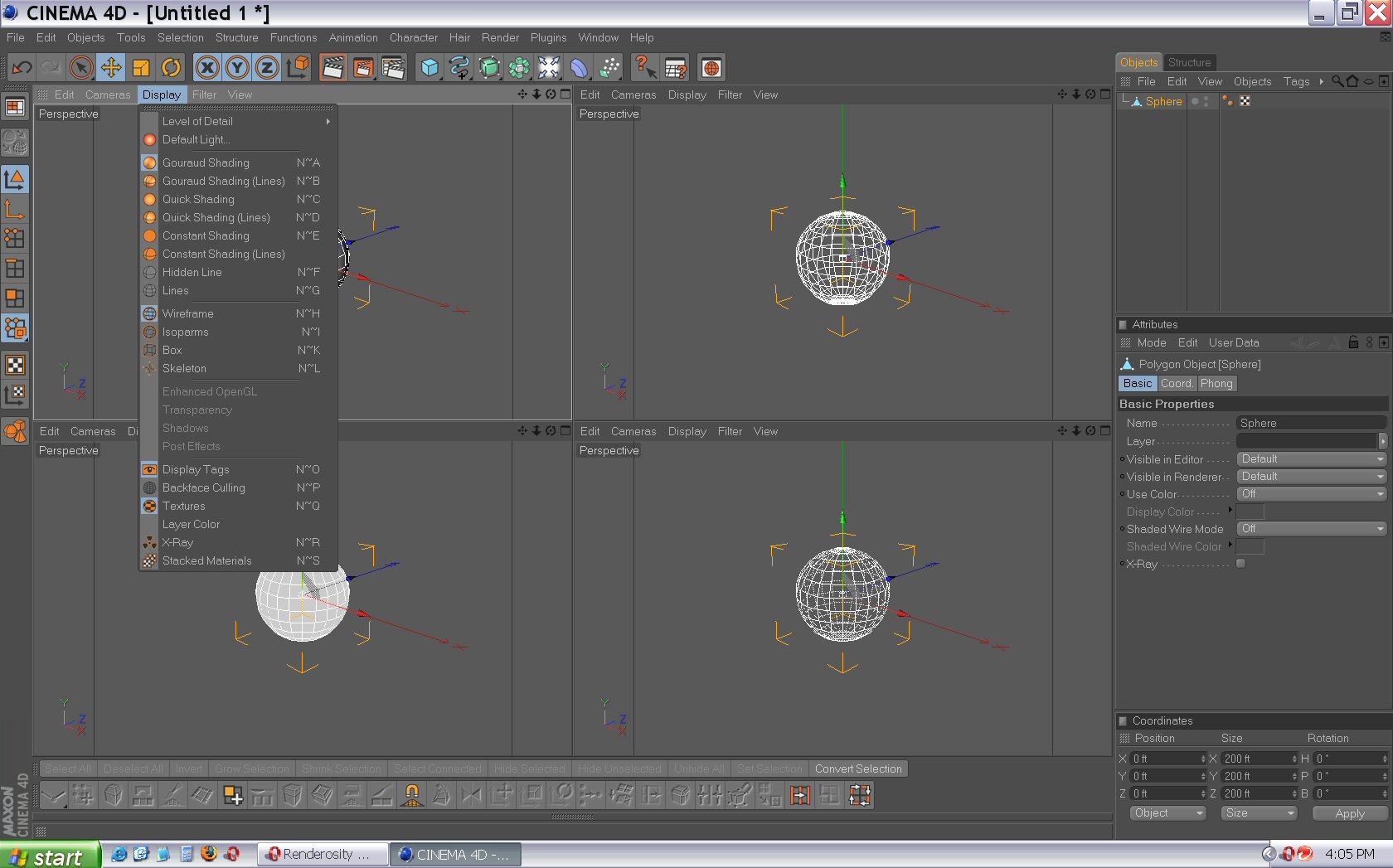
Is there a way to set a viewport filter for a specific viewport or independently?
For example, I might want two perspective views. One where I can see the mesh, bones, deformers etc and another where I just see the mesh. When I uncheck any filter options it changes this option for all views.
pikusuru posted Tue, 04 August 2009 at 5:06 PM
Blergh. Well, it looks unlikely as the docs say these options are global and affect all viewports and I couldn't get it to work with the display tags.
scanmead posted Tue, 04 August 2009 at 6:08 PM

LesterJames posted Tue, 04 August 2009 at 6:16 PM
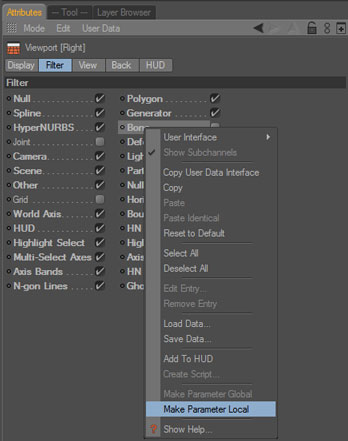
The manual explains it more; (in the help content) go to Cinema4D>Views and Viewports>Edit Menu>Viewport
Hope it helps.
pikusuru posted Tue, 04 August 2009 at 6:26 PM
Damn. It was right there smacking me in the face. I didn't go down far enough for that part. Thanks LesterJames.
Thanks, scanmead but I was trying to display certain object types in different viewports.
scanmead posted Tue, 04 August 2009 at 6:42 PM
Sorry, stupid of me.
pikusuru posted Wed, 05 August 2009 at 9:27 AM
Nah. Thanks again for replying.